
Chicco 00011041000000
Chicco First Dreams Rainbow 3-in-1 Evolving Cot Mobile User Manual
Model: 00011041000000
1. Introduction
The Chicco First Dreams Rainbow 3-in-1 Evolving Cot Mobile is designed to create a soothing and stimulating environment for your baby. This versatile product combines melodies, lights, and projections to assist in relaxation and sleep. It adapts to your child's developmental stages, functioning as a classic cot mobile, a bedside projector, or a bedside mobile.
This manual provides essential information for the safe and correct use of your Chicco Rainbow Cot Mobile. Please read it thoroughly before assembly and operation, and retain it for future reference.
Safety Warning
Please read the labels and warnings on the product packaging carefully before use. Ensure all components are securely fastened and regularly check for any signs of wear or damage. Discontinue use if any part is broken or missing.
2. Package Contents
Verify that all the following components are included in your package:
- Main Projector Unit
- Mobile Arm and Cot Attachment System
- 4 Suspended Plush Toys (Bear, Bunny, Star, Moon)
- Remote Control

Image: The complete Chicco First Dreams Rainbow 3-in-1 Evolving Cot Mobile, showing the main projector unit, mobile arm, and suspended plush toys.

Image: The compact remote control for the Chicco First Dreams Rainbow Cot Mobile.

Image: Two of the soft plush toys, a star and a moon, that hang from the mobile.

Image: Two additional soft plush toys, a bear and a bunny, designed to hang from the mobile.
3. Setup and Installation
3.1 Battery Installation
The main projector unit and remote control require batteries for operation.
- Locate the battery compartment on the underside of the main projector unit and the remote control.
- Using a screwdriver, open the battery compartment cover.
- Insert 2 AAA batteries into the main projector unit, ensuring correct polarity (+/-).
- Insert the required batteries into the remote control, ensuring correct polarity (+/-).
- Replace the battery compartment covers and secure them with screws.
3.2 Assembly and Attachment
The mobile offers three evolving configurations:
Configuration 1: Classic Cot Mobile
- Attach the mobile arm to the main projector unit.
- Hang the four plush toys from the designated hooks on the mobile arm.
- Securely attach the mobile arm to the side of your baby's cot. The attachment system is compatible with most wooden or travel cots with bars up to 38mm wide, including Chicco Next2Me mini cots. Ensure the mobile is firmly fixed and out of your baby's reach.

Image: The Chicco Cot Mobile securely attached to the side of a baby's crib.
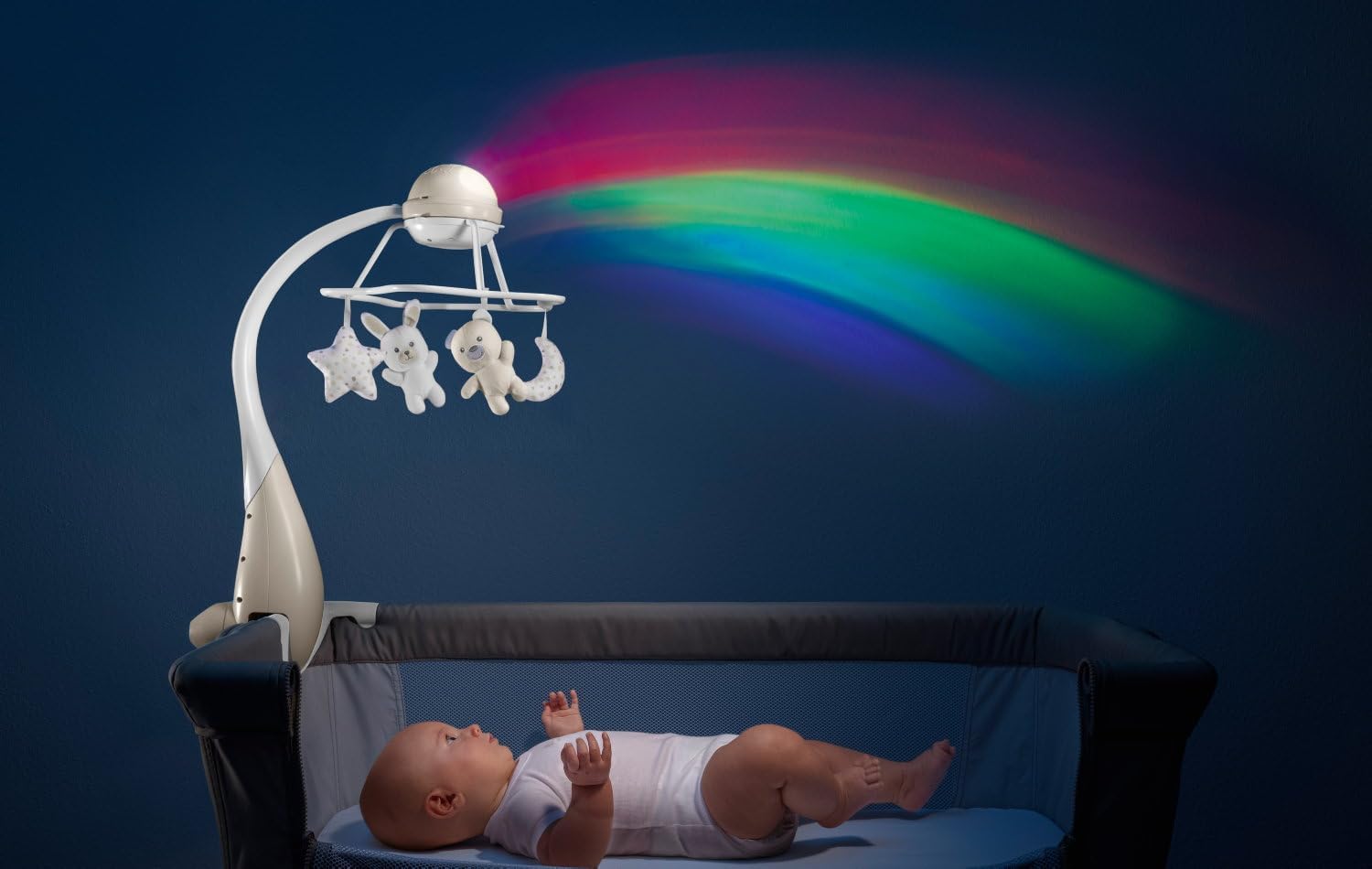
Image: A baby lying in a Chicco Next2Me cot, observing the rainbow projection from the attached mobile.
Configuration 2: Bedside Projector
- Detach the mobile arm from the main projector unit.
- Place the main projector unit on a stable surface next to the cot, such as a bedside table.

Image: A baby in a cot with the projector unit placed on a nearby bedside table, casting a rainbow projection.
Configuration 3: Bedside Mobile
- Detach the mobile arm from the main projector unit.
- Place the main projector unit on a stable surface next to the cot.
- The mobile arm with plush toys can be placed separately on a flat surface or stored.

Image: A baby in a cot with the mobile unit, including plush toys, placed on a bedside table.
4. Operating Instructions
4.1 Power On/Off
Press the power button on the main projector unit or the remote control to turn the device on or off.
4.2 Projection Modes
The mobile offers two distinct projection modes:
- Static Projection with Classical Melodies: Projects a fixed image while playing classical music.
- Moving Rainbow with Nature Sounds: Projects a dynamic rainbow effect accompanied by calming nature sounds.
Use the mode selection button on the main unit or remote control to switch between these modes.

Image: A baby lying in a cot, looking up at the colorful rainbow projection cast by the Chicco mobile onto the wall.
4.3 Music and Sounds
The mobile features a selection of classical melodies and nature sounds. Use the music selection button on the main unit or remote to cycle through the available options. Adjust the volume using the dedicated volume controls.
4.4 Plush Toy Rotation
When in the classic cot mobile configuration, the suspended plush toys can rotate. Activate or deactivate the rotation function using the corresponding button on the main unit or remote control.
4.5 Timer Function
The main projector unit includes a timer function, allowing you to set the operating duration. Options typically include 0, 15, or 45 minutes. Select the desired duration using the timer switch on the main unit.

Image: A close-up view of the main projector unit, highlighting the control buttons and timer switch.
4.6 Remote Control Usage
The remote control allows you to conveniently manage the mobile's functions from a distance. It can be used to:
- Turn the mobile on/off.
- Switch between projection modes.
- Adjust volume.
- Control plush toy rotation.
- Select melodies or nature sounds.
5. Maintenance and Care
5.1 Cleaning
To clean the mobile, wipe the plastic surfaces with a soft, damp cloth. Do not immerse the electronic components in water. The plush toys may be surface-cleaned with a mild detergent and damp cloth, or hand-washed gently if necessary. Ensure all parts are completely dry before reassembly or use.
5.2 Battery Replacement
Replace batteries when the mobile's functions become weak or stop working. Always use new batteries of the specified type (AAA) and dispose of old batteries responsibly according to local regulations.
5.3 Storage
When not in use for an extended period, remove the batteries from both the main unit and the remote control to prevent leakage. Store the mobile in a clean, dry place away from direct sunlight and extreme temperatures.
6. Troubleshooting
If you encounter any issues with your Chicco Rainbow Cot Mobile, refer to the following common problems and solutions:
- Mobile does not turn on:
- Check if batteries are correctly installed with the correct polarity.
- Replace old or depleted batteries with new ones.
- Ensure the power button is fully pressed.
- No sound or projection:
- Verify that the mobile is powered on.
- Check volume settings.
- Ensure the correct mode (projection/music) is selected.
- Plush toys are not rotating:
- Ensure the rotation function is activated.
- Check for any obstructions preventing rotation.
- Remote control is not working:
- Check and replace the remote control batteries.
- Ensure there is no obstruction between the remote and the main unit.
7. Specifications
| Model Number | 00011041000000 |
| Dimensions (L x W x H) | 28 x 44 x 59 cm |
| Weight | 1.34 kg |
| Main Material | Plastic, Fabric |
| Special Features | Musical, Projection, Remote Control, 3-in-1 Evolving Design |
| Battery Requirements | 2 AAA batteries (for main unit), additional batteries for remote control (not specified, typically AAA or button cell) |
| Cot Compatibility | Cots with bars up to 38mm wide (e.g., Chicco Next2Me mini cots) |
8. Warranty Information
This product is covered by a standard manufacturer's warranty against defects in materials and workmanship. The warranty period typically begins from the date of purchase. Please retain your proof of purchase for any warranty claims. For specific warranty terms and conditions, refer to the documentation provided with your product or contact Chicco customer service.
9. Customer Support
For further assistance, technical support, or to inquire about replacement parts, please visit the official Chicco website or contact their customer service department. Contact details can typically be found on the product packaging or the Chicco brand website.
Related documents00011041000000


Ask a question about this manual
Ask about setup, troubleshooting, compatibility, parts, safety, or missing instructions. Manuals+ will review the question and use this page’s manual context to help answer it.