
UNIWEIGH 609378971112
UNIWEIGH Digital Kitchen Scale User Manual
Model: 609378971112
Introduction
Thank you for purchasing the UNIWEIGH Digital Kitchen Scale. This high-precision scale is designed for accurate measurements in various applications, from culinary tasks to weighing small items like jewelry. Please read this manual carefully to ensure proper use and maintenance of your device.
Product Features
- High Precision: Measures from 0.05g up to 500g with 0.01g increments.
- Multi-Unit Conversion: Easily switch between g, oz, ozt, dwt, gn, ct.
- Backlit LCD Display: Clear and easy-to-read display, even in low light conditions.
- Tare Function: Subtracts the weight of containers for net weight measurement.
- PCS Counting Function: Ideal for counting small items like pins, beads, or screws.
- Auto-Off: Saves battery life with a 180-second automatic shutdown.
- Overload & Low Battery Indication: Alerts for safe and continuous operation.
- Durable Material: Constructed from stainless steel, ABS, plastic, and steel.
- Compact Design: Lightweight and portable for easy storage and use.

Image: The UNIWEIGH Digital Kitchen Scale showcasing its main features, including its capacity, accuracy, and various alarms.
Package Contents
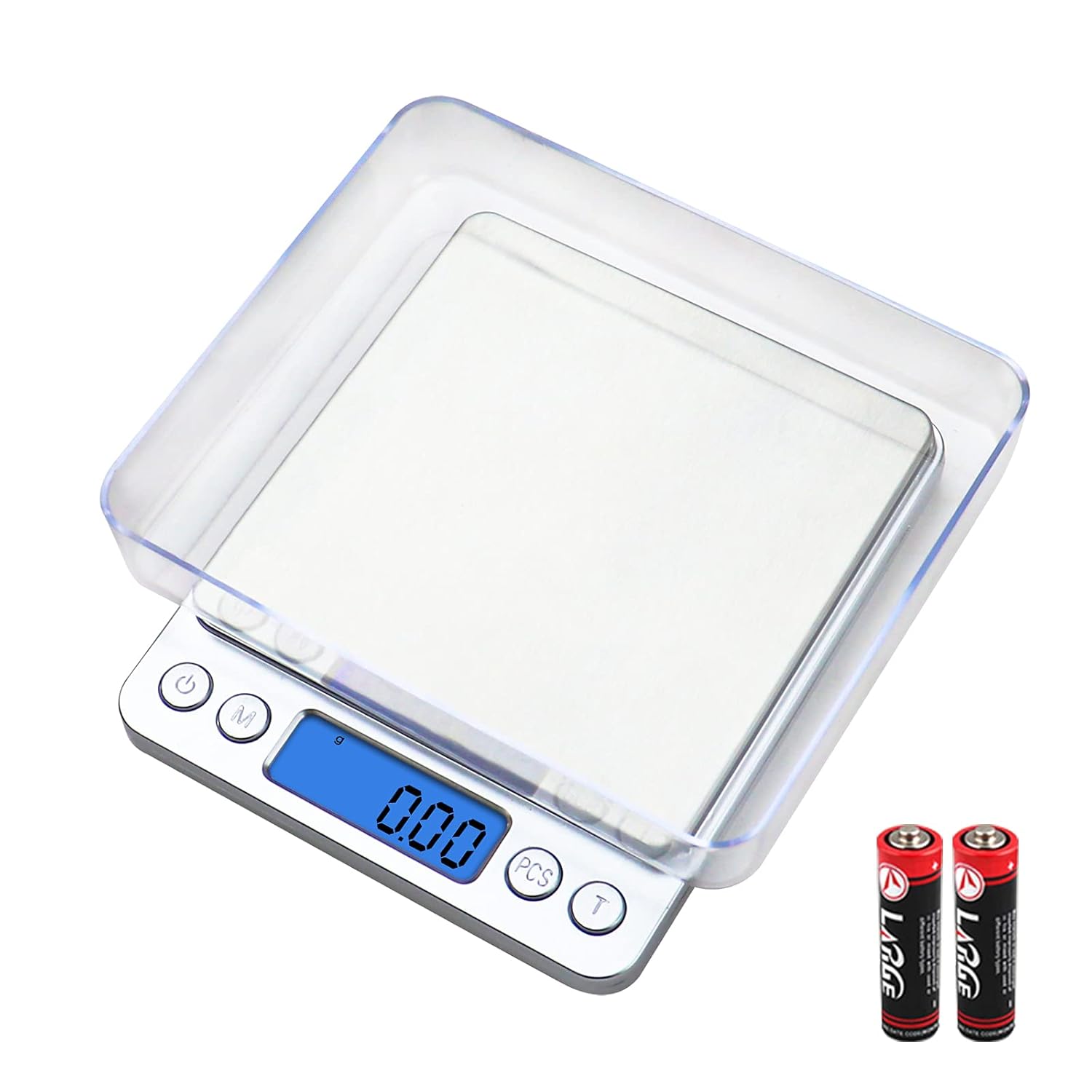
- UNIWEIGH Digital Kitchen Scale (Model 609378971112)
- 2 AAA Batteries (pre-installed or included separately)
- 2 Weighing Trays (one large, one small)
- User Manual

Image: The digital scale accompanied by its two removable weighing trays.
Setup
- Unpack: Carefully remove the scale and all accessories from the packaging.
- Battery Installation: Open the battery compartment on the bottom of the scale. Insert the 2 AAA batteries, ensuring correct polarity (+/-). Close the compartment.
- Placement: Place the scale on a flat, stable, and level surface to ensure accurate readings. Avoid placing it on soft or uneven surfaces.
- Initial Power On: Press the Power button (
 ) to turn on the scale. The display will show "88888" and then "0.00g".
Operating Instructions
1. Weighing Items
- Turn on the scale by pressing the Power button.
- Ensure the display shows "0.00g" before placing any items.
- Place the item(s) directly onto the weighing platform or into one of the provided trays.
- Read the weight displayed on the LCD screen.
2. Unit Conversion
The scale supports multiple units of measurement. To change the unit:
- With the scale on, press the M (Mode) button repeatedly.
- The display will cycle through the available units: g (grams), oz (ounces), ozt (troy ounces), dwt (pennyweights), gn (grains), ct (carats).
- Stop pressing the button when your desired unit is displayed.

Image: Visual representation of the unit conversion options available on the scale.
3. Tare Function
The Tare function allows you to subtract the weight of a container, so you only measure the net weight of its contents.
- Place an empty container on the weighing platform.
- Press the T (Tare) button. The display will reset to "0.00g".
- Add the items you wish to weigh into the container. The display will show only the weight of the items.

Image: Step-by-step guide on how to use the Tare function with coffee beans.
4. PCS Counting Function
Use the PCS function to count multiple small items of uniform weight.
- Turn on the scale and ensure it is in weighing mode (not PCS).
- Press and hold the PCS button until a sample size (e.g., "25", "50", "75", "100") appears on the display.
- Place the corresponding number of items (e.g., 25 items for "25") onto the platform.
- Press the PCS button again to confirm the sample. The display will now show the count of items.
- You can now add more items, and the scale will display the total count.
- To exit PCS mode, press the M (Mode) button.
Maintenance
- Cleaning: Wipe the scale with a slightly damp cloth. Do not immerse the scale in water or use abrasive cleaners.
- Storage: Store the scale in a clean, dry place at room temperature. Avoid extreme temperatures and humidity.
- Handling: Handle the scale with care. Do not drop it or subject it to strong impacts, as this can damage the internal sensor.
- Batteries: Remove batteries if the scale will not be used for an extended period to prevent leakage.
Troubleshooting
| Problem | Possible Cause | Solution |
|---|---|---|
| "Lo" or Low Battery Indicator | Batteries are low. | Replace the 2 AAA batteries. |
| "OUE2" or Overload Indicator | Weight on the platform exceeds 500g. | Remove excess weight immediately to prevent damage. |
| Inaccurate Readings |
|
|
| Scale does not turn on |
|
|
Specifications
- Brand: UNIWEIGH
- Model Number: 609378971112
- Capacity: 500g (1.1 lbs)
- Accuracy: 0.01g
- Minimum Weight: 0.05g
- Units: g, oz, ozt, dwt, gn, ct
- Display: Backlit LCD
- Power: 2 x AAA Batteries (included)
- Auto-Off: 180 seconds
- Product Dimensions: Approximately 4.39 x 1.8 x 0.1 cm (Scale body, excluding trays)
- Material: Stainless steel, ABS, plastic, steel
- Recommended Uses: Food preparation, jewelry, coffee, cosmetics, baking.
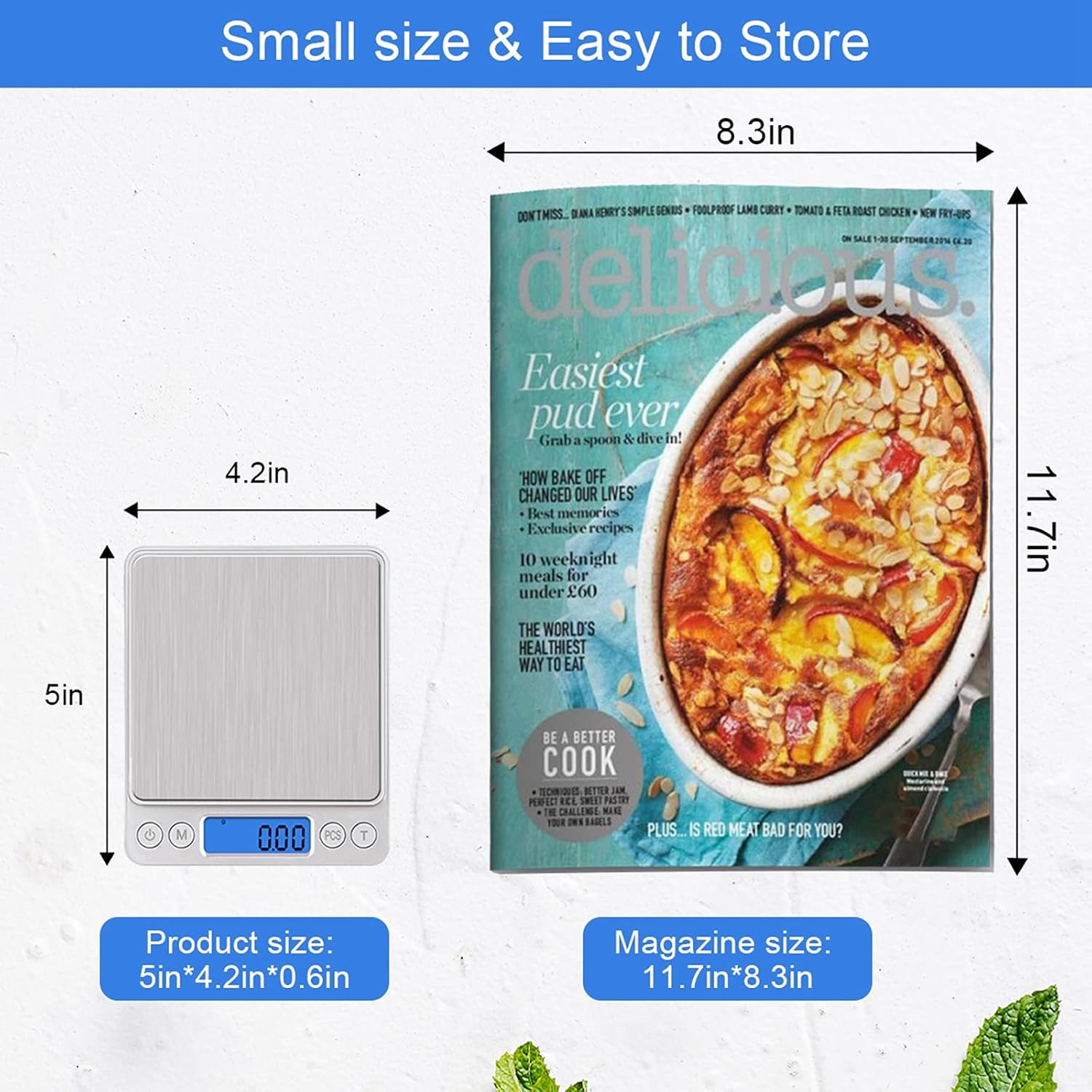
Image: The compact size of the scale, shown next to a magazine for scale comparison.
Warranty and Support
UNIWEIGH products are designed for reliability and performance. For warranty information or technical support, please refer to the contact details provided with your purchase or visit the official UNIWEIGH website. Please have your model number (609378971112) and purchase date ready when contacting support.
For further assistance, you may contact the seller directly through the platform where the purchase was made.
Multifunctional Usage Examples

Image: Examples of the scale's versatile use for different food types.

Image: The scale being used in a family baking setting.

Image: The scale in use for precise ingredient measurement during cooking.
Related documents609378971112

Ask a question about this manual
Ask about setup, troubleshooting, compatibility, parts, safety, or missing instructions. Manuals+ will review the question and use this page’s manual context to help answer it.