
NEXPEAK NC301
NEXPEAK NC301 20-Amp Car Battery Charger User Manual
Model: NC301 | Brand: NEXPEAK
1. Introduction
Thank you for choosing the NEXPEAK NC301 20-Amp Car Battery Charger. This smart, fully automatic charger and maintainer is designed to efficiently charge and maintain 12V and 24V LiFePO4, lead-acid, and lithium-ion batteries, including AGM, GEL, SLA, and Flooded types. It is suitable for a wide range of vehicles such as cars, trucks, SUVs, motorcycles, lawn mowers, and boats. This manual provides essential information for safe and effective operation of your device.
2. Safety Information
WARNING: Read all safety warnings and instructions before using this product. Failure to follow the warnings and instructions may result in electric shock, fire, and/or serious injury.
- Always wear eye protection and protective clothing when working with batteries.
- Ensure adequate ventilation during charging to prevent accumulation of explosive gases.
- Do not smoke or allow sparks or flames in the vicinity of the battery or charger.
- Connect the charger to the battery before plugging it into a power outlet. Disconnect from power before disconnecting from the battery.
- This charger cannot activate or charge totally dead batteries (those with voltage below 2V).
- Keep out of reach of children.
- Do not expose the charger to rain or wet conditions.
3. Product Overview
3.1 Components
The NEXPEAK NC301 charger includes the main unit with an LCD display, positive (red) and negative (black) battery clamps, and a 10ft power cord.

Figure 3.1: NEXPEAK NC301 Battery Charger Unit

Figure 3.2: What's in the Box - Charger, Clamps, Power Cord, and Manual
3.2 Key Features
- 20-Amp Quick Charging: Provides 12V 20-Amp and 24V 10-Amp output for fast charging.
- Multi-Battery Compatibility: Supports LiFePO4, Lead-Acid (AGM, GEL, SLA, Flooded), and Lithium batteries.
- Upgraded Trickle Charge: Automatically switches to trickle charging after full charge, and features pulse repair function to restore battery performance.
- Temperature Compensation: Adjusts charging based on ambient temperature (Summer Mode above 82°F, Winter Mode below 50°F).
- Plug and Play Operation: Simple connection for immediate use.
- Visualized Charging: Large LCD displays charging status, voltage, current, temperature, and charge percentage.
- 8 Smart Protections: Includes smart control, temperature compensation, reverse protection, cooling system, overcurrent, fireproof material, overvoltage, and short circuit protection.
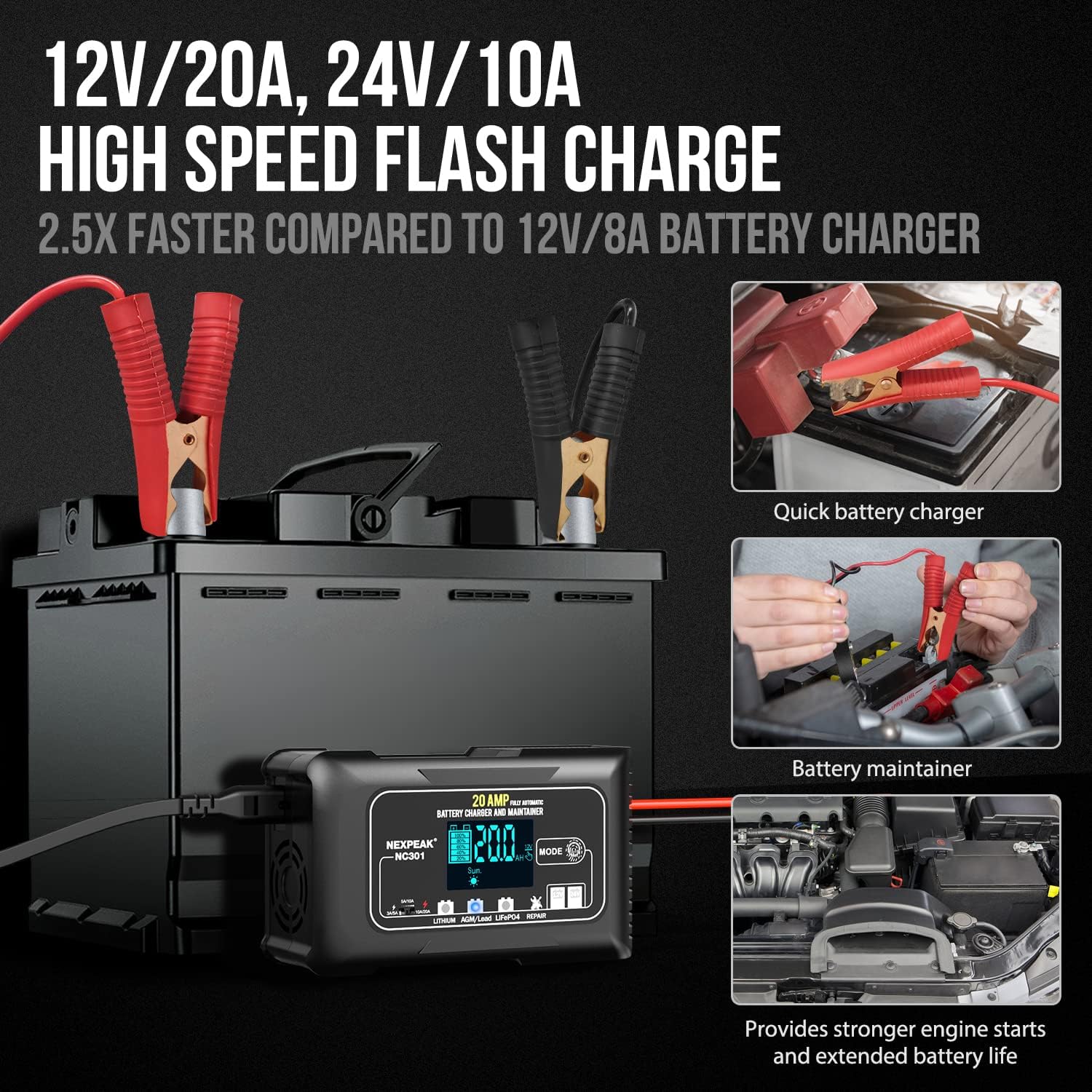
Figure 3.3: High-Speed Flash Charge and Maintenance Capabilities

Figure 3.4: Comprehensive 8 Smart Protections
4. Setup
4.1 Before First Use
Unpack the charger and all accessories. Inspect the unit and cables for any signs of damage. Ensure the charging environment is well-ventilated and free from flammable materials.
4.2 Connecting the Charger to the Battery
- Ensure the charger is unplugged from the AC power outlet.
- Connect the RED (+) positive clamp to the positive (+) battery terminal.
- Connect the BLACK (-) negative clamp to the negative (-) battery terminal. For vehicles, if the battery is installed, connect the BLACK (-) clamp to the vehicle chassis or engine block away from the battery.
- Once the clamps are securely connected, plug the charger's power cord into a standard AC power outlet. The charger will automatically detect the battery type and voltage.
5. Operating Instructions
5.1 Automatic Charging Process
The NC301 features a 7-stage automatic charging process. Once connected and powered on, the charger will automatically analyze the battery and begin charging. The LCD display will show the charging progress.
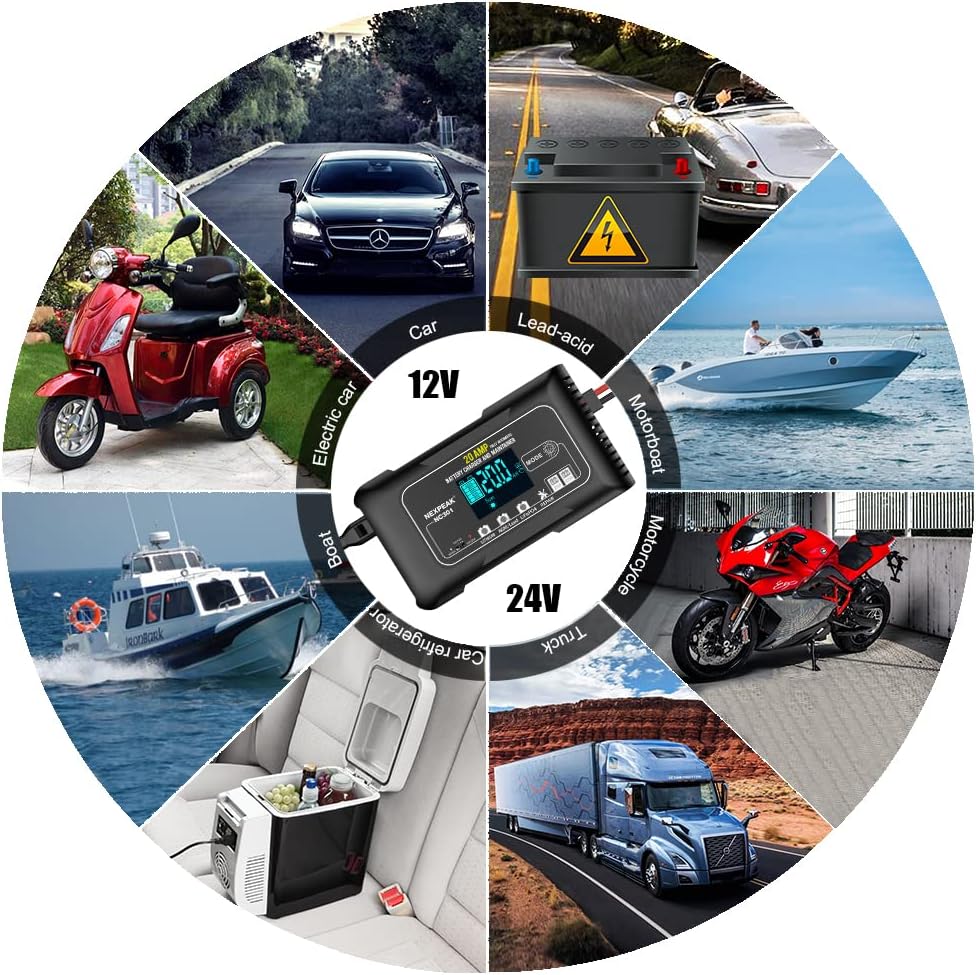
Figure 5.1: 7-Stage Quick Charging Process
5.2 Mode Selection
Press the 'MODE' button on the charger to cycle through different battery types and functions:
- Lithium: For 12V/24V Lithium-ion batteries.
- AGM/Lead: For 12V/24V AGM, GEL, SLA, and Flooded lead-acid batteries.
- LiFePO4: For 12V/24V LiFePO4 batteries.
- Repair: Pulse repair function for desulfation and restoring battery performance.

Figure 5.2: Mode Selection and Trickle Charge Feature
5.3 Temperature Compensation
The charger automatically adjusts its charging parameters based on the ambient temperature to optimize charging efficiency and prevent overcharging or undercharging.
- Summer Mode: Automatically activated above 82°F (28°C) to prevent overcharge in hot climates.
- Winter Mode: Automatically activated below 50°F (10°C) for powerful charging in cold climates.

Figure 5.3: Temperature Compensation for Optimal Charging
5.4 Monitoring Charging Status
The large LCD display provides real-time information:
- Charge voltage and current.
- Internal temperature (°F/°C).
- Charge percentage.
- Indication of Summer or Winter mode.
6. Maintenance
- Cleaning: Disconnect the charger from power and battery. Wipe the casing and clamps with a dry cloth. Do not use harsh chemicals or abrasives.
- Storage: Store the charger in a cool, dry place when not in use. Ensure cables are neatly coiled and not kinked.
- Pulse Repair Function: Use the 'Repair' mode periodically to help desulfate and restore older batteries, extending their lifespan. Note that this function cannot revive completely dead batteries.
7. Troubleshooting
| Problem | Possible Cause | Solution |
|---|---|---|
| Charger does not turn on/LCD is blank. | No power from outlet; Loose connection; Internal fault. | Check power outlet; Ensure power cord is securely plugged in; Reconnect battery clamps; If problem persists, contact support. |
| Battery not charging. | Incorrect mode selected; Battery is completely dead (below 2V); Poor connection; Battery fault. | Verify correct mode for battery type; This charger cannot charge batteries below 2V; Ensure clamps are securely connected; Have battery tested by a professional. |
| "OFF" displayed on LCD. | Charger is not connected to a battery or battery voltage is too low. | Connect charger to a battery with sufficient voltage (above 2V). |
| Charger gets hot during operation. | Normal operation; Overload. | The built-in cooling fan helps dissipate heat. If overheating persists or an error code appears, disconnect and contact support. |
| Reverse polarity warning. | Clamps connected incorrectly. | Disconnect from power, then correctly connect RED (+) to positive (+) and BLACK (-) to negative (-). |
8. Specifications
| Specification | Value |
|---|---|
| Model Number | NC301 |
| Input Voltage | 100-240V AC, 50/60Hz (Typical) |
| Output Voltage | 12V / 24V DC |
| Output Current | 12V 20A, 24V 10A |
| Battery Types Supported | LiFePO4, Lead-Acid (AGM, GEL, SLA, Flooded), Lithium-ion |
| Minimum Start Voltage | 2.0V |
| Dimensions | 7.48 x 6.69 x 2.54 inches (approx.) |
| Item Weight | 1.91 pounds (approx.) |
| Cord Length | 10 feet |
9. Warranty and Support
9.1 Warranty Information
NEXPEAK offers a 2-year replacement warranty for any quality issues with the NC301 battery charger. Please retain your proof of purchase for warranty claims.
9.2 Customer Support
For further assistance, technical support, or warranty claims, please contact NEXPEAK customer service through the retailer's platform or the official NEXPEAK website. Provide your product model number and purchase details for efficient service.
Ask a question about this manual
Ask about setup, troubleshooting, compatibility, parts, safety, or missing instructions. Manuals+ will review the question and use this page’s manual context to help answer it.