
1. Introduction
This manual provides detailed instructions for the use and maintenance of your Huawei FreeBuds SE Wireless Semi-in-Ear Bluetooth Earphones. Designed for comfort and superior audio, these earphones feature a semi-in-ear design, crystal clear sound quality, long-lasting battery life, and effective call noise cancellation. Please read this manual thoroughly to ensure optimal performance and longevity of your device.
2. Package Contents
Verify that all items are present in your package:
- Earbuds x 1 pair
- Charging case x 1
- Ear tips x 3 pairs (Large, Medium, Small. Medium size is pre-installed.)
- Quick Start Guide, Safety Information, and Warranty Card x 1
- USB-C cable x 1
3. Product Overview
The Huawei FreeBuds SE consist of two semi-in-ear earbuds and a portable charging case. The case protects the earbuds and charges them on the go.

Figure 3.1: Huawei FreeBuds SE Earbuds and Open Charging Case. This image displays the two white earbuds removed from their charging case, which is open and shows a small indicator light.
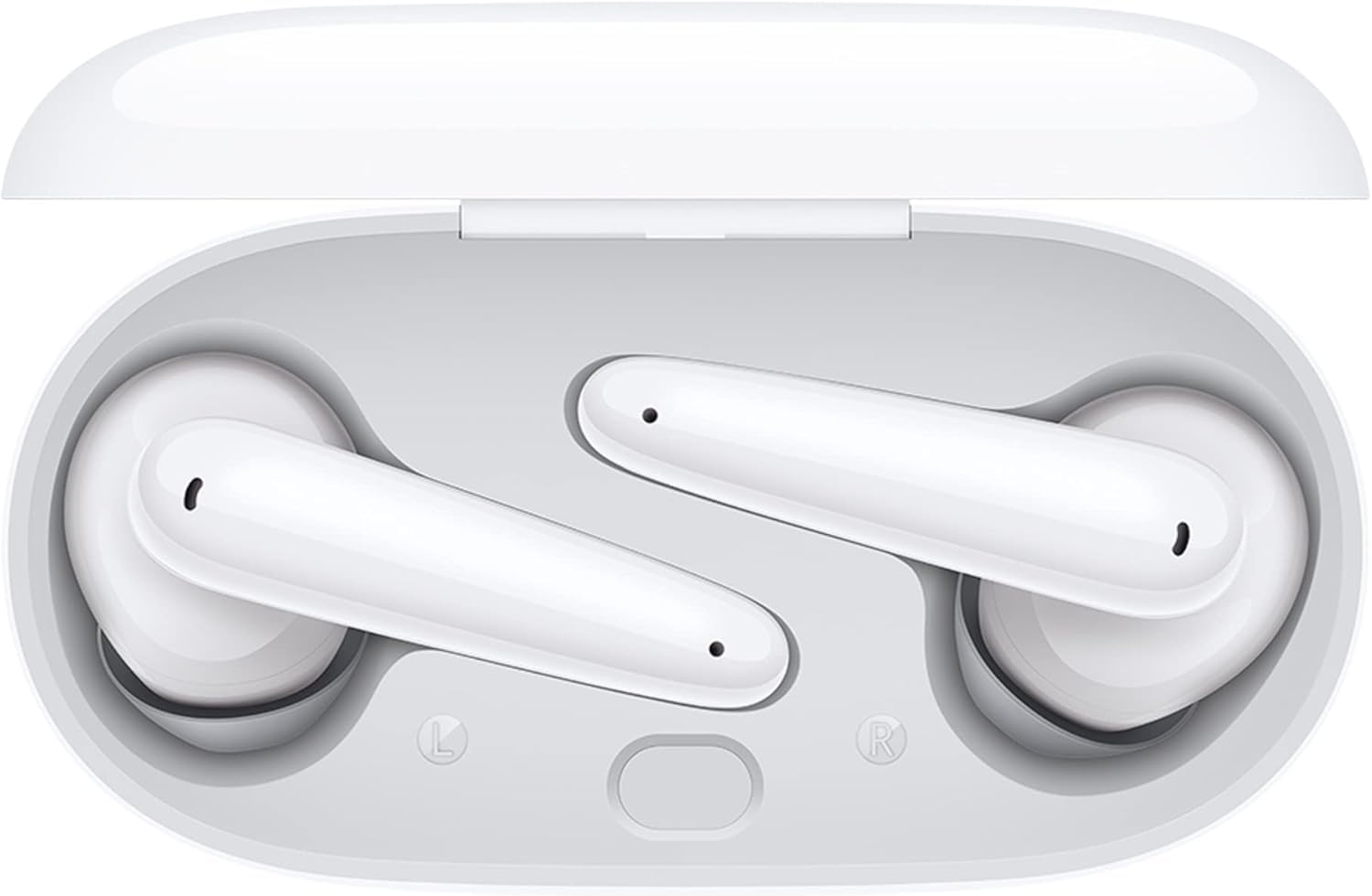
Figure 3.2: Huawei FreeBuds SE Earbuds inside Charging Case. The image shows the two white earbuds securely placed within their open charging case, ready for charging or storage.
4. Setup
4.1. Charging
Before first use, fully charge the FreeBuds SE and their charging case. Connect the provided USB-C cable to the charging port on the case and a power adapter. The indicator light on the case will show charging status.
4.2. Pairing with Your Device
- Ensure the earbuds are in the charging case and the case lid is open.
- Press and hold the function button on the charging case until the indicator light flashes white. This indicates the earbuds are in pairing mode.
- On your smartphone or device, enable Bluetooth and search for available devices.
- Select "Huawei FreeBuds SE" from the list to connect.
- For enhanced features and management, download the HUAWEI AI Life App.

Figure 4.1: HUAWEI AI Life App for Pairing. This image shows a smartphone displaying the HUAWEI AI Life App interface, with a QR code next to it for easy app download and device connection.
Scan the QR code to download the HUAWEI AI Life App: https://smarthome.hicloud.com/d/?p=ZA07
4.3. Wearing and Fit
The semi-in-ear design is crafted for comfort. Choose the ear tips that provide the best seal and comfort for your ears. Three sizes (small, medium, large) are included.
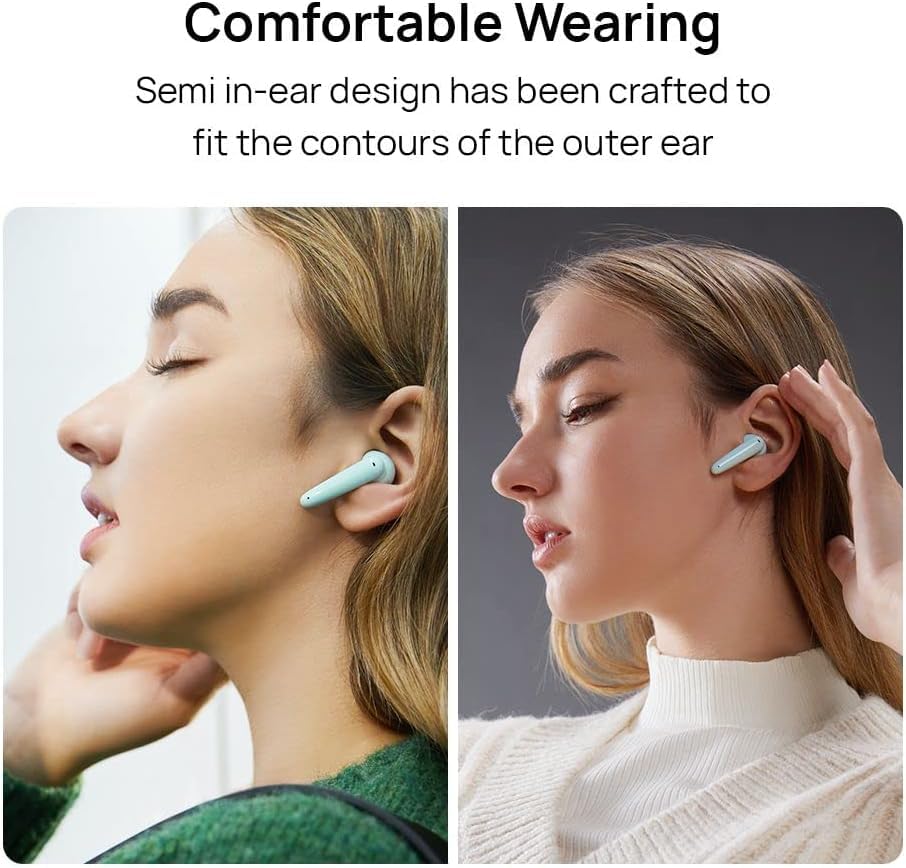
Figure 4.2: Comfortable Wearing of Huawei FreeBuds SE. This image illustrates how the semi-in-ear design of the FreeBuds SE fits comfortably in the outer ear, shown on two different individuals.
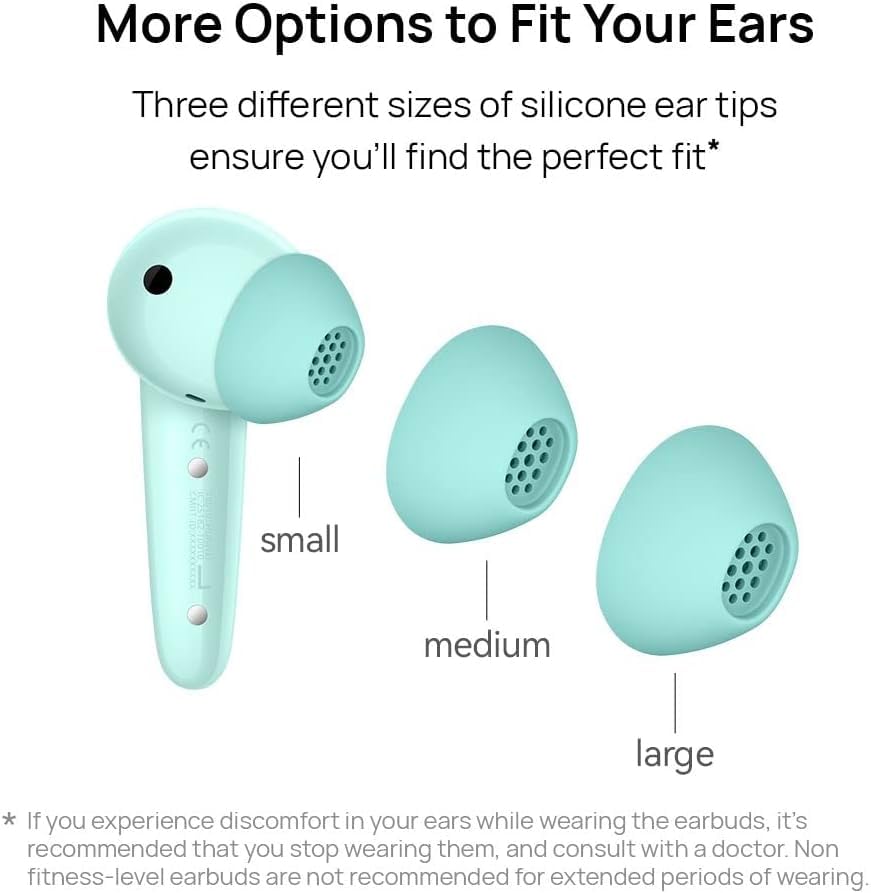
Figure 4.3: Huawei FreeBuds SE Ear Tips Sizes. The image displays an earbud alongside small, medium, and large silicone ear tips, demonstrating the options available for a personalized fit.
5. Operating
5.1. Audio Playback
The FreeBuds SE feature a 10mm dynamic driver and an ultra-sensitive polymeric diaphragm, delivering rich textures and clear vocals within a balanced audio framework. Control playback (play, pause, skip) through your connected device or via the natural tap controls on the earbuds, configurable through the HUAWEI AI Life App.
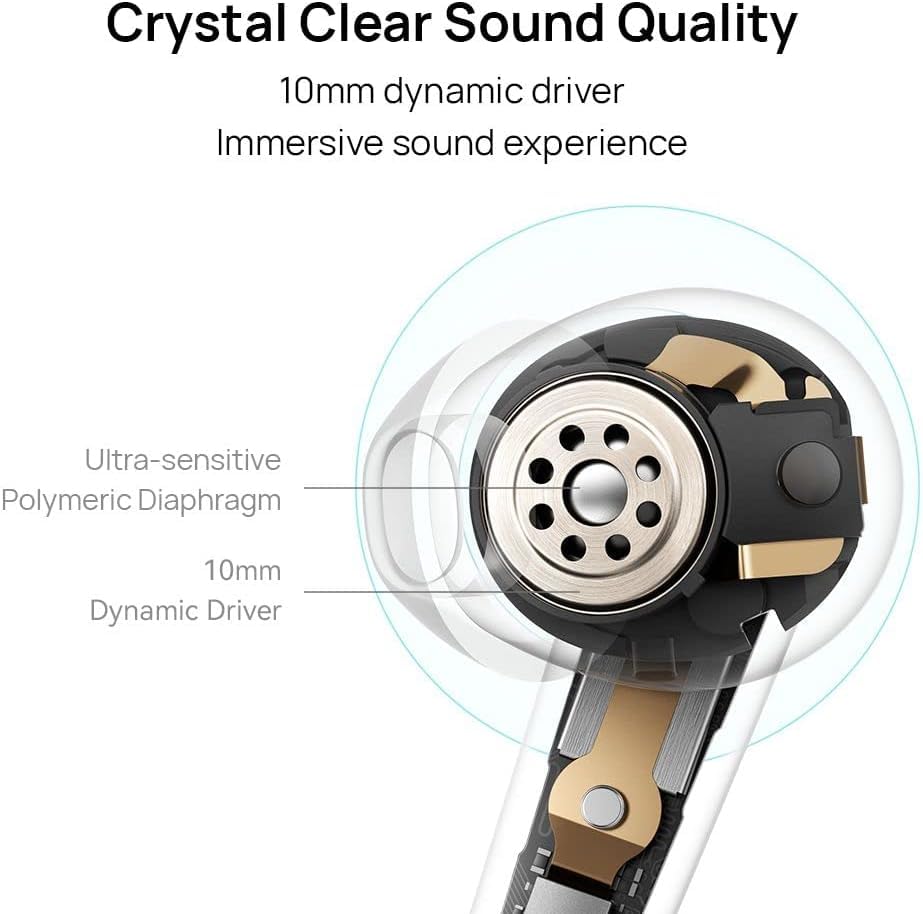
Figure 5.1: Huawei FreeBuds SE Crystal Clear Sound Quality Diagram. This diagram illustrates the internal components responsible for sound quality, including the 10mm dynamic driver and ultra-sensitive polymeric diaphragm.
5.2. Call Management
Utilize the dual-mic beamforming technology for clear calls. This technology accurately distinguishes your voice from ambient noise, ensuring clear communication even in noisy environments. Answer or end calls using the natural tap controls.
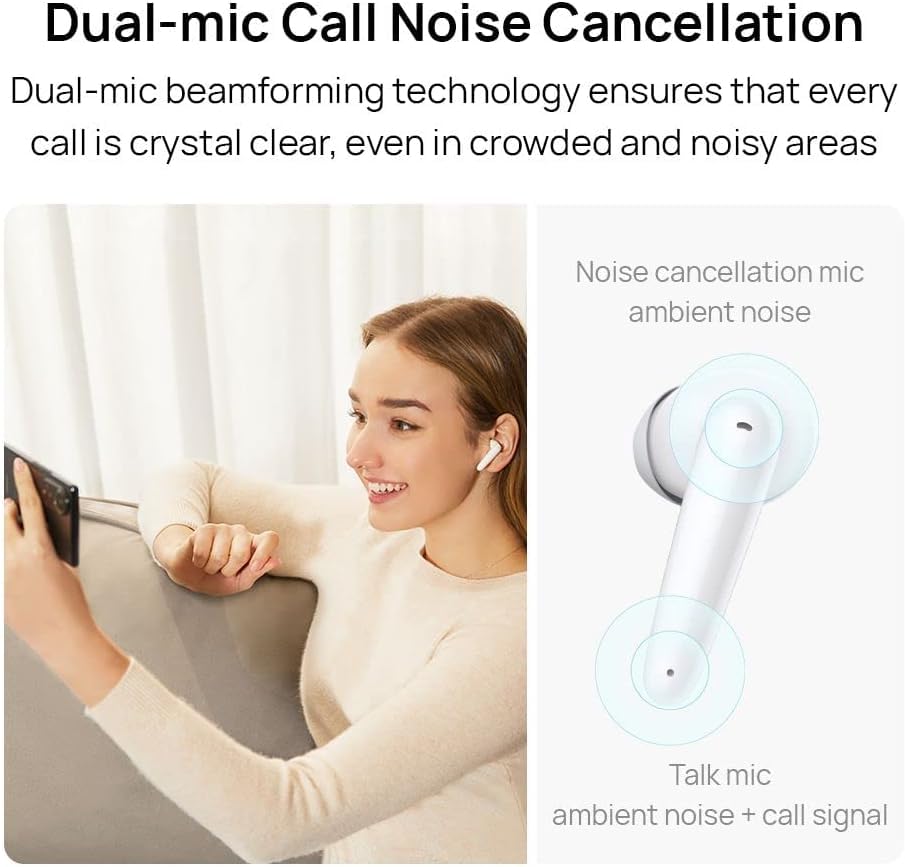
Figure 5.2: Huawei FreeBuds SE Dual-mic Call Noise Cancellation. The image shows a person using the earbuds for a call, alongside a diagram illustrating how the dual microphones work to isolate voice from ambient noise.
5.3. Battery Life
The Huawei FreeBuds SE provide up to 6 hours of music playback from fully charged earbuds and up to 4 hours of voice calls. With the charging case, total battery life extends to 24 hours. Actual battery life may vary based on volume levels, audio sources, environmental factors, and usage conditions.
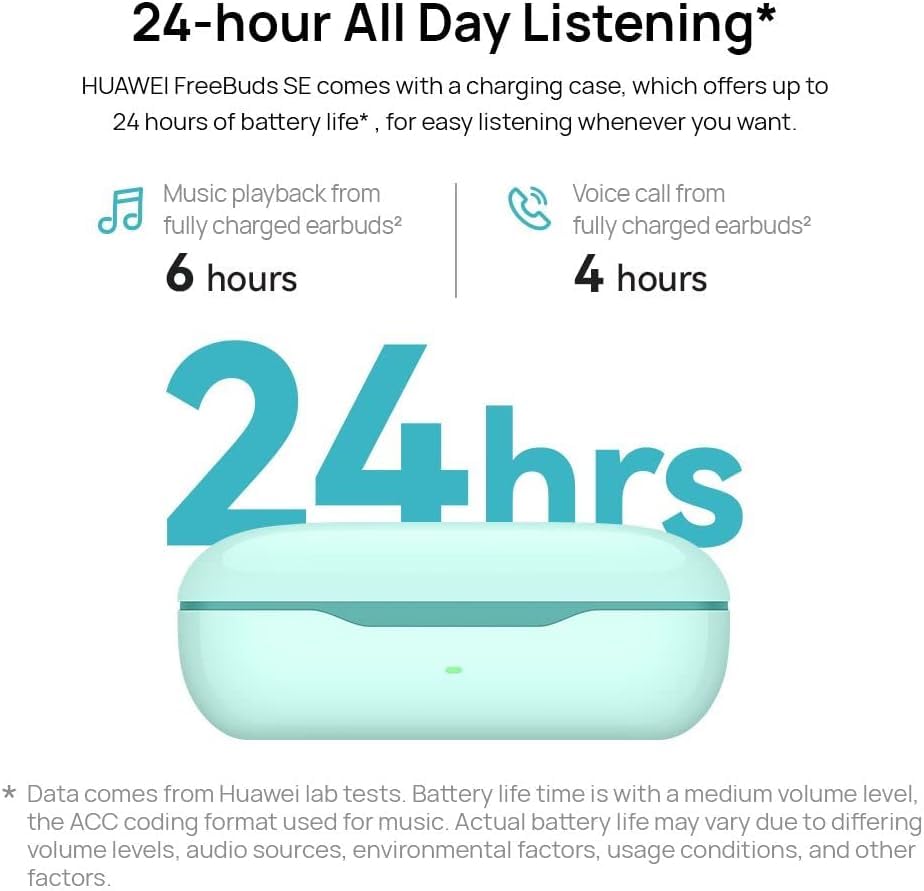
Figure 5.3: Huawei FreeBuds SE 24-hour Battery Life. This graphic illustrates the extended battery life of the FreeBuds SE, showing 6 hours for music playback and 4 hours for voice calls from the earbuds, with a total of 24 hours including the charging case.
6. Maintenance
6.1. Cleaning
- Regularly clean the earbuds, charging contacts, and ear tips with a soft, dry, lint-free cloth.
- Do not use abrasive materials, solvents, or spray cleaners.
- Ensure no moisture enters any openings.
6.2. Storage
Store the earbuds in their charging case when not in use to protect them from dust and damage. Keep the device in a cool, dry place away from extreme temperatures.
7. Troubleshooting
If you encounter issues with your FreeBuds SE, refer to the following common solutions:
- No Sound: Ensure earbuds are charged, connected to your device, and volume is adjusted.
- Pairing Issues: Place earbuds in the case, close and reopen the lid, then re-enter pairing mode. Ensure Bluetooth is enabled on your device.
- Charging Problems: Check the USB-C cable and power adapter. Ensure charging contacts on earbuds and case are clean.
- Unstable Connection: Move closer to your connected device and away from sources of interference (e.g., Wi-Fi routers, other Bluetooth devices).
- Resetting: For persistent issues, perform a factory reset via the HUAWEI AI Life App or by holding the function button on the case for an extended period (refer to the app or quick start guide for exact steps).
8. Specifications
| Feature | Detail |
|---|---|
| Model Name | Huawei FreeBuds SE |
| Model Number | 55034949 |
| Connectivity Technology | Bluetooth, Wireless |
| Wireless Communication Technology | Bluetooth |
| Audio Driver Size | 10 mm |
| Special Feature | Noise Cancellation (for calls) |
| Battery Life (Earbuds) | Up to 6 hours (music playback), 4 hours (voice call) |
| Battery Life (with Charging Case) | Up to 24 hours |
| Charging Port | USB-C |
| Control Type | App Control, Tap Control |
| Microphone Format | Built-In |
| Item Weight | 44 g (total) |
| Product Dimensions | 7 x 3.55 x 2.75 cm |
| Material | Plastic |
| Color | White |
9. Warranty and Support
9.1. Warranty Information
Your Huawei FreeBuds SE come with a 1-Year Warranty from the date of purchase. Please retain your proof of purchase for warranty claims. The warranty covers manufacturing defects under normal use. For detailed terms and conditions, refer to the Warranty Card included in your package.
9.2. Customer Support
For technical assistance, troubleshooting, or warranty service, please contact Huawei customer support. Contact details can typically be found on the official Huawei website for your region or on the Warranty Card.


