
Introduction
Thank you for choosing the Pulex IPC Eagle TechnoPad Window Cleaning Scrubber Handle. This manual provides essential information for the safe and effective use, setup, operation, and maintenance of your new cleaning tool. Please read these instructions carefully before use and retain them for future reference.
The TechnoPad is designed for efficient window cleaning, featuring an ergonomic handle and a lightweight frame that accommodates various microfiber pads. It is a battery-free device, offering a straightforward and effective cleaning experience.
Safety Information
- Always handle the scrubber handle with care.
- Keep the device out of reach of children.
- When using cleaning solutions, follow the safety instructions provided by the solution manufacturer.
- Ensure a stable footing when cleaning at heights. Use appropriate ladders or extension poles safely.
- Inspect the scrubber handle for any damage before each use. Do not use if damaged.
Product Components
The Pulex IPC Eagle TechnoPad consists of the following main components:
- Ergonomic Handle: Designed for comfortable grip and reduced fatigue.
- Scrubber Frame: A 4-inch by 9-inch rectangular frame for attaching cleaning pads.
- Pole Attachment Point: Located at the top of the handle for connecting to compatible extension poles.
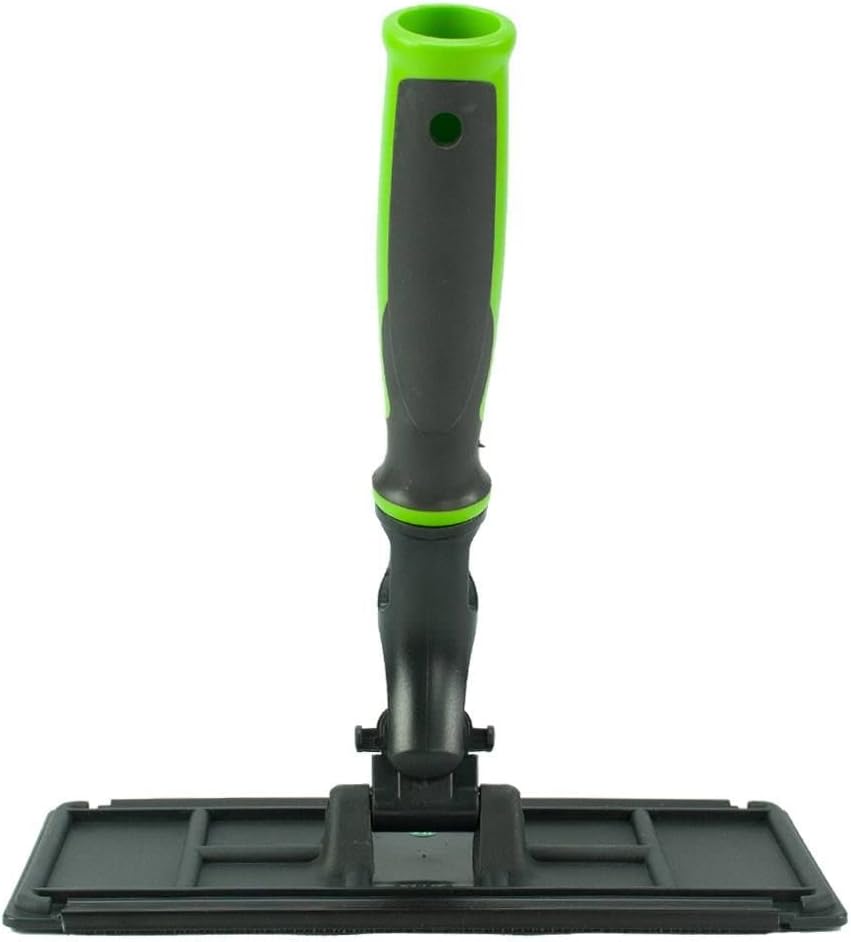
This image displays the complete Pulex IPC Eagle TechnoPad, highlighting its ergonomic handle and the rectangular scrubber frame. The handle is green and black, and the frame is black.
Setup
- Attaching a Cleaning Pad: The TechnoPad frame is designed to securely hold microfiber cleaning pads. Ensure your cleaning pad is compatible with a 4-inch by 9-inch frame. If using a larger pad (e.g., 6-inch by 9-inch), it will need to be trimmed to fit the 4-inch by 9-inch frame for proper attachment and function. Press the pad firmly onto the frame's attachment surface.
- Attaching to an Extension Pole (Optional): The TechnoPad handle features a universal attachment point compatible with most standard extension pole cones and tips. Insert the pole tip into the handle's opening until it is securely seated. Note: The TechnoPad will not fit on the Ettore Pole tip, Unger Wooden Cone, or Unger Snap-In Pole Tip. Please ensure your pole's tip is compatible before attempting to attach.
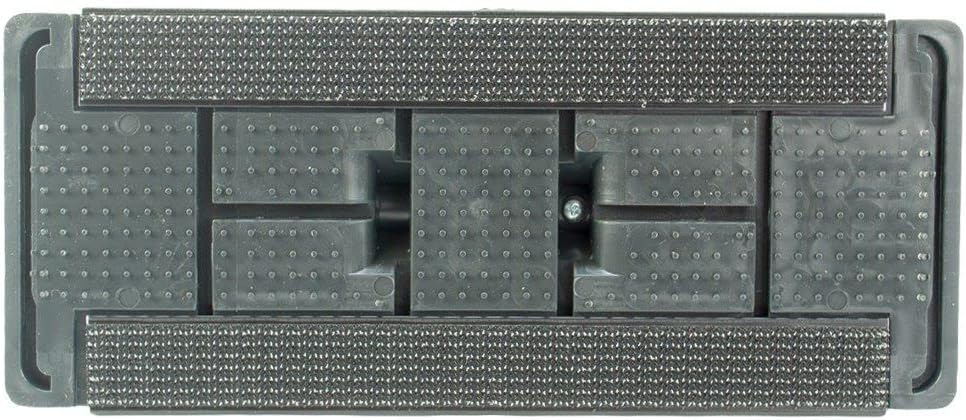
This image shows the underside of the TechnoPad's scrubber frame, detailing the textured surface designed for securing cleaning pads. This view helps in understanding how to properly attach and align a pad.
Operating Instructions
- Prepare Your Cleaning Solution: Mix your preferred window cleaning solution according to its manufacturer's instructions.
- Dampen the Pad: Submerge the attached cleaning pad into the cleaning solution or spray the solution directly onto the pad until it is adequately damp, but not dripping excessively.
- Apply to Surface: Gently press the damp pad against the window or surface to be cleaned. Move the scrubber in overlapping strokes to ensure even coverage and effective cleaning.
- Clean the Surface: Use consistent pressure to scrub away dirt, grime, and smudges. The ergonomic handle provides comfort during extended use.
- Rinse and Repeat (if necessary): For heavily soiled surfaces, rinse the pad and repeat the cleaning process.

This image shows the TechnoPad from an angled perspective, illustrating how the handle and frame articulate, allowing for flexible movement during cleaning tasks. This highlights its ease of use for reaching different angles.
Maintenance
- Cleaning the Scrubber Frame: After each use, remove the cleaning pad. Rinse the scrubber frame under clean water to remove any residue. Wipe dry with a clean cloth.
- Cleaning Pads: Follow the cleaning instructions provided with your specific microfiber pads. Most pads can be machine washed and air-dried.
- Storage: Store the TechnoPad in a clean, dry place away from direct sunlight and extreme temperatures.
- Inspection: Periodically inspect the handle and frame for any signs of wear or damage. Replace the unit if significant damage is observed.
Troubleshooting
| Problem | Possible Cause | Solution |
|---|---|---|
| Cleaning pad does not fit or stay on. | Incorrect pad size. | Ensure the pad is 4 inches by 9 inches. If using a 6-inch by 9-inch scrubber, trim it to fit the frame. |
| Difficulty attaching to an extension pole. | Incompatible pole tip. | Verify your pole's tip is compatible. This device is not compatible with Ettore Pole tips, Unger Wooden Cones, or Unger Snap-In Pole Tips. |
| Poor cleaning performance. | Pad is too dry or too dirty; incorrect cleaning solution. | Dampen the pad sufficiently. Clean or replace the pad. Use an appropriate window cleaning solution. |
Specifications
| Feature | Detail |
|---|---|
| Brand | Pulex |
| Model Number | TERI70034 |
| Color | Green |
| Product Dimensions (W x H) | 4 inches x 9 inches |
| Item Weight | 0.22 Kilograms |
| Handle Material | Plastic |
| Blade Material (Frame) | Plastic |
| UPC | 604220144249 |
Warranty and Support
For warranty information, product support, or to inquire about replacement parts, please contact your retailer or the manufacturer directly. Keep your proof of purchase for any warranty claims.