1. Introduction
The SVBONY SV405CC is a high-performance cooled color astrophotography camera designed for capturing stunning deep sky objects such as nebulae, galaxies, and star clusters. Featuring an IMX294 CMOS sensor, USB 3.0 connectivity, and a two-stage TEC cooling system, this camera delivers exceptional image quality with reduced noise for extended exposure times. This manual provides essential information for setting up, operating, maintaining, and troubleshooting your SV405CC camera.
2. Package Contents
Please verify that all items listed below are included in your package:
- 1x SV405CC Camera
- 1x User Manual
- 1x Camera Bag
- 1x 2-inch Cover
- 1x T2-1.25 inch Adapter
- 1x 1.25-inch T-Adapter
- 1x M42M-M42F-21L Adapter
- 1x M42M-M48F-16.5L Adapter
- 1x T2 Adapter
- 1x M42-M48 Ring
- 1x USB3.0 Data Cable
- Power Adapter (not explicitly listed in video but implied by power interface)
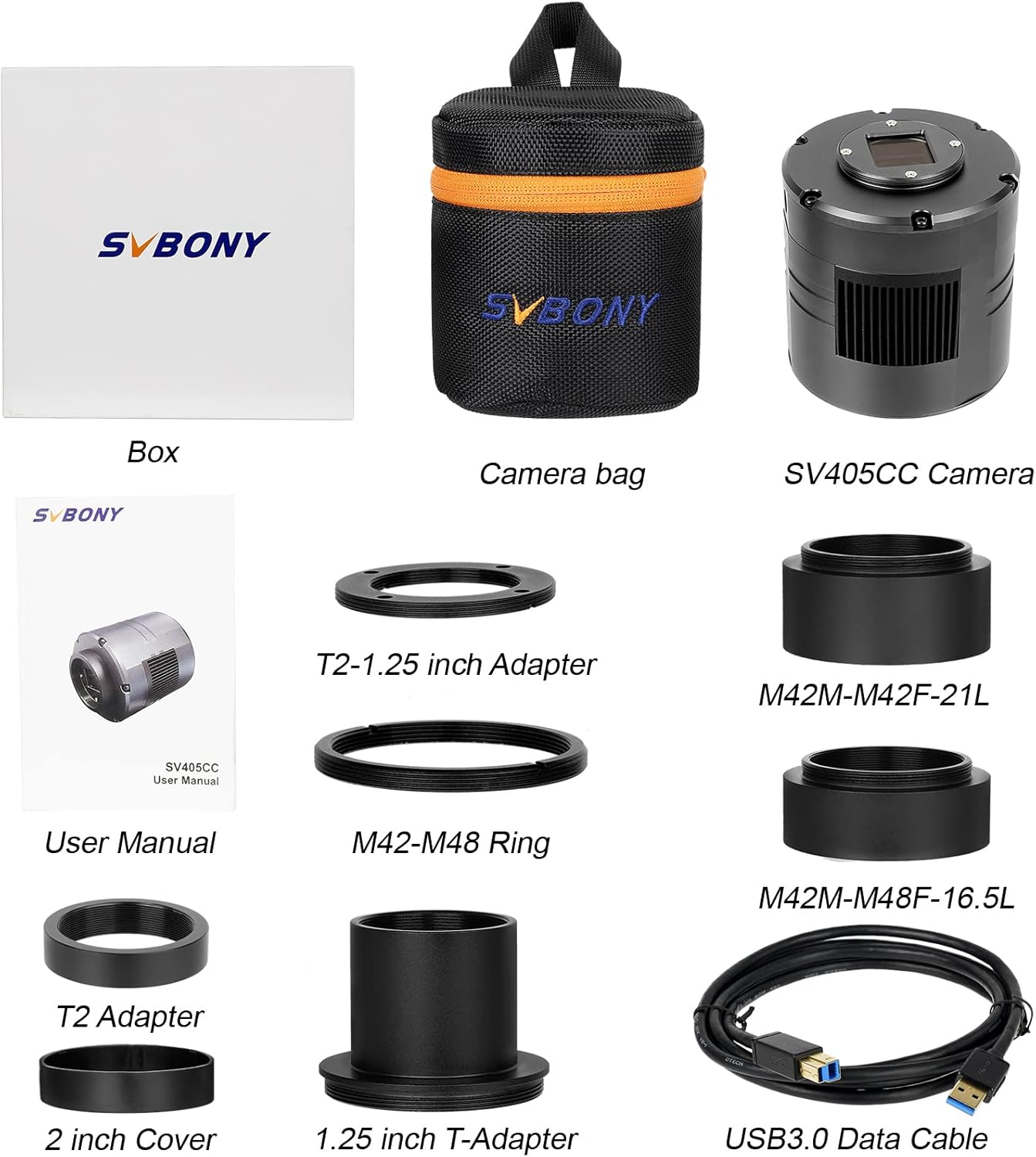
Video: A detailed overview of the SV405CC Telescope Camera's package contents.
3. Setup
3.1 Connecting the Camera
To connect your SV405CC camera, follow these steps:
- Connect the USB 3.0 data cable to the camera's USB 3.0 data interface and to your computer.
- Connect the power adapter to the refrigeration power interface on the camera. Ensure the power adapter is securely connected to a power source.

Video: Demonstration of connecting the USB 3.0 data cable and power cable to the SV405CC camera.
3.2 Mounting to a Telescope
The SV405CC camera can be mounted to various telescopes using the appropriate adapters. For optimal performance, ensure a secure and stable connection.

Video: Instructions on how to use the SV405CC camera with an SV503 Telescope, demonstrating the attachment process.
Video: Recommended collocation for the SV405CC camera, showing its integration with an SV550 OTA, SV210 CAA, and SV209 Field Flattener for astrophotography.
4. Operating the Camera
4.1 Software Installation
Before operating the camera, you must install the necessary drivers and software. Please refer to the included user manual for detailed instructions on downloading and installing the required software, such as AstroDMX Capture (compatible with Windows, Linux, Mac OS, Chrome OS, and Raspberry Pi) and ASCOM platform drivers for Windows-based applications like SharpCap and TheSkyX.
Video: This video highlights the importance of referring to the user manual for software download instructions.
4.2 Deep Sky Imaging
The SV405CC is optimized for deep sky astrophotography. Its IMX294 color CMOS sensor provides 11.7 MP resolution (4144x2822) and supports high frame rates (19 fps in RAW8, 16 fps in RAW16 at full resolution) via its USB 3.0 interface. The two-stage TEC cooling system can lower the sensor temperature by up to 30°C (86°F) below ambient, significantly reducing dark current and sensor noise during long exposures.

Video: Detailed information about the SV405CC's IMX294 chip, its format, and resolution.
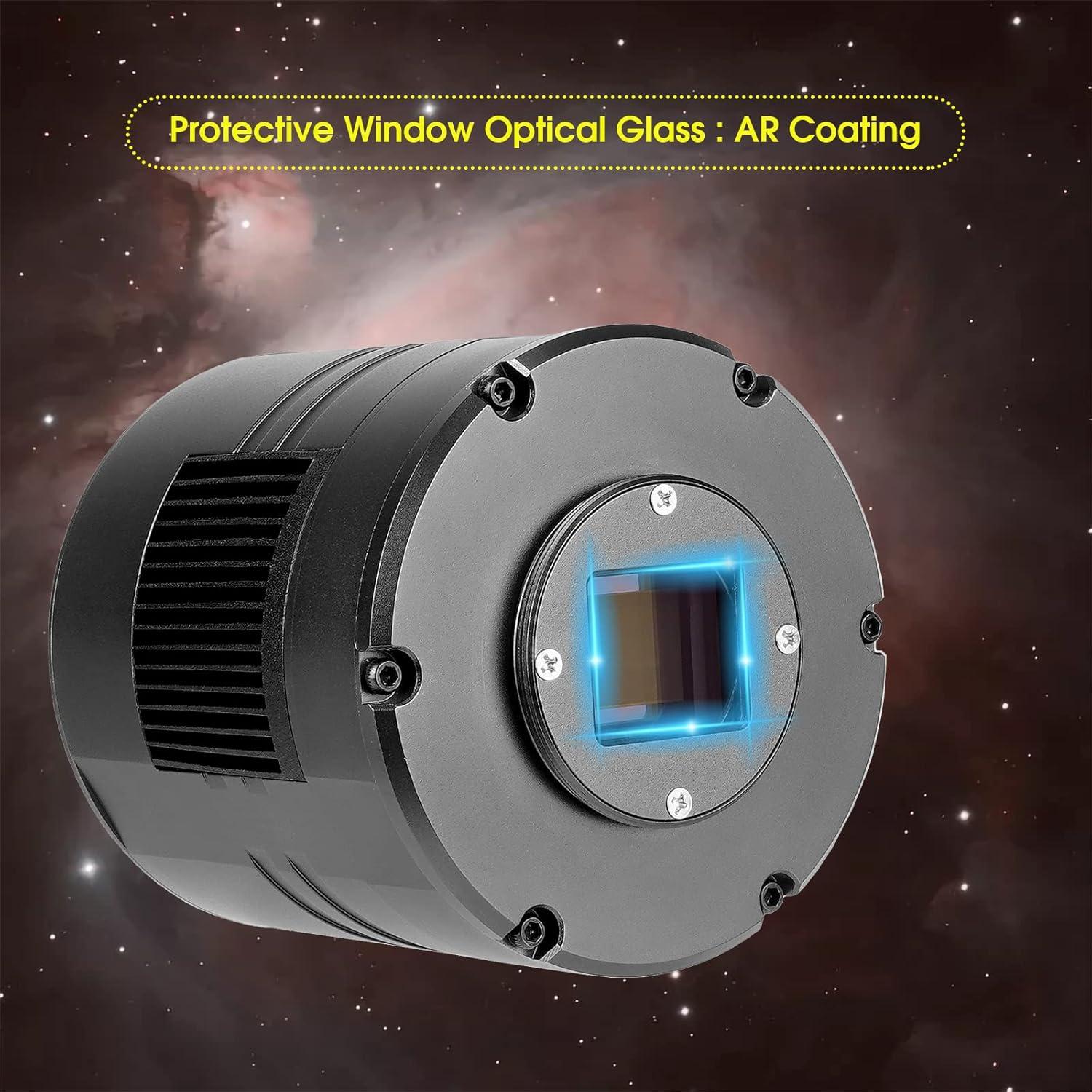
The camera's protective window features an AR coating to minimize reflections and maximize light transmission, enhancing image clarity. The Region of Interest (ROI) function allows for flexible resolution settings, enabling faster frame rates for specific areas of interest.


Video: Real astrophotography shots from customers using the SV405CC camera, showcasing its imaging capabilities.
5. Maintenance
5.1 Cleaning the Sensor
To maintain optimal image quality, keep the camera sensor clean. Use a specialized sensor cleaning kit designed for astrophotography cameras. Avoid touching the sensor directly with your fingers. If dust or debris is visible, use an air blower first. For stubborn spots, use a sensor cleaning swab with appropriate cleaning fluid.
5.2 Storage
When not in use, store the SV405CC camera in its protective bag in a dry, dust-free environment. Avoid extreme temperatures and humidity. Ensure all cables are disconnected and stored neatly to prevent damage.
6. Troubleshooting
This section addresses common issues you might encounter with your SV405CC camera.
6.1 Software and Driver Issues
- Camera not detected: Ensure the USB 3.0 cable is securely connected to both the camera and your computer. Verify that the necessary drivers are installed correctly. Try a different USB port or cable.
- Software crashes (e.g., NINA, SharpCap): Ensure you are using the latest drivers and software versions. Some users have reported issues with specific software configurations; check online forums or the SVBONY support page for known compatibility issues or workarounds.
- Incorrect image display/buffering issues: This can sometimes occur with certain software. Ensure your software settings are correctly configured for the SV405CC. Updating drivers or the imaging software may resolve these issues.
6.2 Cooling System Problems
- Cooling fan not working or insufficient cooling: Verify that the external 12V DC power adapter is correctly connected to the camera's refrigeration power interface. Ensure the power supply provides sufficient current (5A recommended). Check for any obstructions to the cooling fan. If the issue persists, contact customer support.
- Excessive dark current/noise despite cooling: Ensure the cooling system is set to the desired temperature and has had sufficient time to reach it. Verify that your imaging software is correctly applying dark frames and other calibration frames.
6.3 Image Quality Issues
- Vignetting or artifacts: Ensure all optical connections (adapters, field flatteners) are correctly aligned and free from dust or obstructions. Proper calibration frames (flats, darks, bias) are crucial for removing these artifacts.
- Blurry images: Confirm that your telescope is properly focused. Check for any vibrations during exposure.
7. Specifications
| Feature | Detail |
|---|---|
| Product Dimensions | 5.59 x 5.61 x 4.76 inches |
| Item Weight | 3.72 pounds |
| ASIN | B09XQY6RG2 |
| Item Model Number | FCAF9198F |
| Manufacturer | SVBONY |
| Sensor | IMX294 Color CMOS |
| Resolution | 11.7 MP (4144x2822) |
| Cooling System | Two-stage TEC cooling (up to 30°C below ambient) |
| Interface | USB 3.0 |
| Protective Window | AR Coating |
| Compatibility | Windows, Linux, Mac OS, Chrome OS, Raspberry Pi (via AstroDMX Capture); Windows (via ASCOM driver for SharpCap, TheSkyX) |
8. Warranty and Support
8.1 Warranty Information
For detailed warranty information regarding your SVBONY SV405CC camera, please refer to the official SVBONY website or the warranty card included with your product. Warranty terms and conditions may vary by region and retailer.
8.2 Customer Support
If you encounter any issues or have questions not covered in this manual, please contact SVBONY customer support. You can typically find contact information on the official SVBONY website or through your purchase platform.


