
Introduction
This manual provides detailed instructions for the AMTERBEST YYK530 Wireless Bluetooth Headset. It covers setup, operation, maintenance, and troubleshooting to ensure optimal performance and user experience. This Bluetooth 5.0 earpiece is designed for hands-free communication and audio streaming, compatible with various mobile devices.
What's in the Box
- AMTERBEST YYK530 Wireless Bluetooth Headset
- Wireless Charging Case
- USB Type-C Charging Cable
- Additional Ear Tips (various sizes)
- User Manual

Image: Package contents of the AMTERBEST YYK530 headset.
Product Overview
Familiarize yourself with the components and controls of your AMTERBEST YYK530 Bluetooth Headset.

Image: Detailed diagram of the headset controls and features.
- Power Supply On/Off: Button to turn the headset on or off.
- Play / Pause: Controls audio playback.
- Answer / End Call: Manages incoming and ongoing calls.
- Redial the last call: Quickly call the last dialed number.
- Activate/Deactivate Siri: Access your device's voice assistant.
- Three-way Call Switching: Manage multiple calls simultaneously.
- Microphone: For voice input during calls.
- Indicator light: Shows status (pairing, charging, connected).
- Volume + / Net track: Increase volume or skip to the next track.
- Volume - / Previous piece: Decrease volume or go to the previous track.
- Microphone on/off: Mute or unmute the microphone.
- Type-C Port: For charging the headset.
Setup
Charging the Headset
Before first use, fully charge your headset. The charging case provides additional power on the go.
- Connect the provided USB Type-C cable to the charging port on the headset or charging case.
- Connect the other end of the cable to a USB power adapter (not included) or a computer's USB port.
- The indicator light on the headset and the digital display on the charging case will show charging status.
- A full charge typically takes approximately 1.5 hours.
Video: Demonstrates charging the AMTERBEST YYK530 headset and its charging case, showing the digital battery display.
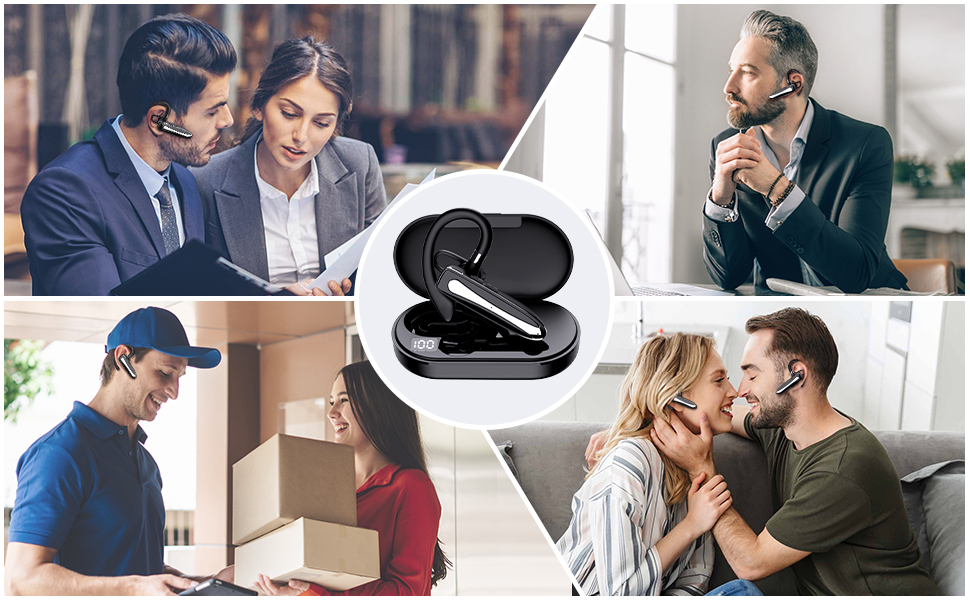
Image: Battery life specifications for the headset and charging case.
Pairing with a Device
Follow these steps to connect your headset to your smartphone or other Bluetooth-enabled device.
- Ensure the headset is charged and powered on.
- Activate Bluetooth on your mobile device.
- Search for available Bluetooth devices. The headset will appear as "YYK530".
- Select "YYK530" from the list to pair.
- Once paired, the headset's indicator light will change, and you will hear a confirmation tone.

Image: Bluetooth pairing screen on a smartphone.
The headset supports multiple device compatibility, allowing connection to various smartphones and tablets.
Video: Demonstrates the headset's compatibility with multiple devices, showing it connected to different smartphones.
Operating Instructions
Making and Receiving Calls
The headset provides clear audio and hands-free functionality for calls.
- Answer/End Call: Press the dedicated call button once to answer an incoming call or end an ongoing call.
- Reject Call: Press and hold the call button for 2 seconds to reject an incoming call.
- Redial: Double-press the call button to redial the last number.
- Three-way Calling: Use the call button to switch between calls if your device supports this feature.
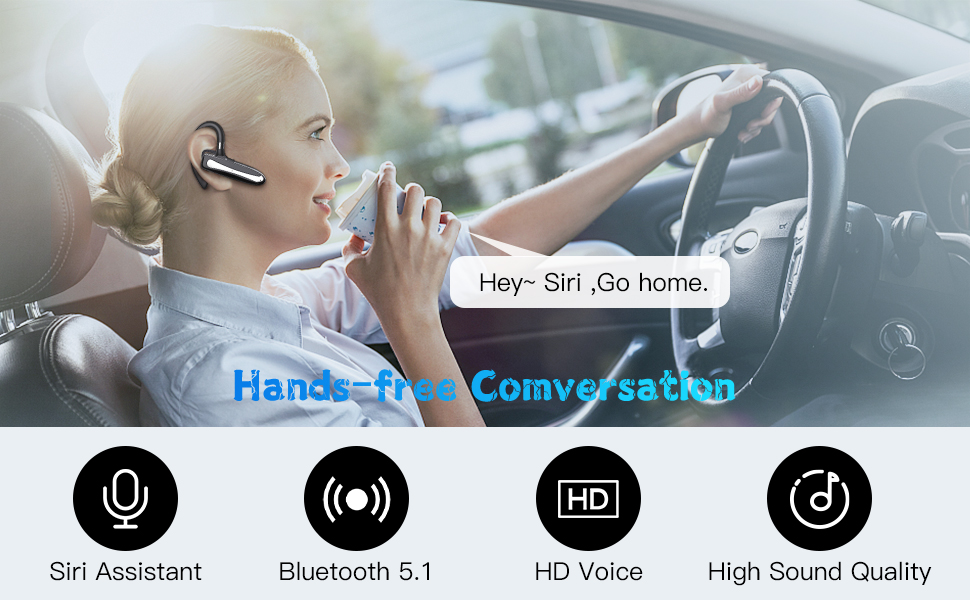
Image: Hands-free calling experience with HD voice support.
Audio Playback
- Play/Pause: Press the Play/Pause button once to start or pause music.
- Volume Up: Press the Volume + button.
- Volume Down: Press the Volume - button.
- Next Track: Press and hold the Volume + button.
- Previous Track: Press and hold the Volume - button.
Voice Assistant Activation
Activate your device's voice assistant (e.g., Siri) directly from the headset.
- Activate Siri/Voice Assistant: Press the dedicated button (refer to Product Overview diagram) to activate your phone's voice assistant.

Image: Using the voice assistant feature while driving.
Wearing the Headset
The AMTERBEST YYK530 is designed for comfortable and secure fit, suitable for either ear.
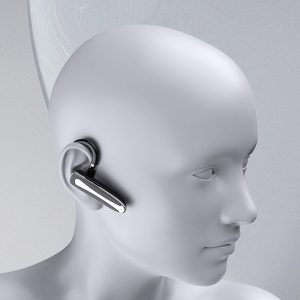
Image: Ergonomic design and reversible wear for left or right ear.
The ear hook can be rotated to fit comfortably on either the left or right ear. Adjust the ear tip for a snug fit.
Maintenance
To ensure the longevity of your AMTERBEST YYK530 headset, follow these maintenance guidelines:
- Cleaning: Wipe the headset and charging case with a soft, dry cloth. Avoid using harsh chemicals or abrasive materials.
- Sweatproof and Dustproof: The headset features IPX5 sweatproof and dustproof rating, making it suitable for sports and outdoor activities. However, it is not designed for submersion in water.
- Storage: When not in use, store the headset in its charging case to protect it from damage and dust.
- Temperature: Avoid exposing the headset to extreme temperatures (hot or cold) or direct sunlight for extended periods.
Troubleshooting
If you encounter issues with your headset, refer to the following common solutions:
| Problem | Solution |
|---|---|
| Headset does not power on. | Ensure the headset is fully charged. Connect it to the charging cable and check the indicator light. |
| Cannot pair with device. |
|
| No sound or poor audio quality. |
|
| Microphone not working. |
|
Image: Bluetooth range and signal integrity.
Specifications
| Feature | Detail |
|---|---|
| Model Name | YYK530 |
| Connectivity Technology | Wireless |
| Wireless Communication Technology | Bluetooth |
| Bluetooth Version | 5.0 |
| Bluetooth Range | 10 Meters |
| Noise Control | Active Noise Cancellation |
| Frequency Response | 20000 Hz |
| Headphones Jack | TYPE-C |
| Included Components | Wireless Charging Case |
| Material | Plastic |
| Charging Time | 1.5 Hours |
| Compatible Devices | Cellphones |
| Item Weight | 30 Grams (1.06 ounces) |
| Water Resistance Level | Waterproof (IPX5) |
| Control Method | Touch |
| Battery Life | 8 Hours (talk time) |
| Audio Driver Type | Dynamic Driver |
| Earpiece Shape | In Ear |
| Special Feature | Microphone Included, Sweatproof |
| Product Dimensions | 4.96 x 3.5 x 1.5 inches |
| Batteries | 1 AAA batteries required. (included) |
| Ear Placement | In Ear |
| Form Factor | In Ear |
| Impedance | 9 Ohms |
Warranty and Support
For warranty information or technical support, please refer to the contact details provided with your purchase or visit the official AMTERBEST website. Keep your proof of purchase for warranty claims.