Introduction
Thank you for choosing the Karlsson Impressive Pendulum Clock. This manual provides essential information for the safe and efficient use of your new clock. Please read these instructions carefully before installation and operation, and retain them for future reference.
Important Safety Information
- Keep batteries out of reach of children.
- Do not mix old and new batteries, or different types of batteries.
- Remove depleted batteries promptly to prevent leakage.
- Do not expose the clock to extreme temperatures or direct sunlight.
- Handle the clock with care to avoid damage to the mechanism or pendulum.
Package Contents
Please check that all items are present and in good condition:
- Karlsson Impressive Pendulum Clock (Model: PTG-KA5863CO)
- Pendulum
- User Manual (this document)
- Note: Batteries are not included and must be purchased separately.
Setup Guide
1. Unpacking
Carefully remove the clock and all components from the packaging. Retain packaging for future transport or storage.
2. Battery Installation
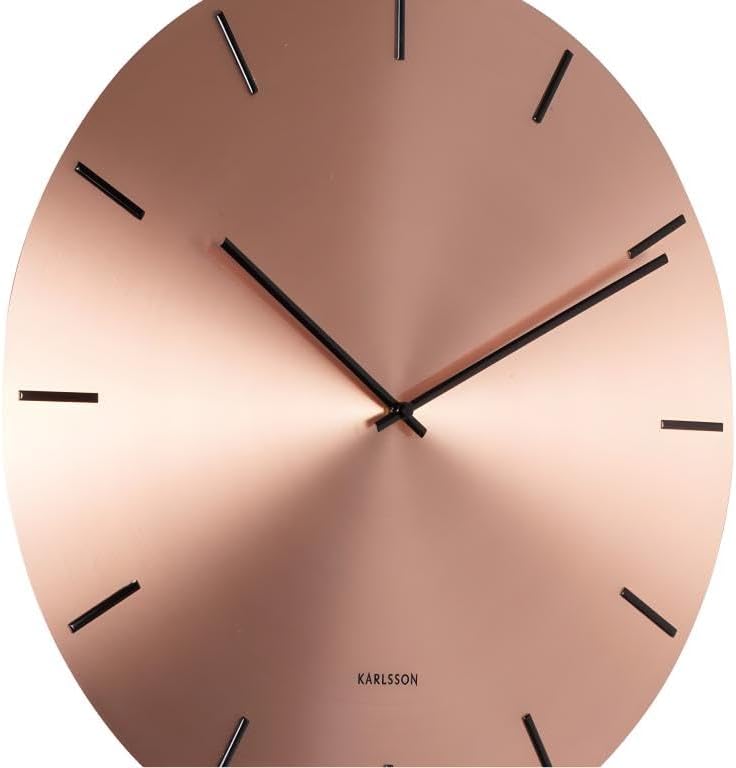
Image: A detailed view of the Karlsson clock face, highlighting the minimalist design and silent movement. The battery compartment and time-setting knob are located on the rear of the clock.
- Locate the battery compartment on the back of the clock mechanism.
- Insert one (1) AA battery (not included) according to the polarity indicators (+ and -).
- Ensure the battery is securely seated.
3. Pendulum Installation
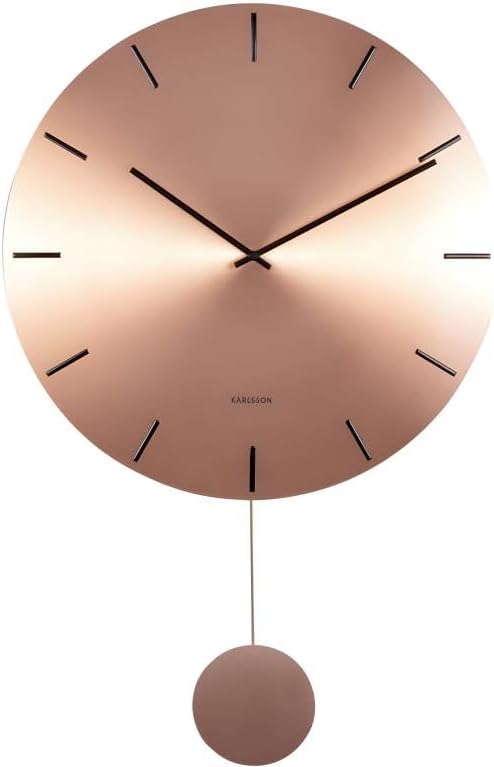
Image: The Karlsson Impressive Pendulum Clock, showcasing its complete design with the decorative pendulum attached.
- Gently attach the pendulum to the hook or slot provided on the clock mechanism, usually located below the battery compartment.
- Ensure the pendulum hangs freely and can swing without obstruction.
4. Mounting the Clock
This clock is designed for wall mounting.
- Choose a suitable location on a wall, ensuring it is sturdy enough to support the clock's weight (approximately 1.62 kg).
- Use an appropriate wall anchor and screw (not included) for your wall type.
- Hang the clock securely using the hanging slot on the back of the mechanism.
5. Setting the Time
Once the battery is installed, the clock hands will begin to move.
- Locate the time-setting knob or wheel on the back of the clock mechanism.
- Gently turn the knob in either direction to set the correct time. Do not move the hands directly.
- Once the time is set, the silent movement will ensure accurate timekeeping.
Operating Instructions
The Karlsson Impressive Pendulum Clock features a silent movement, ensuring a quiet environment. Once the battery is installed and the time is set, the clock will operate continuously.
- The pendulum is primarily decorative and contributes to the clock's aesthetic. Its movement is synchronized with the clock's mechanism.
- The clock is designed for indoor use only.
Care and Maintenance
Cleaning
To maintain the appearance of your clock:
- Wipe the clock surface with a soft, dry cloth.
- Do not use abrasive cleaners, solvents, or chemical sprays, as these can damage the finish.
Battery Replacement
When the clock starts losing time or stops, it is an indication that the battery needs to be replaced.
- Remove the old battery from the compartment.
- Dispose of the old battery responsibly according to local regulations.
- Insert a new AA battery, observing the correct polarity.
Troubleshooting
| Problem | Possible Cause | Solution |
|---|---|---|
| Clock not running | Battery is dead or incorrectly inserted. | Check battery polarity or replace with a new AA battery. |
| Clock losing time | Battery is low. | Replace the battery with a new AA battery. |
| Pendulum not swinging | Pendulum not properly installed or obstructed. | Ensure the pendulum is correctly hooked and swings freely without touching the clock body. |
| Hands are stuck | Hands are bent or touching each other/the clock face. | Gently adjust the hands to ensure they do not touch. If bent, carefully straighten them. |
Specifications
- Brand: Karlsson
- Model Number: PTG-KA5863CO
- Material: Alloy Steel
- Features: Silent Clock Movement
- Item Weight: 1.62 Kilograms
- Package Dimensions: 50.2 x 49.79 x 6.2 cm
- Power Source: 1 x AA Battery (not included)
- ASIN: B09XP1YS12
Warranty and Support
For warranty information or technical support, please refer to the retailer where the product was purchased or visit the official Karlsson website. Please have your model number (PTG-KA5863CO) and proof of purchase ready when contacting support.
Spare parts availability information is not available.


