
1. Introduction
Thank you for choosing the TESSAN Europe to US Plug Adapter. This adapter is designed to allow you to connect European Type C/E/F plugs to standard American wall outlets, providing both an AC outlet and two USB charging ports (USB-A and USB-C). It is ideal for travelers, business professionals, and students needing to power and charge their devices in the USA.
Important Note: This adapter is a plug adapter only and does NOT convert voltage. Ensure your devices are compatible with the local voltage (100V-250V) before use.
2. Safety Information
- Voltage Compatibility: This adapter does not convert voltage. It is crucial to verify that your electronic devices (e.g., hair dryers, straighteners, curling irons) support a wide voltage range (100V-250V) before plugging them into this adapter. Failure to do so may result in damage to your device or the adapter.
- Indoor Use Only: This product is intended for indoor use in dry locations only. Do not expose to moisture or extreme temperatures.
- Overload Protection: Do not exceed the maximum load of 1250W (Max. 125V, 10A). Overloading can cause overheating and potential damage.
- Children Safety: Keep out of reach of children.
- Proper Insertion: Ensure the adapter is fully inserted into the wall outlet and that device plugs are fully inserted into the adapter. Loose connections can cause overheating.
- Discontinue Use: If the adapter feels hot, makes unusual noises, or emits smoke, immediately unplug it from the wall outlet and discontinue use.
3. Product Overview
The TESSAN Europe to US Plug Adapter features a compact design with multiple charging options.
- European Socket: Accepts Type C, Type E, and Type F plugs from various European countries.
- US Plug: Designed for standard Type B wall outlets in the United States.
- USB-A Port: One standard USB port for charging compatible devices.
- USB-C Port: One modern USB-C port for charging compatible devices.
- LED Indicator: A small light indicates when the adapter is powered on.

Image: TESSAN Europe to US Plug Adapter showing the European socket, US plug, and USB ports.

Image: The adapter plugged into a US wall outlet, demonstrating its 3-in-1 charging capability with one AC outlet and two USB ports in use.
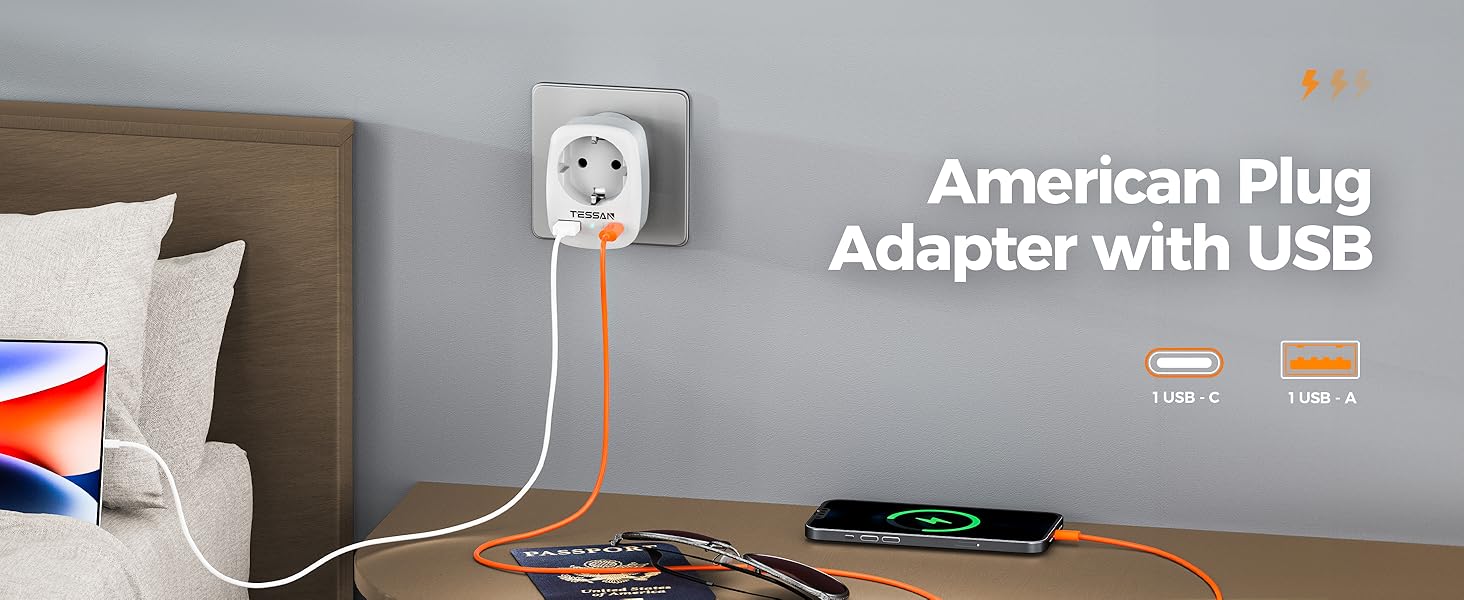
Image: Close-up of the TESSAN adapter highlighting the USB-C and USB-A ports, indicating its ability to meet various charging needs.
4. Setup
- Inspect the Adapter: Before first use, visually inspect the adapter for any signs of damage. Do not use if damaged.
- Verify Device Voltage: Confirm that your European device operates within the 100V-250V range. This information is usually found on the device's power label or in its manual.
- Plug into Wall Outlet: Insert the TESSAN Europe to US Plug Adapter firmly into a standard US Type B wall outlet. The LED indicator on the adapter should illuminate, confirming power.
- Connect Your Device: Plug your European device's Type C/E/F plug into the adapter's AC socket. For USB charging, connect your USB-A or USB-C cable to the corresponding port on the adapter and then to your device.
Video: Official TESSAN Travel Adapter demonstration showing how to connect a European plug into the adapter and then into a US wall outlet.
5. Operating Instructions
Once the adapter is securely plugged into a US wall outlet and your devices are connected, the adapter will begin to supply power. You can use the AC outlet and both USB ports simultaneously, charging up to three devices at once.
- AC Outlet Usage: For devices requiring an AC power source, plug them into the main European socket on the adapter.
- USB Charging: Use the USB-A and USB-C ports for charging smartphones, tablets, headphones, and other USB-powered devices. The total output for both USB ports is 2.4A Max.
- Power Indicator: The blue LED light on the adapter indicates that it is receiving power and ready for use.

Image: The TESSAN adapter in use, charging a smartphone via USB-C and wireless earbuds via USB-A, demonstrating simultaneous charging.

Image: Visual representation of the adapter's universal compatibility with various devices like smartwatches, phones, tablets, and headphones, emphasizing the need for 100-250V input voltage.
6. Maintenance
- Cleaning: Disconnect the adapter from the power source before cleaning. Use a dry, soft cloth to wipe the surface. Do not use liquid cleaners or abrasive materials.
- Storage: Store the adapter in a cool, dry place away from direct sunlight and moisture when not in use.
- Avoid Damage: Do not drop, disassemble, or attempt to repair the adapter yourself. This will void the warranty and could pose a safety risk.
7. Troubleshooting
- Q: My device is not charging or powering on.
- A:
- Ensure the TESSAN adapter is securely plugged into the US wall outlet and the blue LED is lit.
- Verify that your device's plug is fully inserted into the adapter's European socket or that your USB cable is properly connected to both the adapter and your device.
- Check if your device is voltage compatible (100V-250V). This adapter does not convert voltage.
- Confirm that the total power draw of your devices does not exceed the adapter's maximum rating of 1250W (10A).
- Test the adapter with a different device or in a different wall outlet to rule out issues with the device or the outlet.
- Q: The adapter feels hot.
- A:
- It is normal for adapters to feel slightly warm during operation. However, if it feels excessively hot, immediately unplug it.
- Ensure you are not exceeding the maximum wattage (1250W) or amperage (10A) of the adapter.
- Check for loose connections, which can generate heat.
8. Specifications
| Feature | Detail |
|---|---|
| Model Number | TS-611-US-C |
| Input Voltage | 100V-250V AC, 50/60Hz |
| Max Load | 10A |
| Max Power | 1250W |
| AC Outlet Type | European Type C/E/F (Schuko) |
| US Plug Type | Type B (3-prong) |
| USB-A Output | 5V/2.4A Max (shared with USB-C) |
| USB-C Output | 5V/2.4A Max (shared with USB-A) |
| Total USB Output | 5V/2.4A Max |
| Dimensions (L x W x H) | 2.80 x 2.13 x 1.28 inches (7.11 x 5.41 x 3.25 cm) |
| Weight | 3.42 ounces (97 grams) |
| Color | White |
9. Warranty and Support
TESSAN products are designed and manufactured to the highest quality standards. For warranty information, technical support, or customer service inquiries, please refer to the contact information provided with your product packaging or visit the official TESSAN website. Please retain your proof of purchase for warranty claims.