
Eufy T8830
Anker Eufy Security eufyCam 2C 1-Cam Kit User Manual
Model: T8830
Introduction
Thank you for choosing the Anker Eufy Security eufyCam 2C 1-Cam Kit. This wireless security camera system is designed to provide comprehensive outdoor surveillance with ease of use and advanced features. This manual will guide you through the setup, operation, and maintenance of your eufyCam 2C system.

Image: Overview of the EufyCam 2C system components and typical setup.
Package Contents
The Anker Eufy Security eufyCam 2C 1-Cam Kit includes the following items:
- eufyCam 2C Camera Unit
- HomeBase 2
- AC Power Adapter (for HomeBase 2)
- Ethernet Cable
- Micro USB Charging Cable (for camera)
- Mounting Bracket
- Mounting Screws and Anchors
- Reset Pin
- Quick Start Guide
Setup
1. Charging the Camera
Before initial use, fully charge the eufyCam 2C camera using the provided Micro USB cable and a compatible USB power adapter. A full charge can last approximately 180 days, depending on usage.
2. Setting up HomeBase 2
- Connect HomeBase 2 to power using the AC adapter.
- Connect HomeBase 2 to your router using the Ethernet cable.
- Wait for the LED indicator on HomeBase 2 to turn solid blue, indicating it's ready.
3. Installing the Eufy Security App
Download the Eufy Security app from the App Store (iOS) or Google Play (Android). Create an account or log in if you already have one.

Image: The Eufy Security app login screen on a smartphone.
4. Pairing the Camera
- In the Eufy Security app, tap 'Add Device' and select 'eufyCam 2C'.
- Follow the on-screen instructions to pair your camera with HomeBase 2.
5. Mounting the Camera
The eufyCam 2C is designed for outdoor use and comes with a wall-mount bracket. Choose a location that provides the desired viewing angle and strong Wi-Fi signal from HomeBase 2.
- Secure the mounting bracket to a wall or surface using the provided screws and anchors.
- Attach the camera to the mounting bracket and adjust the angle as needed.

Image: The eufyCam 2C camera mounted on an outdoor wall.
Operating the eufyCam 2C
Live View and Recording
Access the live feed from your camera through the Eufy Security app. The camera records in 1080p Full HD with a 135° wide-angle view, capturing clear details.

Image: A demonstration of the eufyCam 2C's 135-degree wide-angle view, clearly showing a car's license plate.
AI Human Detection and Notifications
The camera features AI detection that distinguishes between humans and other moving objects, reducing false alarms. You will receive notifications on your smartphone only when a person is detected.

Image: The eufyCam 2C's AI detection accurately identifies a person while ignoring a dog, preventing unnecessary alerts.

Image: A smartphone displaying a notification from the Eufy Security app, indicating motion detection.
Spotlight and Color Night Vision
In low-light conditions, the integrated spotlight illuminates the area when motion is detected, enabling full-color recording at night.

Image: The eufyCam 2C's spotlight activates to illuminate a person in a dark environment, allowing for clear color recording.

Image: The eufyCam 2C with its spotlight active during nighttime surveillance.
Local Storage
All recorded data is stored securely on the HomeBase 2's built-in 16GB local storage, eliminating the need for additional subscription fees.
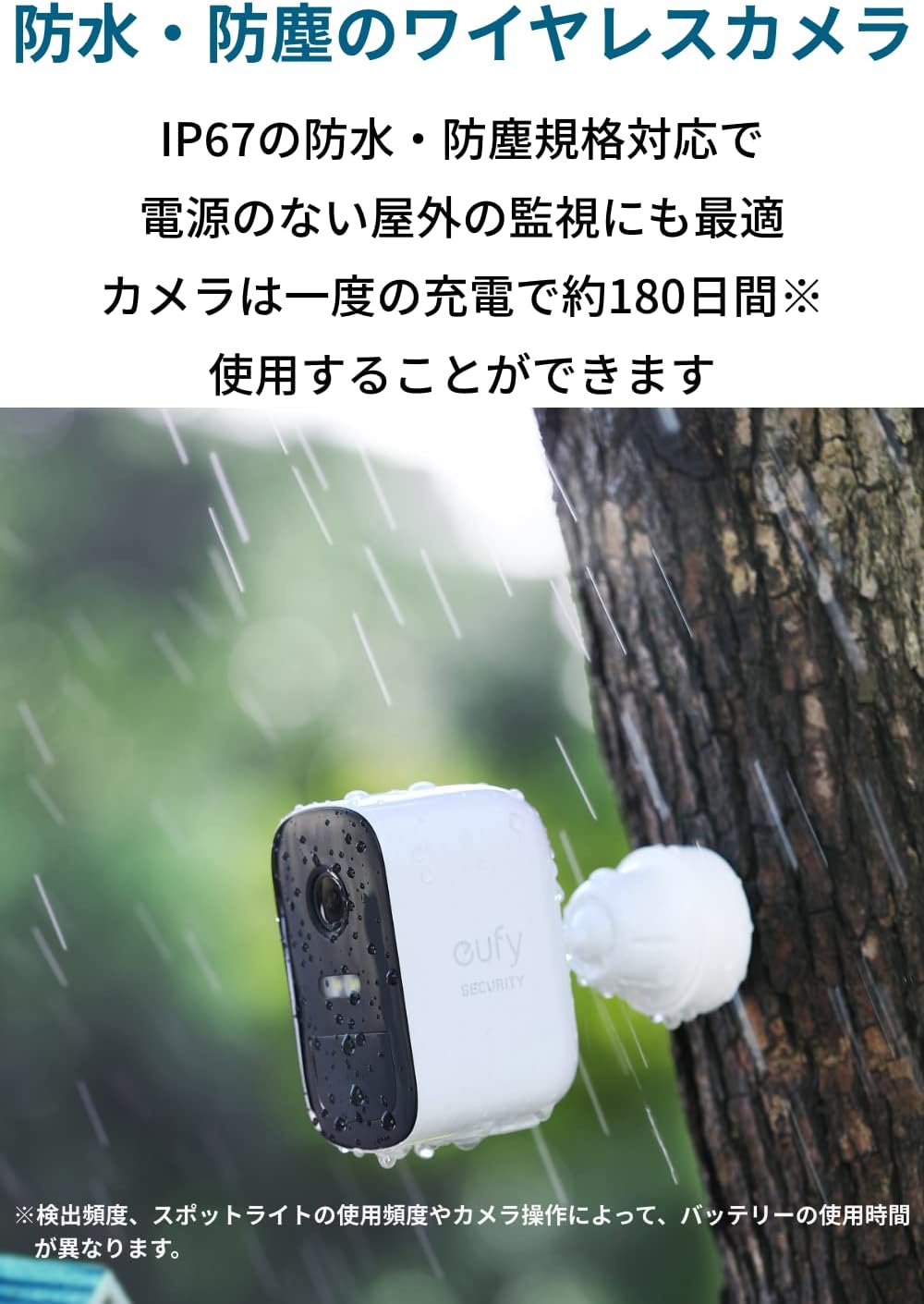
Image: A cutaway view of the HomeBase 2, highlighting its internal 16GB local storage for recorded data.

Image: A detailed view of the HomeBase 2's internal components, including the 16GB storage module.
Two-Way Audio
The camera supports two-way audio, allowing you to communicate with visitors or deter intruders. Note that simultaneous two-way conversation is not supported.

Image: A person receiving a package at their front door, with the eufyCam 2C visible above, illustrating its use for communication.
Maintenance
Battery Life and Charging
The eufyCam 2C camera is equipped with a 6700mAh battery, offering approximately 180 days of continuous use on a single charge. Battery life may vary based on detection frequency, spotlight usage, and camera operations. Recharge the camera using the provided Micro USB cable when the battery is low.
Weather Resistance
The eufyCam 2C has an IP67 waterproof and dustproof rating, making it suitable for outdoor surveillance in various weather conditions.
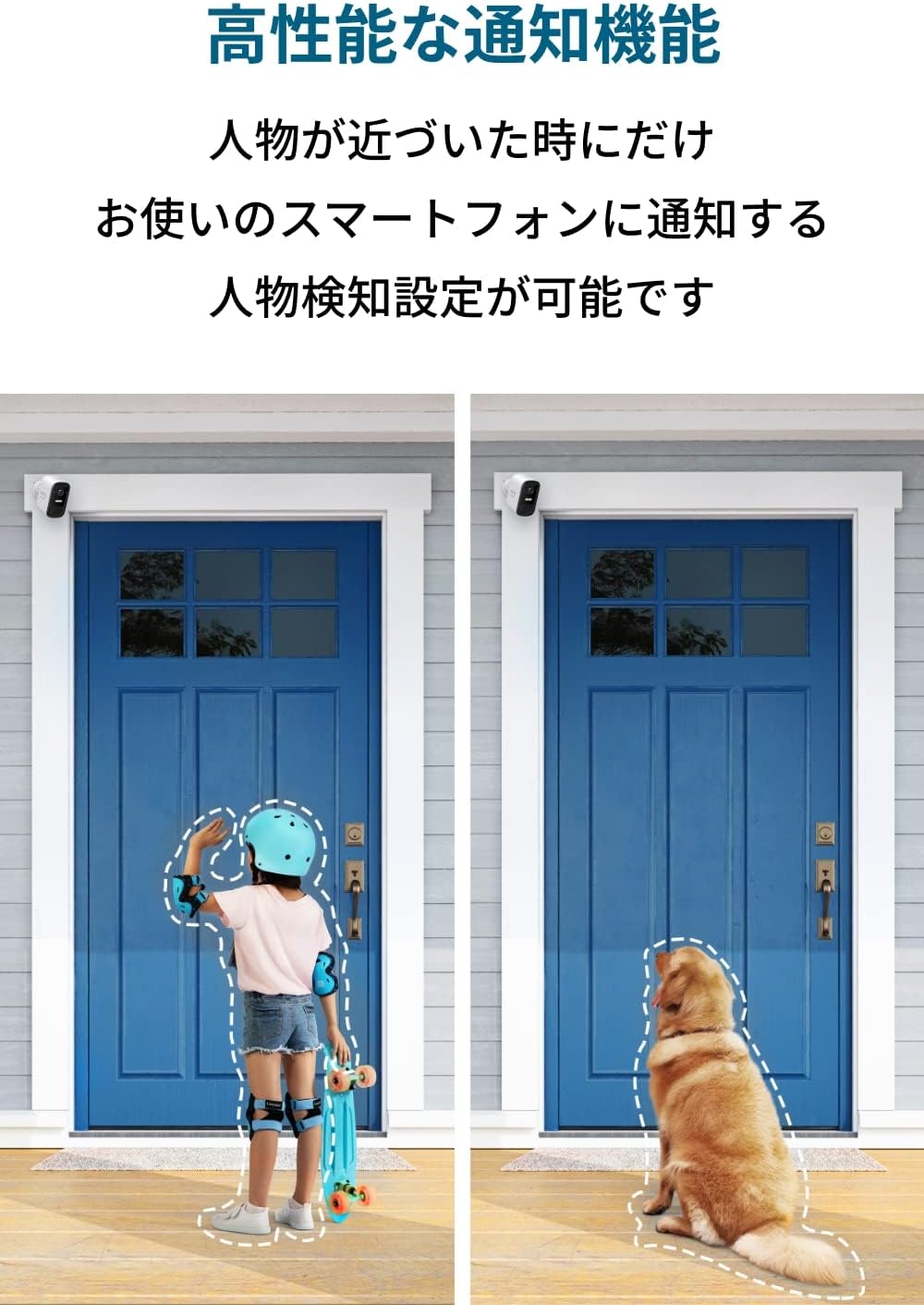
Image: The eufyCam 2C camera installed outdoors, demonstrating its IP67 weather resistance during rainfall.
General Care
Regularly check the camera lens for dirt or obstructions and clean it gently with a soft cloth. Ensure the mounting is secure and free from damage.
Troubleshooting
- Camera Not Connecting: Ensure HomeBase 2 is powered on and connected to your router. Check that the camera is within range of HomeBase 2's Wi-Fi signal. The system only supports 2.4GHz Wi-Fi.
- No Notifications: Verify that human detection is enabled in the app and that app notifications are allowed on your smartphone. Adjust motion detection zones and sensitivity settings if needed.
- Poor Video Quality: Check the camera lens for dirt. Ensure a stable Wi-Fi connection.
- Short Battery Life: Battery life is affected by detection frequency and spotlight usage. Reduce these settings if you experience significantly shorter battery life.
- Two-Way Audio Issues: Remember that two-way audio is not simultaneous; speak and listen alternately. Ensure your smartphone's microphone and speaker are functioning correctly.
- Smartphone Requirement: A smartphone is required to operate this product.

Image: Screenshot of the Eufy Security app showing how to set up custom motion detection zones.
Specifications
| Feature | Specification |
|---|---|
| Model Number | AMZ-T8830 |
| Video Resolution | 1080p Full HD |
| Frame Rate | 15 fps |
| Field of View | 135 degrees |
| Camera Battery Capacity | 6700mAh |
| HomeBase 2 Storage | 16GB Local Storage |
| Wireless Type | Wi-Fi (2.4GHz only) |
| Weather Resistance | IP67 |
| Camera Dimensions (approx.) | 57 x 48 x 81 mm (excluding bracket) |
| Camera Weight (approx.) | 196g |
| HomeBase 2 Dimensions (approx.) | 85 x 85 x 131 mm |
| HomeBase 2 Weight (approx.) | 280g |
Important Notes
- Continuous recording function is not supported.
- Only 2.4GHz frequency band is supported.
- A smartphone is required to use this product.
- Simultaneous two-way conversation is not possible.
- Battery usage time varies depending on detection frequency, spotlight usage, and camera operations.
- Product installation and removal are not performed by our customer support. Please perform these actions yourself.
- Product packaging may change without prior notice. The product packaging may differ depending on the time of purchase. Please be aware of this in advance.
- Product specifications may change without prior notice. Please be aware of this in advance.
Warranty and Support
For warranty information and customer support, please refer to the official Eufy website or contact Eufy customer service directly. Details can typically be found on the product packaging or the Eufy Security app.
You can also visit the Eufy Store on Amazon for more information and related products.
Related documentsT8830


Ask a question about this manual
Ask about setup, troubleshooting, compatibility, parts, safety, or missing instructions. Manuals+ will review the question and use this page’s manual context to help answer it.