
Introduction
This manual provides essential information for the proper use and maintenance of your replacement remote control. This remote is designed to be compatible with various Pioneer A/V Receiver models, including VSX-1121, VSX-1021, VSX-1022K, VSX-1020K, VSX-818V, VSX-522, VSX-523, VSX-517, and VSX-520-S. It is pre-programmed and ready for immediate use upon battery installation.

Image: Front and back view of the replacement remote control, showcasing its design and button layout on the front, and the smooth, ergonomic back.
Setup
The remote control is pre-programmed and does not require any complex setup or pairing procedures. Simply install the batteries, and it will be ready to operate your compatible Pioneer A/V Receiver.
Battery Installation
- Locate the battery compartment on the back of the remote control.
- Slide the battery cover downwards or press the latch to open it.
- Insert two (2) 1.5V AAA alkaline batteries, ensuring the correct polarity (+ and -) as indicated inside the compartment.
- Close the battery cover securely until it clicks into place.

Image: Back view of the remote control with the battery compartment open, showing the slots for two AAA batteries and the battery cover detached.
Operating Instructions
Once batteries are installed, the remote is ready for use. Point the remote control directly at your Pioneer A/V Receiver and press the desired function buttons.
Key Functions
- RECEIVER ON/OFF: Powers the receiver on or off.
- INPUT SELECT: Cycles through available input sources (e.g., BD, TV, DVR, CD, Tuner).
- VOLUME +/-: Adjusts the master volume level.
- MUTE: Mutes or unmutes the audio output.
- Navigation Buttons (Up, Down, Left, Right, ENTER): Used for menu navigation and selection.
- HOME MENU / SETUP: Accesses the receiver's main menu or setup options.
- AUDIO PARAMETER / STEREO / ADV SURR: Controls audio modes and settings.
- BASS +/- / TRE +/-: Adjusts bass and treble levels.
- Numbered Buttons (0-12): Direct input selection or other numerical entries.
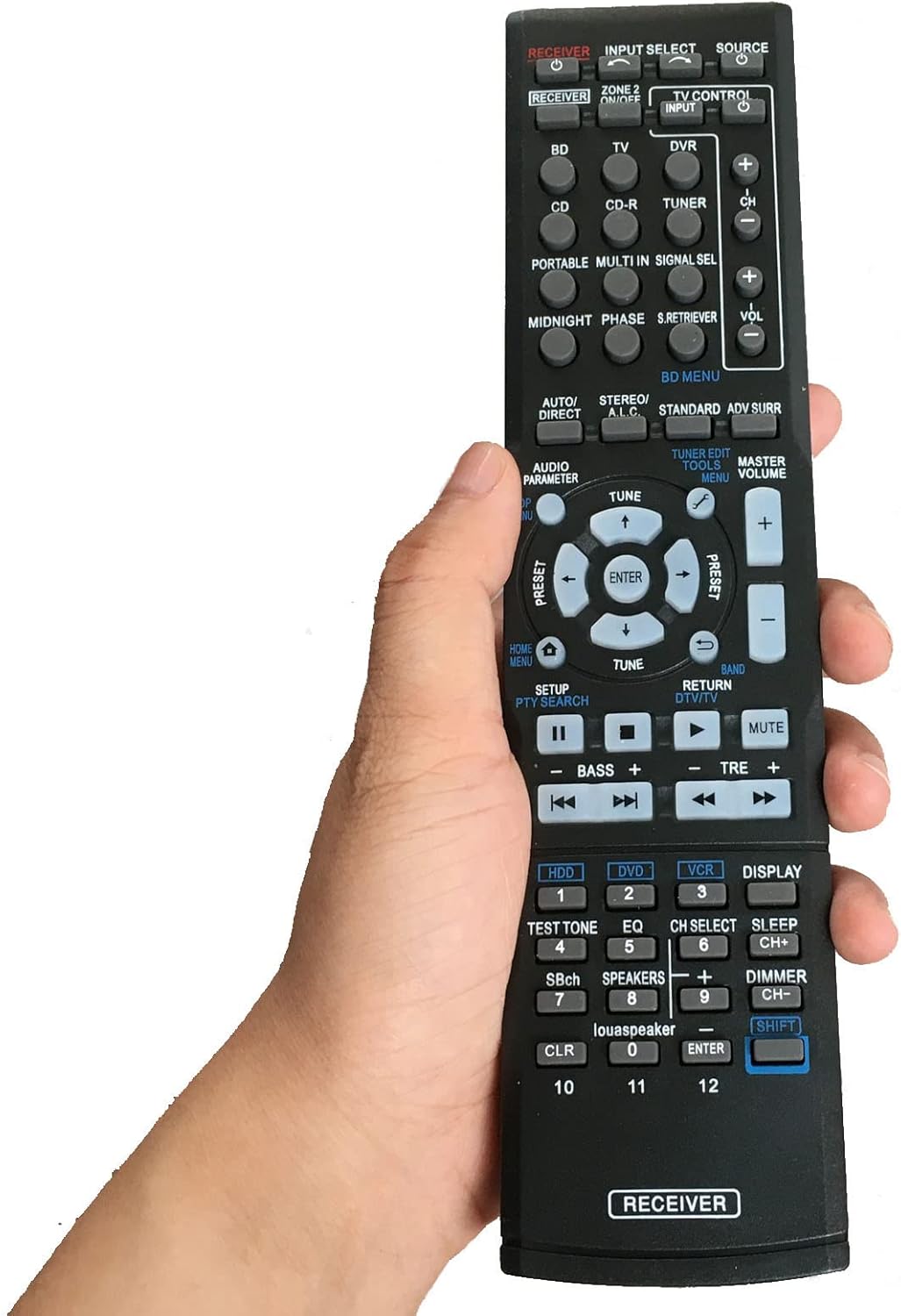
Image: The remote control is shown held in a hand, providing a perspective on its actual size and how it fits comfortably for operation.
Maintenance
Proper maintenance ensures the longevity and optimal performance of your remote control.
Battery Replacement
Replace batteries when the remote's response becomes sluggish or stops working. Always replace both batteries simultaneously with new 1.5V AAA alkaline batteries. Do not mix old and new batteries, or different types of batteries.
Cleaning
To clean the remote control, wipe it gently with a soft, dry cloth. For stubborn dirt, slightly dampen the cloth with water. Do not use abrasive cleaners, solvents, or chemical sprays, as these can damage the remote's surface or internal components.
Troubleshooting
If you experience issues with your remote control, refer to the following common problems and solutions:
| Problem | Possible Cause | Solution |
|---|---|---|
| Remote is not working. | Dead or incorrectly installed batteries. | Replace batteries with new ones, ensuring correct polarity. |
| Remote has short range or intermittent response. | Weak batteries; Obstruction between remote and receiver; Remote not pointed directly at receiver. | Replace batteries; Remove any obstructions; Ensure direct line of sight to the receiver's IR sensor. |
| Certain buttons do not function. | Button malfunction; Receiver not compatible with specific function. | Ensure the button is clean and not stuck. Verify your receiver model supports the specific function. |
Specifications
| Feature | Detail |
|---|---|
| Product Dimensions | 8.27 x 1.93 x 0.59 inches |
| Item Weight | 2.89 ounces |
| Batteries Required | 2 x AAA (Alkaline recommended) |
| Color | Black |
| Special Feature | Pre-setting, no programming needed |
| Compatible Devices | Pioneer A/V Receivers (VSX-1121, VSX-1021, VSX-1022K, VSX-1020K, VSX-818V, VSX-522, VSX-523, VSX-517, VSX-520-S) |
Warranty and Support
This product is designed for reliable performance. For any questions, concerns, or assistance regarding your replacement remote control, please contact the seller directly. They will be able to provide support and address any issues you may encounter.