
Monster MH12003
Monster N-Lite 200 AirLinks Wireless Earbuds User Manual
Model: MH12003
1. Introduction
Thank you for choosing the Monster N-Lite 200 AirLinks Wireless Earbuds. This manual provides essential information to help you set up, operate, and maintain your earbuds, ensuring a high-quality audio experience. Please read this manual thoroughly before using the product and retain it for future reference.
2. Safety Information
- Do not expose the earbuds or charging case to extreme temperatures, humidity, or liquids.
- Avoid dropping, impacting, or disassembling the device.
- Use only approved chargers and cables.
- Prolonged exposure to loud sounds may cause hearing damage. Adjust volume to a moderate level.
- Keep out of reach of children and pets.
3. Package Contents
- Monster N-Lite 200 AirLinks Wireless Earbuds (L/R)
- Charging Case
- USB-C Charging Cable
- Ear Tips (S, M, L sizes - M size pre-installed)
- User Manual
4. Product Overview
The Monster N-Lite 200 AirLinks feature a compact and ergonomic design, providing a comfortable fit and intuitive touch controls. The charging case ensures extended battery life and convenient portability.

Image: Monster N-Lite 200 AirLinks Earbuds and Charging Case. The image displays both earbuds removed from their open charging case, showcasing their compact design.
5. Setup
5.1 Initial Charging
Before first use, fully charge the earbuds and the charging case. The charging case supports both USB-C cable charging and wireless charging.
- USB-C Charging: Connect the provided USB-C cable to the charging port on the case and a power source.
- Wireless Charging: Place the charging case on a compatible wireless charging pad.
The indicator light on the case will show charging status. A full charge provides over 4.5 hours of playtime for the earbuds and a total of 21 hours with the charging case.

Image: Illustration of wireless and USB-C charging methods for the earbud case, showing charging times.

Image: Close-up of the charging case on a wireless charging pad, indicating fast charging.
5.2 Ear Tip Selection and Fit
For optimal sound quality and comfort, choose the ear tips that best fit your ears. The earbuds come with three sizes (S, M, L) of polyurethane foam ear tips. The M size is pre-installed.
- Gently insert the earbud into your ear canal and twist slightly to secure a snug fit.
- Experiment with different sizes to find the best seal for passive noise reduction and bass response.
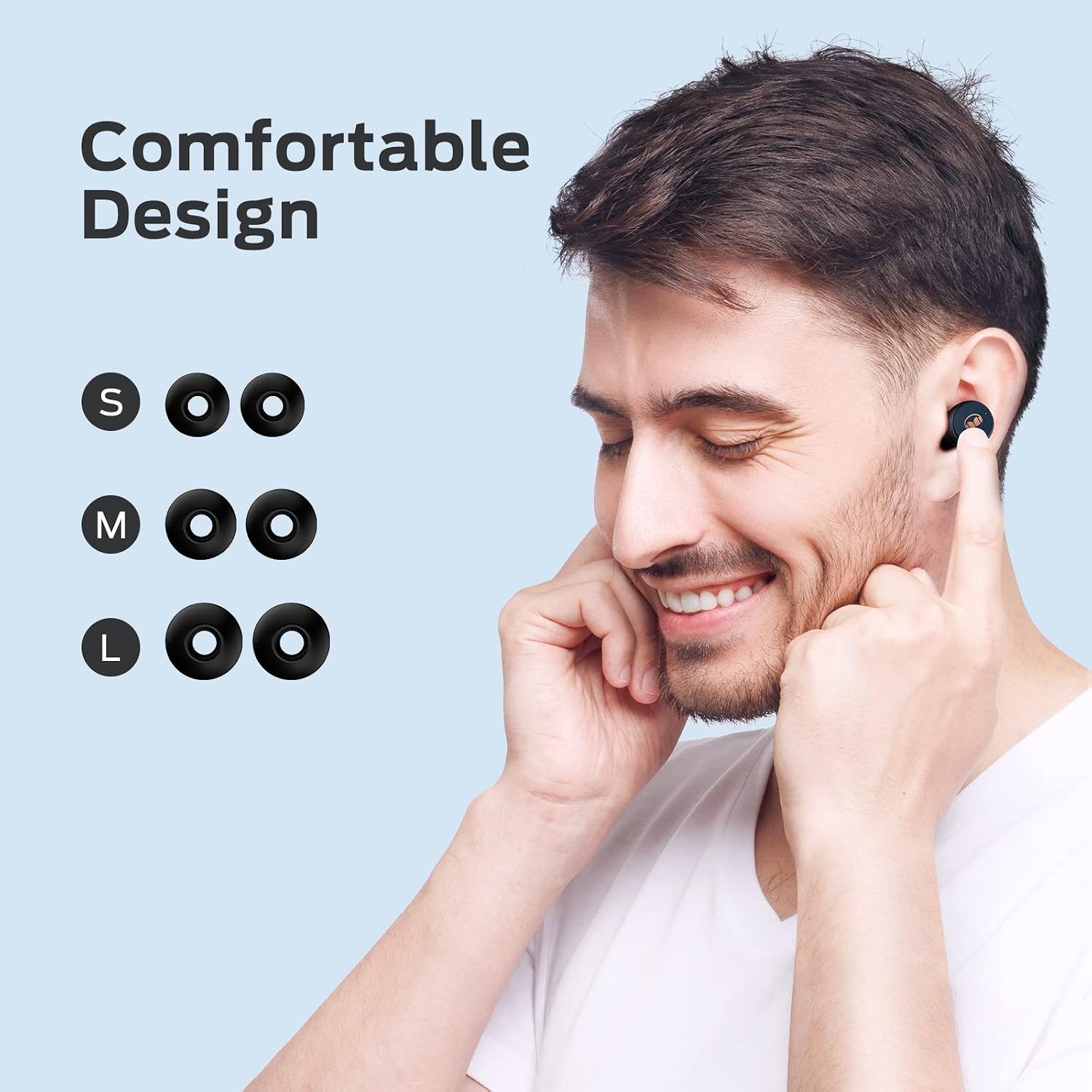
Image: A person wearing an earbud, with diagrams showing S, M, and L ear tip sizes for comfortable design.

Image: Left side shows an earbud with a mesh design for safe wear. Right side shows the easy pairing process with a phone screen.
5.3 One-Step Pairing
The earbuds feature one-step pairing for quick and easy connection to your device.
- Open the charging case. The earbuds will automatically power on and enter pairing mode.
- On your mobile device, go to Bluetooth settings.
- Select "Monster N-Lite 200 AirLinks" from the list of available devices.
- Once connected, you will hear an audible confirmation "Connected."
After the initial pairing, the earbuds will automatically connect to the last paired device when removed from the case.

Image: A hand holding the earbud case next to a smartphone displaying Bluetooth settings, showing "Monster N-Lite 200 AirLinks" as connected.
6. Operating Instructions
6.1 Touch Controls
The Monster N-Lite 200 AirLinks earbuds feature high-sensitivity touch controls for easy management of calls and music playback.
| Action | Function |
|---|---|
| Tap (single press) | Answer/End a call, Play/Pause music |
| Double-tap (Left Earbud) | Decrease volume |
| Double-tap (Right Earbud) | Increase volume |
| Triple-tap | Activate Siri/Voice Assistant |
| Long press (2 seconds, Left Earbud) | Previous song |
| Long press (2 seconds, Right Earbud) | Next song |
| Long press (2 seconds, during incoming call) | Reject call |
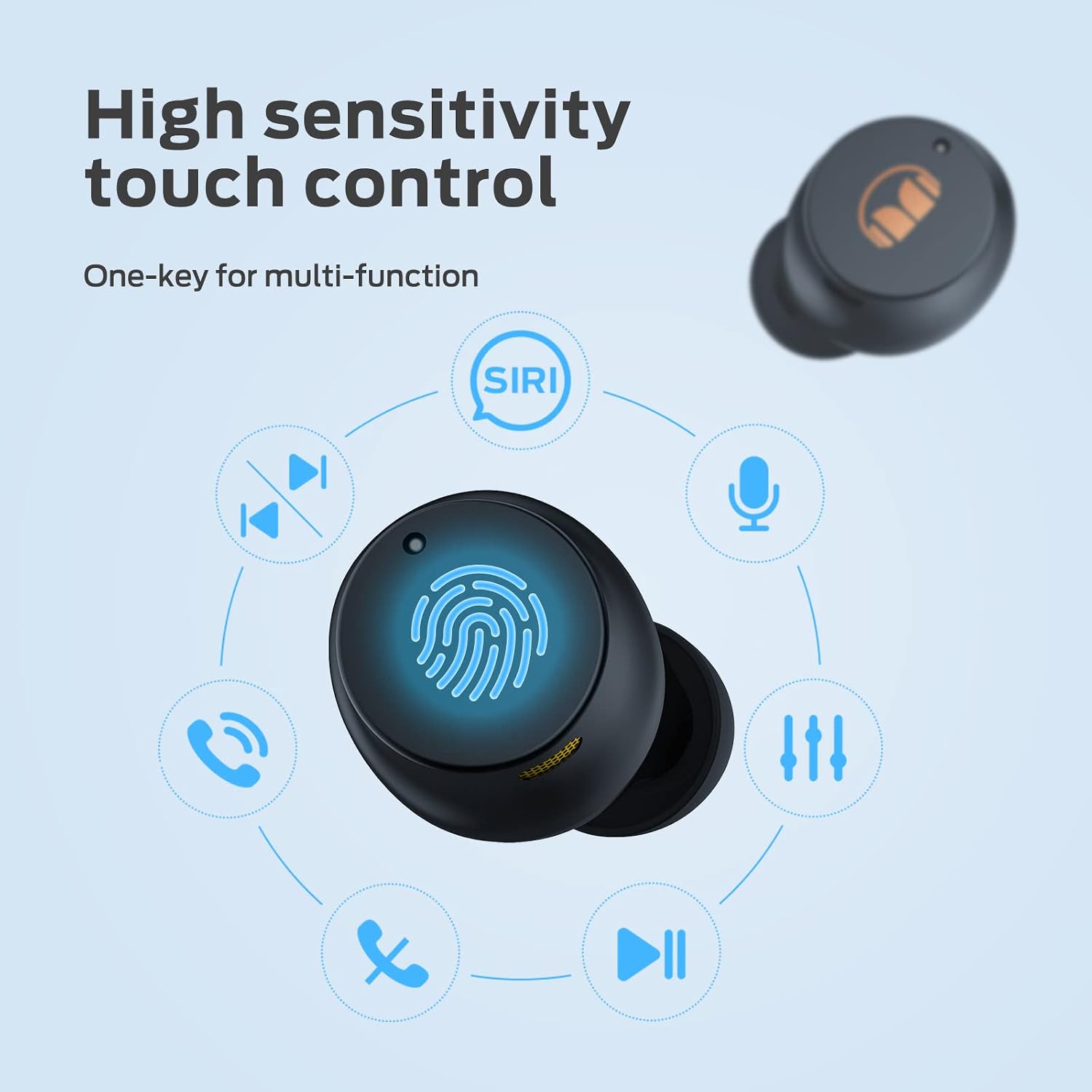
Image: Diagram illustrating the various touch control functions on the earbud, including calls, music, volume, and Siri activation.

Image: A visual guide detailing the touch control functions for answering/rejecting calls, playing/pausing music, skipping tracks, and adjusting volume.
6.2 Audio Features
The earbuds are equipped with 6mm composite diaphragm drivers, delivering high-quality stereo sound with deep bass. Bluetooth 5.0 ensures a stable connection with low latency, allowing sound to be transmitted to both ears simultaneously.

Image: An illustration of an earbud with sound waves emanating, representing Monster Stereo Sound.
7. Maintenance
7.1 Cleaning
- Regularly clean the earbuds and charging case with a soft, dry, lint-free cloth.
- Remove ear tips and clean them with mild soap and water, then dry thoroughly before reattaching.
- Do not use abrasive cleaners or solvents.
7.2 Water Resistance (IPX5)
The Monster N-Lite 200 AirLinks earbuds are IPX5 waterproof, meaning they are resistant to splashes and sweat. This makes them suitable for sports and outdoor activities.
- Do not submerge the earbuds in water.
- Ensure the charging port is dry before charging.

Image: Earbuds shown with water splashes, indicating their IPX5 waterproof rating.
7.3 Storage
When not in use, store the earbuds in their charging case to protect them and ensure they remain charged.
8. Troubleshooting
| Problem | Possible Solution |
|---|---|
| Earbuds not pairing |
|
| No sound or low volume |
|
| Charging case not charging |
|
| Touch controls not responding |
|
9. Specifications
| Feature | Detail |
|---|---|
| Model Name | N-Lite 200 AirLinks |
| Model Number | MH12003 |
| Connectivity Technology | Bluetooth 5.0 |
| Ear Placement | In Ear |
| Control Type | Touch Control |
| Water Resistance Level | IPX5 (Waterproof) |
| Material | Polyurethane (PU) |
| Playtime (Single Charge) | Over 4.5 hours |
| Total Playtime (with Charging Case) | Up to 21 hours |
| Charging Methods | USB-C, Wireless Charging |
| Item Weight | 5.9 ounces |
| Manufacturer | Monster |
10. Warranty Information
Monster products are designed and manufactured to the highest quality standards. For specific warranty details, please refer to the warranty card included with your product or visit the official Monster website. Keep your proof of purchase for warranty claims.
11. Customer Support
For further assistance, technical support, or product inquiries, please visit the official Monster support website or contact their customer service team. Contact information can typically be found on the product packaging or the brand's official website.
Related documentsMH12003


Ask a question about this manual
Ask about setup, troubleshooting, compatibility, parts, safety, or missing instructions. Manuals+ will review the question and use this page’s manual context to help answer it.