
Introduction
This manual provides essential information for the proper setup, operation, maintenance, and care of your Oris ProPilot X Automatic Blue Dial Watch. Please read these instructions carefully to ensure optimal performance and longevity of your timepiece.

Front view of the Oris ProPilot X Automatic Blue Dial Watch, showcasing the blue dial, silver-tone hands, and titanium bracelet.
Setup
1. Winding the Watch
Your Oris ProPilot X watch is equipped with an automatic movement (Oris Calibre 400) that winds itself with the motion of your wrist. If the watch has stopped or has not been worn for an extended period, it may require manual winding to initiate operation.
- To manually wind, unscrew the crown (if applicable) and pull it out to position 1.
- Turn the crown clockwise approximately 20-30 times. This will provide sufficient power reserve to start the watch.
- Push the crown back in and screw it down tightly to ensure water resistance.
2. Setting the Time
- Unscrew the crown (if applicable) and pull it out to position 2 (the outermost position).
- Turn the crown to move the hands clockwise or counter-clockwise until the desired time is set.
- Once the time is set, push the crown back in and screw it down tightly to maintain water resistance.

Side view of the watch, highlighting the crown used for winding and setting the time.
3. Setting the Date
Your watch features a date display. To set the date:
- Unscrew the crown (if applicable) and pull it out to position 1.
- Turn the crown counter-clockwise to adjust the date. Avoid setting the date between 9 PM and 3 AM, as this can damage the movement.
- Once the date is set, push the crown back in and screw it down tightly.
4. Adjusting the Bracelet
The titanium bracelet features a fold-over clasp with a safety release. For proper fit, the bracelet may need to be adjusted by adding or removing links. This procedure should ideally be performed by a qualified watchmaker or an authorized Oris service center to prevent damage.
Operating Your Watch
Automatic Movement (Calibre 400)
The Oris Calibre 400 is a highly efficient automatic movement. It stores energy from the natural motion of your wrist. When fully wound, it offers an extended power reserve. If the watch is worn daily, it should remain wound. If removed for an extended period, it may stop and require manual winding as described in the Setup section.
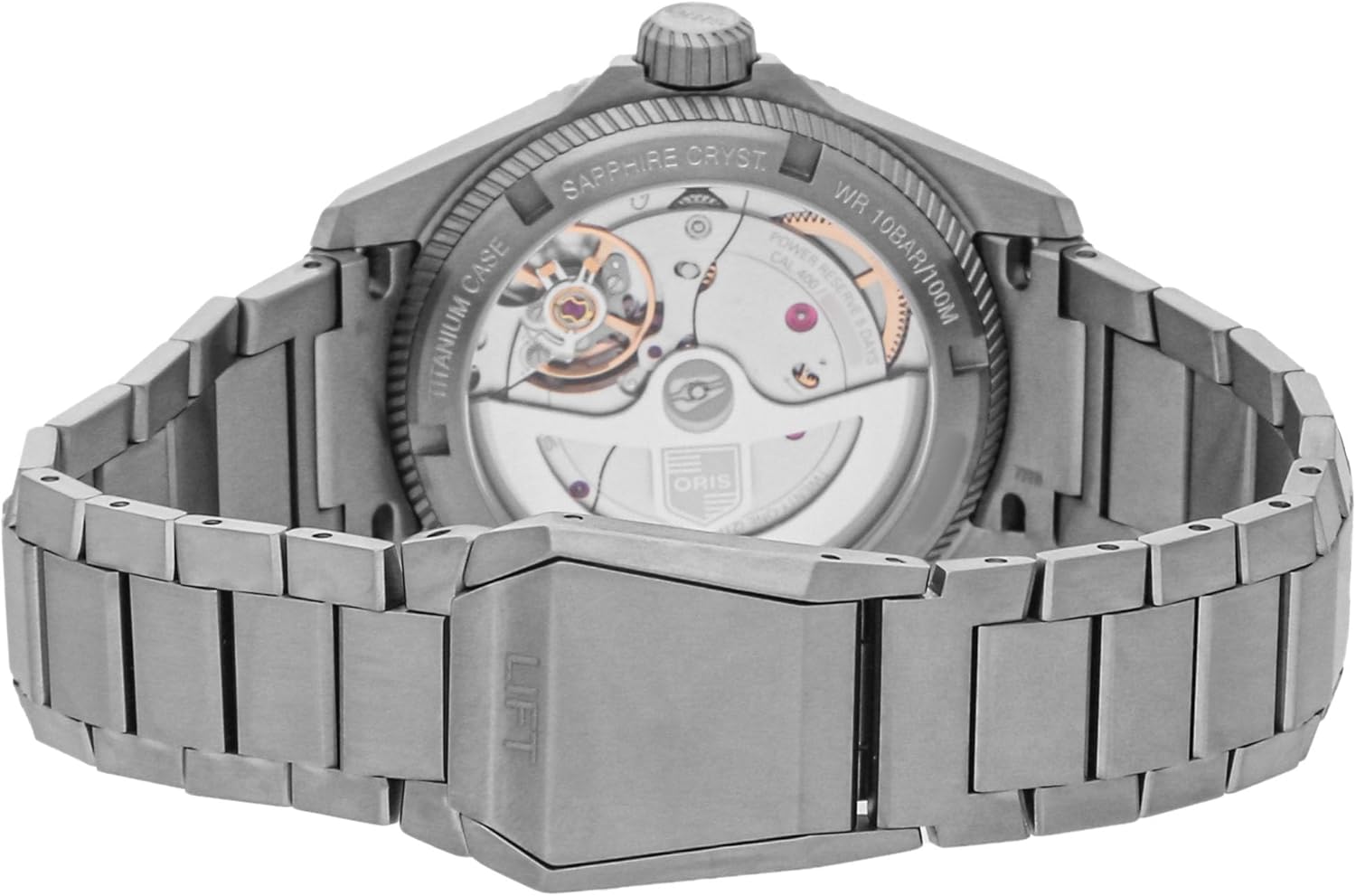
View of the transparent case back, revealing the intricate automatic movement of the watch.
Water Resistance
Your Oris ProPilot X watch has a water resistance rating of 100 meters (330 feet). This makes it suitable for swimming, snorkeling, and showering. However, it is not recommended for scuba diving or high-impact water sports. Always ensure the crown is fully screwed down before any contact with water.
- Important: Do not operate the crown or pushers (if present) while the watch is wet or submerged in water.
- After exposure to saltwater, rinse the watch with fresh water and dry it thoroughly with a soft cloth.
Maintenance and Care
Cleaning
To maintain the appearance of your watch:
- Wipe the case and sapphire crystal with a soft, dry, lint-free cloth.
- For deeper cleaning, especially after exposure to saltwater or sweat, use a soft brush and mild soapy water. Rinse thoroughly with fresh water and dry completely.
Storage
When not wearing your watch, store it in a cool, dry place, away from direct sunlight and extreme temperatures. The original watch box provides excellent protection.
Avoiding Magnetic Fields
Strong magnetic fields can affect the accuracy of mechanical watches. Keep your watch away from strong magnets, such as those found in speakers, refrigerators, and certain electronic devices.
Service Intervals
Like any precision instrument, your Oris watch requires periodic servicing to ensure optimal performance. It is recommended to have your watch serviced by an authorized Oris service center every 3-5 years. Regular servicing includes cleaning, lubrication, and adjustment of the movement, as well as checking seals for water resistance.
Troubleshooting
Watch Not Running
- Cause: Insufficient power reserve.
- Solution: Manually wind the watch by turning the crown clockwise 20-30 times (after unscrewing and pulling to position 1). Wear the watch regularly to allow the automatic movement to recharge.
Inaccurate Time
- Cause: Exposure to magnetic fields, impact, or need for servicing.
- Solution: Keep the watch away from strong magnetic sources. If inaccuracy persists, consult an authorized Oris service center.
Date Not Changing
- Cause: Incorrect time setting (e.g., AM/PM confusion) or date set during restricted hours.
- Solution: Advance the time past 12 AM to see if the date changes. If not, reset the time and date carefully, avoiding the 9 PM to 3 AM window for date adjustment.
Specifications
| Feature | Detail |
|---|---|
| Model Name | Oris ProPilot X Calibre 400 |
| Model Number | 01 400 7778 7155-07 7 20 01TLC |
| Movement | Oris Calibre 400, Automatic, Self-winding |
| Case Material | Titanium |
| Case Diameter | 39 mm |
| Dial Color | Blue |
| Crystal | Scratch Resistant Sapphire |
| Water Resistance | 100 meters (330 feet) |
| Band Material | Titanium Bracelet |
| Clasp Type | Foldover Clasp With Push Button |
| Power Reserve | 5 Days (approximate) |
Warranty Information
Your Oris ProPilot X watch comes with a limited warranty covering manufacturing defects. The specific terms and duration of the warranty are provided with your purchase documentation. Please retain your proof of purchase for any warranty claims.
Oris Calibre 400 movements are typically covered by an extended warranty upon registration. Refer to the official Oris website or your warranty card for details on how to register your watch and activate the extended warranty.
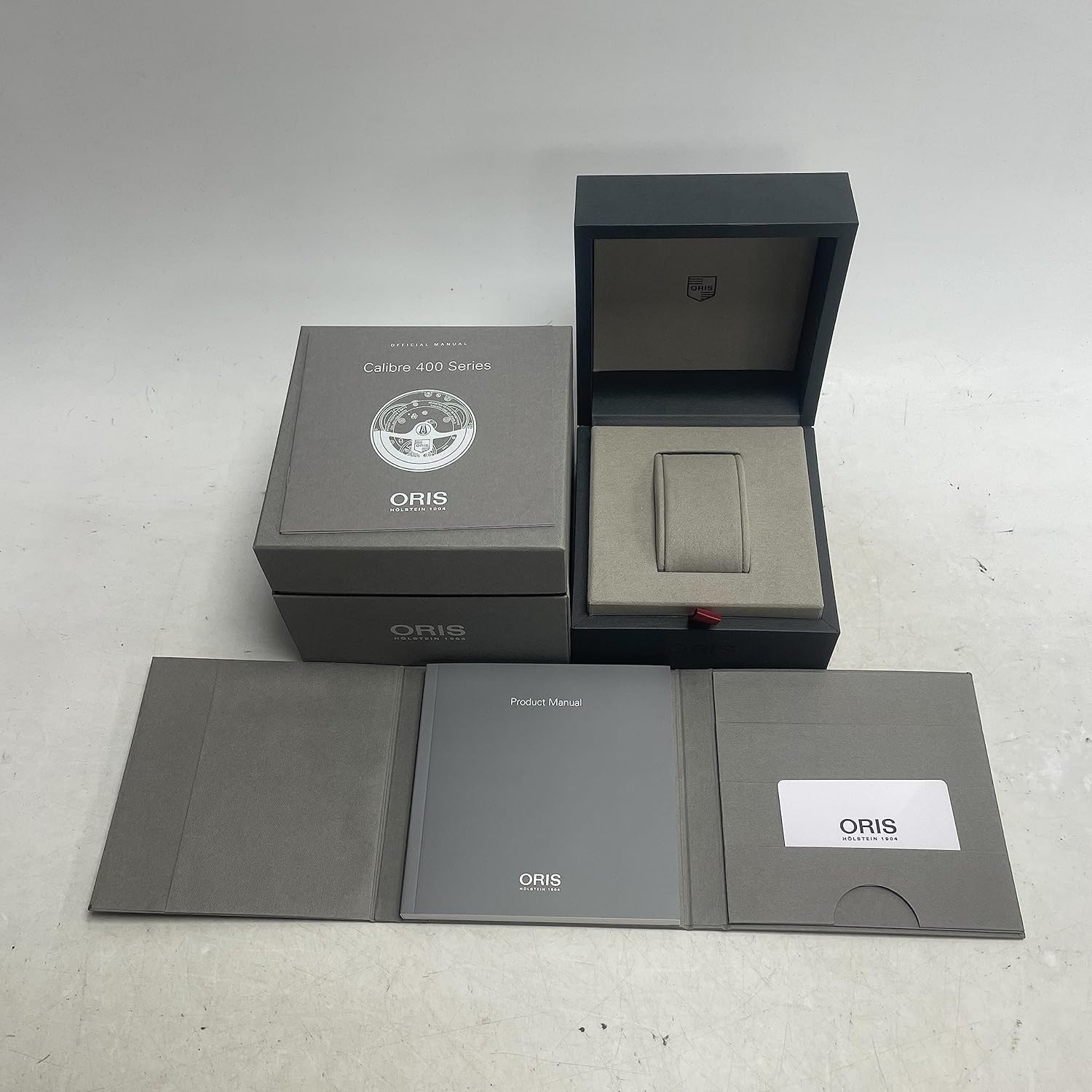
The Oris watch box and accompanying product manual, which contains detailed warranty information.
Support
For further assistance, technical support, or service inquiries, please contact an authorized Oris dealer or visit the official Oris website. Authorized service centers are equipped to handle all aspects of watch repair and maintenance, ensuring that genuine parts and proper procedures are used.
When contacting support, please have your watch's model number (01 400 7778 7155-07 7 20 01TLC) and serial number readily available.