1. Product Overview
The Laresar Elite 4 is a powerful 400W cordless stick vacuum cleaner designed for efficient cleaning across various surfaces. It features a 33KPa suction power, dual displays for operational feedback, wall-mounted charging, a detachable battery, and a multi-cone HEPA filtration system. Its lightweight design makes it suitable for both hardwood floors and carpets.

Image: The Laresar Elite 4 cordless vacuum cleaner, showcasing its sleek design and highlighting key features such as 33KPa suction, 400W motor, 2500mAh battery, and dual displays.
2. Package Contents
Before assembly, ensure all components are present in the package:
- Main Vacuum Unit
- Extension Wand
- Motorized Floor Brush
- Detachable Battery
- Wall-mounted Charging Dock
- Crevice Tool
- 2-in-1 Brush Tool
- Power Adapter
- HEPA Filter (pre-installed or spare)
- User Manual

Image: An exploded view of the Laresar Elite 4 vacuum cleaner, displaying all included parts and accessories such as the main unit, extension tubes, various brush heads, and the wall-mounted charging station.
3. Setup and Assembly
3.1 Assembly
- Insert the extension wand into the main vacuum unit until it clicks securely.
- Attach the motorized floor brush to the other end of the extension wand, ensuring it locks into place.
- For handheld use, attach desired accessories (crevice tool, 2-in-1 brush) directly to the main vacuum unit.
- Ensure the detachable battery is securely inserted into the main unit.
3.2 Charging
The Laresar Elite 4 offers three convenient charging methods:
- Wall-mounted Charging: Hang the assembled vacuum cleaner directly on the wall-mounted dock. Ensure the dock is connected to the power adapter.
- Detachable Battery Charging: Remove the battery from the main unit and connect it directly to the power adapter for charging.
- Direct Vacuum Charging: Connect the power adapter directly to the charging port on the main vacuum unit while the battery is installed.
A full charge typically takes approximately 4 hours and provides up to 37 minutes of runtime, depending on the suction mode used.

Image: The Laresar Elite 4 vacuum cleaner mounted on its wall dock, illustrating the wall-mounted charging method. The dock also provides storage for accessories.

Image: The Laresar Elite 4 vacuum cleaner standing upright and connected to a wall outlet for charging, demonstrating a direct charging method.
4. Operating Instructions
4.1 Power On/Off
Press the power button located on the handle to turn the vacuum cleaner on or off.
4.2 Suction Modes
The Elite 4 offers two primary suction modes:
- Manual Mode: Tap the +/- symbol on the small touch screen to cycle through 3 levels of suction power (Low, Medium, Strong) to suit different cleaning tasks.
- Auto Mode (Lare Smart Technology): Long press the +/- symbol on the small touch screen to activate Auto mode. In this mode, the vacuum's Lare Smart technology automatically detects the amount of dust and adjusts the suction power accordingly for optimal cleaning efficiency and battery life.

Image: A detailed view of the vacuum's main display, showing battery percentage, suction mode (AUTO), and indicators for dust cup cleaning and brush clogs. The touch screen for adjusting suction is also visible.

Image: The Laresar Elite 4 vacuum cleaner in handheld mode, illustrating the LareSmart Sensor Technology with visual cues (red for debris detected, green for debris cleared) indicating its intelligent dust sensing capability.
4.3 Display Indicators
The large display provides real-time information:
- Current suction power level
- Remaining battery power percentage
- Indicator for dust cup cleaning
- Indicator for floor brush clogs
4.4 Multi-Surface Cleaning
The all-in-one roller brush is designed for effective cleaning on various floor types, including wood floors, carpets, and marble surfaces, without causing damage.
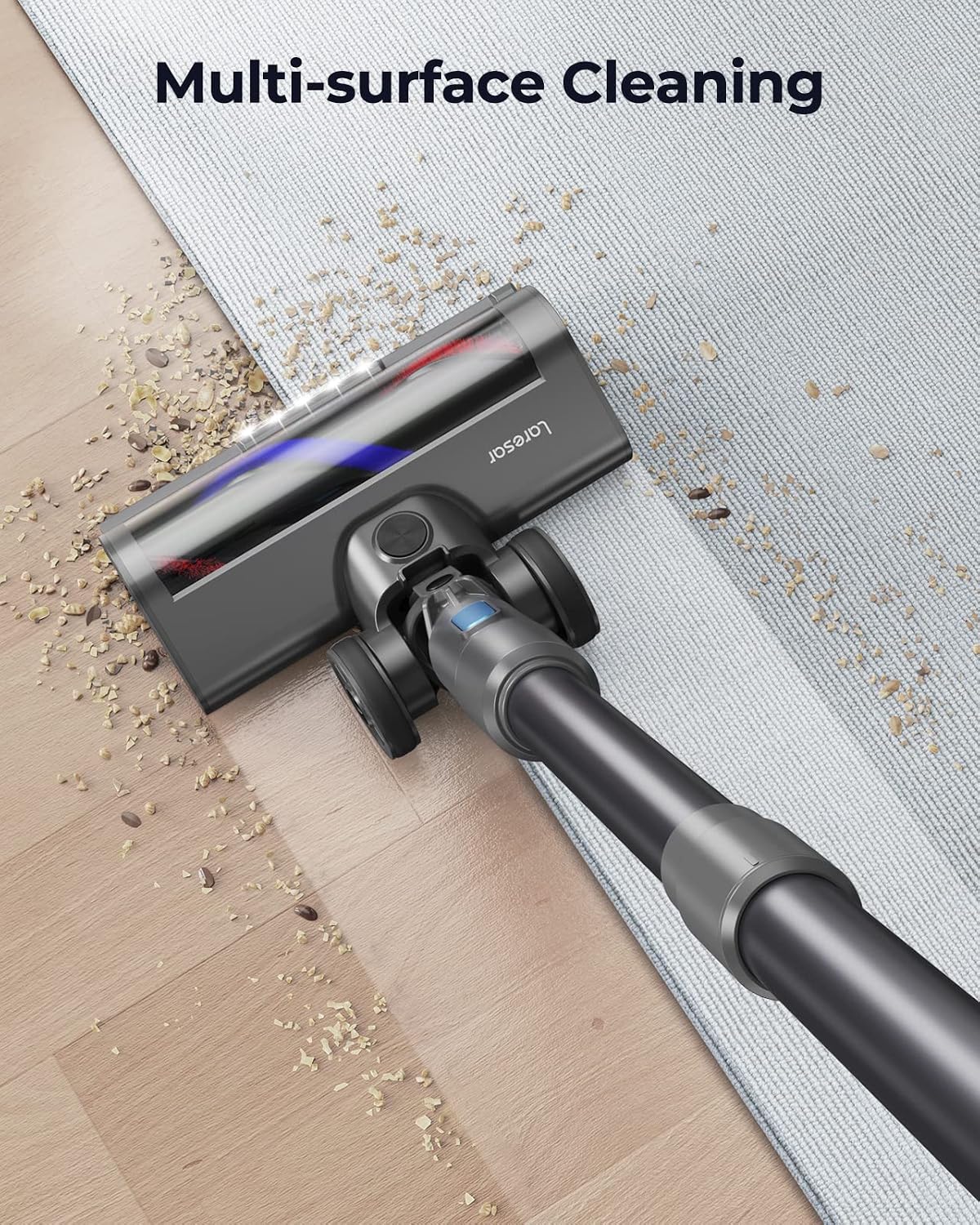
Image: The Laresar Elite 4 vacuum cleaner transitioning from a hardwood floor to a carpeted area, demonstrating its multi-surface cleaning capability.

Image: A woman operating the Laresar Elite 4 cordless vacuum cleaner on a hard floor, effectively picking up debris. A dog is resting in the background, illustrating the vacuum's quiet operation.
5. Maintenance
5.1 Emptying the Dust Cup
The 1.2L dust cup should be emptied regularly, especially when the display indicates it is full or suction power decreases. Follow the instructions in the full manual for safe and hygienic emptying.
5.2 Cleaning the Filter System
The Elite 4 features a multi-cone filtration structure and a HEPA filter. Regular cleaning of these components is crucial for maintaining optimal suction and extending motor life.
- The multi-cone system creates fine cyclones to efficiently separate dust from air, reducing clogging.
- The HEPA filter provides a second layer of filtration, ensuring clean air discharge.
Refer to the detailed instructions in the complete user manual for proper cleaning and replacement procedures for both the multi-cone filter and the HEPA filter.

Image: A cutaway diagram illustrating the multi-cone cyclone filter system within the Laresar Elite 4 vacuum, showing how multiple cyclones work to separate dust and extend motor life.

Image: An exploded view of the Laresar Elite 4 vacuum's internal filtration components, highlighting the multi-cone cyclone system designed to effectively separate dust and reduce clogging.
5.3 Cleaning the Roller Brush
Periodically check the roller brush for tangled hair or debris. Remove the brush from the floor head and clean it using scissors or a brush tool. Ensure it is free of obstructions before reinserting.
6. Troubleshooting
If you encounter issues with your Laresar Elite 4 vacuum cleaner, consider the following common troubleshooting steps:
- No Power: Ensure the battery is fully charged and properly inserted. Check the power adapter connection if charging.
- Reduced Suction: Empty the dust cup. Check and clean all filters (multi-cone and HEPA). Inspect the extension wand and floor brush for blockages.
- Brush Not Spinning: Check for obstructions in the roller brush. Ensure the floor brush is securely attached to the wand.
- Unusual Noise: Turn off the vacuum and check for any foreign objects lodged in the brush, wand, or main unit.
For more detailed troubleshooting or persistent issues, please refer to the comprehensive troubleshooting guide in the full user manual or contact Laresar customer support.
7. Specifications
| Feature | Specification |
|---|---|
| Brand | Laresar |
| Model Number | P40JP |
| Colour | Grey |
| Product Dimensions | 119.38 x 23.88 x 21.84 cm |
| Item Weight | 4.78 kg |
| Capacity (Dust Cup) | 1.2 liters |
| Power/Wattage | 400 watts |
| Voltage | 120 Volts |
| Noise Level | 70 dB |
| Runtime | Up to 37 minutes |
| Special Features | Cordless, 2 Displays, Wall-mounted Charging, Detachable Battery, Lare Smart Technology |
| Filter Type | HEPA, Multi-cone Filtration System |
| Surface Recommendation | Carpet, Hardwood |
| Power Source | Battery Powered |
| Included Components | Brush, HEPA Filter |
8. Warranty and Support
Laresar provides a 3-year quality assurance service for the Elite 4 Cordless Vacuum Cleaner. For any product-related issues, warranty claims, or to purchase additional accessories (such as batteries), please contact Laresar's official customer service. Refer to the contact information provided in your product packaging or on the official Laresar website.


