Introduction
Thank you for choosing the TOP-UP Dual Port USB Charger. This compact and versatile wall charger is designed to provide efficient power delivery for a wide range of USB-A and USB-C compatible devices. Please read this manual carefully to ensure proper use and to maximize the lifespan of your charger.

Image: Angled view of the TOP-UP Dual Port USB Charger, showcasing its sleek, white design and compact form factor.
Package Contents
- 1 x TOP-UP Dual Port Wall Charger (Model: YLTC-349-C)
Setup
- Unfold the Prongs: Gently pull out the foldable AC prongs from the charger body until they lock into place.
- Connect to Power Outlet: Insert the charger into a standard wall power outlet (100-240V AC).
- Prepare Device Cable: Obtain a compatible USB charging cable for your device (not included).
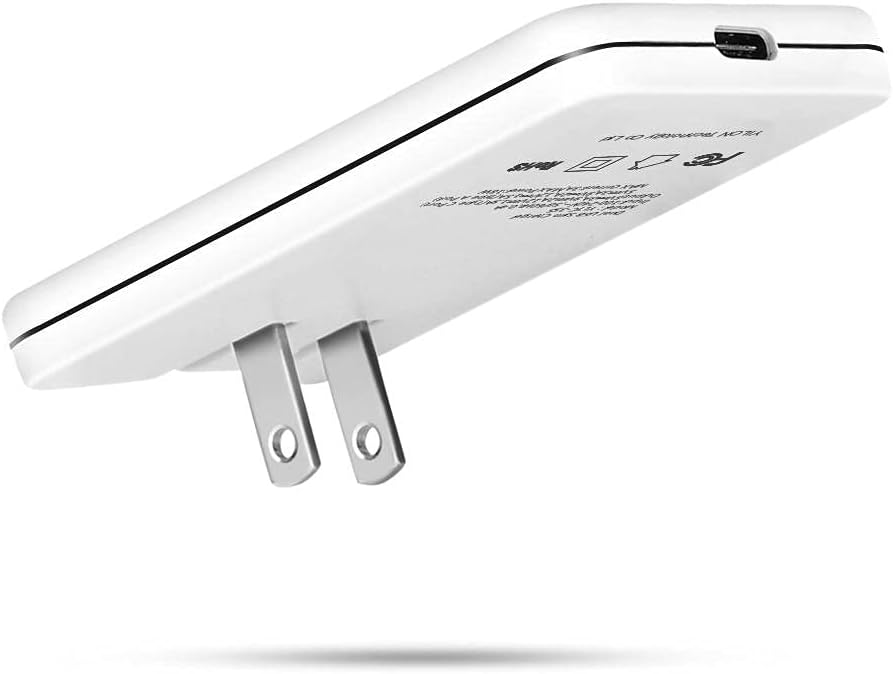
Image: Side view of the charger with its foldable prongs extended, ready for insertion into a wall outlet. This highlights its ultra-thin profile.
Operating Instructions
The TOP-UP Dual Port USB Charger features one USB-A port and one USB-C port, allowing you to charge two devices simultaneously.
- Connect Your Device: Plug the appropriate end of your USB charging cable into either the USB-A or USB-C port on the charger.
- Connect to Device: Plug the other end of the charging cable into your smartphone, tablet, laptop, smartwatch, or other compatible device.
- Charging Indication: Your device should indicate that it is charging. The charger does not have an LED indicator.
- Dual Device Charging: You can connect a second device to the remaining port to charge both simultaneously. The charger intelligently distributes power.

Image: The TOP-UP charger connected to two charging cables, one USB-A and one USB-C, demonstrating its dual-port functionality for charging multiple devices.
Compatibility
This charger is compatible with a wide range of devices, including but not limited to:
- Smartphones: iPhone (13/12 Pro/11 Pro Max/XR/XS/Max), Samsung Galaxy (S21/S20), Google Pixel, LG, Moto, Redmi, Vivo, Oppo, One Plus.
- Tablets: iPad, Kindle Fire 10 tablet.
- Other Devices: Air Pods, Smartwatches, Game Consoles (e.g., Nintendo Switch), USB Type-C Laptops.

Image: A visual representation of the charger's wide compatibility, showing various smartphones, tablets, and other electronic devices it can charge.
Maintenance
- Cleaning: Disconnect the charger from the power outlet before cleaning. Use a soft, dry cloth to wipe the surface. Do not use liquid cleaners or aerosols.
- Storage: When not in use, fold the AC prongs back into the charger body for compact storage. Store in a cool, dry place away from direct sunlight and extreme temperatures.
- Safety: Do not expose the charger to water or excessive moisture. Avoid dropping or subjecting the charger to strong impacts. Do not attempt to disassemble or repair the charger yourself.
Troubleshooting
- Device Not Charging:
- Ensure the charger is securely plugged into a working wall outlet.
- Check that the charging cable is properly connected to both the charger and your device.
- Try using a different charging cable or a different device to isolate the issue.
- Verify that your device is compatible with the charger's output specifications.
- Slow Charging:
- Ensure you are using a high-quality, compatible charging cable.
- If charging two devices simultaneously, the power output per port may be reduced. Try charging one device at a time.
- Some devices may have specific fast-charging requirements (e.g., Power Delivery, Quick Charge) that may not be fully utilized if the device or cable does not support the same standard.
- Charger Overheating:
- It is normal for the charger to become slightly warm during operation.
- If the charger becomes excessively hot, disconnect it immediately from the power outlet and your devices. Ensure adequate ventilation around the charger.
- Avoid charging in enclosed spaces or under blankets.
Specifications
| Feature | Detail |
|---|---|
| Model | YLTC-349-C |
| Brand | TOP-UP |
| Input Voltage | 100-240V ~ 50/60Hz 0.4A |
| Total USB Ports | 2 (1x USB-A, 1x USB-C) |
| Total Wattage | 18 Watts (as per product specifications) |
| USB-C Output (PD) | 5V=3A, 9V=2.22A, 12V=1.67A (Max 20W) |
| USB-A Output | 5V=3A, 9V=2A, 12V=1.5A (Max 18W) |
| Special Feature | Fast Charging, Foldable Plug, Ultra-Slim Design |
| Dimensions | Ultra-thin 0.47 inches (approx.) |
| Power Source | AC |
Note on Wattage: While some marketing materials may refer to '30W' capabilities, the official product specifications and device markings indicate a total wattage of 18W, with individual ports supporting up to 20W (USB-C) or 18W (USB-A) when used independently. The charger intelligently manages power distribution when both ports are in use.
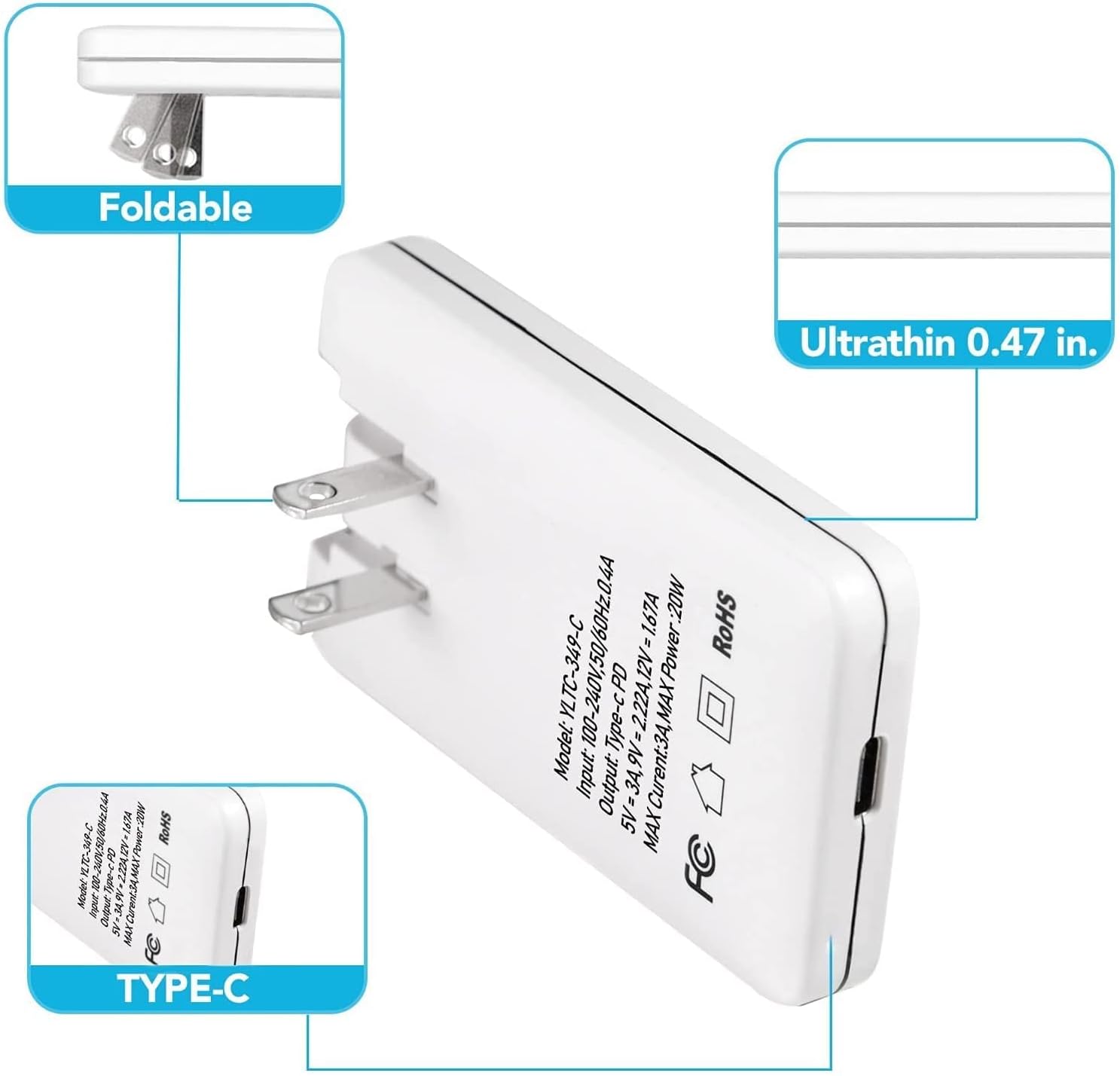
Image: Detailed view of the charger's label, displaying input voltage, model number, and USB-C output specifications (up to 20W).

Image: Detailed view of the charger's label, displaying input voltage, model number, and USB-A output specifications (up to 18W).
Warranty Information
For warranty details and terms, please refer to the retailer or manufacturer's official website. Keep your purchase receipt as proof of purchase.
Customer Support
If you encounter any issues or have questions regarding your TOP-UP Dual Port USB Charger, please contact TOP-UP customer support through the retailer's platform or the official TOP-UP website for assistance.


