Product Overview
This manual provides instructions for the ROCKBROS Portable Electric Air Pump A8. This compact and versatile air compressor is designed for inflating various items, including bicycle tires, motorcycle tires, car tires, and sports balls. It features a digital display, preset inflation modes, and a built-in LED light.

Image: The ROCKBROS Portable Electric Air Pump A8, showcasing its compact design, digital display, control buttons, and various applications for inflating car tires, motorcycle tires, mountain bike tires, and basketballs. Key features like battery capacity, maximum pressure, and USB charging are highlighted.
Package Contents
Verify that all items are present in the package:
- ROCKBROS Portable Electric Air Pump A8
- Inflation Hose
- Presta Valve Adapter
- Ball Needle
- USB Type-C Charging Cable
- User Manual

Image: A visual representation of the ROCKBROS A8 air inflator and its included accessories, such as the inflation hose, various nozzles, and charging cable.
Product Features
- Maximum Pressure: 150 PSI / 10.3 Bar
- Battery: 2 * 2600 mAh rechargeable lithium battery
- Charging: Type-C port, supports QC 3.0 fast charging
- Display: Digital LED screen for real-time pressure indication
- Modes: 5 preset inflation modes (Balls, Mountain Bike, Motorcycle, Road Bike, Car Tire) with adjustable pressure units (PSI, BAR)
- Emergency Light: Built-in LED light for illumination in dark conditions
- Material: Aluminum alloy casing for durability and heat dissipation
- Portability: Compact design, approximately 1.4 x 2.6 x 6.8 inches (172.9 x 65 x 36 mm) and 461g (1.02 lb)

Image: Close-up of the ROCKBROS A8 air pump's digital LED display and control buttons, highlighting the user interface.
Setup
- Initial Charge: Before first use, fully charge the air pump using the provided USB Type-C cable and a compatible power adapter. The LED display will indicate charging status.
- Attach Hose: Screw the inflation hose securely onto the top port of the air pump.
- Select Adapter: Choose the appropriate valve adapter (Presta valve converter or ball needle) for the item you intend to inflate and attach it to the end of the inflation hose.

Image: The ROCKBROS A8 air pump connected to a Type-C charging cable, illustrating its charging interface.
Operating Instructions
- Power On: Press and hold the Power key (center button) to turn on the device. The LED display will illuminate.
- Connect to Item: Connect the inflation hose with the appropriate adapter to the valve of the item you wish to inflate. The display will show the current pressure.
- Select Mode: Press the "Unit" key to cycle through the 5 preset inflation modes: Balls, Mountain Bike, Motorcycle, Road Bike, and Car Tire. Each mode has a default pressure setting.
- Adjust Pressure: Use the "+" and "-" keys to adjust the target pressure. The display will show the set pressure.
- Start Inflation: Press the Power key again to start inflation. The pump will automatically stop when the target pressure is reached.
- Disconnect: Once inflation is complete, disconnect the hose from the item and then from the pump.
- LED Light: To activate the emergency LED light, press the illuminated key (likely the power button or a dedicated light button, based on image).

Image: The ROCKBROS A8 air pump connected to a bicycle tire valve, demonstrating the inflation process with the digital display showing pressure.

Image: The ROCKBROS A8 air pump connected to a car tire valve, showing the device in use for automotive inflation.
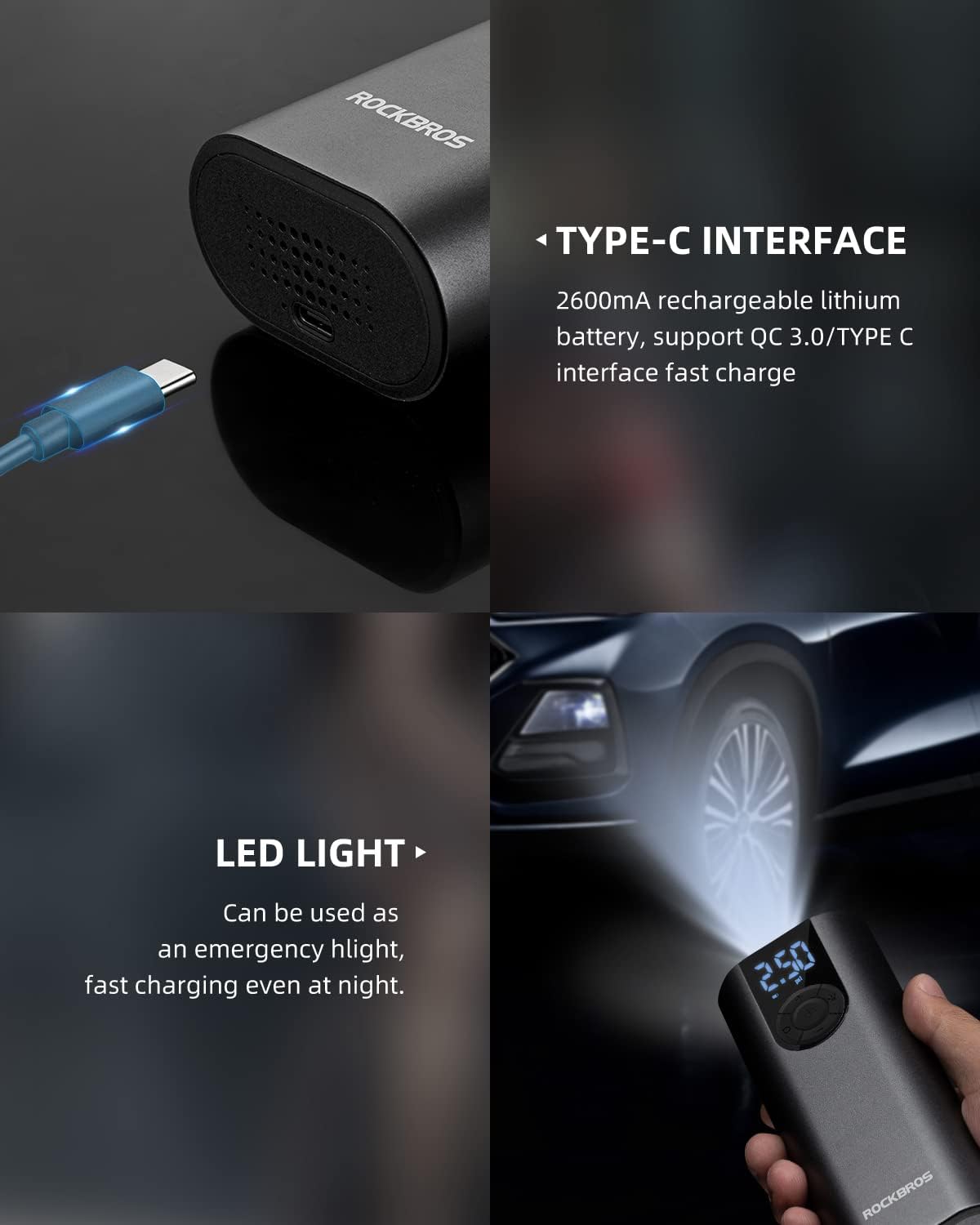
Image: A visual guide to the five preset inflation modes of the ROCKBROS A8 air pump, including automobile tire, motorcycle tire, mountain tire, road tire, and ball game, with their respective pressure ranges and corresponding valve types.
Maintenance
- Cleaning: Wipe the exterior of the pump with a soft, dry cloth. Do not use harsh chemicals or abrasive cleaners.
- Storage: Store the pump in a cool, dry place away from direct sunlight and extreme temperatures. Ensure the hose and adapters are stored neatly to prevent damage.
- Battery Care: To prolong battery life, charge the pump regularly, even if not in frequent use. Avoid fully discharging the battery for extended periods.
- Hose Inspection: Periodically check the inflation hose and adapters for any signs of wear, cracks, or damage. Replace if necessary to ensure proper sealing and function.
Troubleshooting
| Problem | Possible Cause | Solution |
|---|---|---|
| Pump does not turn on | Low battery; Power button not pressed correctly | Charge the pump fully; Press and hold the Power button for 3 seconds. |
| Pump not inflating | Hose not securely attached; Adapter not properly connected to valve; Target pressure already reached or set too low | Ensure hose and adapter are tightly connected; Check and adjust target pressure. |
| Inaccurate pressure reading | Loose connection; Sensor malfunction | Ensure all connections are tight; If issue persists, contact customer support. |
| Pump overheats | Continuous operation for too long | Allow the pump to cool down for at least 10-15 minutes before resuming use. |
Specifications
- Brand: ROCKBROS
- Model Name: A8
- Part Number: 42720001001/USA
- Material: Aluminum alloy
- Color: Titanium
- Item Weight: 461 Grams (1.02 lb)
- Product Dimensions (L x W x H): 1.4 x 2.6 x 6.8 inches (172.9 x 65 x 36 mm)
- Power Source: Battery Powered
- Maximum Pressure: 150 PSI (10.3 Bar)
- Battery Capacity: 2 * 2600 mAh Lithium Battery
- Charging Port: Type-C
- Operation Mode: Automatic
Warranty and Support
ROCKBROS provides a 12-month warranty for this Portable Air Pump. For any questions, issues, or warranty claims, please contact ROCKBROS customer support.
For further assistance, visit the official ROCKBROS website or contact their customer service department.
Product Video
Video: An official product video from ROCKBROS USA demonstrating the features and usage of the ROCKBROS Portable Air Pump 150PSI.