1. Product Overview
This document provides instructions for the ruichuang Charging Port Connector Dock PCB Board Flex Replacement, designed for the Samsung A03 A035U (US Version) smartphone. This component is a direct replacement for a faulty, cracked, or broken original charging port flex cable.
Key Features:
- Brand new replacement part.
- Designed for specific compatibility with Samsung A03 A035U (US Version).
- Includes charging port, connector dock, and PCB board flex.
2. Compatibility
This replacement part is specifically compatible with the following device model:
- Samsung A03 A035U (US Version)
Before purchasing or installing, verify your device's model number. This can typically be found on the device itself or within the phone's settings menu (e.g., Settings > About Phone > Model Number).
3. Installation Instructions
Warning: Professional skill is highly recommended for the installation of this component. Incorrect installation can damage your device. Installation instruction is not included with the product.
The replacement process involves disassembling the smartphone, carefully removing the old charging port flex cable, and installing the new one. Ensure the device is powered off completely before beginning any replacement procedures.
General Steps (Consult a professional guide for detailed steps specific to your device model):
- Power Off Device: Ensure the Samsung A03 A035U is completely powered down.
- Disassembly: Carefully open the device, typically by removing the back cover and screws, and disconnecting internal components as necessary to access the charging port flex cable.
- Disconnect Old Flex: Gently disconnect the ribbon cables and any connectors attached to the existing charging port flex.
- Remove Old Flex: Carefully remove the faulty charging port flex board from its position.
- Install New Flex: Position the new ruichuang replacement flex board (Model: rchsjpj00500) into place.
- Connect New Flex: Reconnect all ribbon cables and connectors securely to the new flex board.
- Reassembly: Reassemble the device, ensuring all components are correctly seated and screws are tightened appropriately.
- Test Functionality: Power on the device and test the charging functionality, data transfer, and any other features associated with the charging port.
It is crucial to handle all components with care to avoid static discharge or physical damage.
4. Product Images
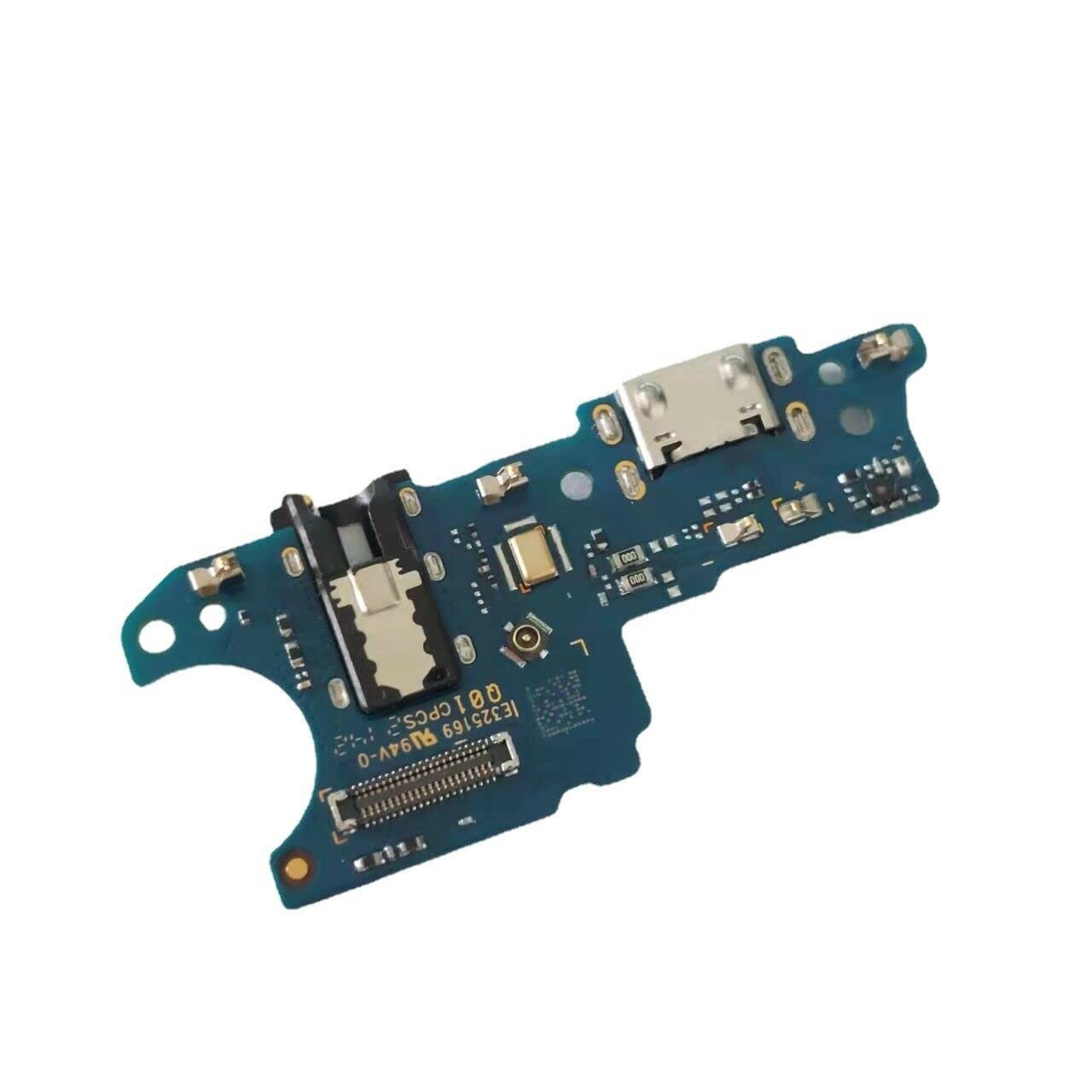
Image 1: Top view of the ruichuang Charging Port Connector Dock PCB Board Flex Replacement. This image shows the overall layout of the PCB, including the USB-C charging port, microphone, and various connectors and components.
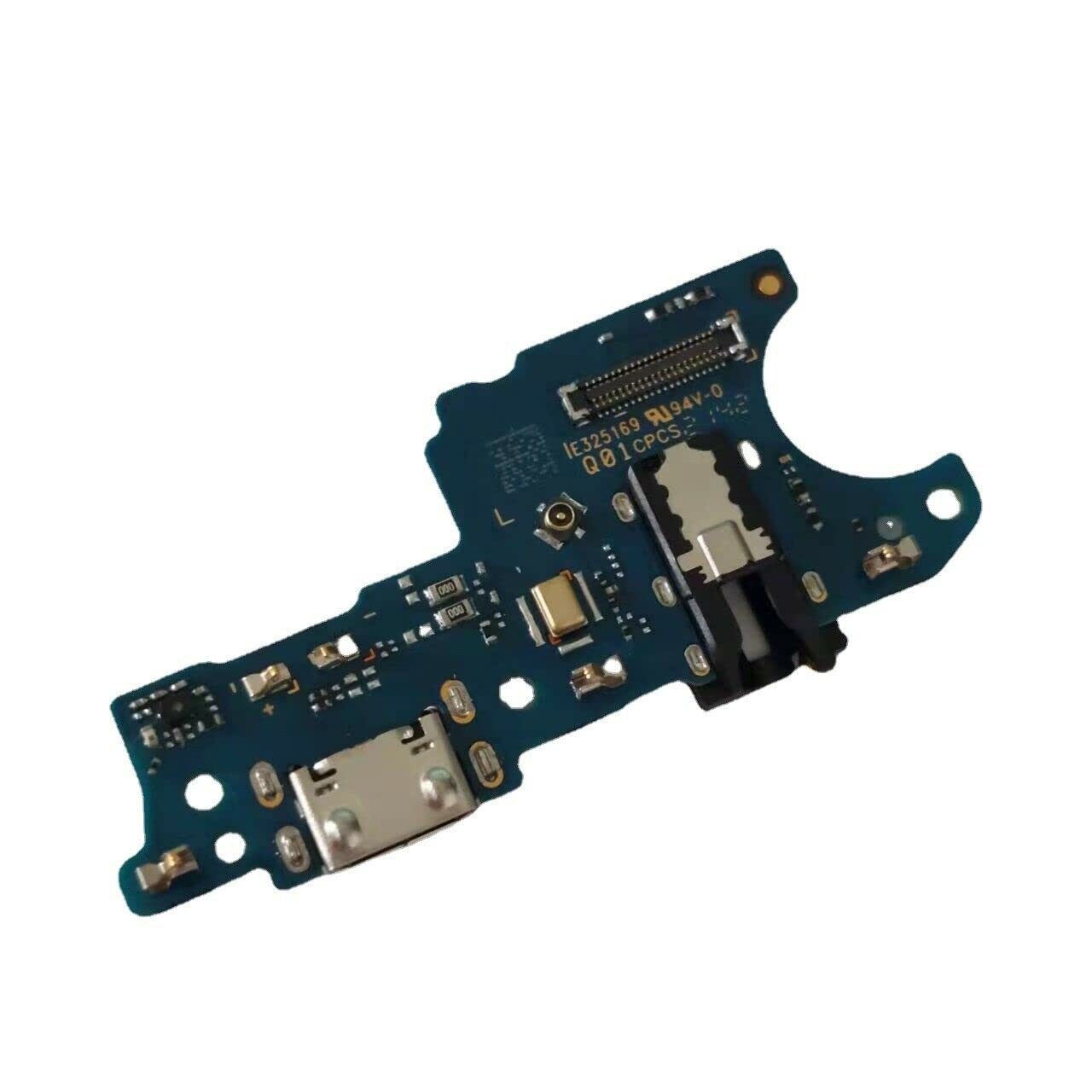
Image 2: Angled view of the ruichuang Charging Port Connector Dock PCB Board Flex Replacement. This perspective highlights the USB-C port, headphone jack, and the main flex connector, providing a clearer view of the component's three-dimensional structure.
5. Maintenance
As an internal component, this charging port flex board requires no routine user maintenance. To ensure its longevity after installation:
- Avoid exposing the device to excessive moisture or liquids.
- Prevent physical impact or drops that could damage internal components.
- Use compatible and certified charging cables to prevent wear and tear on the charging port.
6. Troubleshooting
If the device does not charge or function correctly after installation:
- Verify Connections: Ensure all ribbon cables and connectors are securely and correctly attached to the new flex board and the mainboard.
- Check for Damage: Inspect the new flex board and surrounding components for any visible damage that might have occurred during installation.
- Test with Different Cable/Charger: Rule out issues with your charging cable or power adapter.
- Professional Assistance: If issues persist, it is strongly recommended to seek assistance from a qualified technician.
7. Specifications
| Brand | ruichuang |
| Item Model Number | rchsjpj00500 |
| Compatible Phone Models | Samsung A03 A035U (US Version) |
| Product Dimensions | 1.18 x 0.39 x 0.08 inches |
| Item Weight | 0.71 ounces |
| Charging Port Type | USB-C (as depicted in product images) |
| Connector Type (from product data) | USB Type A |
| Cable Type (from product data) | USB |
8. Warranty and Support
This product is a brand new replacement part. For any issues regarding faulty, cracked, or broken components upon receipt, please contact the seller directly through the platform where the purchase was made. Specific warranty details are subject to the seller's policy.
For technical support or professional installation advice, it is recommended to consult a certified mobile phone repair technician.