
1. Product Overview
The SMAEL 8007 is a robust military-style sport watch designed for durability and functionality. It features both analog and digital time displays, an LED backlight, and is water-resistant for daily use. This manual provides instructions for setting up, operating, and maintaining your watch.

Image 1.1: Front view of the SMAEL 8007 Military Sport Watch, showcasing its dual display and rugged design.
2. Key Features
- Dual Time Display: Shows time in both analog and digital formats.
- LED Backlight Function: Illuminates the digital display for visibility in low-light conditions.
- 50M Water Resistance: Suitable for everyday use, including splashes and rain. Not recommended for swimming or diving, and avoid pressing buttons underwater.
- Japan Original Digital Movement: Provides precise and accurate timekeeping.
- Durable Construction: Features a strong PU strap and a case made of strong rubber with high-strength hardened glass.
- Multifunctionality: Includes stopwatch, alarm, calendar (date and week), and 12/24 hour format.
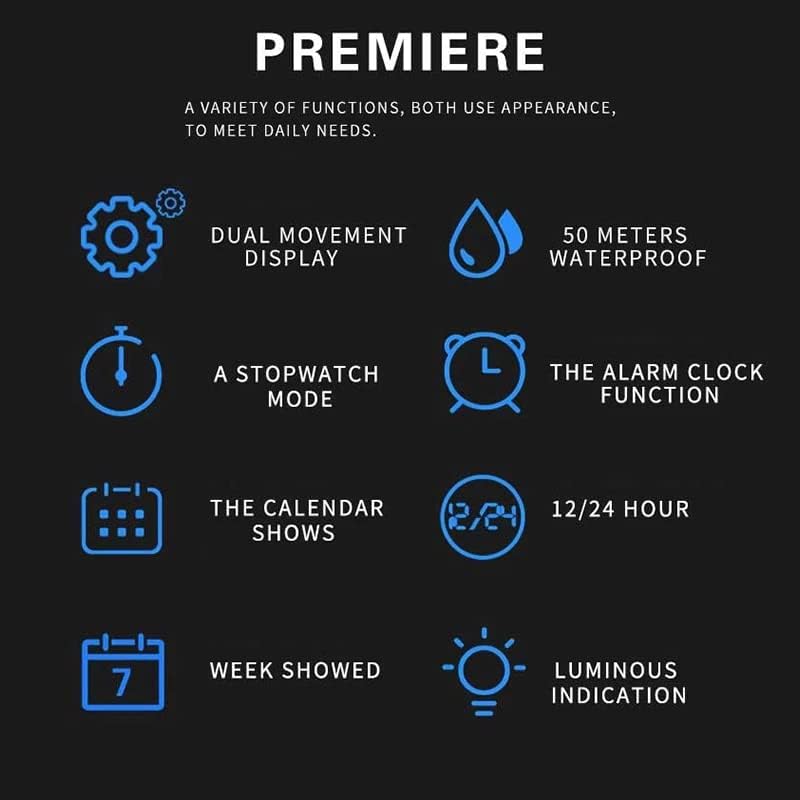
Image 2.1: Visual representation of the watch's core functions, including dual display, water resistance, stopwatch, alarm, calendar, and backlight.
3. Initial Setup
3.1 Watch Buttons Overview
Familiarize yourself with the watch buttons. Typically, there are four buttons: LIGHT (top left), MODE (bottom left), START (top right), and RESET (bottom right). The specific functions may vary slightly based on the current mode.

Image 3.1: Side view of the SMAEL 8007 watch, indicating button locations and general specifications.
3.2 Setting Time and Date
- Press the MODE button repeatedly until the time setting mode is displayed (usually indicated by flashing digits).
- Use the RESET button to select the digit you wish to adjust (hours, minutes, seconds, month, date, day).
- Use the START button to increase the selected digit. Hold it down for faster adjustment.
- Once all settings are correct, press the MODE button again to exit the setting mode.
- For analog hands, pull out the crown (if present, usually on the right side) and turn it to adjust the hands. Push it back in to set.
3.3 Adjusting the Strap
The PU strap is designed for comfort and durability. Adjust the buckle to fit your wrist securely but comfortably. Ensure the watch is not too tight to avoid discomfort or too loose to prevent movement during activity.
4. Operating Instructions
4.1 Using the LED Backlight
Press the LIGHT button (top left) to illuminate the digital display. The backlight will typically stay on for a few seconds.
4.2 Switching Display Modes
Press the MODE button (bottom left) to cycle through different display modes, such as Time, Alarm, Stopwatch, and Date.
4.3 Stopwatch Function
- Navigate to the Stopwatch mode using the MODE button.
- Press the START button (top right) to begin timing.
- Press START again to pause the stopwatch.
- Press the RESET button (bottom right) to reset the stopwatch to zero.
4.4 Alarm Function
- Navigate to the Alarm mode using the MODE button.
- Use the RESET button to select the hour or minute to set.
- Use the START button to adjust the time.
- Press MODE to confirm and activate/deactivate the alarm.
4.5 12/24 Hour Format
In the regular time display mode, press the RESET button to toggle between 12-hour and 24-hour (military time) formats.
4.6 Product Video
Video 4.1: An official product video demonstrating various features and the water resistance of the SMAEL 1802 Sport Watch. This video showcases the watch's design, backlight, and durability in water.
5. Care and Maintenance
- Water Resistance: The watch is 50M water-resistant, suitable for splashes and rain. Do not press any buttons underwater. Avoid exposure to hot water or steam, as this can damage the waterproof seal.
- Cleaning: Wipe the watch regularly with a soft, dry cloth to remove dirt and sweat. For stubborn dirt, a slightly damp cloth can be used, followed by drying.
- Storage: Store the watch in a cool, dry place away from direct sunlight and extreme temperatures when not in use.
- Battery: When the display becomes dim or functions are erratic, the battery may need replacement. It is recommended to have the battery replaced by a professional watch technician to ensure the water resistance seal is maintained.
6. Troubleshooting
| Problem | Possible Cause | Solution |
|---|---|---|
| Digital display is dim or blank. | Low battery. | Replace the battery. |
| Time is inaccurate. | Incorrect setting or battery issue. | Re-set the time. If problem persists, replace battery. |
| Water inside the watch. | Water resistance compromised (e.g., buttons pressed underwater, exposure to steam). | Immediately take the watch to a professional for inspection and repair to prevent further damage. Avoid further water exposure. |
| Analog hands not moving. | Crown not pushed in, or mechanical issue. | Ensure the crown is fully pushed in. If still not working, seek professional repair. |
7. Product Specifications
- Brand: SMAEL
- Model: 8007 (also SL1802, 8008, 8038 variants)
- Movement: Japan Original Digital Movement (Quartz + Electronics)
- Water Resistance: 50M (5 BAR)
- Case Material: Strong Rubber
- Mirror Material: High Strength Hardened Glass (Acrylic)
- Strap Material: Strong PU
- Clasp Type: Tang Buckle
- Bottom Material: Stainless Steel
- Weight: Approximately 78g
- Wearing Range: 140mm-230mm
- Package Dimensions: 3.74 x 3.66 x 3.58 inches
8. Warranty and Support
For warranty information or technical support, please refer to the documentation provided with your purchase or contact the seller directly. Keep your proof of purchase for any warranty claims.
If you have questions or require assistance, please reach out to the manufacturer or authorized retailer.

