1. Introduction
Thank you for choosing the LIPOWER G1000 Portable Power Station with 100W Solar Panel. This manual provides essential information for the safe and efficient operation, maintenance, and troubleshooting of your device. Please read it thoroughly before use and retain it for future reference.
The LIPOWER G1000 is a versatile power solution designed for various applications, including camping, emergency backup, and off-grid power supply. It features a 1075Wh LiFePO4 battery, multiple output ports, and supports various charging methods, including solar.
2. Safety Instructions
- Do not disassemble, repair, or modify the unit.
- Keep the unit away from fire or extreme temperatures.
- Do not expose the unit to liquids or immerse it in water.
- Avoid dropping or subjecting the unit to heavy impacts.
- Keep out of reach of children and pets.
- Use only original or certified accessories.
- Ensure proper ventilation during use and charging.
- Do not block the ventilation openings.
3. Package Contents
Verify that all items are present in your package:
- LIPOWER G1000 Portable Power Station
- AC Adapter (for wall charging)
- Car Charging Cable
- 100W Solar Panel
- User Manual (this document)
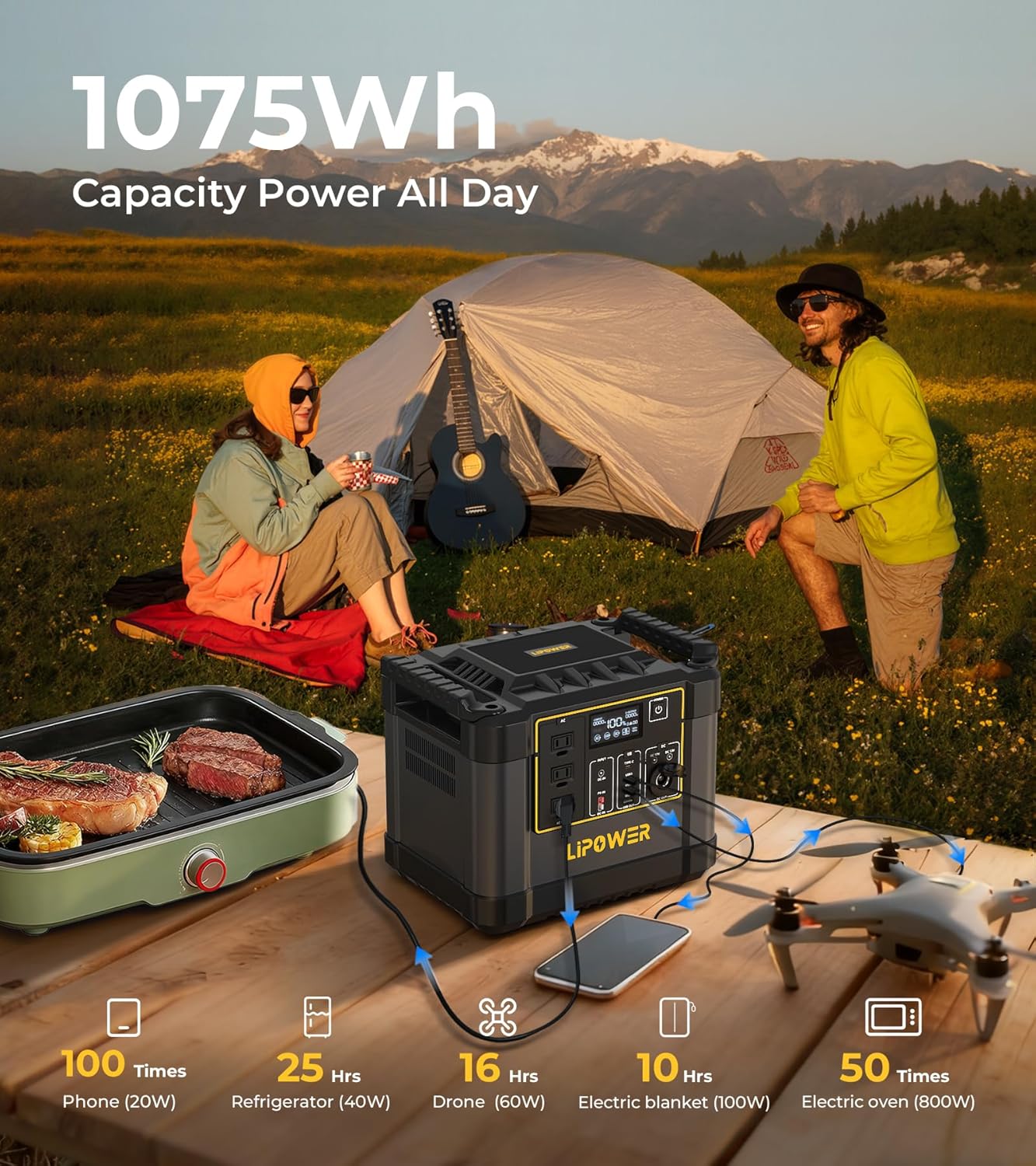
Image: LIPOWER G1000 Portable Power Station with included 100W Solar Panel and accessories.
4. Product Overview
The LIPOWER G1000 features a robust design with multiple input and output options. Familiarize yourself with the ports and display before operation.
4.1. Front Panel and Display
- LCD Display: Shows battery level, input/output wattage, and error indicators.
- AC Outlets (x3): 1200W rated (2000W peak) pure sine wave output for household appliances.
- USB-A Ports (x3): For charging smartphones, tablets, and other USB-powered devices. Includes QC3.0 fast charging.
- USB-C PD100W Port (x1): For fast charging compatible laptops and devices.
- DC Output Ports (x2): For 12V DC devices.
- Cigarette Lighter Port (x1): For 12V car accessories.
- Power Button: To turn the unit on/off and activate specific output sections.

Image: Overview of the LIPOWER G1000's front panel, highlighting various output ports and their applications.
5. Setup and Initial Charging
5.1. Unboxing and Inspection
Carefully remove the power station and solar panel from their packaging. Inspect for any signs of damage. If any components are missing or damaged, contact customer support immediately.
5.2. Initial Charging
Before first use, it is recommended to fully charge the LIPOWER G1000. The unit supports three primary charging methods:
- AC Wall Outlet Charging:
Connect the provided AC adapter to the AC input port on the power station and then plug it into a standard wall outlet. The LCD display will indicate charging status. A full charge from 0-100% typically takes approximately 1.5 hours, with 0-80% achievable in about 58 minutes.
- Solar Panel Charging:
Unfold the 100W solar panel and position it in direct sunlight. Connect the solar panel to the DC input port on the power station using the appropriate cable. The LCD display will show solar input wattage. Charging time varies based on sunlight intensity and panel orientation. For optimal performance, adjust the solar panel angle (0-70°) to maximize sun exposure. Charging from 0-100% with a 200W solar input can take 3-5 hours.

Image: The LIPOWER G1000 Power Station connected to a solar panel for charging in an outdoor setting.
- Car Charger Charging:
Connect the car charging cable to the DC input port on the power station and plug the other end into your vehicle's 12V/24V cigarette lighter socket. Charging time from 0-100% typically takes 4-6 hours.

Image: Diagram illustrating the various charging methods for the LIPOWER G1000, including AC, solar, and car charging.
6. Operating Instructions
6.1. Turning On/Off
Press and hold the main power button for a few seconds to turn the unit on or off. The LCD display will illuminate upon activation.
6.2. Using Output Ports
To use a specific output port (AC, USB, DC), press the corresponding button next to the port section. The indicator light for that section will turn on, signifying it is active. Connect your devices to the appropriate ports.
- AC Outlets: Suitable for devices requiring up to 1200W continuous power (2000W peak). Ensure the total wattage of connected devices does not exceed this limit.
- USB Ports: Use for charging mobile phones, tablets, and other small electronics. The USB-C PD100W port offers rapid charging for compatible devices.
- DC/Cigarette Lighter Ports: Ideal for 12V DC appliances like car refrigerators or portable air compressors.
6.3. Uninterruptible Power Supply (UPS) Function
The LIPOWER G1000 features a <10ms UPS function. When the power station is connected to an AC wall outlet and has devices plugged into its AC output, it can automatically switch to battery power within 10 milliseconds during a power outage. This protects sensitive electronics from data loss or interruption.

Image: The LIPOWER G1000 Power Station connected to a computer, demonstrating its Uninterruptible Power Supply (UPS) capability during a simulated power outage.
7. Maintenance and Storage
7.1. General Maintenance
- Keep the unit clean and dry. Wipe with a soft, dry cloth.
- Ensure ventilation openings are free from dust and debris.
- Avoid exposing the unit to direct sunlight or heat sources for prolonged periods.
7.2. Battery Care and Storage
The LIPOWER G1000 uses a durable LiFePO4 battery, designed for over 4000 charge cycles to 80% capacity. To prolong battery lifespan:
- For long-term storage, charge the unit to approximately 50-80% every two months.
- Store the unit in a cool, dry place, away from direct sunlight and extreme temperatures (ideally between 0°C to 40°C / 32°F to 104°F).
- Avoid completely draining the battery before recharging, though the LiFePO4 chemistry is more tolerant than other battery types.

Image: Internal view of the LIPOWER G1000, illustrating the LiFePO4 battery and BMS protection for enhanced durability and safety.
8. Troubleshooting
If you encounter issues with your LIPOWER G1000, refer to the following common problems and solutions:
| Problem | Possible Cause | Solution |
|---|---|---|
| Unit does not turn on. | Battery is completely drained. | Connect to AC power for initial charge. |
| No output from ports. | Output section not activated; device power draw too high. | Press the corresponding output button. Check device wattage against unit's limits. |
| Unit not charging (e.g., Error Code 13). | Overcharge protection activated; faulty charging cable/source. | Disconnect and reconnect charging cable. Try a different charging method or outlet. If error persists, contact support. |
| Solar panel not charging effectively. | Insufficient sunlight; incorrect panel angle; dirty panel; faulty connection. | Ensure direct sunlight and optimal angle. Clean panel surface. Check cable connections. |
If the problem persists after attempting these solutions, please contact LIPOWER customer support.
9. Specifications
| Feature | Detail |
|---|---|
| Model Name | G1000 |
| Battery Capacity | 1075Wh |
| Battery Type | LiFePO4 (Lithium Iron Phosphate) |
| AC Output | 3 x 120V AC, 1200W (2000W Peak) Pure Sine Wave |
| USB-A Output | 3 Ports (including QC3.0) |
| USB-C Output | 1 x PD100W Port |
| DC Output | 2 x 12V DC Ports |
| Car Port Output | 1 x 12V Cigarette Lighter Port |
| AC Input Charging | 600W Max (0-80% in 58 minutes) |
| Solar Input Charging | 200W Max (3-5 hours for 0-100% with 200W solar) |
| Car Input Charging | 12V/24V (4-6 hours for 0-100%) |
| UPS Function | <10ms Switchover |
| Dimensions (L x W x H) | 12.6" x 11.02" x 9.06" |
| Weight | 57.2 lbs (26 kg) |
| Operating Temperature | 0°C to 40°C (32°F to 104°F) |
| Certifications | UL, CE, FCC, RoHS, UN38.3 |
10. Warranty and Support
10.1. Warranty Information
The LIPOWER G1000 Portable Power Station comes with a 48-month (4-year) warranty from the date of purchase. This warranty covers manufacturing defects and ensures the product meets its specified performance. Please retain your proof of purchase for warranty claims.
The warranty does not cover damage caused by misuse, unauthorized modifications, accidents, or natural disasters. For detailed warranty terms and conditions, please refer to the official LIPOWER website or contact customer support.
10.2. Customer Support
For technical assistance, warranty claims, or any questions regarding your LIPOWER G1000, please contact our customer support team:
- Email: support@lipower.com
- Website: www.lipower.com/support
- Phone: (Toll-Free) 1-800-XXX-XXXX (Placeholder, please refer to official website for current number)
When contacting support, please have your model number (G1000) and purchase date ready.


