
Motocaddy TRL024S1UL
Motocaddy 2022 S1 Ultra Lithium Golf Trolley User Manual
Model: TRL024S1UL
Introduction
This manual provides comprehensive instructions for the safe and efficient operation, maintenance, and troubleshooting of your Motocaddy 2022 S1 Ultra Lithium Golf Trolley. Please read this manual thoroughly before first use and retain it for future reference.
The Motocaddy S1 combines sporty styling with impressive functionality, featuring next-generation 28V technology and CLICK 'N' CONNECT cable-free battery technology.
Important Safety Information
- Always ensure the trolley is stable before releasing the handle.
- Do not operate the trolley on excessively steep slopes or uneven terrain where stability may be compromised.
- Keep hands and clothing clear of moving parts, especially wheels and folding mechanisms.
- Store the trolley in a dry, cool place away from direct sunlight and extreme temperatures.
- Use only genuine Motocaddy parts and accessories.
- Disconnect the battery before cleaning or performing any maintenance.
Setup and Assembly
Unpacking
Carefully remove all components from the packaging. Ensure all parts are present: main trolley frame, wheels, and battery.
Attaching the Wheels
- Locate the two main wheels.
- Press the quick-release button on the wheel hub.
- Slide the wheel onto the axle until it clicks securely into place. Ensure both wheels are fully engaged.
Unfolding the Trolley
The S1 features a simple 1-step folding mechanism.
- Place the trolley on a flat surface.
- Release the folding latch (if applicable, refer to product diagram).
- Lift the handle upwards until the frame locks into its open position. Ensure all locking mechanisms are securely engaged before use.

Figure 1: Motocaddy S1 Trolley in its fully unfolded, ready-to-use position.
Battery Installation and Charging
The S1 uses CLICK 'N' CONNECT cable-free battery technology.
- Ensure the battery is fully charged before first use. Connect the charger to the battery and a power outlet. The charging indicator will show progress.
- Locate the battery compartment on the trolley frame.
- Slide the charged battery into the compartment until it clicks into place. The cable-free connection will automatically engage.
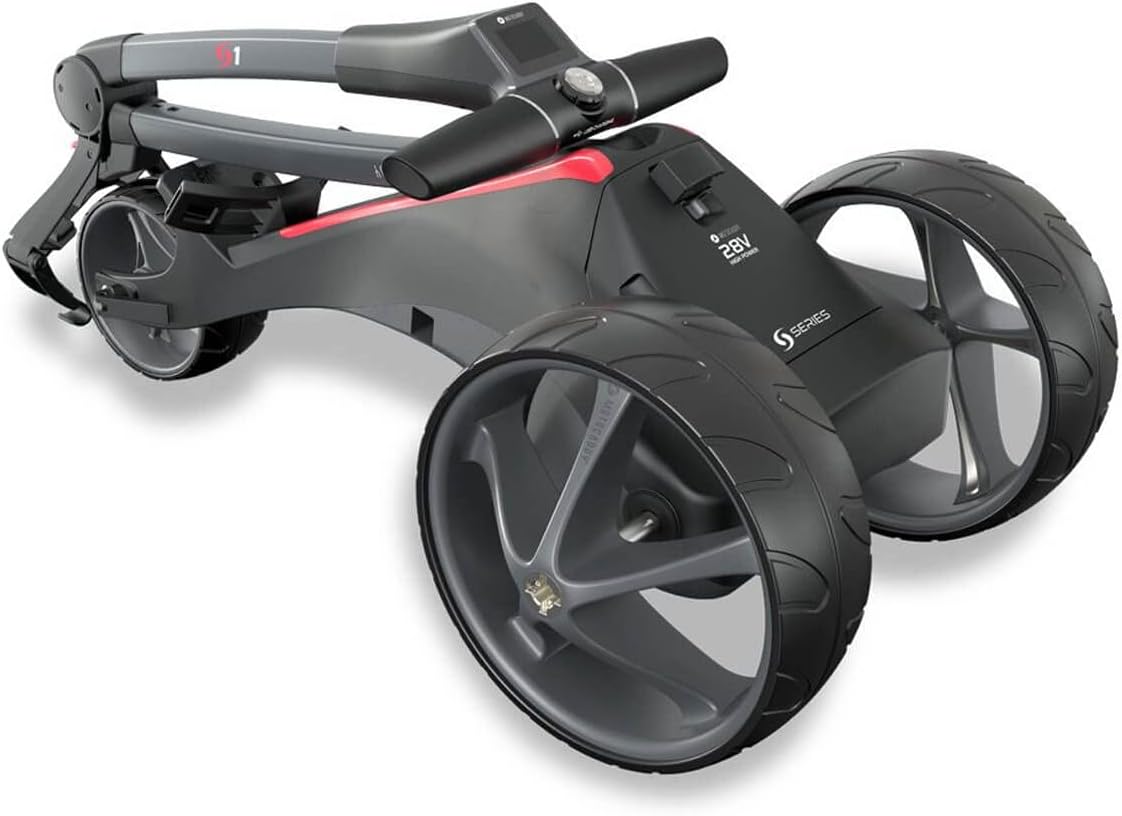
Figure 2: The 28V High Power S Series battery pack, designed for cable-free connection.
Operating Instructions
Control Panel Overview
The S1 features an LCD widescreen display and intuitive controls.

Figure 3: The control panel showing the LCD display, speed indicator, and battery meter.
Powering On/Off
- To power on, press and hold the main power button on the handle until the display illuminates.
- To power off, press and hold the main power button until the display turns off.
Adjusting Speed
The trolley offers nine speed settings.
- Use the control dial to increase or decrease the speed. The current speed setting will be displayed on the LCD screen.
Adjustable Distance Control (ADC)
The ADC allows you to send the trolley ahead for a set distance (up to 45 yards).
- While stationary, press the ADC button (refer to control panel diagram for exact location).
- Use the control dial to select the desired distance.
- Press the ADC button again to activate the distance control. The trolley will travel the set distance and then stop.
Pause and Resume Function
To temporarily stop the trolley, press the main power button once. Press it again to resume at the previously set speed.
Maintenance and Care
Cleaning
- Regularly wipe down the trolley frame and wheels with a damp cloth to remove dirt and debris.
- Avoid using abrasive cleaners or solvents that could damage the finish.
- Ensure the battery compartment and connections are kept clean and dry.
Battery Care
- Always fully charge the lithium battery after each use, even if only used for a short period.
- Do not leave the battery fully discharged for extended periods.
- Store the battery in a cool, dry place. If storing for a long period, charge it to approximately 50% and recharge every 2-3 months.
Storage
When not in use, fold the trolley for compact storage.
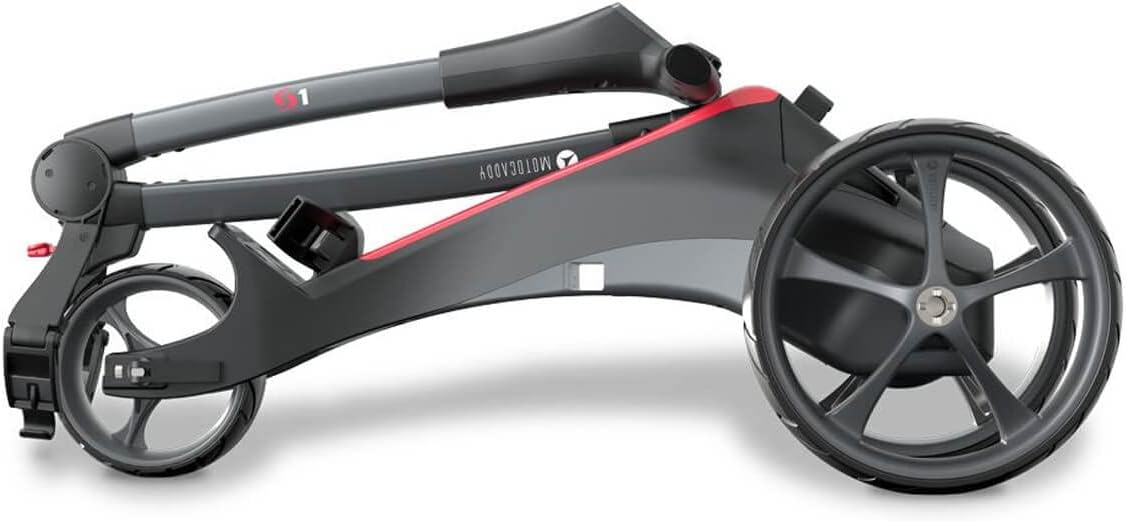
Figure 4: The Motocaddy S1 Trolley in its compact folded state for storage or transport.
Troubleshooting
| Problem | Possible Cause | Solution |
|---|---|---|
| Trolley does not power on. | Battery not connected or discharged. | Ensure battery is fully charged and correctly inserted into the CLICK 'N' CONNECT port. |
| Trolley stops unexpectedly. | Low battery charge; obstacle detected; motor overload. | Check battery level. Remove any obstacles. If motor overload, allow to cool down. |
| Wheels not turning smoothly. | Debris in axle; wheels not fully engaged. | Clean axles and wheel hubs. Re-attach wheels ensuring they click into place. |
| Display not working. | Loose connection; power issue. | Check battery connection. If problem persists, contact customer support. |
Specifications
- Model: TRL024S1UL
- Brand: Motocaddy
- Weight: 9.4kg
- Dimensions (L x W x H): 830mm x 490mm x 370mm (folded)
- Battery Type: 28V Ultra Lithium
- Speed Settings: Nine
- Adjustable Distance Control: Up to 45 yards
- Material: Aluminium (frame)
- Display: LCD Widescreen
- Features: CLICK 'N' CONNECT cable-free battery, Pause and Resume function, EASILOCK-compatible.
Warranty and Support
The Motocaddy 2022 S1 Ultra Lithium Golf Trolley comes with a 2-year guarantee. Please retain your proof of purchase for warranty claims.
For technical support, warranty claims, or spare parts, please contact Motocaddy customer service. Visit the official Motocaddy website for contact details and further information: www.motocaddy.com.
Related documentsTRL024S1UL


Ask a question about this manual
Ask about setup, troubleshooting, compatibility, parts, safety, or missing instructions. Manuals+ will review the question and use this page’s manual context to help answer it.