1. Introduction
This manual provides essential information for the proper installation, operation, and maintenance of the WayPonDEV RPLIDAR S2 LIDAR Sensor. The RPLIDAR S2 is a high-performance 2D laser range scanner designed for various applications including robot navigation, obstacle avoidance, and environmental mapping. Please read this manual thoroughly before using the device to ensure safe and efficient operation.

Figure 1: WayPonDEV RPLIDAR S2 LIDAR Sensor
2. Product Overview
2.1 Key Features
- Range Radius: Up to 30 meters.
- Power Supply: 5V DC.
- Scan Rate: 8-15Hz.
- Power Consumption: > 2W.
- Sunlight Resistance: Operates effectively in both indoor and outdoor environments, including strong sunlight interference up to 80Klux.
- Compact Design: Scanning optical area height of only 18mm for easy embedding.
- High Accuracy: 32000 times sample rate for detailed environmental data retrieval.
- IP65 Rating: Dust-proof and water-proof for robust operation.
- Laser Safety: Class 1 Laser Safety Standard compliant.
2.2 Components
The RPLIDAR S2 package typically includes the following components:

Figure 2: Typical RPLIDAR S2 Package Contents
- RPLIDAR S2 Unit
- USB Power Supply Line
- USB Data Cable
- Serial Port Adapter Board
- Instruction Card
3. Specifications

Figure 3: RPLIDAR S2 Dimensions and Measurement Performance
| Specification | Value |
|---|---|
| Brand | WayPonDEV |
| Model Number | S2M1 |
| Color | Black |
| Power Source | DC |
| Item Weight | 190 Grams (6.7 ounces) |
| Maximum Range | 30 Meters |
| Mounting Type | Pole Mount |
| Temperature Range | -10 to 50 Degrees Celsius |
| Compatible Devices | Robot, Robot System |
| Product Dimensions (D x W x H) | 3.03" x 3.03" x 1.53" (77 x 77 x 38.85mm) |
| Wattage | 2 watts |
| Blind Range | 0.05m |
| Sample Rate | 32000 times per second |
| Sample Frequency | 8-15Hz typical |
| Angle Resolution | 0.12° |
| Range Accuracy | ±30mm |
| Distance Resolution | 13mm |
| Band Rate | 1M |
| Communication Interface | TTL UART (3.3V voltage level) |

Figure 4: RPLIDAR S2 Size Parameters

Figure 5: RPLIDAR Series Comparison for Different Environments
4. Setup
The RPLIDAR S2 is designed for plug-and-play integration. Follow these general steps for initial setup:
- Mounting: Securely mount the RPLIDAR S2 to your robot or platform using appropriate hardware. Ensure the scanning area is unobstructed. The compact size (18mm optical area height) facilitates embedding.
- Power Connection: Connect the RPLIDAR S2 to a stable 5V DC power source using the provided USB power supply line.
- Data Connection: Connect the RPLIDAR S2 to your host system (e.g., a single-board computer, microcontroller) via the USB data cable and serial port adapter board. The communication interface is TTL UART (3.3V voltage level).
- Software Integration: Install the necessary drivers and SDK (Software Development Kit) on your host system. The RPLIDAR S2 is compatible with ROS1 and ROS2 systems. Refer to the official documentation or the provided instruction card for specific software setup procedures.
5. Operating Instructions
The RPLIDAR S2 utilizes Direct Time-of-Flight (DTOF) technology to provide consistent ranging resolution. It performs 360-degree scanning to gather environmental data.

Figure 6: Direct Time-of-Flight (DTOF) Ranging Method
- Power On: Once connected, power on your host system and the RPLIDAR S2.
- Initiate Scan: Use the provided SDK or your custom software to initiate the LIDAR scan. The sensor will begin rotating and emitting laser pulses.
- Data Acquisition: The RPLIDAR S2 will generate point cloud data at a sample rate of 32000 times per second, capturing detailed environmental information.
- Data Processing: Process the acquired data using your robotics software for tasks such as mapping, localization, and obstacle detection. The sensor's excellent ranging accuracy allows for precise measurements even with objects of varying reflectivity.

Figure 7: Excellent Ranging Accuracy

Figure 8: High Sample Rate for Detailed Mapping

Figure 9: Class 1 Laser Safety Standard for Human Eye Safety

Figure 10: Diverse Application Scenarios for RPLIDAR S2
6. Maintenance
The RPLIDAR S2 is designed with an IP65 rating, providing protection against dust and water jets. To ensure optimal performance and longevity, follow these maintenance guidelines:
- Cleaning: Periodically clean the optical window of the LIDAR sensor with a soft, dry, lint-free cloth. Avoid using abrasive materials or harsh chemicals that could scratch the surface.
- Environmental Conditions: While the sensor is resistant to strong sunlight and has a wide operating temperature range (-10°C to 50°C), avoid prolonged exposure to extreme conditions outside this range.
- Physical Inspection: Regularly inspect the sensor for any signs of physical damage, loose connections, or obstructions.
- Storage: When not in use, store the RPLIDAR S2 in a clean, dry environment within its specified temperature range.
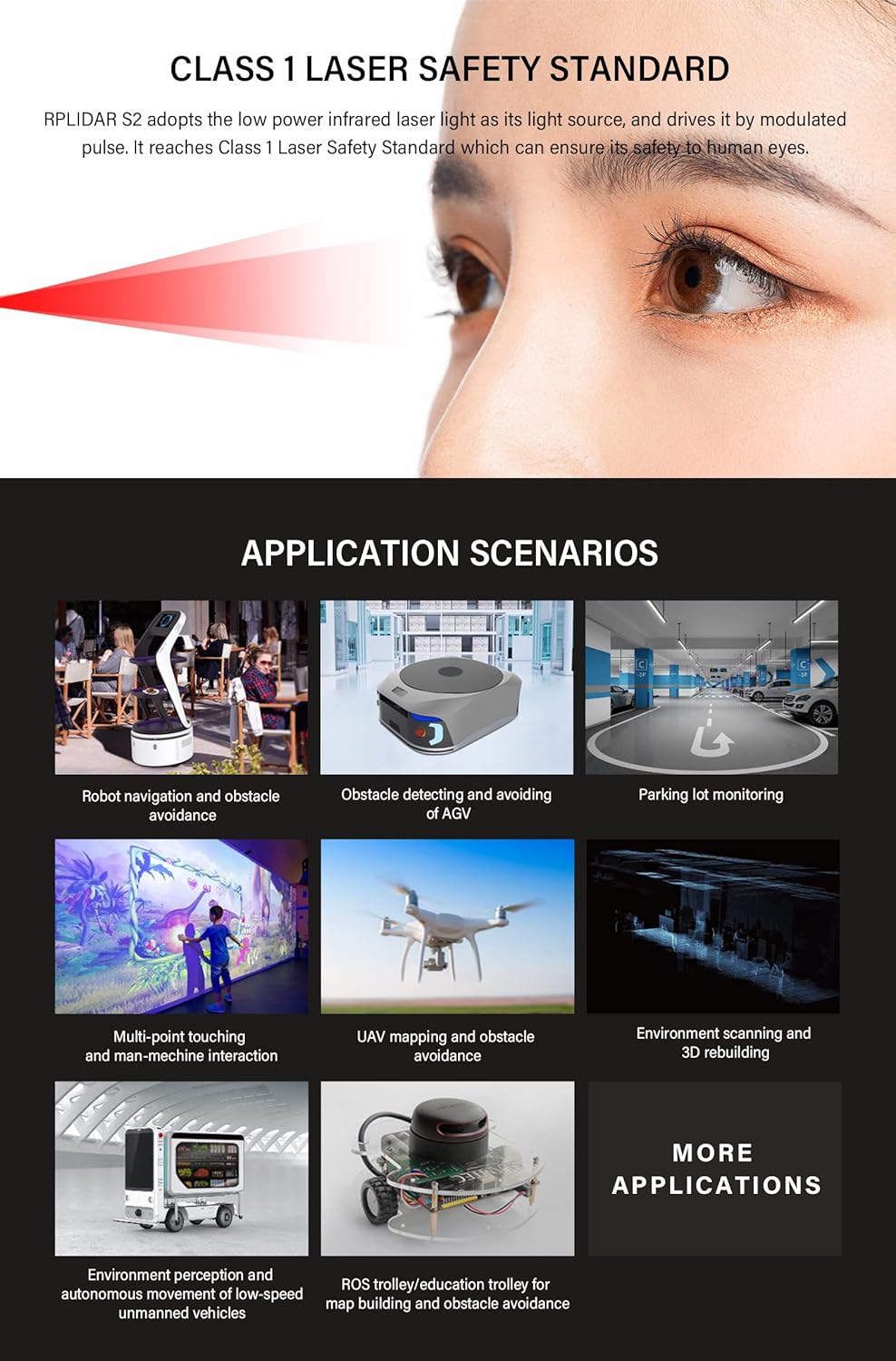
Figure 11: RPLIDAR S2 IP65 Dust and Water Resistance
7. Troubleshooting
If you encounter issues with your RPLIDAR S2, consider the following:
- No Power: Verify that the 5V DC power supply is correctly connected and providing power. Check all cable connections.
- No Data Output: Ensure the USB data cable and serial port adapter board are securely connected. Confirm that the correct drivers and SDK are installed and configured on your host system. Check the communication interface settings (e.g., baud rate).
- Inaccurate Readings: Clean the optical window of the sensor. Ensure there are no physical obstructions blocking the laser path. Verify that the sensor is mounted stably and not vibrating excessively.
- Software Issues: Consult the SDK documentation and community forums for common software-related problems and solutions.
For further technical assistance, please refer to the WayPonDEV wiki at youyeetoo.com/blog/rplidar-s2m1-sldprplds2m1--113 or the forum at forum.youyeetoo.com/.
8. Warranty and Support
8.1 Warranty Information
WayPonDEV Tech offers a return policy for new computers purchased from Amazon.com. If the product is "dead on arrival," arrives damaged, or is in unopened boxes, it may be returned for a refund within 30 days of purchase. Amazon.com reserves the right to test returns and may impose a customer fee if the condition is misrepresented. Products damaged by customer misuse or missing parts may incur higher restocking fees. Returns for desktop or notebook computers are not accepted more than 30 days after shipment receipt. Products purchased from Marketplace vendors are subject to the individual vendor's return policy.
8.2 Technical Support
For technical questions, please visit the WayPonDEV forum at forum.youyeetoo.com/. You may also contact WayPonDEV directly by clicking "WayPonDEV" on the product page and asking a question, or via email at wpd@youyeetoo.com.