
Introduction
Thank you for purchasing the Sealy SL-HW-BS-100-WT Multicolor Light-Up Bluetooth Speaker. This manual provides essential information for the safe and efficient operation of your device. Please read it thoroughly before use and retain it for future reference.
Product Overview
The Sealy SL-HW-BS-100-WT is a versatile wireless Bluetooth speaker designed to deliver premium sound quality while enhancing your environment with soft, multicolor lighting. It features touch-sensitive controls and a removable stand for flexible placement.
Key Features:
- Wireless Bluetooth connectivity for audio streaming.
- Multicolor light-up function for ambient lighting.
- Touch-sensitive controls for easy operation.
- Premium sound quality with dynamic driver.
- Up to 30 hours of continuous lighting or 4 hours of audio playback on a single charge.
- Includes a removable stand for tabletop use.
Package Contents:
- Sealy SL-HW-BS-100-WT Bluetooth Speaker
- Removable Stand
- Charging Cable (not explicitly mentioned but implied for battery-powered device)
- User Manual
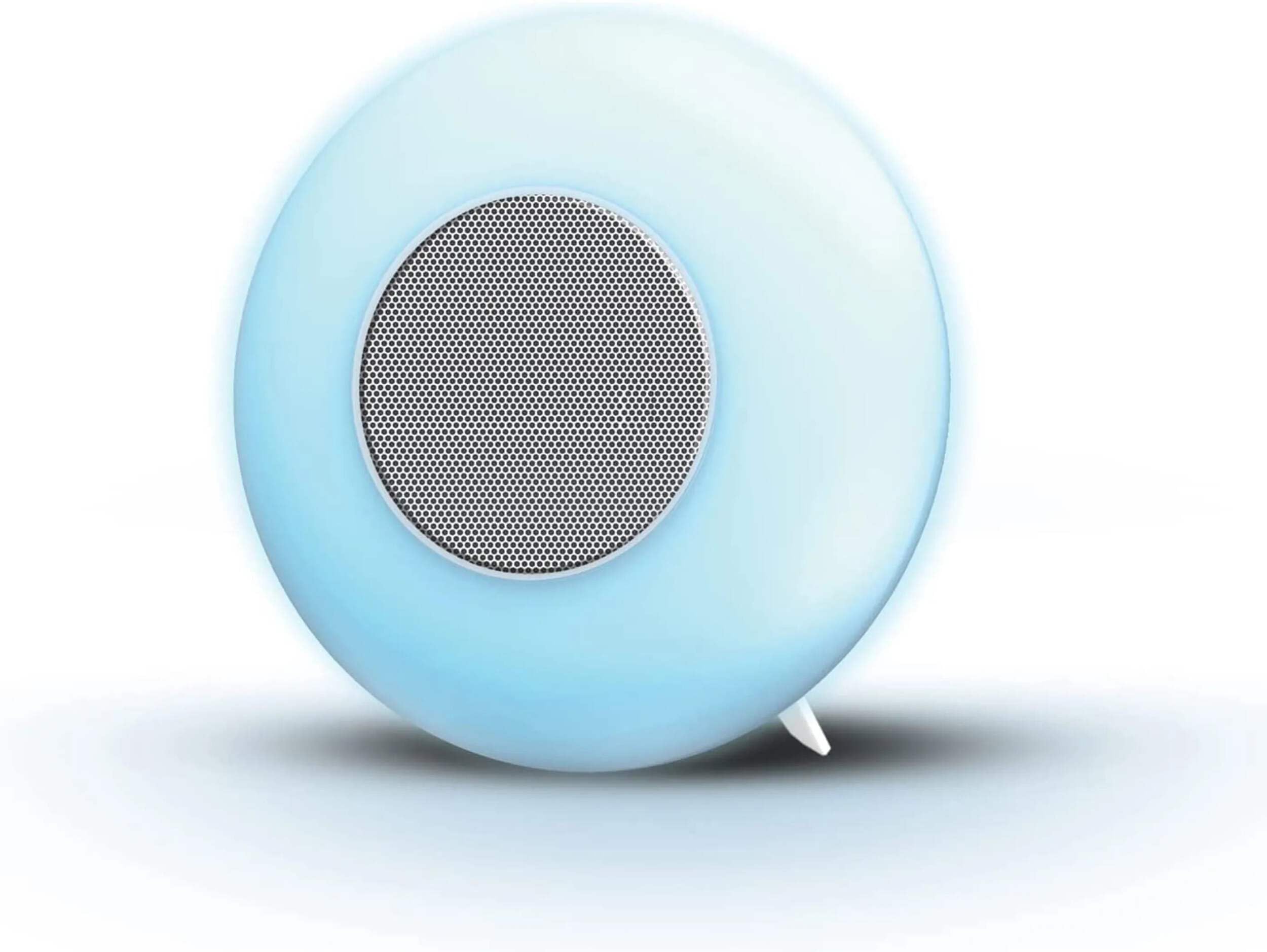
Image: The Sealy SL-HW-BS-100-WT Bluetooth Speaker, illuminated with a soft blue light, shown with its removable stand. The speaker features a circular design with a central speaker grille.
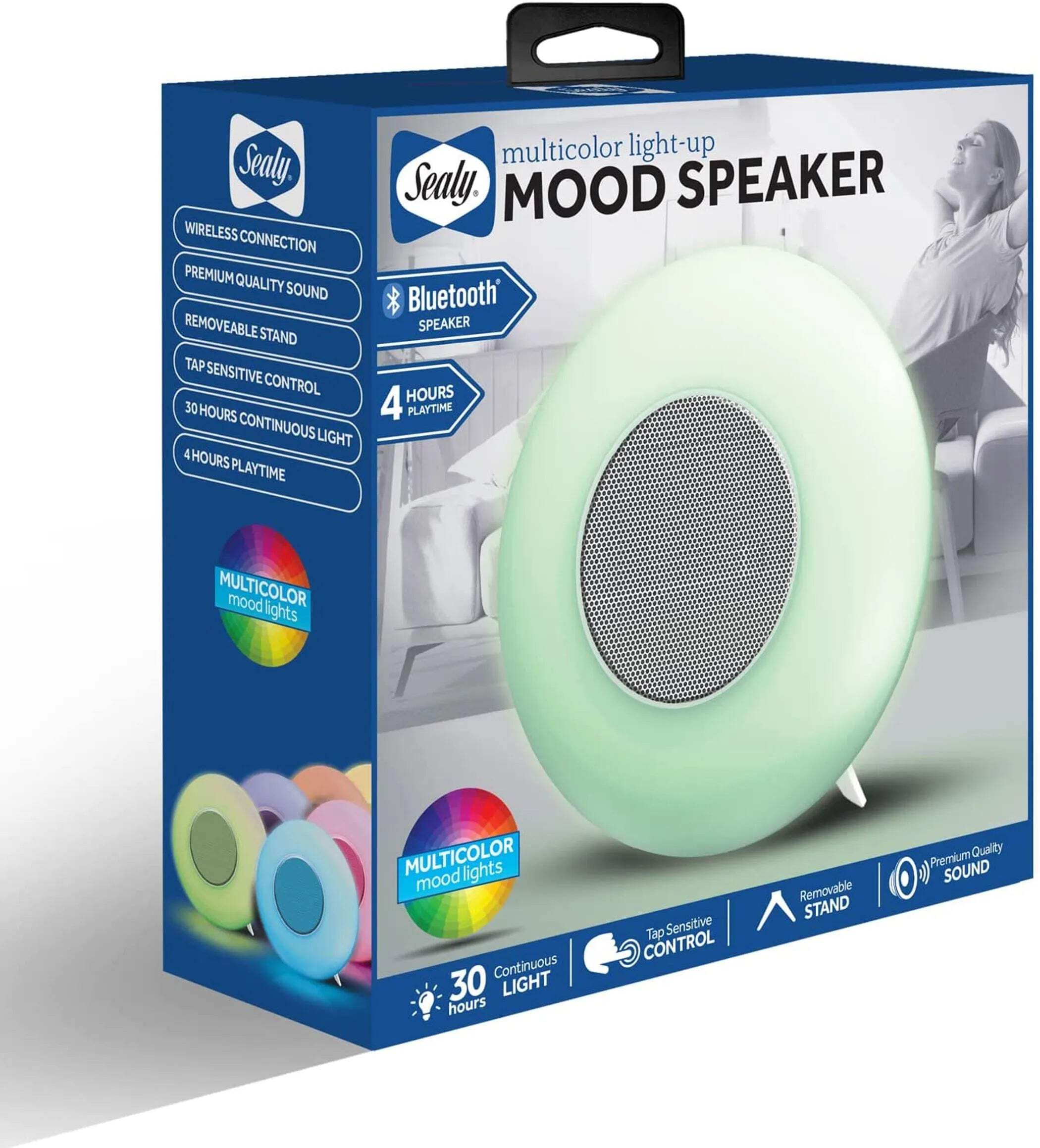
Image: The retail packaging for the Sealy Multicolor Light-Up Mood Speaker. The box highlights key features such as wireless connection, premium sound, removable stand, touch-sensitive control, 30 hours continuous light, and 4 hours playtime.
Setup
1. Charging the Speaker:
- Before first use, fully charge the speaker.
- Connect the charging cable to the speaker's charging port and to a compatible USB power source (e.g., computer USB port, USB wall adapter).
- The charging indicator light will illuminate. It will turn off or change color once fully charged.
- A full charge takes approximately 3 hours.
2. Attaching the Removable Stand:
Align the stand with the designated slot on the bottom of the speaker and gently push until it clicks into place. Ensure it is securely attached for stability on flat surfaces.
Operating Instructions
1. Power On/Off:
Locate the power button (usually a touch-sensitive area or a small physical button). Press and hold for a few seconds to turn the speaker on or off. An audible cue or indicator light will confirm the status.
2. Bluetooth Pairing:
- Ensure the speaker is powered on and in pairing mode (an indicator light may flash, or an audible prompt may sound).
- On your device (smartphone, tablet, laptop), go to Bluetooth settings.
- Search for available devices and select "Sealy SL-HW-BS-100-WT" (or similar name).
- Once paired, the speaker will confirm with an audible cue or a solid indicator light.
- The speaker will automatically attempt to reconnect to the last paired device when powered on.
3. Audio Playback:
After successful Bluetooth pairing, you can play audio from your connected device. Use your device's controls for volume adjustment, play/pause, and track selection. The speaker's touch controls may also offer basic playback functions (refer to specific product markings).
4. Light Control:
The speaker features multicolor lighting. Use the touch-sensitive controls on the speaker to cycle through different light modes, colors, or to turn the light function on/off. Specific touch gestures (e.g., single tap, long press) will control these functions.
Maintenance
- Cleaning: Wipe the speaker with a soft, dry cloth. Do not use abrasive cleaners, solvents, or immerse the device in water.
- Storage: Store the speaker in a cool, dry place away from direct sunlight and extreme temperatures.
- Battery Care: To prolong battery life, avoid fully discharging the battery frequently. Charge the speaker regularly, even if not in use for extended periods.
- Water Resistance: This speaker is NOT waterproof. Avoid exposure to water or high humidity.
Troubleshooting
| Problem | Possible Solution |
|---|---|
| Speaker does not power on. | Ensure the battery is charged. Connect to a power source and try again. |
| Cannot pair via Bluetooth. |
|
| No sound or low volume. |
|
| Lights are not working. | Ensure the speaker is powered on. Use the touch controls to activate or cycle through light modes. |
Specifications
| Model Name: | SL-HW-BS-100-WT |
| Brand: | Sealy |
| Connectivity Technology: | Bluetooth |
| Audio Output Mode: | Stereo |
| Speaker Type: | Multimedia |
| Power Source: | Battery |
| Battery Life (Lighting): | Up to 30 Hours |
| Battery Life (Playback): | Up to 4 Hours |
| Charging Time: | Approximately 3 Hours |
| Control Type: | Touch-sensitive controls |
| Compatible Devices: | Smartphone, Tablet, Laptop |
| Color: | White |
| Waterproof: | No |
| UPC: | 805112085637 |
Safety Information
- Do not expose the speaker to extreme temperatures, direct sunlight, or high humidity.
- Do not disassemble, repair, or modify the device yourself. This may void the warranty and pose safety risks.
- Keep the speaker away from children and pets.
- Use only the provided or a certified charging cable.
- Avoid listening to audio at excessively high volumes for prolonged periods to prevent hearing damage.
Warranty and Support
For warranty information or technical support, please refer to the contact details provided on the product packaging or visit the official Sealy website. Keep your proof of purchase for warranty claims.

Image: The Sealy brand logo, featuring the word "Sealy" in a stylized script within a blue, hourglass-shaped emblem.
