
Introduction
This manual provides instructions for the setup, operation, and maintenance of your Kassionel replacement remote control. This remote is designed to be compatible with various Sony Audio Video Receivers, including models STR-K790, STR-KG700, STK-KG700, STR-DH100, and STR-DH800. It functions as a direct replacement without requiring complex programming.
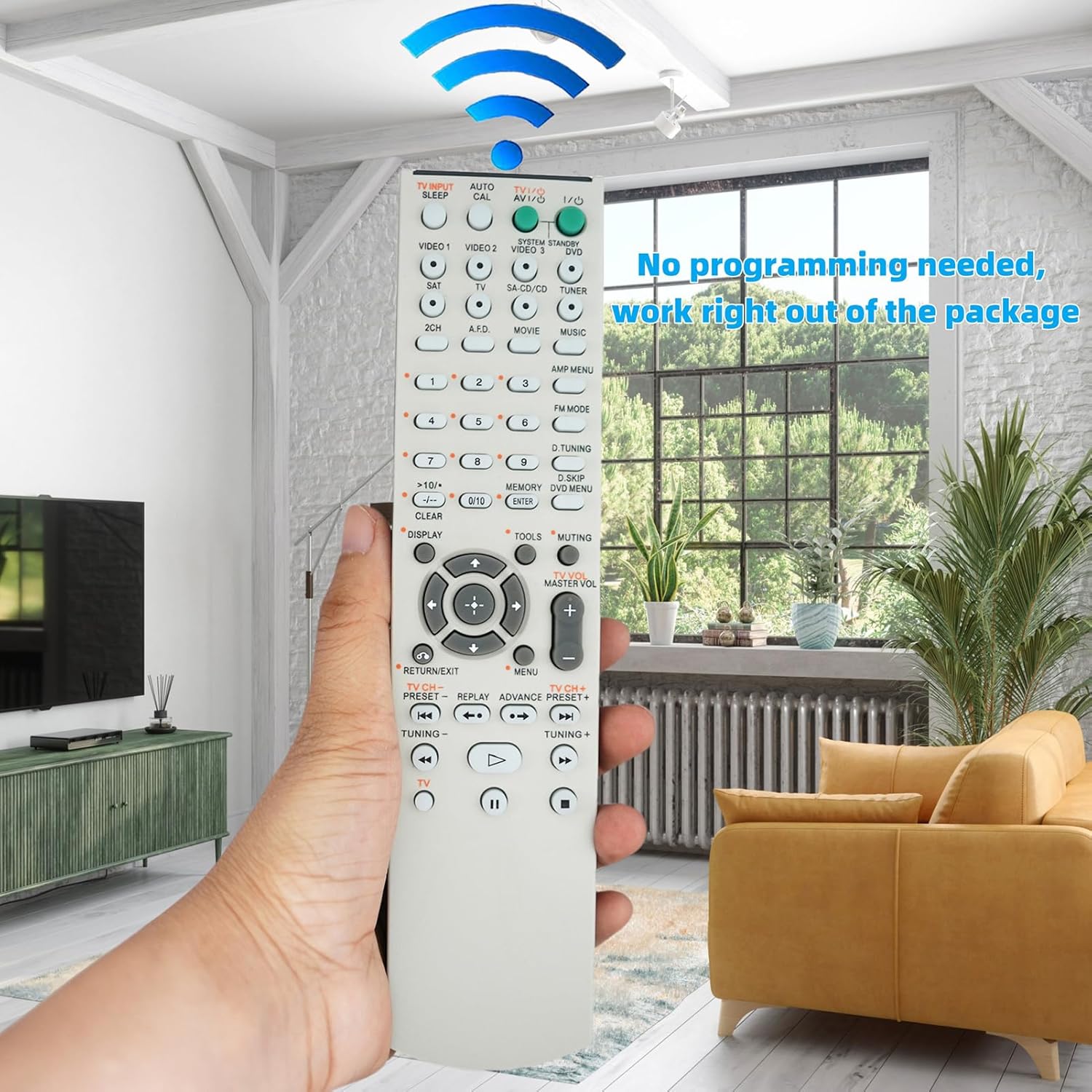
Image: Front view of the Kassionel replacement remote control, showing all buttons and its ergonomic design.
Setup Instructions
1. Battery Installation
The remote control requires two (2) 1.5V AA alkaline batteries (not included). Follow these steps to install them:
- Locate the battery compartment cover on the back of the remote control.
- Press down on the tab and slide the cover off.
- Insert two AA batteries, ensuring the positive (+) and negative (-) terminals align correctly with the markings inside the compartment.
- Slide the battery compartment cover back into place until it clicks securely.
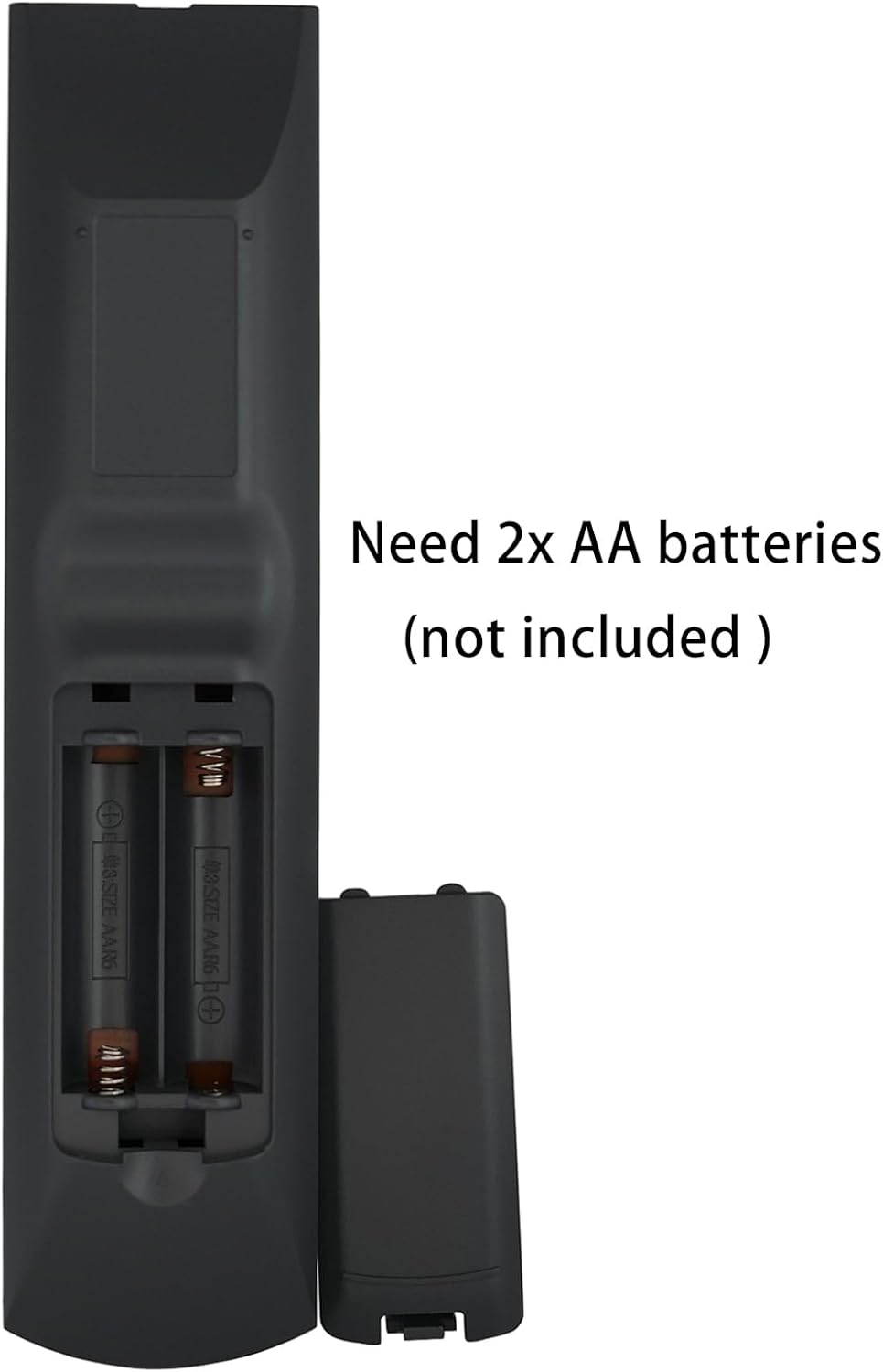
Image: The back of the remote control with the battery cover removed, showing the slots for two AA batteries and polarity indicators.
2. Initial Use (No Programming Required)
This replacement remote control is designed to work immediately with compatible Sony receivers without any programming. Once batteries are installed, it is ready for use.
Operating Instructions
Point the remote control directly at your Sony Audio Video Receiver. Ensure there are no obstructions between the remote and the receiver's infrared sensor.
Key Functions:
- Power (I/O): Turns the receiver on or off.
- Input Selectors (VIDEO 1, VIDEO 2, TV, SA-CD/CD, TUNER, etc.): Selects the desired audio/video input source.
- Volume (+/-): Adjusts the master volume level.
- Muting: Mutes or unmutes the audio output.
- Navigation (Up, Down, Left, Right, ENTER): Used to navigate menus and confirm selections on the receiver's display.
- DISPLAY: Toggles display information on the receiver.
- MENU / RETURN/EXIT: Accesses or exits the receiver's menu system.
- Number Buttons (0-9): For direct input selection or tuning.
- TUNING (+/-): Adjusts radio frequencies for AM/FM tuners.

Image: A detailed close-up of the remote control's buttons, highlighting the layout and labels for various functions such as power, input selection, volume, and navigation.
Maintenance
Cleaning:
To clean the remote control, wipe it gently with a soft, dry cloth. Do not use liquid cleaners, abrasive pads, or chemical solvents, as these can damage the surface or internal components.
Battery Replacement:
Replace batteries when the remote control becomes unresponsive or its range decreases significantly. Always replace both batteries at the same time with new 1.5V AA alkaline batteries. Do not mix old and new batteries or different types of batteries.
Storage:
If the remote control will not be used for an extended period, remove the batteries to prevent leakage and potential damage to the device.
Troubleshooting
- Remote not working:
- Ensure batteries are installed correctly with the correct polarity.
- Replace old batteries with new ones.
- Check for any obstructions between the remote control and the receiver's infrared sensor.
- Ensure you are within the effective operating range (up to 10 meters) and pointing the remote directly at the receiver.
- Specific buttons not responding:
- Clean the remote control surface, especially around the unresponsive buttons, to remove any dirt or debris.
- If only certain buttons are affected, and battery replacement does not help, the remote may require replacement.
Specifications
| Brand | Kassionel |
| Model Name | RM-AAU013 |
| Compatible Devices | Sony STR-K790, STR-KG700, STK-KG700, STR-DH100, STR-DH800 Audio Video Receivers |
| Connectivity Technology | Infrared |
| Power Supply | 2 x 1.5V AA Alkaline Batteries (not included) |
| Maximum Range | 10 Meters (approx. 33 feet) |
| Color | Off White |
| Item Weight | 0.08 Kilograms (approx. 2.8 oz) |
| Item Dimensions (L x W x H) | 8.23" x 1.89" x 0.85" |
Warranty Information
This product comes with a 1-year warranty from the date of purchase. Please retain your proof of purchase for warranty claims. The warranty covers manufacturing defects but does not cover damage caused by misuse, accidents, or unauthorized modifications.
Customer Support
For any questions, technical assistance, or warranty inquiries regarding your Kassionel replacement remote control, please contact the seller or manufacturer directly through the platform where the purchase was made. Provide your order details and a clear description of the issue for prompt support.