Important Safety Information
Please read all instructions carefully before using this appliance to prevent injury and property damage. Keep this manual for future reference.
- Always connect the dispenser to a grounded electrical outlet.
- Do not operate the dispenser if the power cord is damaged.
- Keep the dispenser away from direct sunlight and heat sources.
- Ensure proper ventilation around the unit.
- Child Safety Lock: The hot water dispenser features a child safety lock. Always engage the lock when not in use to prevent accidental burns.
- Do not immerse the appliance, cord, or plug in water or other liquids.
- Unplug the dispenser before cleaning or performing any maintenance.
- This appliance is for indoor use only.
Product Overview
The WATOOR Hot and Cold Water Dispenser with Ice Maker provides convenient access to hot, cold, and ice water. Its top-loading design accommodates standard 5-gallon water bottles, and it features an integrated ice maker capable of producing up to 44 lbs of ice per day.
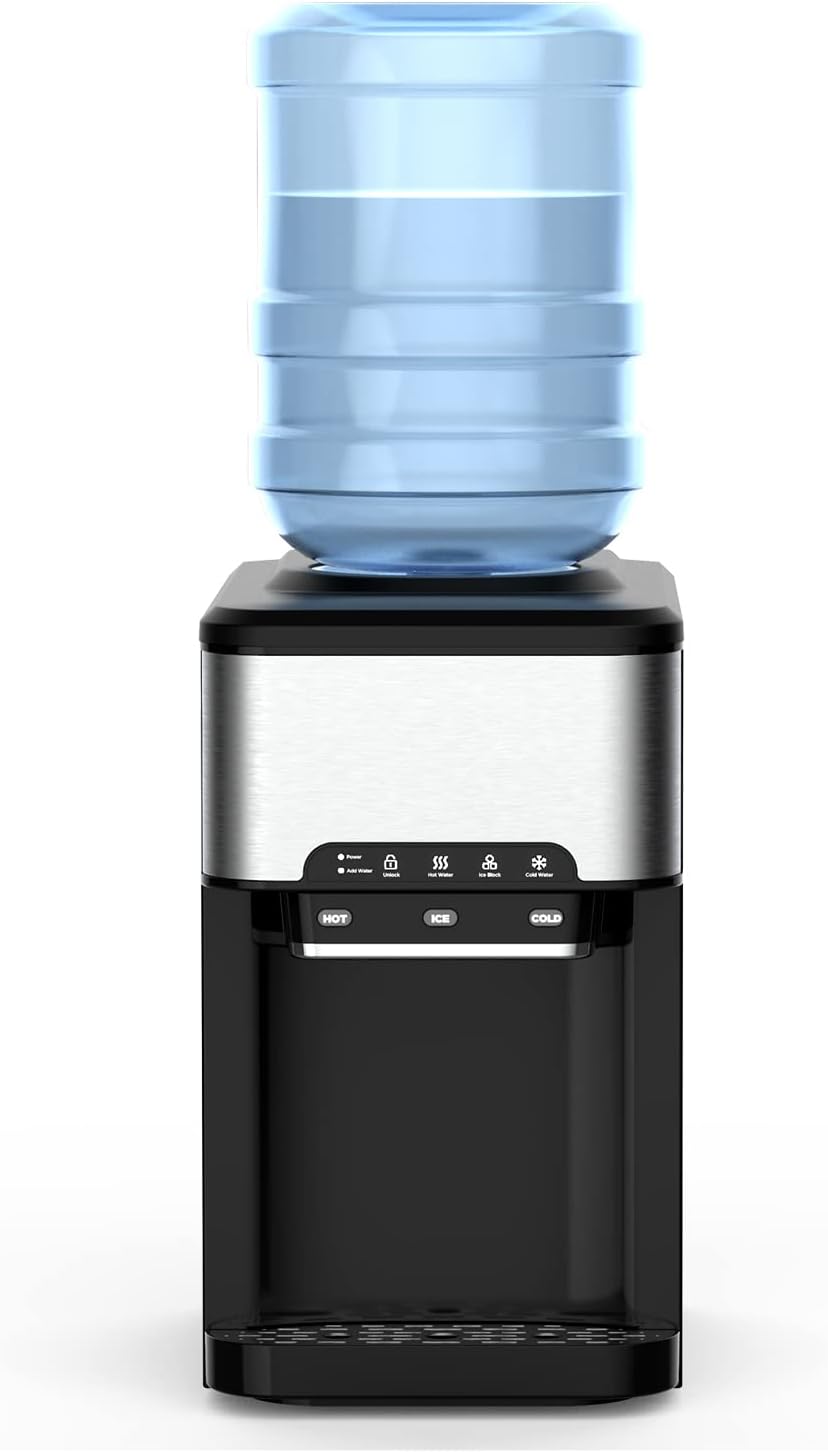
Front view of the WATOOR Hot and Cold Water Dispenser with Ice Maker, showing the top-loading bottle, control panel, and dispensing area.

Diagram illustrating the dimensions of the water dispenser: 18.86 inches height, 10.94 inches width, and 16.85 inches depth. Also shows water storage capacity of 3L and ice storage capacity of 4 lbs.

Close-up view of the dispenser showing hot water, ice, and cold water being dispensed into glasses. The image highlights the three modes: Ice Cubes (Bullet Ice), Cold Water (35°F - 42°F), and Hot Water (195°F - 205°F).
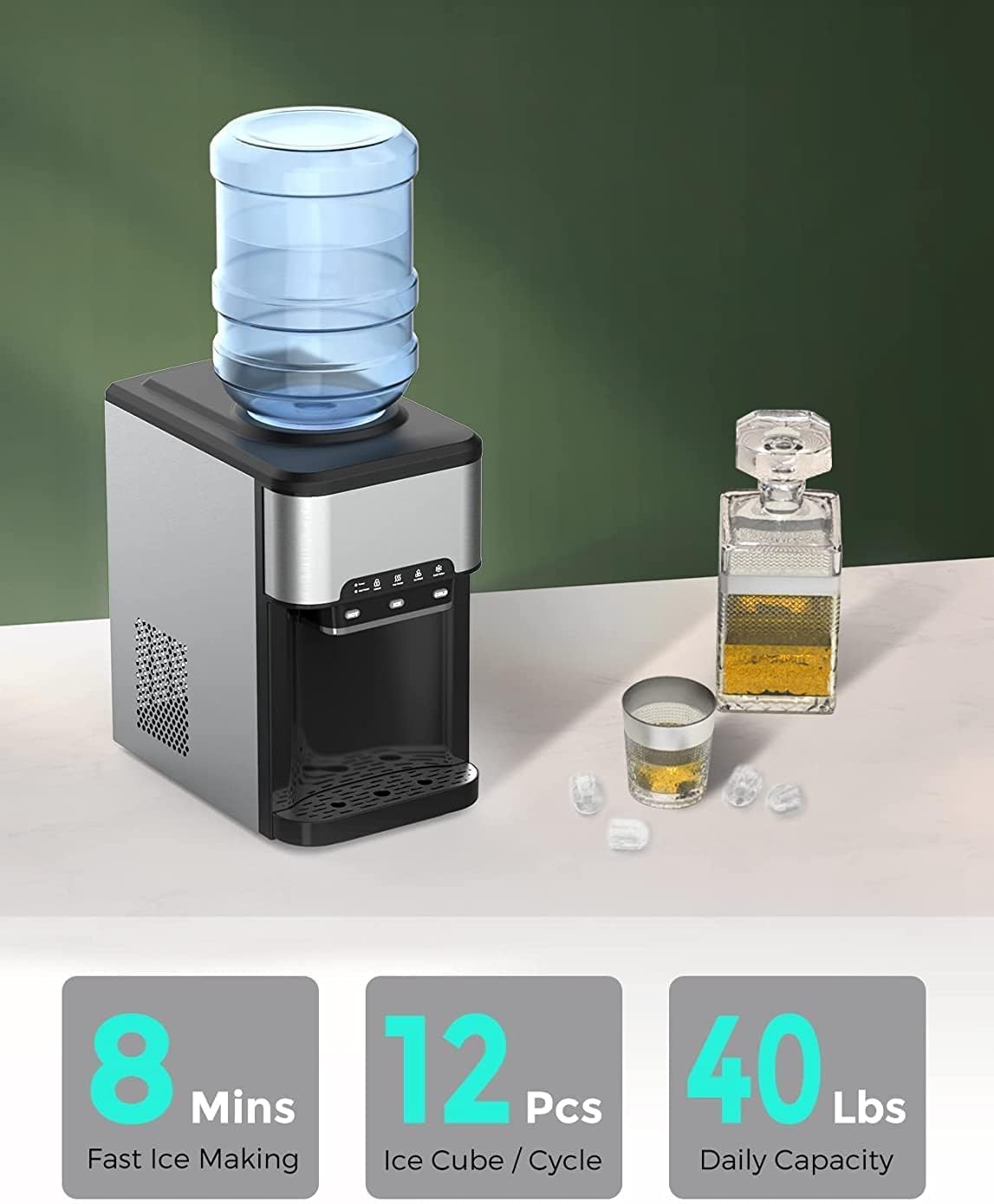
An image showcasing the ice-making capabilities: 8 minutes for fast ice making, 12 pieces of ice cubes per cycle, and a daily capacity of 40 lbs.
Official product video demonstrating the WATOOR Hot and Cold Water Dispenser with Ice Maker in operation, highlighting its features and ease of use.
Setup
1. Unboxing and Placement
- Carefully remove the dispenser from its packaging.
- Place the dispenser on a flat, stable, and level surface. Ensure there is at least 4 inches of clearance from walls to allow for proper ventilation.
- Avoid placing the unit near direct sunlight or heat-generating appliances.
- Allow the unit to stand upright for at least 2 hours before plugging it in, especially if it was transported on its side. This allows the refrigerant to settle.
2. Water Bottle Installation
- Clean the neck of a new 2-5 gallon water bottle with a clean cloth.
- Remove the protective cap from the water bottle.
- Carefully lift the water bottle and invert it, placing it firmly onto the support collar on top of the dispenser. Ensure the bottle is seated securely and water begins to flow into the dispenser's reservoir.
- Alternatively, you can manually add water to the internal water container if not using a large bottle.

Illustration showing two methods for adding water: either by placing a standard 2-5 gallon bottled water on top or by manually pouring water into the top reservoir.
3. Initial Power On
- Once the water bottle is installed and the unit has settled, plug the power cord into a grounded electrical outlet.
- Allow approximately 15-30 minutes for the water to cool or heat to the desired temperatures before first use. The ice maker will also begin its first cycle.
Operating Instructions
The WATOOR dispenser features an intuitive control panel for easy operation of its hot, cold, and ice functions.

Close-up of the control panel with touch screen features: Power, Add Water, Unlock, Hot Water, Ice Block, and Cold Water. Users can choose desired functions and shut down others easily.
1. Dispensing Hot Water
- Place a cup under the hot water spout.
- Press the Unlock button on the control panel to deactivate the child safety lock. The indicator light will illuminate.
- Press the Hot Water button. The hot water indicator will blink, then illuminate steadily when ready.
- Press the HOT dispense button below the spout to dispense hot water. Release to stop.
- The child safety lock will automatically re-engage after a short period of inactivity.
2. Dispensing Cold Water
- Place a cup under the cold water spout.
- Press the Cold Water button on the control panel. The cold water indicator will blink, then illuminate steadily when ready.
- Press the COLD dispense button below the spout to dispense cold water. Release to stop.
3. Ice Making Operation
- Ensure there is sufficient water in the reservoir. The "Add Water" indicator will light up if the water level is low.
- Press the Ice Block button on the control panel. The ice indicator will blink.
- The ice making cycle typically takes 7 to 11 minutes, depending on ambient temperature.
- If there is not enough water, the ice maker will stop automatically, and the "Add Water" indicator will turn on.
- The ice maker automatically stops when the ice basket is full. The "Ice Block" indicator will change from blinking to illuminating steadily.
- To dispense ice, place a cup or container under the ice spout and press the ICE dispense button.

Detailed instructions for Hot Water Operation, Cold Water Operation, and Ice Making Operation, accompanied by an image of the dispenser.
Maintenance
Regular cleaning and maintenance will ensure the longevity and optimal performance of your WATOOR water dispenser.
1. Cleaning the Exterior
- Unplug the dispenser from the power outlet.
- Wipe the exterior surfaces with a soft, damp cloth. Do not use abrasive cleaners or solvents.
- Clean the drip tray and grille regularly. Remove the drip tray, empty any accumulated water, wash with mild soap and water, rinse thoroughly, and dry before replacing.
2. Cleaning the Water Tank and Ice Maker Components
- Unplug the dispenser and remove the water bottle.
- Drain all water from the hot and cold reservoirs using the drain plugs located at the back of the unit (refer to diagram for exact location if available).
- For thorough cleaning, you may need to access internal components. Refer to the diagram showing internal hasps for water tank access.
- Prepare a cleaning solution of mild soap and water or a food-grade sanitizing solution.
- Clean the inside of the water tank and ice maker components with a soft brush or cloth. Rinse thoroughly with clean water multiple times to remove all cleaning solution residue.
- Ensure all components are dry before reassembling and plugging in the unit.

Diagram indicating the location of hasps and the water tank hasp for internal access during cleaning or maintenance.
3. Descaling (Recommended Annually)
- Unplug the dispenser and drain all water.
- Prepare a descaling solution (e.g., a mixture of white vinegar and water, or a commercial descaling agent designed for water dispensers).
- Pour the solution into the water reservoir.
- Allow the solution to sit for 30 minutes to an hour.
- Drain the solution completely.
- Rinse the reservoirs thoroughly by filling with clean water and draining several times until no vinegar smell remains.
Troubleshooting
Before contacting customer support, please refer to the following troubleshooting guide for common issues.
| Problem | Possible Cause | Solution |
|---|---|---|
| No hot water | Hot water switch off; insufficient water; heating element malfunction. | Ensure hot water function is activated on control panel; check water bottle level; contact support if issue persists. |
| No cold water | Cold water switch off; insufficient water; cooling system malfunction. | Ensure cold water function is activated on control panel; check water bottle level; allow time for cooling; contact support if issue persists. |
| No ice production | Insufficient water; ice basket full; ambient temperature too high; ice maker malfunction. | Check water level and add water if needed; empty ice basket; ensure unit is in a cool, well-ventilated area; contact support. |
| Water leaking | Water bottle not seated correctly; drain plug loose; internal leak. | Re-seat water bottle; tighten drain plugs; contact support for internal leaks. |
| Unusual noise | Compressor cycling (normal); unit not level; loose parts. | Ensure unit is on a level surface; if noise is excessive or persistent, contact support. |
Specifications
| Feature | Detail |
|---|---|
| Brand | WATOOR |
| Model Number | SIZB-047-2 |
| Capacity (Water Bottle) | 5 Gallons (compatible with 2-5 Gallon bottles) |
| Ice Production Capacity | Up to 44 lbs / 24 hrs |
| Ice Storage Capacity | 4 lbs |
| Style | Top Load |
| Installation Type | Countertop |
| Product Dimensions (L x W x H) | 16.85 x 10.94 x 18.86 inches |
| Item Weight | 34 pounds |
| Power Source | Corded Electric |
| Number of Settings | 3 (Hot, Cold, Ice) |
| Hot Water Temperature | 195°F - 205°F |
| Cold Water Temperature | 35°F - 42°F |
Warranty and Support
WATOOR products are manufactured to the highest quality standards. For information regarding your product's warranty, please refer to the warranty card included with your purchase or visit the official WATOOR website.
If you encounter any issues or require technical assistance, please contact WATOOR Customer Support:
- Website: www.watoor.com (Example link, replace if specific link is known)
- Email: support@watoor.com (Example email, replace if specific email is known)
- Please have your model number (SIZB-047-2) and purchase date ready when contacting support.


