
Introduction
The SanDisk Extreme Pro SD UHS-I 32GB memory card is engineered for professional photographers and videographers. It offers high-speed performance for capturing stunning 4K UHD video and sequential burst mode photography. With advanced features like UHS Speed Class 3 (U3) and Video Speed Class 30 (V30), it ensures reliable and uninterrupted recording. This card is also built for durability, being temperature-proof, waterproof, shockproof, and X-ray-proof.
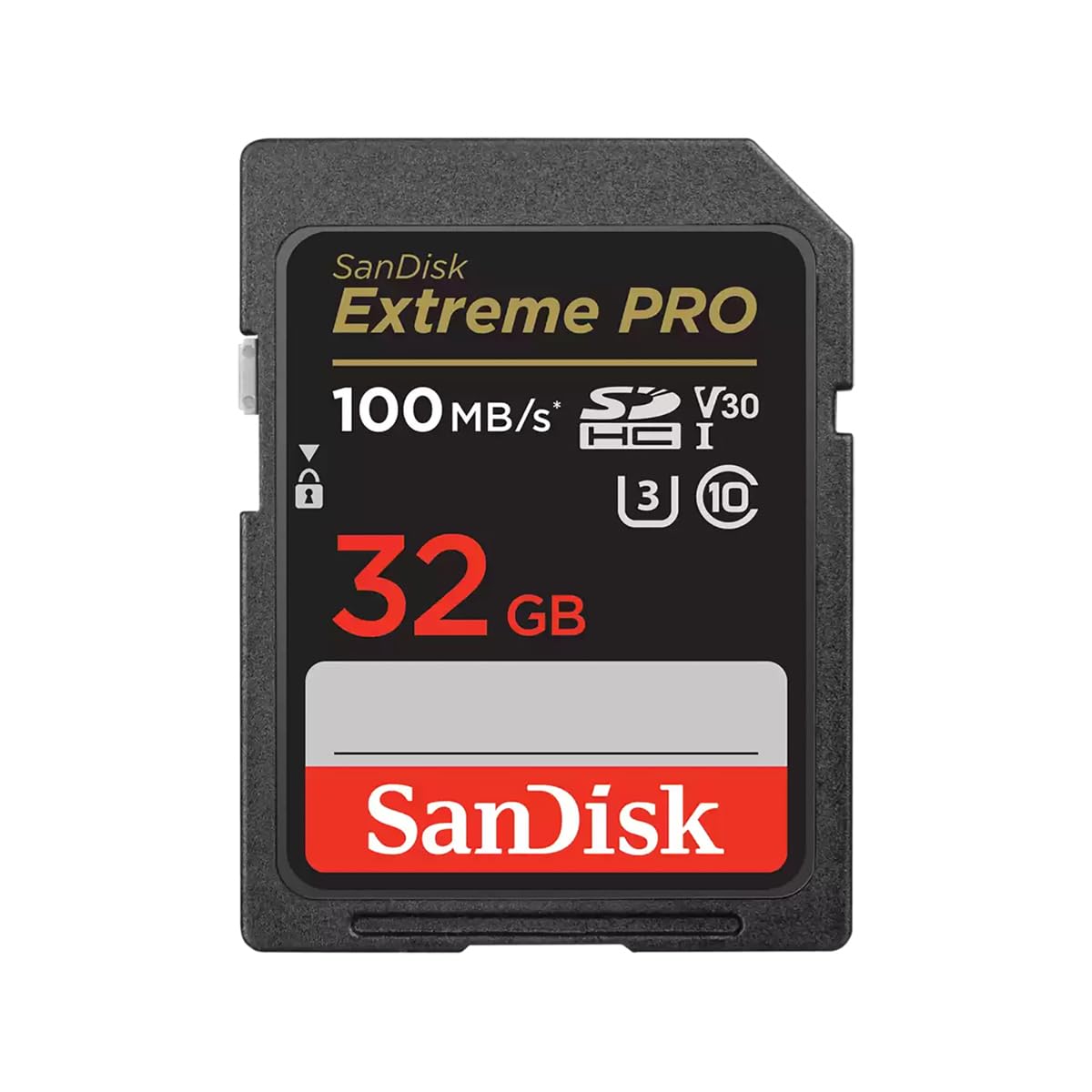
Image: SanDisk Extreme Pro SD UHS-I 32GB Card. This image shows the front of the SanDisk Extreme Pro SD card, highlighting its 32GB capacity, 100MB/s read speed, and V30/U3 speed ratings.
Setup
To begin using your SanDisk Extreme Pro SD UHS-I 32GB card, follow these steps:
- Identify the SD Card Slot: Locate the SD card slot on your compatible device (e.g., DSLR camera, mirrorless camera, camcorder, or computer card reader). Refer to your device's manual for exact location.
- Insert the Card: Gently slide the SanDisk Extreme Pro SD card into the slot with the label facing the correct direction, usually upwards or towards the front of the device. Ensure it clicks into place. Do not force the card.
- Initial Formatting (Recommended): For optimal performance and compatibility, it is highly recommended to format the SD card using your device's internal formatting function before first use. This prepares the card for your specific device.
- Access your device's menu settings.
- Navigate to the "Format" or "Card Setup" option.
- Select the SanDisk SD card and confirm formatting.
- Note: Formatting will erase all data on the card. Ensure any important data is backed up before proceeding.
Operating Instructions
The SanDisk Extreme Pro SD UHS-I 32GB card is designed for high-performance data storage and retrieval.
Recording 4K UHD Video and Photos
- High-Speed Capture: This card supports UHS Speed Class 3 (U3) and Video Speed Class 30 (V30), guaranteeing a minimum sustained write speed of 30MB/s. This is essential for smooth, uninterrupted 4K UHD video recording and rapid-fire sequential burst mode photography.
- Device Compatibility: Ensure your camera or video recorder is compatible with UHS-I SD cards and supports the required speed classes for your desired recording quality.
- Capacity Management: The 32GB capacity allows for a significant amount of high-resolution content. Monitor your device's storage indicator to avoid running out of space during critical moments.
Data Transfer
- Fast Offload: With read speeds up to 200MB/s (powered by SanDisk QuickFlow Technology), transferring large files from the card to your computer is efficient. Use a compatible UHS-I card reader to achieve maximum transfer speeds.
- Safe Removal: Always safely eject the SD card from your computer or device before physically removing it to prevent data corruption.
Maintenance
Proper care and maintenance will extend the life and performance of your SanDisk Extreme Pro SD card.
- Physical Handling:
- Avoid touching the gold connector pins on the back of the card.
- Store the card in its protective case when not in use to prevent dust, dirt, and static damage.
- Do not bend or apply excessive force to the card.
- Write Protection Switch: The card features a small write-protection switch on its side. Slide it down to protect your data from accidental deletion or modification. Slide it up to enable writing.
- Formatting: Periodically reformatting the card (after backing up all data) can help maintain optimal performance and resolve minor data inconsistencies. Always format in the device you intend to use the card with.
- Environmental Protection: While the card is designed to be temperature-proof, waterproof, shockproof, and X-ray-proof, avoid exposing it to extreme conditions unnecessarily.
Troubleshooting
If you encounter issues with your SanDisk Extreme Pro SD card, consider the following troubleshooting steps:
- Card Not Recognized:
- Ensure the card is fully inserted into the device's slot.
- Check the write-protection switch; if it's in the locked position, the device may not be able to read or write to it.
- Try inserting the card into another compatible device or card reader to determine if the issue is with the card or the original device.
- Clean the gold connector pins gently with a soft, dry cloth.
- Slow Performance/Errors During Recording:
- Ensure your device supports UHS-I and the required speed classes (U3, V30) for your recording settings.
- The card might be nearly full. Transfer data to a computer and format the card.
- If using a card reader, ensure it is a high-speed USB 3.0 or newer reader for optimal transfer speeds.
- Avoid using the card in extremely hot or cold environments, as this can affect performance.
- Cannot Delete or Format:
- Verify the write-protection switch is in the unlocked position.
- Attempt to format the card using a computer's disk utility if the device's formatting fails.
If problems persist, contact SanDisk customer support for further assistance.
Specifications
| Brand | SanDisk |
| Model Name | Extreme Pro |
| Model Number | SDSDXXO-032G-GN4IN |
| Flash Memory Type | SDHC |
| Memory Storage Capacity | 32 GB |
| Compatible Devices | Camera, DSLR, Mirrorless Camera |
| Read Speed | Up to 200 MB/s (with SanDisk QuickFlow Technology) |
| Write Speed | Up to 90 MB/s |
| Video Speed Class | V30 |
| UHS Speed Class | U3 |
| SD Association Speed Class | Class 10 |
| Special Features | Waterproof, Temperature-proof, Shockproof, X-ray-proof |
| Item Weight | 2 Grams |
| Dimensions (L x W) | 32L x 24W Millimeters |
| Country of Origin | Taiwan |
Warranty Information
The SanDisk Extreme Pro SD UHS-I 32GB card comes with a Lifetime Limited Warranty. This warranty covers defects in material and workmanship under normal use. For full terms and conditions, please refer to the official SanDisk warranty statement available on their website or contact customer support.
Support
For technical assistance, product registration, or further inquiries, please visit the official SanDisk support website. You can typically find FAQs, driver downloads, and contact information for customer service there.
Manufacturer: SANDISK - CARDS, Western Digital UK Ltd.
Importer: RASHI PERIPHERALS PVT LTD.


