
1. Product Overview
The iFFALCON 50K72 is a 50-inch 4K Ultra HD Smart Android LED TV designed to deliver a high-quality viewing experience. This manual provides essential information for setting up, operating, and maintaining your television.
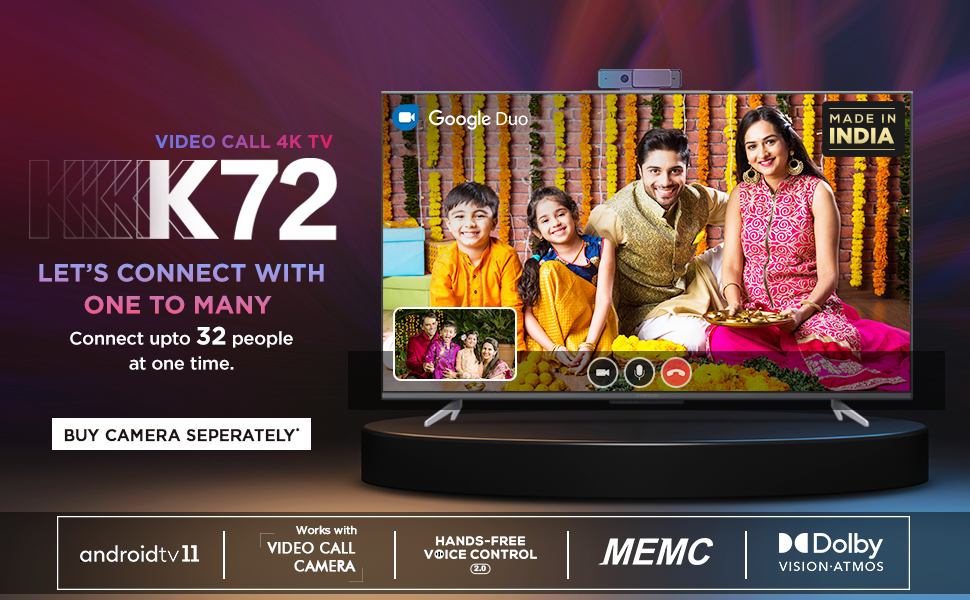
Image: Front view of the iFFALCON 50K72 50-inch 4K Ultra HD Smart Android LED TV, showcasing its exciting features.
Key features include a 4K Ultra HD resolution (3840 x 2160) with a 60 Hz refresh rate, an A+ Grade Panel for superior display quality, and a 178-degree wide viewing angle. It runs on Android (R11) and supports hands-free voice control, dual-band Wi-Fi, and popular streaming applications.
2. What's in the Box
Upon unboxing your iFFALCON 50K72 TV, please ensure all the following components are present:
- 1 LED TV
- 1 Table Top Stand
- 1 User Manual (this document)
- 1 Warranty Card
- 1 Remote Control
- 2 AAA Batteries
Video: A brief overview of the iFFALCON 50K72 TV and its key features, including what's typically found in the box.
3. Setup Guide
3.1 Attaching the Table Top Stand
- Carefully place the TV screen-down on a soft, flat surface to prevent damage.
- Align the stand with the mounting holes on the bottom of the TV.
- Secure the stand using the provided screws. Ensure all screws are tightened firmly.

Image: Side profile of the iFFALCON 50K72 TV showing the attached table-top stand.
3.2 Wall Mounting (Optional)
If you choose to wall mount your TV, please note that a wall mount bracket is not included and must be purchased separately. The TV supports a VESA mount standard of 200 x 200 mm. Professional installation is recommended for wall mounting.

Image: Rear view of the iFFALCON 50K72 TV, highlighting the VESA mounting points.
3.3 Initial Power On and Configuration
- Connect the power cord to the TV and then to a power outlet.
- Press the power button on the TV or the remote control to turn it on.
- Follow the on-screen instructions to complete the initial setup, including language selection, network connection, and Google account sign-in.
4. Basic Operation
4.1 Remote Control
The included remote control allows you to navigate the TV's interface, adjust settings, and access smart features. Insert the two AAA batteries into the remote control, ensuring correct polarity.

Image: The iFFALCON 50K72 TV remote control, highlighting Google Assistant and dedicated quick access buttons for streaming services.
4.2 Smart TV Features (Android R11)
Your iFFALCON 50K72 TV runs on Android (R11), providing access to a wide range of applications and services. Navigate through the home screen to find installed apps like Prime Video, Disney+Hotstar, Netflix, Zee5, Sony LIV, and more. You can also download additional apps from the Google Play Store.
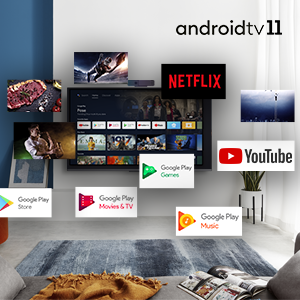
Image: The Android 11 TV interface displaying various streaming and utility applications.
4.3 Hands-Free Voice Control
The TV supports hands-free voice control, allowing you to use voice commands without the remote. Simply say "Hey Google" or "Ok Google" followed by your command to search for content, control playback, or manage smart home devices.

Image: A person using hands-free voice control to search for content on the iFFALCON TV.
4.4 T-cast (Screen Mirroring)
Use the T-cast feature to mirror content from your smartphone or tablet to the TV screen. This allows for easy sharing of photos, videos, and other media.

Image: The TCL Channel 3.0 interface, illustrating screen mirroring capabilities.
4.5 Video Call Camera Support
The iFFALCON 50K72 TV is compatible with external video call cameras (purchased separately) for conducting video calls through applications like Google Duo directly on your TV screen.
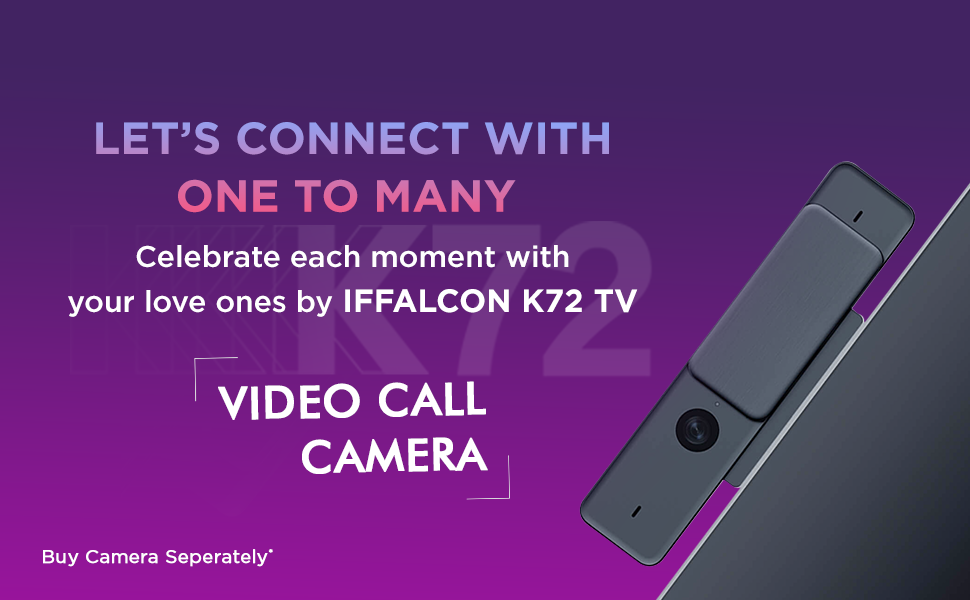
Image: A family engaged in a video call on the iFFALCON K72 TV, demonstrating the external camera functionality.
5. Connectivity
The iFFALCON 50K72 TV offers various ports for connecting external devices:

Image: Side view of the iFFALCON 50K72 TV with all connectivity ports clearly labeled.
- HDMI Ports (3): Connect set-top boxes, Blu-ray players, gaming consoles, and other HDMI-enabled devices. One port supports eARC/ARC for enhanced audio return.
- USB Ports (2): Connect hard drives, USB flash drives, and other USB devices for media playback or software updates. Includes one USB 2.0 and one USB 3.0 port.
- LAN (Ethernet) Port: For a stable wired internet connection.
- Antenna/Cable In: For connecting an antenna or cable TV signal.
- Digital Audio Out (Optical): For connecting to external audio systems with optical input.
- AV In Adapter: For connecting older devices using composite video and stereo audio cables (adapter may be required).
- Headphone Jack: For connecting headphones or external speakers.
- Dual-Band Wi-Fi: Supports 2.4GHz and 5GHz networks for wireless internet connectivity.
6. Display and Audio Features
6.1 Display Technology
- 4K Ultra HD Resolution: Provides sharp, detailed images with 3840 x 2160 pixels.
- A+ Grade Panel: Ensures high picture quality and consistency.
- HDR (High Dynamic Range): Enhances contrast and color accuracy for a more lifelike picture.
- Dolby Vision: Advanced HDR technology for superior brightness, contrast, and color.
- MEMC (Motion Estimation, Motion Compensation): Reduces motion blur in fast-moving scenes for smoother viewing.
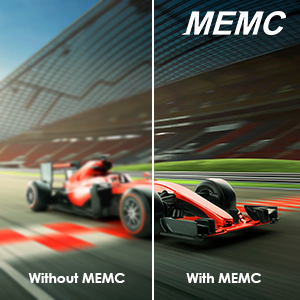
Image: A visual comparison demonstrating the effect of MEMC technology on motion clarity.
6.2 Audio Technology
- 24 Watts Output: Provides clear and powerful sound.
- Dolby Audio: Delivers immersive surround sound experience.
- Dolby Atmos: Creates a three-dimensional audio experience, placing sound all around you.
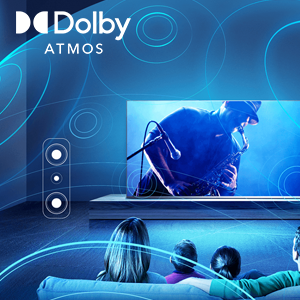
Image: An illustration depicting the immersive sound field created by Dolby Atmos technology.
7. Technical Specifications

Image: Diagram showing the physical dimensions of the iFFALCON 50K72 TV.
| Feature | Detail |
|---|---|
| Screen Size | 50 Inches (126 cm) |
| Brand | iFFALCON |
| Display Technology | LED |
| Resolution | 4K Ultra HD (3840 x 2160) |
| Refresh Rate | 60 Hz |
| Connectivity Technology | Ethernet, HDMI (3), USB (2), Wi-Fi (Dual-Band) |
| Aspect Ratio | 16:9 |
| Supported Internet Services | Google Play Store, Google services applications, Hotstar, Netflix, Prime Video, Sun NXT, YouTube, Zee5, Sony LIV |
| Contrast Ratio | 5000:1 |
| Maximum Display Brightness | 280 Candela Per Square Meter |
| Screen Finish Type | Flat |
| HDR Format Supported | HDR, Dolby Vision |
| Picture Quality Enhancement | HDR, A+ Grade Panel, MEMC |
| Response Time | 8 Milliseconds |
| Viewing Angle | 178 Degrees |
| Audio Output Mode | Surround |
| Number of Audio Channels | Dolby Audio, Dolby Atmos |
| Voltage | 240 Volts |
| Wattage / Power Consumption | 110 Watts |
| VESA Mount Standard | 200 x 200 mm |
| Operating System | Android (R11) |
| Control Method | Voice, Remote Control |
| Item Weight | 9400 Grams |
| Model Year | 2021 |
8. Troubleshooting
This section addresses common issues you might encounter with your iFFALCON 50K72 TV.
8.1 No Power / TV Not Turning On
- Ensure the power cord is securely connected to both the TV and a working power outlet.
- Check if the power outlet is functioning by plugging in another device.
- Verify that the remote control batteries are correctly inserted and not depleted.
8.2 No Picture / Poor Picture Quality
- Check all cable connections (HDMI, antenna) to ensure they are secure.
- Verify the correct input source is selected on the TV.
- Adjust picture settings (brightness, contrast, color) in the TV menu.
- If using an external device, check its output settings.
8.3 No Sound / Poor Sound Quality
- Ensure the volume is not muted and is set to an audible level.
- Check audio cable connections if using external speakers.
- Adjust sound settings in the TV menu.
- If using an external audio system, ensure it is powered on and correctly configured.
8.4 Network Connectivity Issues
- For Wi-Fi, ensure the router is on and within range. Re-enter the Wi-Fi password if necessary.
- For wired connection, ensure the Ethernet cable is securely connected to both the TV and the router.
- Restart your router and modem.
9. Warranty and Support
Your iFFALCON 50K72 TV comes with a 1-year comprehensive manufacturer's warranty from the date of purchase. This warranty covers manufacturing defects and ensures repair or replacement as per the terms and conditions.
For assistance with installation, service, or any product-related queries, please contact iFFALCON customer support:
- Toll-Free Numbers: 18004190622 / 18001020622
- When contacting support, please provide your product's model name (50K72) and seller's details as mentioned on your invoice.
Image: iFFALCON customer care information, including contact numbers for support.
The manufacturer is Bhagwati Products Ltd, located at Plot No.S-1, E-City, Fabcity, Raviryala(V), Maheshwaram(M), Range Reddy (Dist), Telangana State-501510.


