
1. Introduction
Thank you for choosing the ChooChoo Bathroom Wall Mirror Cabinet. This manual provides detailed instructions for the safe and proper assembly, installation, operation, and maintenance of your new cabinet. Please read all instructions carefully before beginning assembly and retain this manual for future reference.
Safety Precautions
- Always assemble on a clean, flat, and soft surface to prevent scratches.
- Ensure all parts and hardware are present before assembly.
- Do not overtighten screws to avoid damaging the material.
- For wall mounting, ensure the wall can support the weight of the cabinet and its contents. Use appropriate wall anchors for your wall type.
- Two people are recommended for assembly and installation to ensure safety and ease.
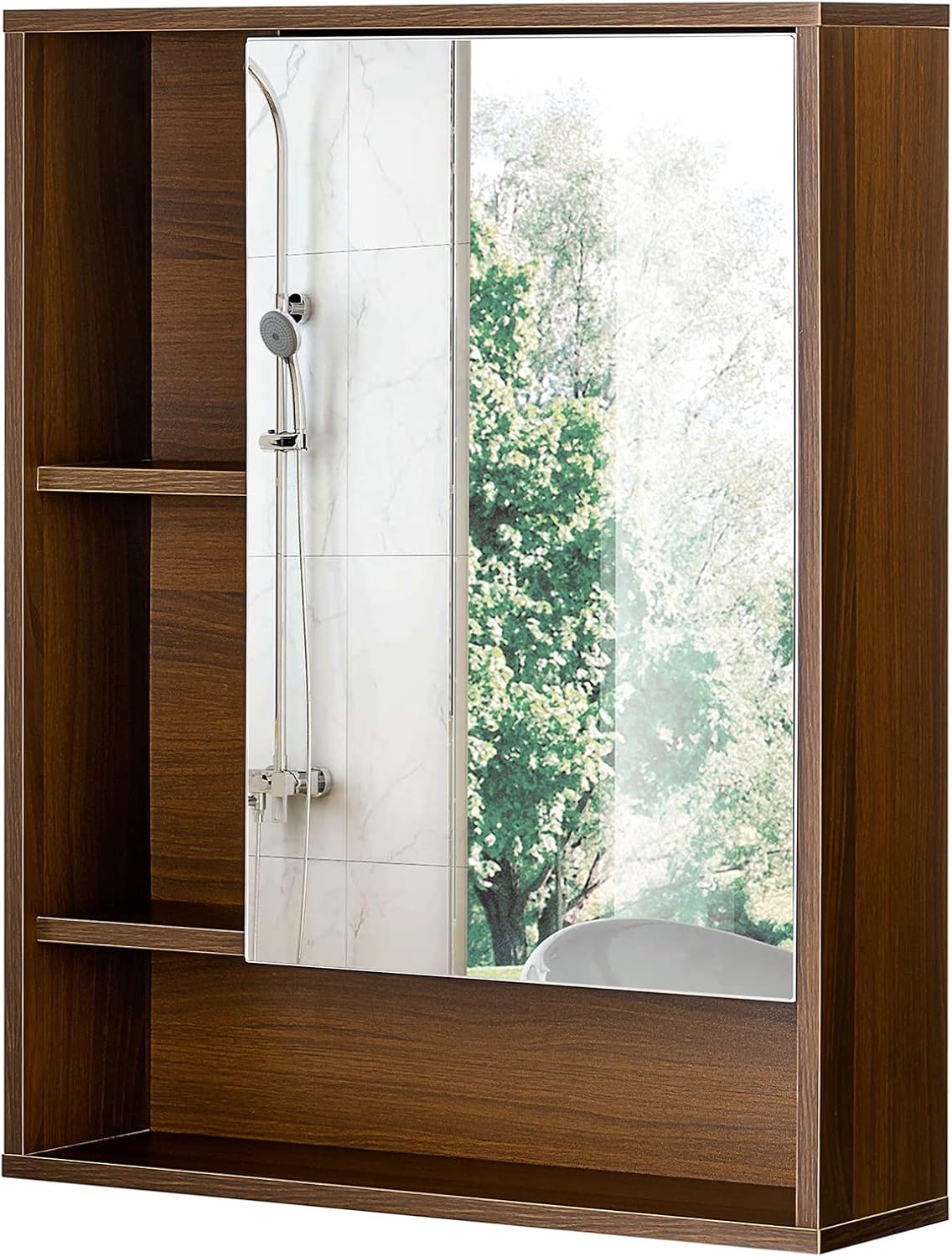
Figure 1.1: ChooChoo Bathroom Wall Mirror Cabinet (Walnut)
This image shows the assembled ChooChoo Bathroom Wall Mirror Cabinet in a walnut finish, featuring a single mirror door on the right and open shelving on the left. The cabinet is designed for wall mounting and provides both concealed and open storage options.
2. Package Contents
Before starting assembly, verify that all components listed below are included in your package. If any parts are missing or damaged, please contact ChooChoo customer service.
Included Components:
- Cabinet Panels (Top, Bottom, Sides, Back, Shelves)
- Mirror Door
- Adjustable Shelf Pins
- Hinges for Mirror Door
- Assembly Hardware (screws, cam locks, dowels, etc.)
- Wall Mounting Hardware (screws, anchors)
- Small Screwdriver (for assembly)
- Instruction Manual

Figure 2.1: Detail of Cabinet Features and Materials
This image highlights key features of the cabinet, including the clear mirror surface, the adjustable shelf mechanism with metal pins, and the natural wood grain finish of the engineered wood material.
3. Setup & Assembly
Follow these steps to assemble your ChooChoo Bathroom Wall Mirror Cabinet. Refer to the included illustrated instructions for detailed diagrams.
Assembly Steps:
- Unpack and Identify Parts: Lay out all numbered panels and lettered hardware bags on a soft, clean surface.
- Assemble Main Frame: Attach the side panels to the top and bottom panels using the provided cam locks and dowels. Ensure all connections are secure.
- Install Internal Dividers: Insert the fixed and adjustable internal shelves and dividers into their designated slots. The adjustable shelf can be placed at various heights using the shelf pins.
- Attach Back Panel: Secure the back panel to the assembled frame using small nails or screws.
- Install Mirror Door Hinges: Attach the hinges to the mirror door and then to the main cabinet frame. Ensure the hinges are aligned for smooth operation.
- Adjust Mirror Door: Fine-tune the hinge adjustments to ensure the mirror door closes flush and is level with the cabinet frame.

Figure 3.1: Assembly Diagram Example
This diagram illustrates the sequential steps involved in assembling the cabinet, from connecting the main panels to installing the internal shelves and the mirror door.

Figure 3.2: Cabinet Dimensions
This image provides a clear visual representation of the cabinet's dimensions: 21.6 inches (W) x 6.3 inches (D) x 24.0 inches (H), along with internal measurements for shelving areas.
Assembly Video Guide:
Video 3.1: ChooChoo Bathroom Wall Mirror Cabinet Assembly Overview
This short video from ChooChoo Furniture provides a quick visual overview of the assembly process for the bathroom wall mirror cabinet, highlighting key steps.
Video 3.2: Detailed Choo Choo Bathroom Medicine Cabinet Assembly
This video offers a more detailed, step-by-step guide to assembling the ChooChoo Bathroom Medicine Cabinet, demonstrating the process from unpacking to final adjustments.
4. Installation (Wall Mount)
Once assembled, the cabinet is ready for wall mounting. Proper installation is crucial for stability and safety.
Installation Steps:
- Choose Location: Select a suitable wall location, ideally above a toilet or sink, ensuring sufficient clearance for the mirror door to open.
- Mark Drilling Points: Use the provided paper guide or measure the distance between the mounting holes on the cabinet. Mark these points accurately on the wall at your desired height.
- Drill Pilot Holes: Drill pilot holes at the marked locations. For drywall, insert the appropriate wall anchors. For wood studs, drill pilot holes slightly smaller than the screw diameter.
- Mount Cabinet: With assistance, hold the cabinet against the wall, aligning the mounting holes with the drilled holes/anchors. Insert and tighten the mounting screws securely.
- Verify Stability: Gently pull on the cabinet to ensure it is firmly attached to the wall and does not wobble.

Figure 4.1: Cabinet Installed Above Toilet
This image displays the ChooChoo cabinet mounted on a wall above a toilet, showcasing its space-saving design and how it integrates into a bathroom setting.
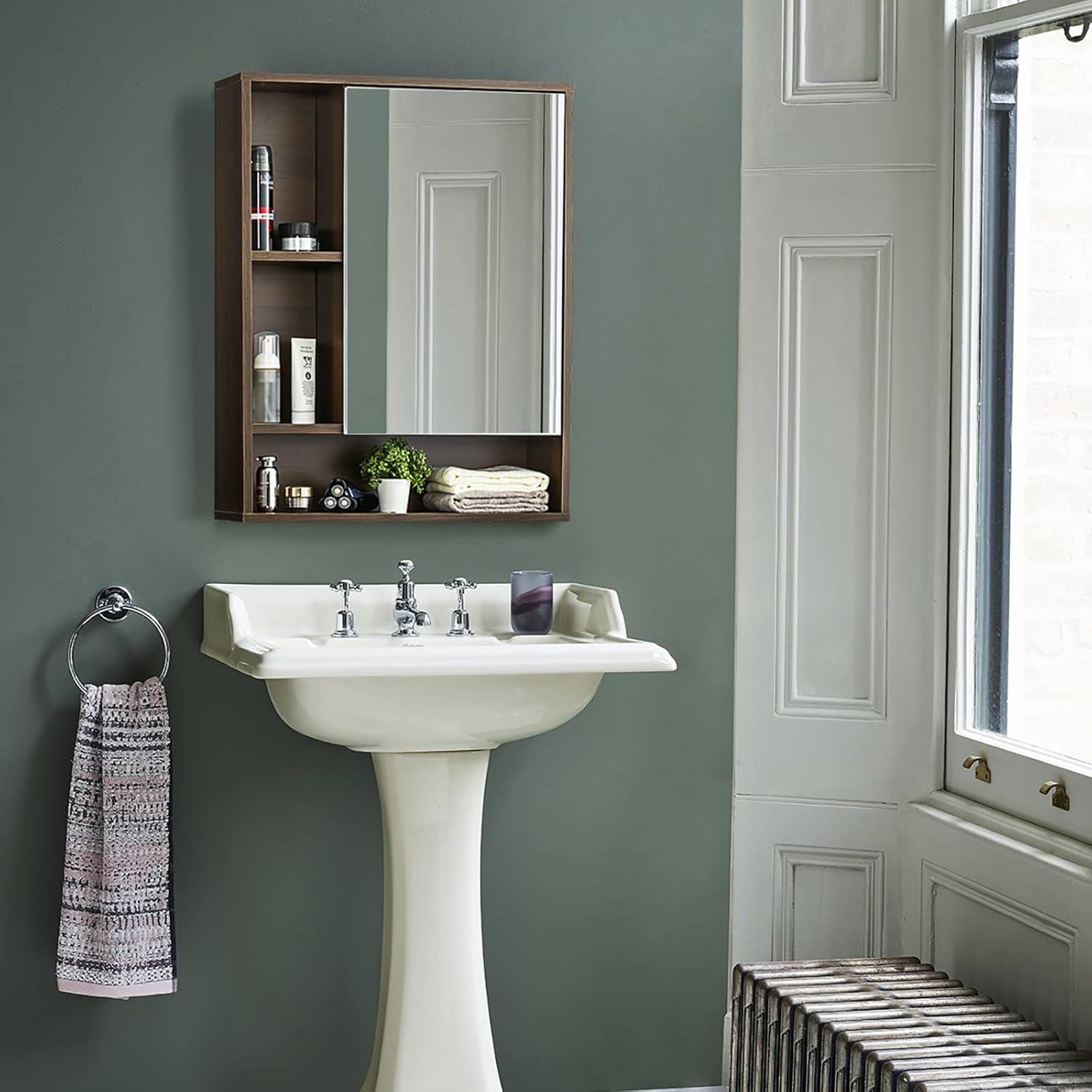
Figure 4.2: Cabinet Installed Above Sink
Here, the cabinet is shown mounted above a bathroom sink, demonstrating its versatility and functionality as both a mirror and a storage unit in different bathroom layouts.
5. Operation
Your ChooChoo Bathroom Wall Mirror Cabinet is designed for convenient storage and daily use.
Using the Mirror Door:
The single mirror door slides smoothly to the left to reveal the concealed storage compartments. Gently slide the door to the right to close it and cover the contents.
Adjusting Shelves:
The cabinet features an adjustable shelf within the concealed section. To adjust its height, remove the shelf, reposition the metal shelf pins to the desired holes, and then place the shelf back onto the pins. This allows for customization based on the height of your stored items.

Figure 5.1: Organized Storage Example
This image illustrates the cabinet's storage capacity, showing various toiletries and personal care items neatly organized within both the open shelves and the concealed section behind the mirror.
6. Maintenance
Regular cleaning and proper care will ensure the longevity and appearance of your cabinet.
Cleaning:
- Wood Surfaces: Wipe with a soft, damp cloth. Avoid abrasive cleaners or harsh chemicals that could damage the finish. Dry immediately with a clean cloth.
- Mirror Surface: Use a standard glass cleaner and a lint-free cloth. Spray cleaner onto the cloth, not directly onto the mirror, to prevent liquid from seeping into the edges.
General Care:
- Avoid exposing the cabinet to excessive moisture or direct sunlight for prolonged periods.
- Do not place extremely hot or cold items directly on the wood surfaces without protection.
- Periodically check all screws and connections to ensure they remain tight. Retighten if necessary.
7. Troubleshooting
If you encounter any issues with your ChooChoo Bathroom Wall Mirror Cabinet, refer to the common problems and solutions below.
| Problem | Possible Cause | Solution |
|---|---|---|
| Cabinet feels wobbly after installation. | Screws are not fully tightened or inadequate wall anchors were used. | Ensure all mounting screws are securely tightened. If using drywall anchors, verify they are correctly installed and consider using stronger anchors if the cabinet holds heavy items. |
| Mirror door does not close flush or is misaligned. | Hinges are not properly adjusted or installed. | Adjust the screws on the hinges to align the door. Refer to the assembly instructions for hinge adjustment details. |
| Parts do not fit together during assembly. | Incorrect orientation of panels or incorrect hardware used. | Double-check the part numbers and orientation against the instruction manual's diagrams. Ensure you are using the correct screws and dowels for each step. |
If the problem persists after attempting these solutions, please contact ChooChoo customer service for further assistance.
8. Specifications
Detailed specifications for the ChooChoo Bathroom Wall Mirror Cabinet (Model MC20001).
| Feature | Detail |
|---|---|
| Brand | ChooChoo |
| Model Number | MC20001 |
| Color | Walnut |
| Product Dimensions | 6.3"D x 21.6"W x 24"H |
| Material | Engineered Wood (P2 grade MDF board) |
| Mounting Type | Wall Mount |
| Number of Shelves | 1 (Adjustable) |
| Number of Compartments | 5 |
| Item Weight | 22.69 Pounds |
| Weight Limit | 20.3 Pounds |
| Assembly Required | Yes |
| UPC | 796520066700 |
9. Warranty & Support
ChooChoo is committed to providing high-quality products and excellent customer service.
Customer Service:
If you have any questions, concerns, or require assistance with your ChooChoo Bathroom Wall Mirror Cabinet, please do not hesitate to contact ChooChoo customer service. We aim to respond to customer inquiries within 24 hours and provide a suitable solution.
For more information about ChooChoo products and support, please visit the official ChooChoo Store: