
1. Introduction
The Ledlenser NEO9R is a high-performance LED headlamp engineered for demanding outdoor activities, particularly trail running. It combines powerful illumination with a lightweight, ergonomic design, ensuring comfort and reliability during extended use. This manual provides essential information for the proper setup, operation, maintenance, and troubleshooting of your NEO9R headlamp.


2. Safety Information
Please read all safety instructions before using the headlamp. Failure to follow these instructions may result in injury or damage to the product.
- Do not look directly into the LED light. The intense light can cause temporary vision impairment or eye damage.
- Keep out of reach of children.
- Do not disassemble or modify the headlamp. This will void the warranty and may cause damage.
- Use only the specified rechargeable battery and charging system.
- Avoid exposing the headlamp to extreme temperatures or direct sunlight for prolonged periods.
3. Package Contents
Verify that all items are present in your package:
- Ledlenser NEO9R Headlamp
- Rechargeable Lithium-ion Battery (pre-installed)
- Magnetic Charging Cable
- Comfort Pad
- Overhead Strap
- Chest Strap
4. Setup
4.1 Attaching and Adjusting the Headband
The NEO9R comes with an adjustable headband and an optional overhead strap for a secure and comfortable fit. The comfort pad on the headband enhances wearability.
- Place the headlamp unit at the front of the headband.
- Adjust the elastic straps to fit snugly around your head.
- For added stability, especially during high-impact activities, attach the included overhead strap.

4.2 Charging the Battery
The NEO9R features a rechargeable Lithium-ion battery with a convenient Magnetic Charge System.
- Locate the magnetic charging port on the headlamp.
- Connect the magnetic charging cable to the port. The cable will snap into place.
- Connect the other end of the charging cable to a USB power source (e.g., wall adapter, computer USB port).
- The battery level indicator lights will show the charging status. All lights illuminated indicate a full charge.
4.3 Attaching the Chest Strap
For alternative placement or additional comfort, the NEO9R can be worn with the included chest strap.
- Detach the headlamp unit from the headband.
- Securely attach the headlamp unit to the designated attachment point on the chest strap.
- Adjust the chest strap for a comfortable and secure fit around your torso.

5. Operating Instructions
5.1 Power On/Off and Light Functions
The NEO9R offers multiple light modes to suit various needs, ranging from 20 to 1200 lumens.

- To Turn On/Off: Press and hold the power button located on the headlamp unit.
- To Cycle Modes: Briefly press the power button to cycle through the available light modes: Power (high), Mid Power, Low Power, and Boost (temporary maximum output).
- Red Tail Light: The integrated red tail light provides added visibility from behind, enhancing safety during night activities. It operates independently or in conjunction with the front light.
5.2 Adjusting Beam Direction (Tilting Lamp Head)
The lamp head can be tilted to direct the light precisely where needed.

- Gently grasp the lamp unit and tilt it up or down to adjust the beam angle.
5.3 Fusion Beam Technology
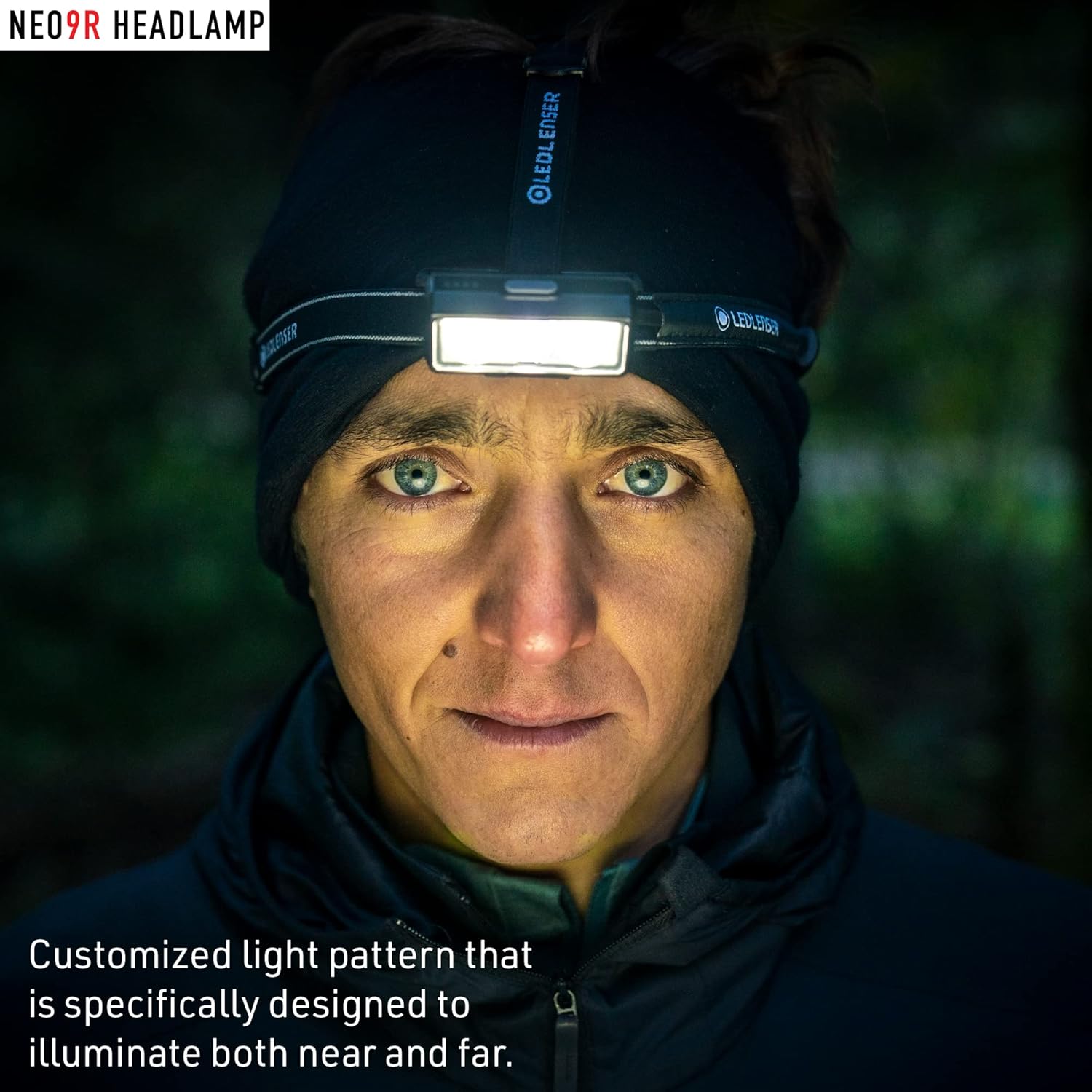
The NEO9R features a specialized Fusion Beam, combining separate flood and spot lights for optimal illumination across different distances.

- The flood light provides a wide, even illumination for close-range visibility.
- The spot light offers a focused, long-distance beam for clear pathfinding.
- This combination ensures a customized light pattern designed to illuminate both near and far surroundings effectively.
6. Maintenance
6.1 Cleaning
- Wipe the headlamp body with a soft, damp cloth. Do not use abrasive cleaners or solvents.
- Clean the lens gently with a microfiber cloth to avoid scratches.
- The headband can be hand-washed with mild soap and water, then air-dried.
6.2 Battery Care and Storage
- Recharge the battery regularly, even if not in frequent use, to maintain its lifespan.
- Store the headlamp in a cool, dry place away from direct sunlight and extreme temperatures.
- For long-term storage, charge the battery to approximately 50% capacity.
6.3 Dust & Water Protection (IP54)
The NEO9R is rated IP54, meaning it is protected against dust ingress and splashing water from any direction.

- While water-resistant, avoid submerging the headlamp in water.
- Ensure the charging port is clean and dry before charging.
6.4 Temperature Control System
The headlamp incorporates a temperature control system to prevent overheating and ensure optimal performance and longevity.

7. Troubleshooting
| Problem | Possible Cause | Solution |
|---|---|---|
| Headlamp does not turn on. | Battery is depleted. | Charge the battery using the magnetic charging cable. |
| Light output is dim. | Low battery charge. | Recharge the battery. |
| Headlamp turns off unexpectedly. | Battery is depleted or overheating. | Recharge the battery. If it's hot, allow it to cool down before resuming use. |
| Magnetic charging cable does not connect properly. | Debris in charging port or incorrect alignment. | Ensure the charging port is clean and align the magnetic connector correctly. |
8. Specifications
| Feature | Detail |
|---|---|
| Model | NEO9R (502324) |
| Light Source Type | LED |
| Brightness (Max) | 1200 Lumens (Boost) |
| Brightness (Min) | 20 Lumens |
| Beam Distance (Max) | 200m |
| Runtime (Max) | 120 hours |
| Runtime (Min) | 5 hours |
| Power Source | Rechargeable Lithium-ion Battery (5000 mAh, 3.7 Volts) |
| Charging System | Magnetic Charge System |
| Material | Aluminum, Nylon, Plastic |
| Item Weight | 199 Grams (7 ounces) |
| Water Resistance Level | IP54 (Dust & Water Resistant) |
| Product Dimensions | 2 x 1.5 x 1.5 inches |
| Special Feature | Reflective elements, Red Rear Light |
9. Warranty
The Ledlenser NEO9R headlamp comes with a 7-year warranty, reflecting the manufacturer's confidence in its quality and durability. This warranty covers defects in materials and workmanship under normal use. Please retain your proof of purchase for warranty claims.
For specific warranty terms and conditions, please refer to the official Ledlenser website or contact customer support.
10. Support
For further assistance, technical support, or to inquire about replacement parts, please visit the official Ledlenser website or contact their customer service department. Contact information can typically be found on the product packaging or the manufacturer's website.


