1. Product Overview
This manual provides essential information for the safe and effective use of your kybate AC Adapter, designed for compatibility with the JOBSMART 1500 Lumen LED Spotlight model 1267904. This power supply charger converts AC wall power to the appropriate DC voltage required by your spotlight, ensuring reliable operation.
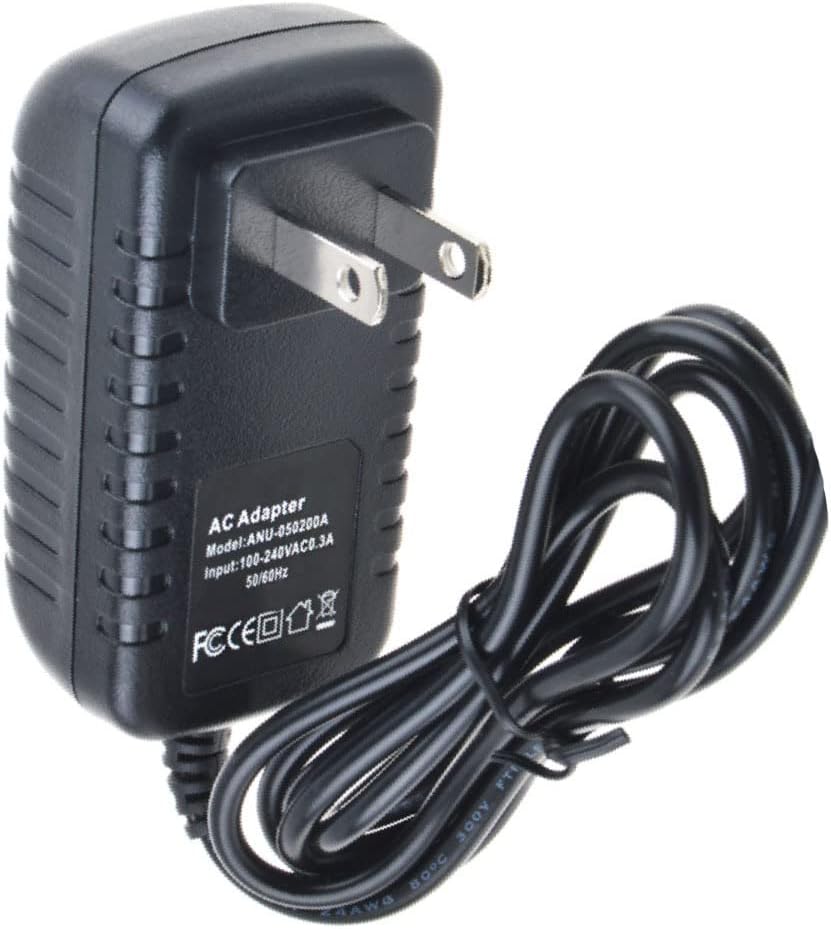
Figure 1.1: Front view of the kybate AC Adapter, showing the US standard two-prong plug and the attached output cable. The adapter casing is black with ventilation grooves on the sides.
2. Safety Information
Your safety is paramount. Please read and understand all safety instructions before using this product. Failure to follow these instructions may result in electric shock, fire, or serious injury.
- Input Voltage: This adapter is designed for AC 100-240V 50/60Hz input. Ensure your power outlet matches these specifications.
- Protection Features: The adapter includes multiple safety mechanisms:
- Overvoltage Protection
- Overcurrent Protection
- Short-circuit Protection
- Internal Overheating Protection
- Do not expose the adapter to water, moisture, or extreme temperatures.
- Do not disassemble or attempt to repair the adapter. Refer all servicing to qualified personnel.
- Ensure the adapter is used with compatible devices only. Verify the voltage and current requirements of your device before connecting.

Figure 2.1: Visual representation of the built-in safety features of the kybate AC Adapter, including overvoltage, overcurrent, short-circuit protection, and notes on environmental friendliness, good durable performance, and good corrosion resistance.
3. Setup and Connection
- Verify Compatibility: Before connecting, ensure that your JOBSMART 1500 Lumen LED Spotlight (model 1267904) requires a power supply with the specifications provided by this kybate AC adapter. Check the spotlight's input requirements.
- Connect to Device: Insert the output connector of the kybate AC adapter firmly into the charging port of your JOBSMART 1500 Lumen LED Spotlight.
- Connect to Power Outlet: Plug the AC adapter's two-prong plug into a standard AC 100-240V 50/60Hz wall outlet.
- Charging Indicator: Observe the charging indicator on your spotlight (if available) to confirm that charging has begun.
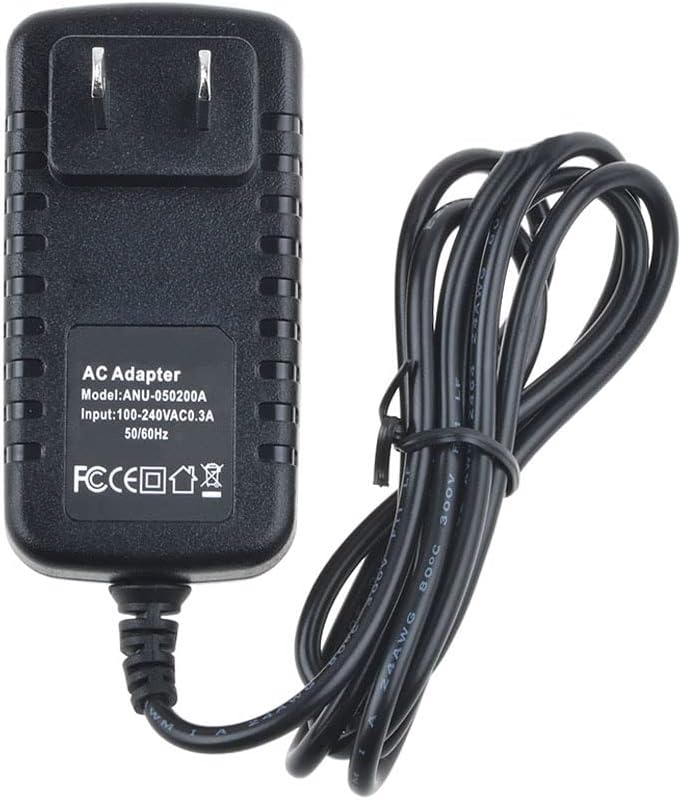
Figure 3.1: Rear view of the kybate AC Adapter, displaying the product label with model number (ANU-050200A), input voltage (100-240VAC 0.3A), and various certification marks (FC, CE, RoHS).
4. Operating Instructions
Once connected, the adapter will automatically begin supplying power or charging the connected device. No user interaction is typically required for its operation.
- Ensure the adapter is placed in a well-ventilated area during operation to prevent overheating.
- Disconnect the adapter from the power outlet when not in use for extended periods.
- Always grasp the plug, not the cable, when disconnecting from the wall outlet.
5. Maintenance and Care
Proper maintenance ensures the longevity and safe operation of your AC adapter.
- Keep the adapter clean and free from dust. Use a dry, soft cloth for cleaning.
- Avoid bending or crimping the power cable excessively, as this can damage internal wires.
- Store the adapter in a cool, dry place when not in use.
- Do not expose the adapter to direct sunlight or heat sources.
6. Troubleshooting
If you encounter issues with your AC adapter, please refer to the following common troubleshooting steps:
| Problem | Possible Cause | Solution |
|---|---|---|
| Device not charging/powering on. |
|
|
| Adapter feels hot during use. |
|
|
7. Specifications
| Feature | Detail |
|---|---|
| Brand | kybate |
| Compatible Device | JOBSMART 1500 Lumen LED Spotlight 1267904 |
| Input Voltage | AC 100-240V, 50/60Hz, 0.3A |
| Main Power Connector Type | 2 Pin (US Standard) |
| Color | BLACK |
| Safety Features | Overvoltage Protection, Overcurrent Protection, Short-circuit Protection, Internal Overheating Protection |
| Mounting Type | Wall Mount |
| Power Source | Corded Electric |
8. Product Support and Warranty
For any questions, concerns, or technical assistance regarding your kybate AC adapter, please contact customer service. Refer to your purchase documentation for specific warranty details.
Important Note: Always ensure that you choose the right device before purchasing to guarantee compatibility and optimal performance.
For further assistance, you may visit the kybate brand page on Amazon: kybate Official Store


