
1. Introduction
Thank you for choosing the Mengshen MS-Z10 Rechargeable Bike Alarm. This wireless anti-theft alarm is designed to provide enhanced security for your bicycle, motorcycle, scooter, car, electric bike, luggage, doors, windows, and other valuable items. Featuring a 110 dB siren, adjustable sensitivity, and a convenient remote control, it offers reliable protection against theft. Please read this manual carefully to ensure proper installation and operation.
2. Package Contents
Before you begin, please check the package to ensure all items are present:
- Alarm Unit
- 4-Button Remote Control
- USB Charging Cable
- Bracket (Two-part)
- Fixed Piece for Bracket
- Silicone Gaskets (2)
- Installation Tools (Screwdriver, Hex Wrench)
- Double-sided Tape
- Zip Ties
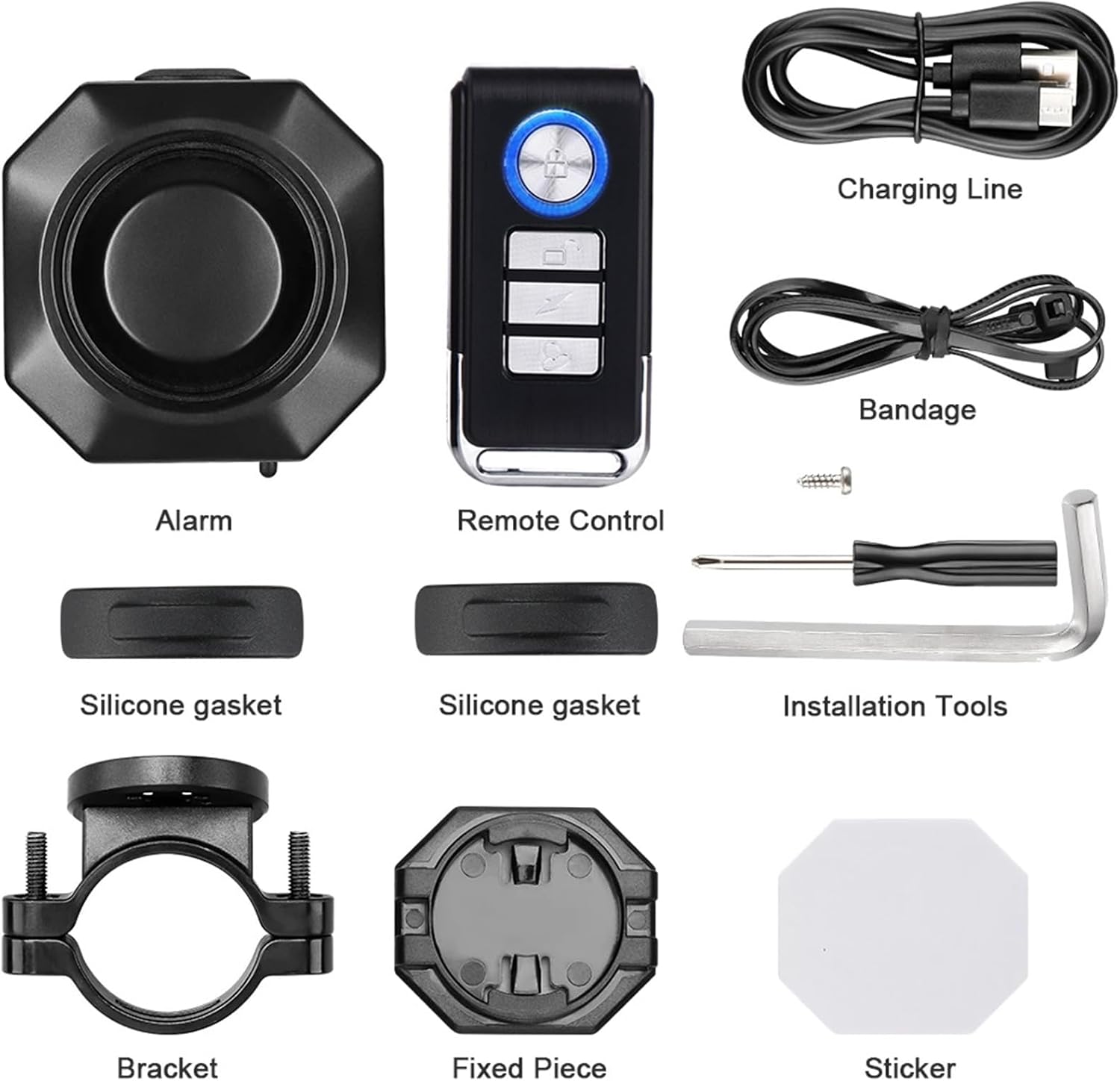
Image: All components included in the Mengshen MS-Z10 Bike Alarm package.
3. Specifications
| Feature | Detail |
|---|---|
| Model Number | MS-Z10 |
| Dimensions | 2.56 x 3.23 x 3.54 inches (approx. 46 x 46 x 35mm) |
| Weight | 5.6 ounces |
| Battery | Rechargeable 4.2V 700mAh Lithium Ion |
| Charging | USB cable, DC5V power adapter |
| Noise Level | 110 Decibels (adjustable) |
| Sensitivity Levels | 7 levels (adjustable) |
| Remote Control Range | Up to 20 meters (65 feet) |
| Waterproof Rating | IP54 |
| Compatible Devices | Bicycles, Motorcycles, Scooters, Cars, Electric Bikes, Luggage, Doors, Windows |
4. Setup and Installation
The Mengshen MS-Z10 alarm offers three primary installation methods:
4.1. Bracket Mounting
- Attach the fixed piece to the back of the alarm unit by rotating it until it locks into place. Secure it with the provided screw.
- Place the two silicone pads inside the two-part bracket, ensuring the contours align with the grooves.
- Position the bracket on your desired location (e.g., handlebar, seat post, frame tube).
- Secure the bracket by tightening the screws with the provided hex wrench until it is firm and does not slide.

Image: Detailed steps for installing the alarm using the bracket mount.
4.2. Zip Tie Mounting
If the bracket diameter is not suitable for your frame, you can use zip ties:
- Attach the fixed piece to the back of the alarm unit.
- Thread the provided zip ties through the designated slots on the fixed piece.
- Secure the alarm to your desired location by wrapping the zip ties around the frame and tightening them.
4.3. Double-Sided Tape Mounting
For flat surfaces or discreet placement, use the double-sided tape:
- Clean the surface where you intend to mount the alarm.
- Attach the fixed piece to the back of the alarm unit.
- Peel off one side of the protective film from the double-sided tape and apply it firmly to the fixed piece.
- Peel off the other side of the film and press the alarm firmly onto the desired clean surface.

Image: Visual representation of the three installation methods: bracket, double-sided tape, and zip ties.
4.4. Installation Video
Video: This video demonstrates the three easy installation methods for the Mengshen MS-Z10 alarm: bracket mounting, zip tie mounting, and double-sided tape mounting.
5. Operating Instructions
The alarm is controlled by a 4-button remote control.
- Arm Button (Lock Icon): Press once to activate the alarm. The alarm will make a "Duo.Re.Mi" prompt sound. After approximately 5 seconds, it will make a "Bi" sound and enter arm mode.
- Disarm Button (Unlock Icon): Press once to deactivate the alarm.
- Ringtone Selection Button (Bell Icon): Press to cycle through different alarm ringtones.
- Vehicle Search Button (Lightning Bolt Icon): Press to make the alarm sound, helping you locate your vehicle.
5.1. Alarm Triggering
In arm mode, if motion or vibration is detected, the alarm will sound for 2 seconds. If further motion or vibration is detected within 2-12 seconds, the alarm will sound continuously for 30 seconds.
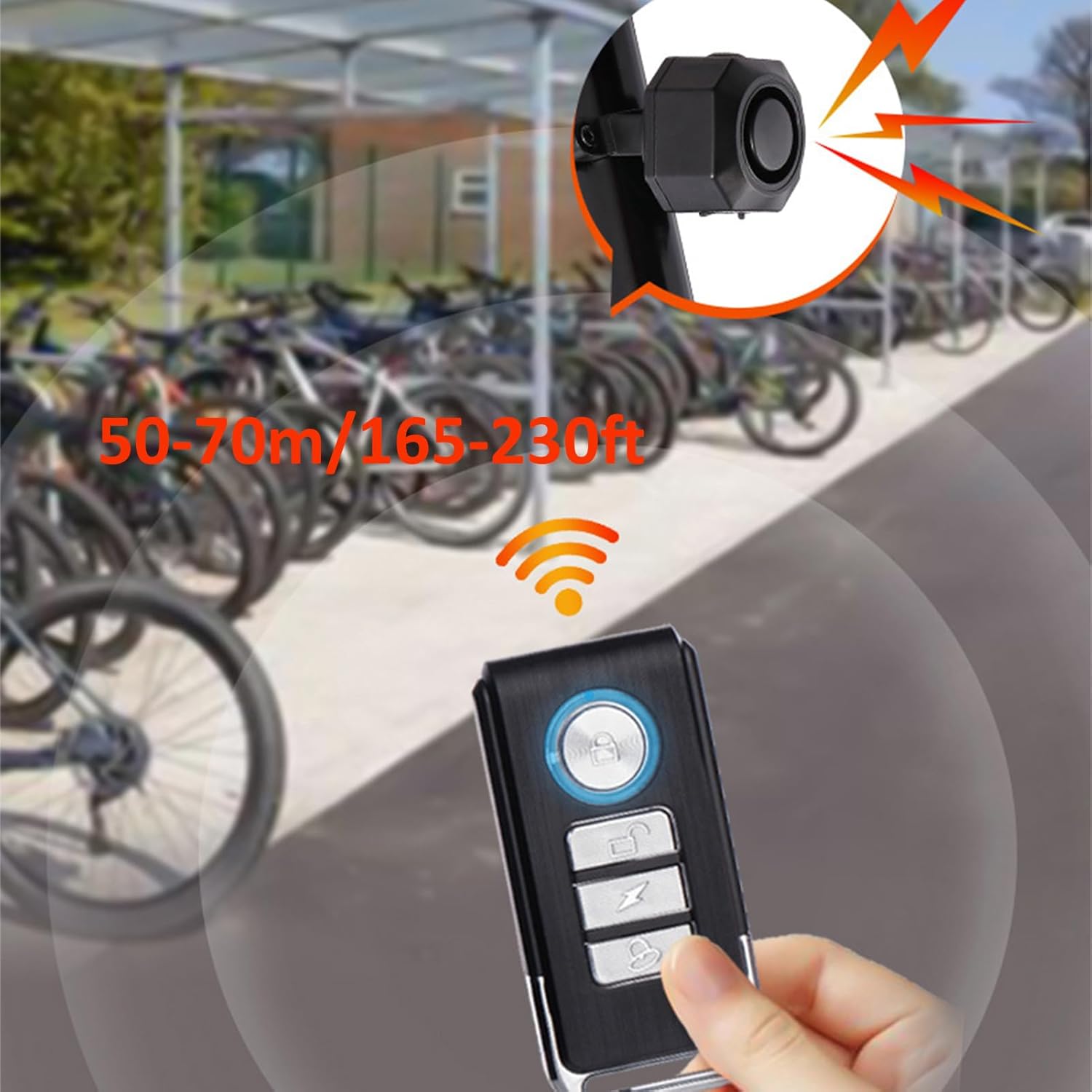
Image: The remote control for the Mengshen MS-Z10 alarm, illustrating its effective range.
5.2. Function Demonstration Video
Video: This video provides a quick demonstration of the Mengshen MS-Z10 alarm's core functions, including arming, disarming, and triggering.
6. Key Features
- 110 dB Loud Alarm: Provides a strong deterrent against potential thieves.
- 3 Level Volume Adjustment: Customize the alarm volume to suit your environment.
- 7 Level Sensitivity Adjustment: Adjust the sensitivity from gentle touch to strong vibration/beat to prevent false alarms or ensure immediate response.
- USB Rechargeable Battery: Built-in 4.2V 700mAh lithium battery. A full charge can last approximately 1 month.
- IP54 Waterproof: Designed to withstand splashes and dust, suitable for outdoor use.
- Multi-Purpose Use: Ideal for bicycles, motorcycles, scooters, cars, electric bikes, luggage, doors, windows, and more.
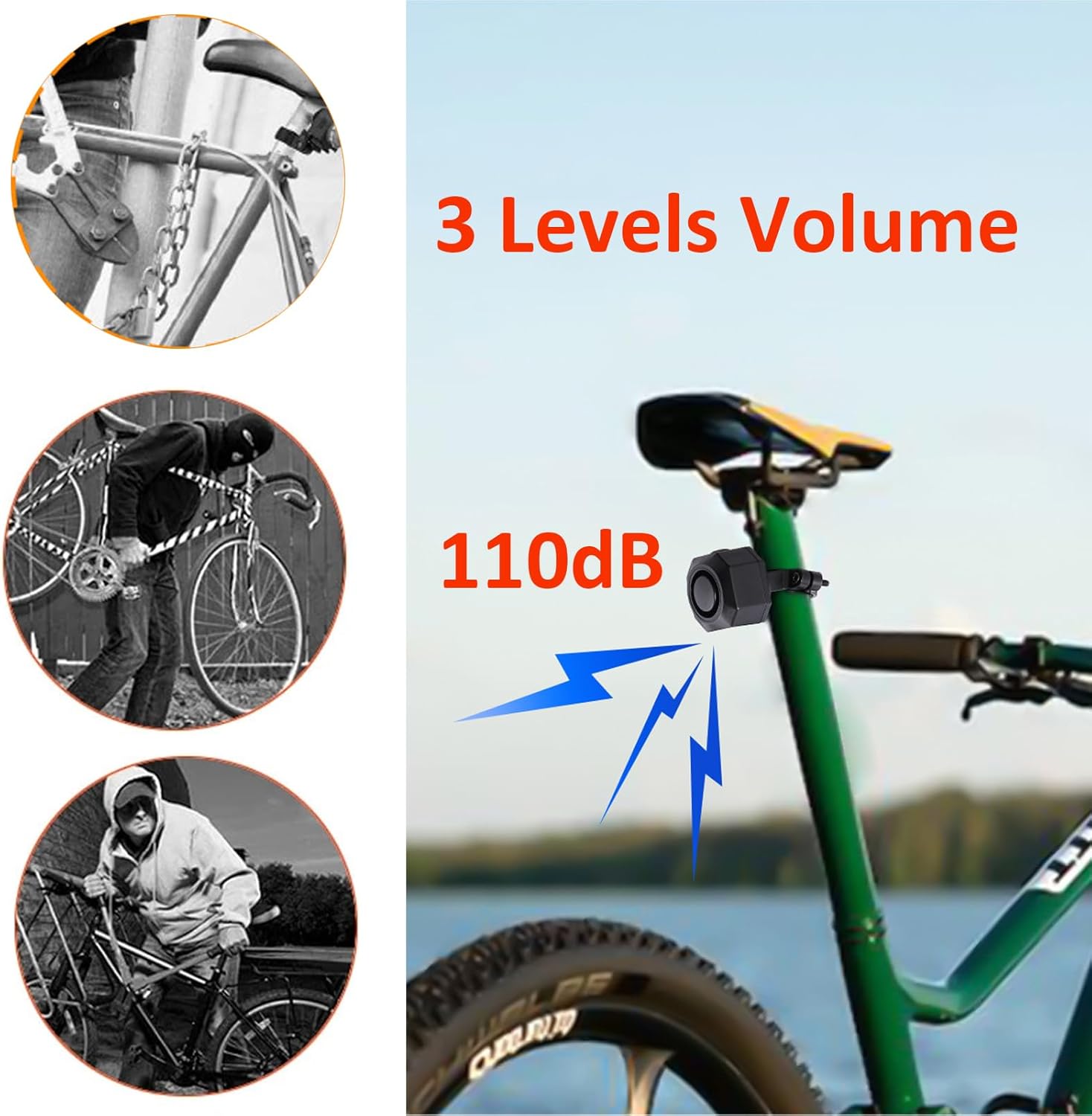
Image: The alarm unit highlighting its 110dB siren and 3 adjustable volume levels.

Image: The alarm unit illustrating its 7 adjustable sensitivity levels, from gentle touch to strong impact.
7. Maintenance
7.1. Charging the Alarm
The alarm unit has a built-in rechargeable battery. When the battery is low, the alarm may emit a low battery warning sound or its performance may degrade. To charge:
- Connect the provided USB charging cable to the alarm unit's charging port.
- Connect the other end of the USB cable to a DC5V power adapter (not included) or a USB port on a computer.
- The charging indicator light will illuminate. Once fully charged, the light will change or turn off (refer to the specific indicator behavior in your product's quick start guide).
- A full charge typically lasts about 1 month, with a standby time of up to 6 months.

Image: The alarm unit connected to a USB charger, displaying its battery life and charging status.
7.2. Waterproofing
The alarm has an IP54 waterproof rating, meaning it is protected against dust ingress and splashing water from any direction. While it can withstand rain, avoid submerging the device in water.
8. Troubleshooting
- Alarm not arming/disarming: Ensure the remote control battery is not depleted. Check the distance between the remote and the alarm; it should be within 20 meters (65 feet).
- False alarms: The sensitivity may be set too high. Adjust the sensitivity to a lower level using the remote control. Environmental factors like strong winds or heavy vibrations can also trigger the alarm if sensitivity is high.
- Alarm not sounding or weak sound: The battery might be low. Recharge the alarm unit. Ensure the volume is not set to the lowest level.
- Remote control not responding: Replace the remote control battery if necessary. Re-pair the remote with the alarm unit (refer to the quick start guide for pairing instructions).
- Short battery life: Ensure the alarm is fully charged. Extreme temperatures can affect battery performance.
9. Warranty and Support
Mengshen products are designed for reliability and performance. For warranty information, technical support, or any questions regarding your MS-Z10 Rechargeable Bike Alarm, please refer to the contact information provided with your purchase or visit the official Mengshen website. Keep your purchase receipt as proof of purchase for warranty claims.


