
1. Setup and Charging
Before initial use, ensure the device is fully charged using the provided 4-foot USB cable. The device features a rechargeable battery for portability.

Figure 1: Rear view of the Baby Shark Alarm Clock with the USB charging port visible.
2. Operating Instructions
2.1 Sleep Training Modes
The Baby Shark Alarm Clock offers interactive sleep, play, and wake modes to assist children with sleep training.
- Sleep Mode: Set a desired sleep time. The clock will display a sleeping Baby Shark (eyes closed) to indicate quiet hours. An optional night light can be set to aid peaceful sleep.
- Play Mode: Approximately 30 minutes before the set wake time, the clock's eyes will open, glow, and begin to look around. This visual cue encourages children to play quietly until the official wake time.
- Wake Mode: At the set wake time, the Baby Shark Clock will glow and play the Baby Shark song. The green light will remain illuminated for one hour, allowing for flexibility if your child sleeps in.

Figure 2: Baby Shark Alarm Clock in Sleep Mode with eyes closed.

Figure 3: Baby Shark Alarm Clock in Wake Mode with eyes open.
2.2 Night Light and Sounds
The device features a built-in night light and various sound options.
- Night Light: Activate the night light for a comforting glow. The light can be set to various colors.
- Sounds: Enjoy alarm sounds, nature sleep sounds, and the iconic Baby Shark song.
- Snooze Function: A snooze function is available for alarms.

Figure 4: The Baby Shark Alarm Clock providing a gentle night light.
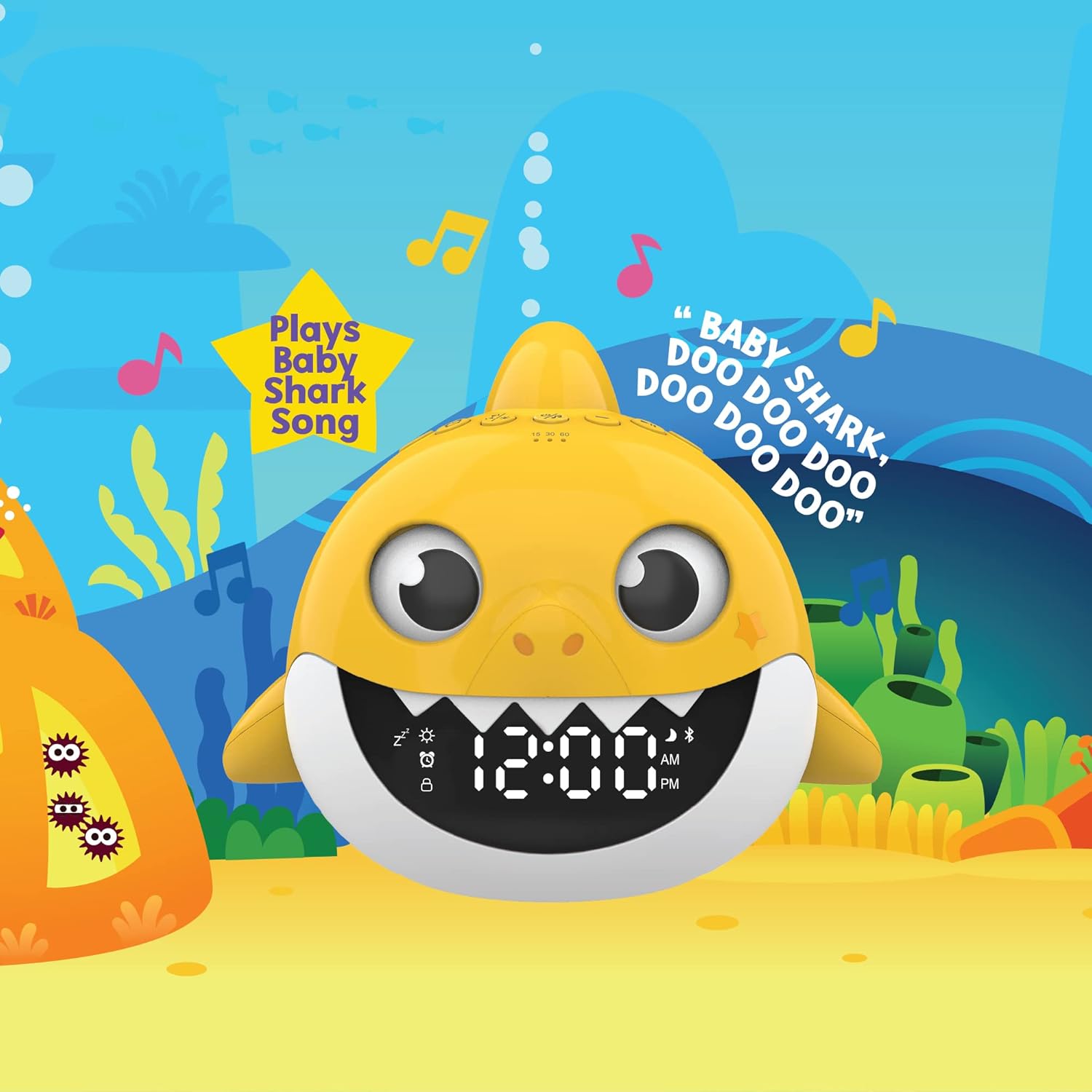
Figure 5: The Baby Shark Alarm Clock playing the Baby Shark song.
2.3 Bluetooth Speaker
Connect your device wirelessly to the Baby Shark Alarm Clock to stream music.
- Pairing: Refer to the device's specific instructions for Bluetooth pairing.
- Playback: Once paired, stream audio from your connected device.

Figure 6: Wireless music streaming via Bluetooth on the Baby Shark Alarm Clock.
3. Maintenance
To clean the device, simply wipe it with a clean, damp cloth. Avoid using harsh chemicals or abrasive materials.
4. Troubleshooting
If you encounter any issues, please ensure the device is fully charged. If problems persist, refer to the official product support resources.
5. Specifications
| Feature | Detail |
|---|---|
| Brand | Core Innovations |
| Model Number | ALM204 |
| Color | Yellow |
| Display Type | Digital |
| Special Feature | Programmable, Timer |
| Product Dimensions | 6.1"W x 6.8"H |
| Power Source | Battery Powered |
| Material | Plastic |
| Item Weight | 12.8 ounces |
| Batteries Required | Yes (1 Lithium Ion battery included) |
| Included Components | Alarm Clock; USB Cable |
6. Warranty and Support
This product comes with a 1-year limited warranty covering 90 days for parts and labor.
For further assistance or product information, please visit the official Core Innovations website: Core Innovations Product Page
