
1. Introduction
Thank you for choosing the Auna AMP-4000 DAB HiFi Stereo Amplifier. This amplifier is designed to provide high-quality audio reproduction and versatile connectivity options for your home audio system. It features an integrated DAB+ radio tuner, Bluetooth connectivity, USB input, and multiple analog and digital inputs. This manual provides essential information for the safe and efficient operation of your device.
2. Safety Instructions
Please read these safety instructions carefully before operating the device and keep them for future reference. Incorrect operation due to disregard of these instructions may cause damage to the product or personal injury.
- Power Source: Connect the amplifier only to an AC outlet of the voltage specified on the unit.
- Ventilation: Ensure adequate ventilation. Do not block ventilation openings. Do not place the unit on carpets or other soft surfaces that may block the ventilation slots.
- Water and Moisture: Do not expose the unit to rain or moisture. Do not place objects filled with liquids, such as vases, on the unit.
- Heat: Do not place the unit near heat sources such as radiators, heat registers, stoves, or other apparatus (including amplifiers) that produce heat.
- Cleaning: Unplug the unit from the wall outlet before cleaning. Use a soft, dry cloth only.
- Servicing: Do not attempt to service this product yourself. Refer all servicing to qualified service personnel.
- Object and Liquid Entry: Never push objects of any kind into this product through openings as they may touch dangerous voltage points or short-out parts that could result in a fire or electric shock.
- Placement: Place the unit on a stable, level surface.
3. Product Overview
The Auna AMP-4000 DAB is a versatile HiFi stereo amplifier designed for comprehensive home audio entertainment. It integrates a DAB+ radio tuner for digital radio reception and offers various connectivity options.
Key Features:
- Powerful Output: 4 x 100 watts RMS power output for robust sound.
- Integrated DAB+ Radio: Built-in digital DAB+ radio tuner for clear, interference-free radio enjoyment.
- Bluetooth Connectivity: Wireless audio streaming from smartphones, tablets, and other Bluetooth-enabled devices.
- USB Input: Front-panel USB slot for playing audio files from USB storage devices.
- Multiple Inputs: Includes optical, coaxial, AUX, and 3 stereo RCA inputs for connecting various audio sources like CD/DVD players.
- Line-Out Output: For connecting to external recording devices or additional amplifiers.
- User-Friendly Controls: Central LED display and included remote control for easy operation.
- Adjustable Audio: Controls for volume, treble, bass, and balance.

Image 3.1: The Auna AMP-4000 DAB amplifier integrated into a home audio setup, showcasing its digital DAB+ radio capability for clear sound.
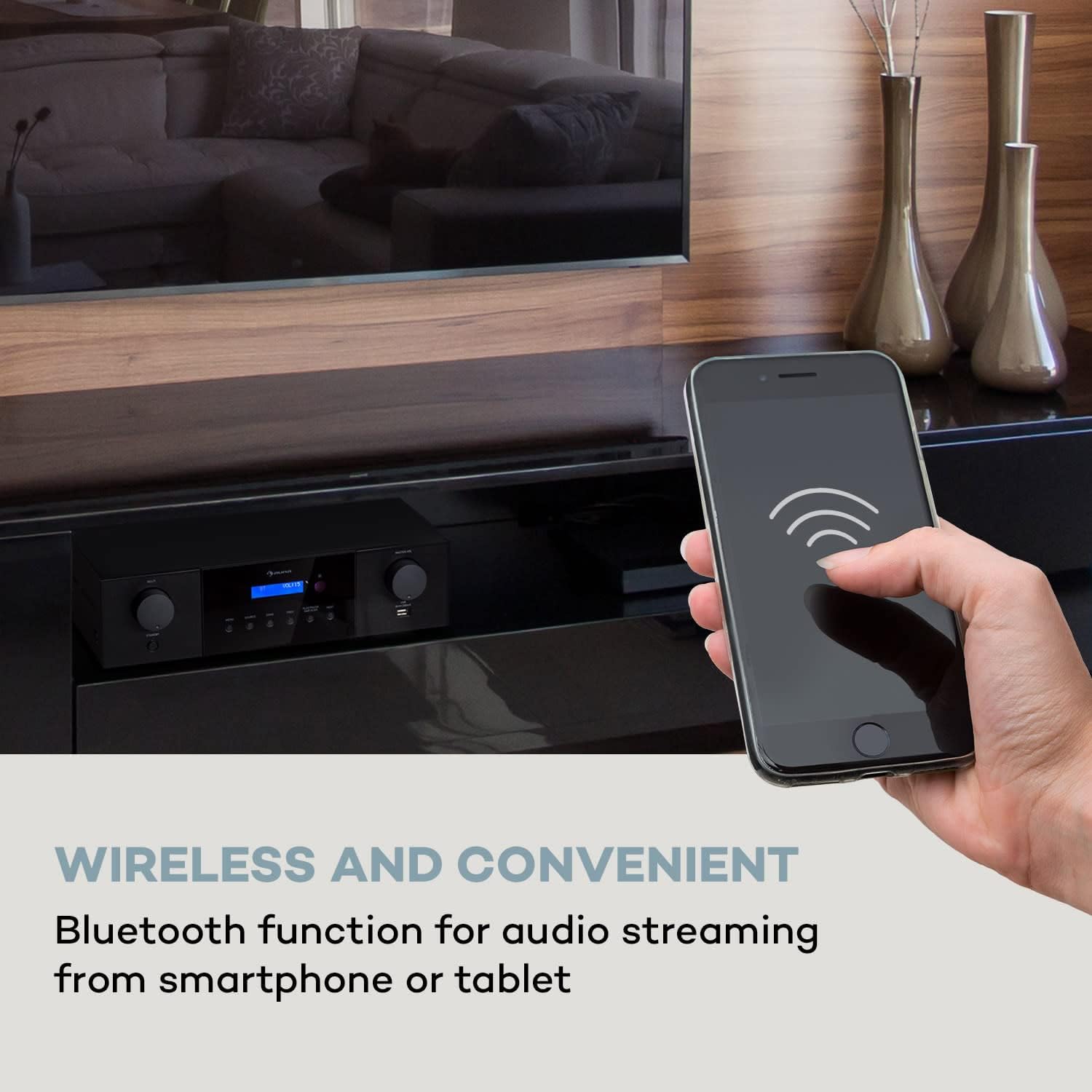
Image 3.2: Wireless audio streaming via Bluetooth from a smartphone to the amplifier.

Image 3.3: The amplifier's front panel, emphasizing its powerful 4 x 100 Watt RMS output.
4. Setup
4.1 Unpacking and Placement
- Carefully remove the amplifier from its packaging.
- Place the amplifier on a stable, flat surface with adequate ventilation around it. Avoid placing it in direct sunlight or near heat sources.
- Ensure there is enough space for cable connections at the rear.
4.2 Connecting Speakers
The AMP-4000 DAB features 4 speaker zones, each with 100 watts RMS power. Connect your passive speakers to the corresponding speaker terminals on the rear panel.
- Connect the positive (+) terminal of each speaker to the red (+) terminal of the amplifier's corresponding speaker zone.
- Connect the negative (-) terminal of each speaker to the black (-) terminal of the amplifier's corresponding speaker zone.
- Ensure all connections are secure and that no bare speaker wire strands are touching each other or the amplifier chassis, which could cause a short circuit.
4.3 Connecting Audio Sources
The amplifier offers various input options:
- Optical Input: Connect digital audio sources (e.g., TV, game console) using an optical cable.
- Coaxial Inputs (x2): Connect digital audio sources using coaxial cables.
- AUX Input: Connect analog audio sources (e.g., MP3 player) using a 3.5mm jack cable.
- RCA Inputs (x3): Connect analog audio sources (e.g., CD player, DVD player) using RCA cables.
- USB Input (Front Panel): Insert a USB storage device for playing audio files.

Image 4.1: Rear panel connectivity options including Line-Out, Optical In, Coaxial In, and AUX In.
4.4 Connecting Power
After all audio and speaker connections are made, connect the power cable to the amplifier's AC input and then to a suitable wall outlet (220-240 V~ 50/60 Hz). Ensure the rear on/off switch is in the OFF position before connecting to power.
5. Operating Instructions
5.1 Powering On/Off
- To power on the amplifier, switch the rear on/off switch to the ON position. The unit will enter standby mode.
- Press the STANDBY button on the front panel or the remote control to fully power on the unit.
- To put the unit into standby, press the STANDBY button again.
- For complete power off, switch the rear on/off switch to the OFF position.
5.2 Source Selection
Press the SOURCE button on the front panel or the remote control to cycle through available input sources (DAB+, Bluetooth, USB, Optical, Coaxial 1, Coaxial 2, AUX, RCA 1, RCA 2, RCA 3).
5.3 Volume Control
Adjust the master volume using the MASTER VOL knob on the front panel or the VOL+ / VOL- buttons on the remote control.
5.4 DAB+ Radio Operation
- Select DAB+ as the source.
- Perform a DAB scan to find available stations. This can usually be initiated via the DAB SCAN button or menu option.
- Use the PREV and NEXT buttons to navigate through available stations.
5.5 Bluetooth Pairing
- Select Bluetooth as the source. The amplifier will enter pairing mode, indicated on the LED display.
- On your smartphone or tablet, enable Bluetooth and search for available devices.
- Select "Auna AMP-4000 DAB" from the list of devices to pair.
- Once paired, you can stream audio wirelessly from your device to the amplifier.
5.6 USB Playback
- Insert a USB storage device into the front USB port.
- Select USB as the source.
- Use the PREV, NEXT, and PLAY/PAUSE buttons to control playback.

Image 5.1: The amplifier's front panel and remote control, illustrating convenient operation.
6. Maintenance
6.1 Cleaning
- Always unplug the amplifier from the power outlet before cleaning.
- Use a soft, dry cloth to wipe the exterior surfaces.
- Do not use liquid cleaners, aerosol cleaners, or strong chemical solvents, as these may damage the finish.
- Keep ventilation openings free of dust.
6.2 Storage
If you plan to store the amplifier for an extended period, disconnect it from the power supply and store it in a cool, dry place, away from direct sunlight and extreme temperatures.
7. Troubleshooting
If you experience issues with your amplifier, please consult the following table before contacting support.
| Problem | Possible Cause | Solution |
|---|---|---|
| No power | Power cable not connected; Rear power switch off; Unit in standby. | Ensure power cable is securely connected. Turn on the rear power switch. Press the STANDBY button on the front panel or remote. |
| No sound | Incorrect source selected; Speaker cables loose; Volume too low; Mute function active. | Select the correct input source. Check speaker connections. Increase volume. Deactivate mute. |
| Bluetooth not connecting | Amplifier not in pairing mode; Device Bluetooth off; Device too far. | Ensure Bluetooth source is selected on amplifier. Enable Bluetooth on your device. Move device closer to amplifier. |
| DAB+ radio not receiving stations | DAB antenna not connected or positioned incorrectly; No station scan performed. | Connect the DAB antenna and adjust its position for better reception. Perform a DAB station scan. |
8. Specifications
| Model Number | IT10038329 |
| Brand | AUNA |
| Output Power | 4 x 100 Watts RMS |
| Total Wattage | 400 Watts |
| Number of Channels | 4 |
| Connectivity Technology | Bluetooth, USB |
| Connector Types | 3.5mm Jack, RCA, USB, Optical, Coaxial |
| Special Features | Built-in Bluetooth, RCA, Subwoofer (Line-Out), DAB+ Radio Tuner |
| Compatible Devices | Smartphone, Tablet, CD Player, DVD Player, TV, Game Console |
| Control Method | Remote, Manual Knobs/Buttons |
| Product Dimensions (WxHxD) | 43 x 12.5 x 24.5 cm |
| Item Weight | 4 Kilograms |
| Power Supply | 220-240 V~ 50/60 Hz |

Image 8.1: Physical dimensions of the Auna AMP-4000 DAB amplifier.
9. Warranty and Support
9.1 Warranty Information
This product is covered by a manufacturer's warranty. Please refer to the warranty card included with your purchase for specific terms and conditions, including the warranty period and coverage details. Keep your proof of purchase for warranty claims.
9.2 Customer Support
For technical assistance, troubleshooting beyond this manual, or warranty inquiries, please contact Auna customer support. Contact details can typically be found on the manufacturer's official website or on the product packaging.
Please have your model number (IT10038329) and proof of purchase ready when contacting support.


