
1. Introduction
Thank you for choosing the MTHAT Kim 8 Slimming System. This professional-grade device is designed for various body and facial treatments, offering a comprehensive solution for aesthetic applications. Please read this manual thoroughly before operating the device to ensure safe and effective use. Keep this manual for future reference.
2. Safety Instructions
- Always ensure the device is connected to a grounded power outlet with the correct voltage (110V US Plug).
- Do not operate the device with wet hands or in a wet environment.
- Keep the device away from water, heat sources, and direct sunlight.
- Do not attempt to disassemble or repair the device yourself. Contact qualified service personnel for assistance.
- Consult a healthcare professional before using this device, especially if you have pre-existing medical conditions, are pregnant, or have pacemakers/implants.
- Avoid direct contact with eyes and mucous membranes.
- Ensure proper ventilation during operation.
- Keep out of reach of children.
3. Package Contents
Upon unpacking, please verify that all the following components are included:
- 1 x Main Machine
- 5 x Function Handles (Cavitation, Vacuum RF, Tripolar RF, Body RF, Face RF)
- 8 x L-Pads (6 big & 2 small)
- 2 x Light Pads Holder
- 1 x Heads Holder
- 2 x Belt
- 1 x Power Cord
- 1 x User Manual
4. Product Overview
The MTHAT Kim 8 Slimming System is a multi-functional device featuring a main unit with a control screen and various interchangeable treatment heads designed for different applications.
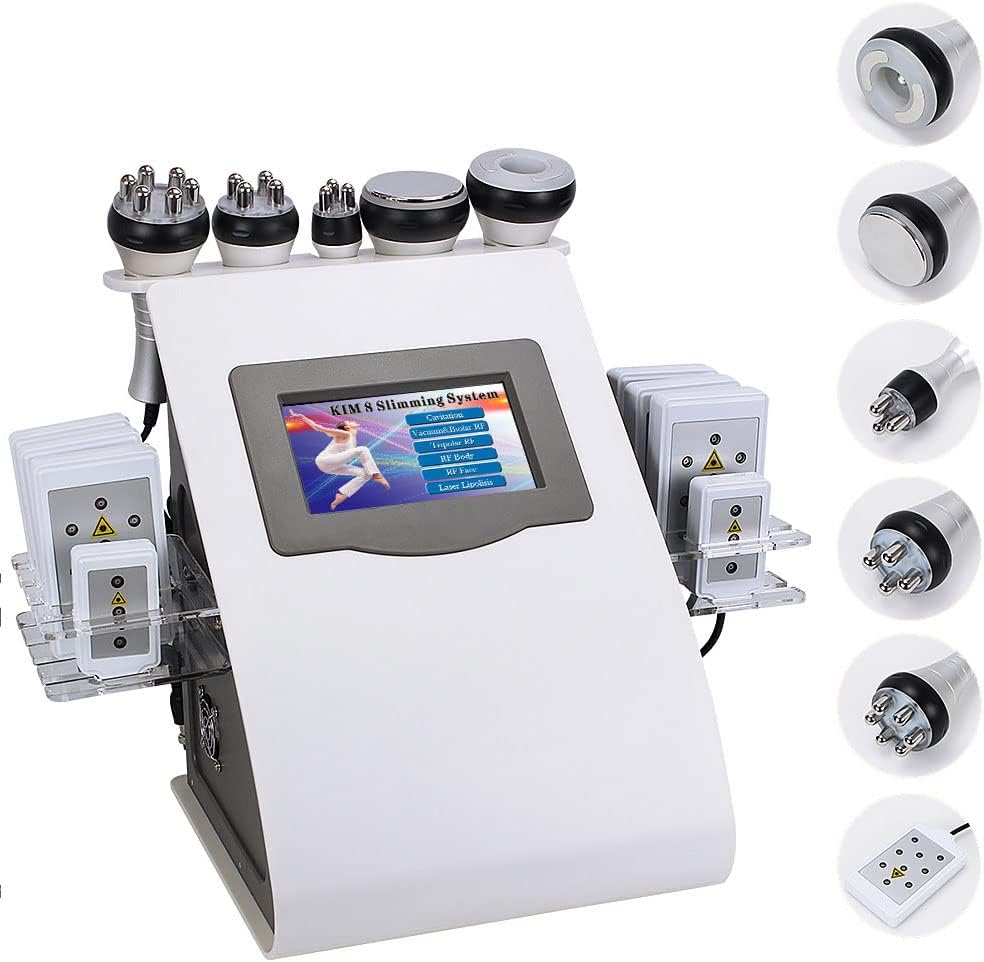
Figure 4.1: Main unit of the MTHAT Kim 8 Slimming System with all included accessories and handles.

Figure 4.2: Front view of the MTHAT Kim 8 Slimming System, showing the control screen and handle holders.
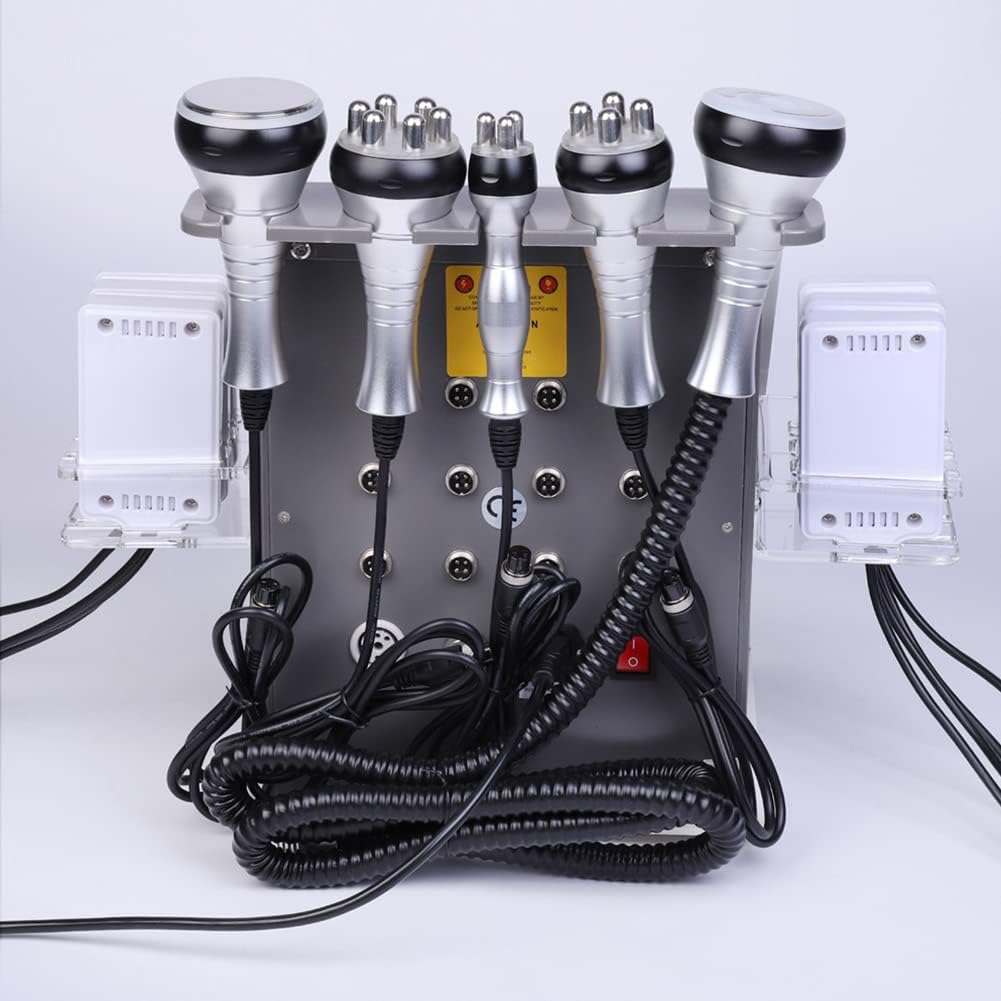
Figure 4.3: Rear view of the MTHAT Kim 8 Slimming System, illustrating the power input and connection ports for various handles.
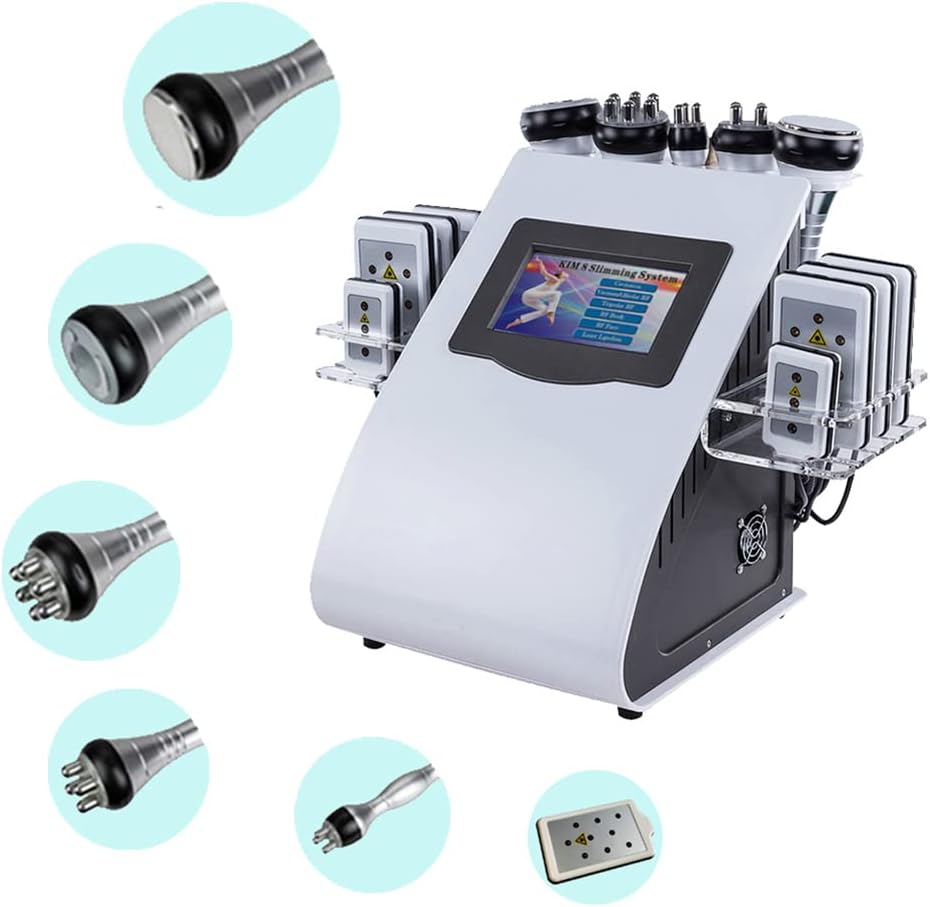
Figure 4.4: A close-up view of the different treatment heads included with the system, each designed for specific functions.

Figure 4.5: Detailed view of the laser lipo pads, which emit light for targeted treatments.
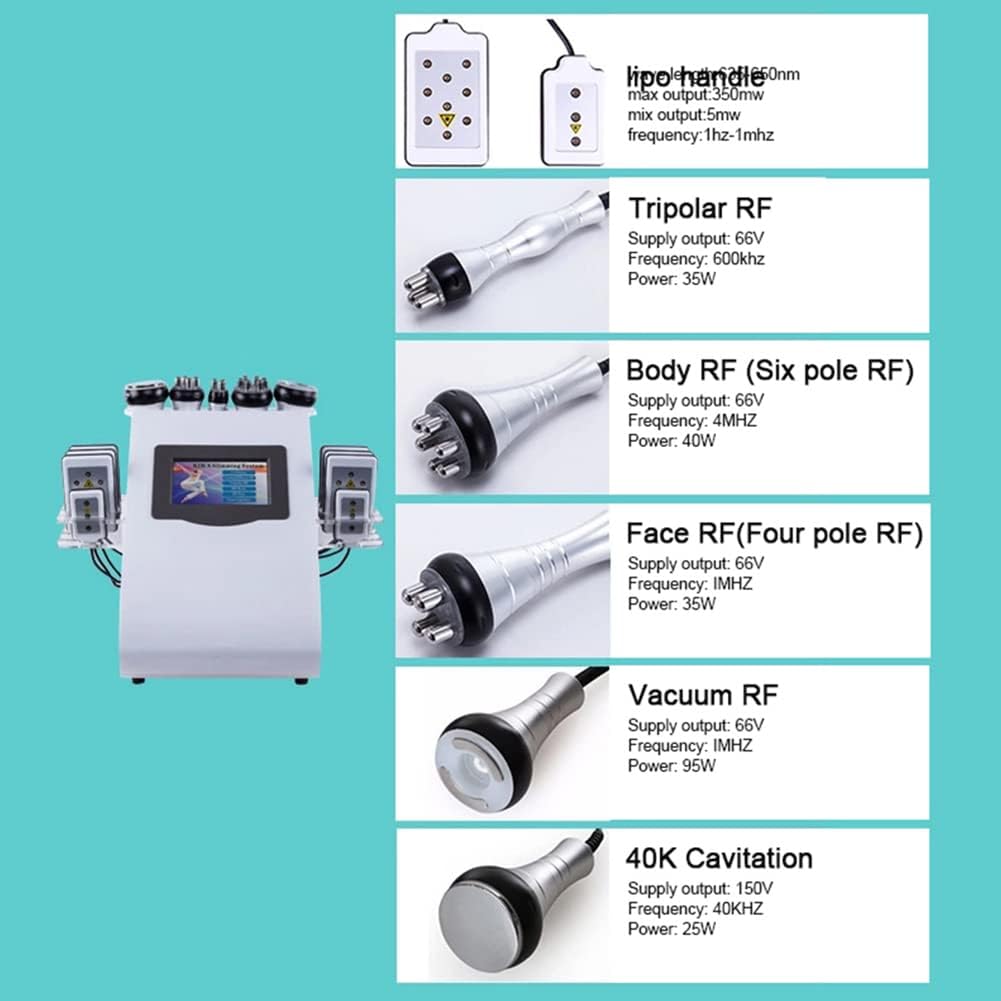
Figure 4.6: An illustrative diagram detailing the specifications and appearance of each RF and Cavitation treatment head.
5. Setup
Follow these steps to set up your MTHAT Kim 8 Slimming System:
- Unpack: Carefully remove all components from the packaging.
- Placement: Place the main machine on a stable, flat, and dry surface.
- Connect Handles: Identify the correct ports for each function handle (Cavitation, Vacuum RF, Tripolar RF, Body RF, Face RF) and securely plug them in. Ensure the connections are firm.
- Connect Laser Pads: Connect the laser pads to their designated ports. Use the provided belts to secure the pads to the treatment area if needed.
- Power Connection: Insert the power cord into the power input on the back of the main machine, then plug the other end into a 110V US grounded electrical outlet.
- Power On: Flip the main power switch, usually located on the back or side of the unit, to the 'ON' position. The control screen should illuminate.
6. Operating Instructions
The MTHAT Kim 8 Slimming System features an intuitive touchscreen interface. Below are general operating guidelines and specific instructions for each function.
Video 6.1: Demonstration of the MTHAT Kim 8 Slimming System's touchscreen interface and function selection.
General Operation:
- Main Menu: After powering on, the main menu will display the available functions.
- Select Function: Tap on the desired function icon (e.g., Cavitation, Vacuum RF) to enter its specific control screen.
- Adjust Parameters: On each function screen, you can adjust parameters such as intensity level, mode (if applicable), and treatment time using the on-screen controls.
- Start/Pause: Press the 'Start' button to begin the treatment. Press 'Pause' to temporarily stop.
- Stop/Return: Press 'Stop' to end the current treatment and return to the main menu.
Specific Function Guidelines:
Always apply a suitable conductive gel or cream to the treatment area before using any RF or Cavitation handle.
- 40K Cavitation:
- Select 'Cavitation' from the main menu.
- Adjust intensity (typically 1-10 levels) and time.
- Apply gel to the target area.
- Move the 40K Cavitation handle in slow, circular motions over the treatment area.
- Vacuum RF:
- Select 'Vacuum RF' from the main menu.
- Adjust vacuum suction level, RF intensity, and time.
- Apply gel.
- Move the Vacuum RF handle in gliding motions, ensuring continuous skin contact and suction.
- Tripolar RF:
- Select 'Tripolar RF' from the main menu.
- Adjust RF intensity and time.
- Apply gel.
- Use the Tripolar RF handle for smaller, more contoured areas, moving in gentle circular or gliding motions.
- Body RF (Six-pole RF):
- Select 'Body RF' from the main menu.
- Adjust RF intensity and time.
- Apply gel.
- Use the Body RF handle for larger body areas, maintaining constant movement.
- Face RF (Four-pole RF):
- Select 'Face RF' from the main menu.
- Adjust RF intensity and time.
- Apply gel.
- Use the Face RF handle for facial and delicate areas, using light, upward gliding motions.
- Laser Lipo (L-Pads):
- Select 'Laser Lipo' from the main menu.
- Adjust mode and time.
- Place the L-Pads directly on the target areas and secure with the provided belts.
- Ensure the pads are flat against the skin.
7. Maintenance
- Cleaning: After each use, wipe down the handles and the main unit with a soft, damp cloth. Do not use abrasive cleaners or solvents. Ensure no liquid enters the device.
- Disinfection: For professional use, disinfect handles with an appropriate non-alcoholic disinfectant spray.
- Storage: Store the device and all accessories in a cool, dry place, away from direct sunlight and extreme temperatures. Use the provided holders for handles and pads to prevent damage.
- Cord Care: Do not wrap the power cord tightly around the machine. Avoid kinking or damaging the cord.
8. Troubleshooting
| Problem | Possible Cause | Solution |
|---|---|---|
| Device does not power on. | Power cord not connected; Power switch off; Outlet issue. | Check power cord connection; Ensure power switch is ON; Test outlet with another device. |
| No output from handles. | Handle not properly connected; Intensity too low; Not started. | Reconnect handle securely; Increase intensity; Press 'Start' on screen. |
| Screen unresponsive. | Temporary software glitch. | Power off the device, wait 30 seconds, then power on again. |
| Weak suction (Vacuum RF). | Suction level too low; Air leakage; Filter clogged. | Increase suction level; Ensure handle is flush with skin; Check and clean air filter if accessible. |
9. Specifications
| Feature | Detail |
|---|---|
| Product Name | MTHAT Kim 8 Slimming System |
| Model Number | Mthat001 |
| Input Voltage | 110V (US Plug) |
| Functions Included | 6-in-1 (40K Cavitation, Vacuum RF, Tripolar RF, Body RF, Face RF, Laser Lipo) |
| Cavitation Frequency | 40KHz |
| RF Frequencies | Varies by head (e.g., 600KHz - 4MHz) |
| Laser Lipo Output | 650nm, max 350mw |
| Dimensions (Parcel) | 40.64 x 38.1 x 29.21 cm |
| Weight (Parcel) | 7.96 kg |
| Manufacturer | Mthat |
| First Available Date | April 10, 2022 |
10. Warranty and Support
The MTHAT Kim 8 Slimming System comes with a 1-year warranty from the date of purchase. This warranty covers manufacturing defects and malfunctions under normal use conditions.
For technical support, warranty claims, or any inquiries regarding your device, please contact MTHAT customer service through the platform where you purchased the product or refer to the contact information provided with your purchase receipt.
Please have your purchase details and model number (Mthat001) ready when contacting support.