
Introduction
Thank you for choosing the Midea Hd559Fwen Top Mount Refrigerator. This manual provides essential information for the safe installation, efficient operation, and proper maintenance of your appliance. Please read these instructions thoroughly before using your refrigerator to ensure optimal performance and longevity. Keep this manual for future reference.
Safety Information
Your safety and the safety of others are very important. Please read all safety instructions before operating your refrigerator to prevent personal injury or property damage.
- Ensure the refrigerator is properly grounded.
- Do not use electrical appliances inside the food storage compartments unless they are of the type recommended by the manufacturer.
- Unplug the appliance before cleaning or performing maintenance.
- Keep ventilation openings clear of obstruction.
- Do not damage the refrigerant circuit.
- This appliance is not intended for use by persons (including children) with reduced physical, sensory or mental capabilities, or lack of experience and knowledge, unless they have been given supervision or instruction concerning use of the appliance by a person responsible for their safety.
Product Overview
The Midea Hd559Fwen is a top-mount refrigerator designed for efficient food preservation. It features a freezer compartment located above the fresh food compartment.
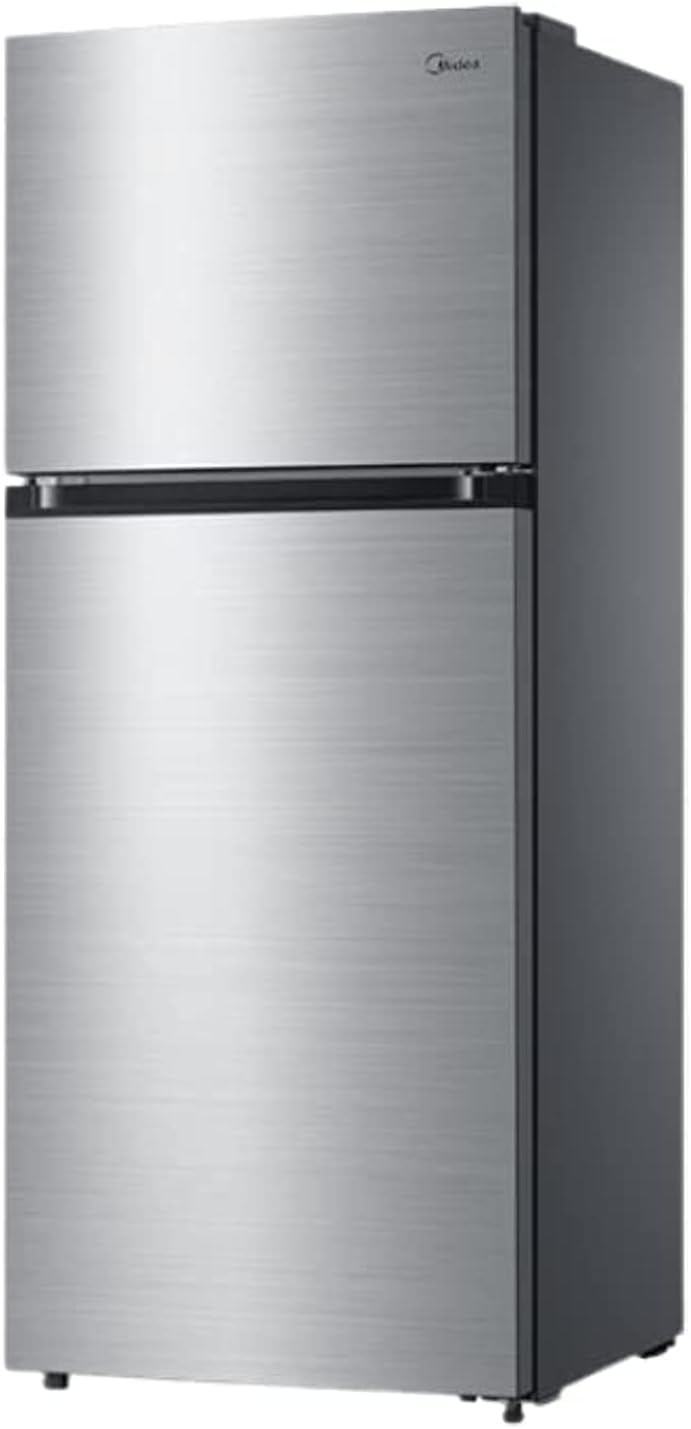
Figure 1: Front view of the Midea Hd559Fwen Top Mount Refrigerator. This image displays the overall design, including the top freezer door and the lower refrigerator door, both in a silver finish.

Figure 2: Midea Hd559Fwen Top Mount Refrigerator with key dimensions. The image indicates a height of 172.3 cm, a width of 70 cm, and a depth of 67 cm.
Setup and Installation
1. Unpacking
- Remove all packaging materials, including foam and adhesive tape.
- Inspect the refrigerator for any shipping damage. Report any damage immediately to your retailer.
- Keep packaging materials out of reach of children.
2. Location Requirements
- Place the refrigerator on a firm, level floor. Use the adjustable leveling feet to ensure stability.
- Allow adequate space around the refrigerator for proper ventilation (at least 10 cm at the back and sides, 30 cm at the top).
- Avoid direct sunlight or proximity to heat sources like stoves, ovens, or radiators.
- Ensure the ambient temperature is within the recommended range for optimal operation.
3. Electrical Connection
- Connect the refrigerator to a dedicated, grounded electrical outlet.
- Do not use extension cords or adapter plugs.
- Allow the refrigerator to stand upright for at least 2-4 hours before plugging it in to allow refrigerants to settle.
4. Initial Cleaning
- Before first use, clean the interior and exterior of the refrigerator with a soft cloth and a mild detergent solution. Rinse and dry thoroughly.
Operating Instructions
1. Temperature Control
The refrigerator and freezer compartments have separate temperature controls. Adjust the thermostat dial to your desired setting. A medium setting is usually recommended for general use.
- Refrigerator Compartment: Typically maintains temperatures between 0°C and 5°C (32°F and 41°F).
- Freezer Compartment: Typically maintains temperatures around -18°C (0°F) or lower.
2. Food Storage Guidelines
- Refrigerator: Store fresh foods, dairy products, fruits, and vegetables. Use the crisper drawer for produce to maintain freshness.
- Freezer: Store frozen foods. Ensure food is properly sealed to prevent freezer burn.
- Do not place hot food directly into the refrigerator or freezer; allow it to cool down first.
- Avoid overloading the compartments to allow for proper air circulation.
Maintenance and Care
1. Cleaning
- Interior: Clean regularly with a solution of mild detergent and warm water. Wipe dry with a soft cloth. Remove shelves and drawers for thorough cleaning.
- Exterior: Wipe with a soft, damp cloth. For stainless steel finishes, use a specialized stainless steel cleaner.
- Door Seals: Clean door gaskets regularly to ensure a tight seal.
- Always unplug the refrigerator before cleaning.
2. Defrosting
This Midea refrigerator features an automatic defrost system, eliminating the need for manual defrosting of the freezer compartment. Ensure the drain hole for defrost water is not blocked.
3. Power Outage
- During a power outage, keep the refrigerator and freezer doors closed as much as possible to maintain internal temperatures.
- Avoid opening the doors unnecessarily.
Troubleshooting
Before contacting service, please check the following common issues and solutions:
| Problem | Possible Cause | Solution |
|---|---|---|
| Refrigerator not cooling | Power cord unplugged; thermostat set too high; door left open; poor ventilation. | Check power connection; adjust thermostat; ensure door is closed; clear obstructions around appliance. |
| Unusual noises | Appliance not level; objects vibrating against the back; compressor noise (normal). | Adjust leveling feet; move objects away; normal compressor sounds are expected. |
| Water on floor | Defrost drain blocked; water supply line leaking (if applicable). | Clear defrost drain; check water line connections. |
| Door not closing properly | Door gasket dirty or damaged; appliance not level; food packages obstructing closure. | Clean or replace gasket; level the appliance; rearrange food items. |
Specifications
| Feature | Detail |
|---|---|
| Brand | MIDEA |
| Model Number | Hd559Fwen |
| Configuration | Freezer-on-Top (Top Mount) |
| Capacity | 14.6 Cubic Feet |
| Product Dimensions (D x W x H) | 70 x 67 x 172.3 cm |
| Item Weight | 60 Kilograms |
| Color | Silver |
| Number of Doors | 2 |
| Defrost System | Automatic |
| Installation Type | Freestanding |
Warranty and Support
For warranty information and customer support, please refer to the warranty card included with your product or contact your local Midea service center. Ensure you have your model number (Hd559Fwen) and purchase date available when seeking support.
You may also visit the official Midea website for further assistance and product registration.


