
1. Introduction
This manual provides essential information for the safe and efficient use of your OPPO F21 Pro (5G) smartphone. Please read this manual thoroughly before using your device to ensure optimal performance and longevity.
The OPPO F21 Pro (5G) is a high-performance smartphone featuring a 2.2 GHz Octa-core processor, 8GB of RAM, and 128GB of internal storage, expandable via microSDXC. It operates on Android 12 and is powered by a non-removable 4500 mAh Li-Po battery. Key features include a 6.43-inch AMOLED display, a 64 MP AI Triple Camera system, and 5G connectivity.
2. Device Setup
2.1 Package Contents
- OPPO F21 Pro (5G) Smartphone
- USB Cable
- Quick Start Guide (may vary by region)
- Safety Information (may vary by region)
2.2 Inserting SIM Cards and MicroSD Card
Your OPPO F21 Pro (5G) supports Dual-SIM functionality and a microSDXC card for expanded storage. The device uses Nano-SIM cards.
- Locate the SIM card tray on the side of your phone.
- Insert the SIM ejector tool (if provided) into the small hole next to the tray and push gently until the tray pops out.
- Place your Nano-SIM card(s) and/or microSDXC card into the designated slots on the tray. Ensure the gold contacts face downwards.
- Carefully push the tray back into the phone until it is flush with the side.
Important Network Compatibility Note for USA Buyers:
This smartphone is not compatible with CDMA networks, including VERIZON, SPRINT, and US CELLULAR. Please verify 3G or 4G/LTE compatibility with your network provider before purchase.
2.3 Powering On/Off
- To Power On: Press and hold the Power button (located on the right side) until the OPPO logo appears.
- To Power Off: Press and hold the Power button, then select 'Power off' from the options on the screen.
- To Restart: Press and hold the Power button, then select 'Restart' from the options.
2.4 Initial Setup
Upon first power-on, follow the on-screen instructions to complete the initial setup process. This includes selecting your language, connecting to Wi-Fi, setting up your Google account, and configuring security features like Face Recognition.
3. Operating Your Device
3.1 Basic Navigation
Your OPPO F21 Pro (5G) runs on Android 12, offering an intuitive user interface. Use gestures or navigation buttons (configurable in settings) to move between apps, return to the home screen, and access recent applications.
3.2 Display Features

The front of the OPPO F21 Pro (5G) features a vibrant AMOLED display with a punch-hole cutout for the front camera.

A detailed view of the punch-hole front camera, integrated seamlessly into the display.
The device features a 6.43-inch AMOLED display with a resolution of 1080 x 2400 pixels, protected by Schott Xensation glass. This display provides vivid colors and deep blacks for an enhanced viewing experience.
3.3 Camera Usage
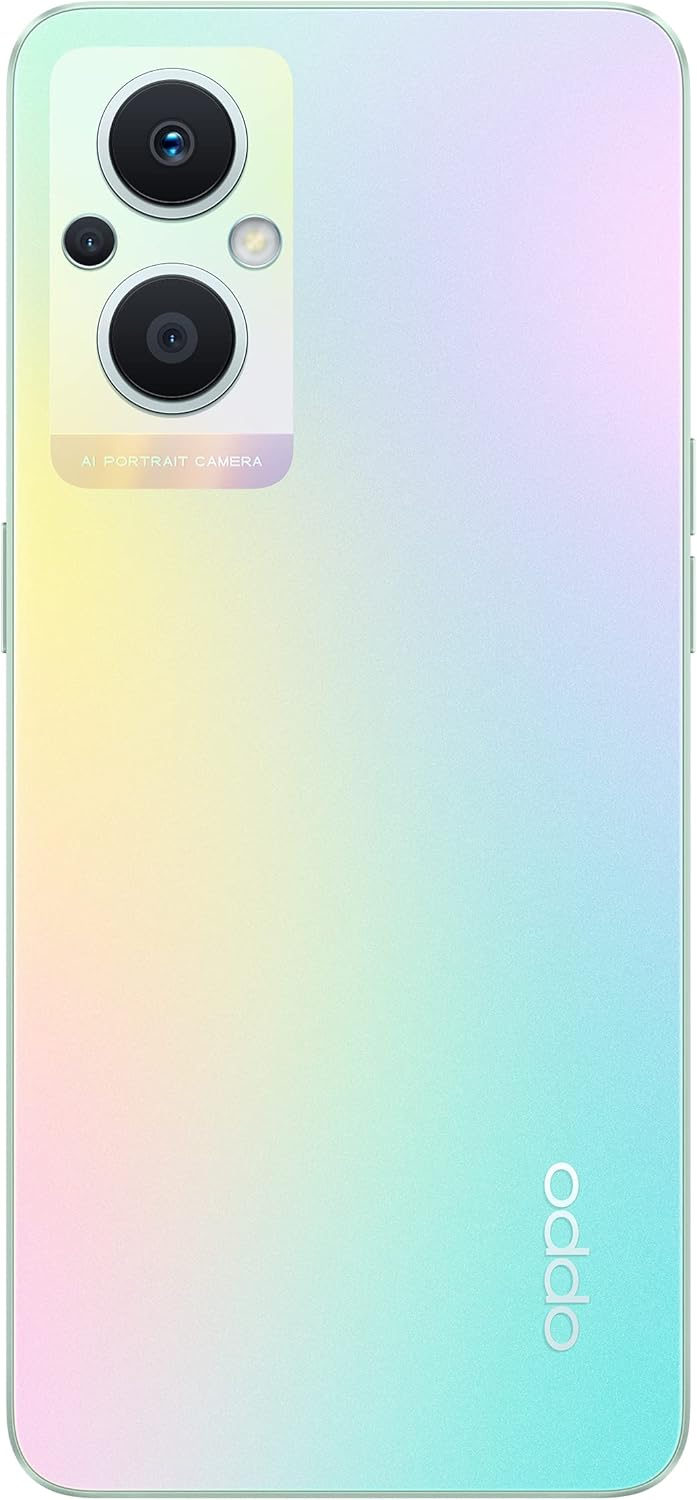
The back of the OPPO F21 Pro (5G) showcases its triple camera system and sleek design.

A detailed view of the AI Portrait Camera module on the rear, highlighting the lenses and flash.
The OPPO F21 Pro (5G) is equipped with a versatile camera system:
- Rear Camera: 64 MP (wide, f/1.7, PDAF), 2 MP (macro, f/2.4), 2 MP (depth, f/2.4).
- Front Camera: 16 MP (wide, f/2.4).
Access the Camera app from your home screen or app drawer. Select various shooting modes such as Photo, Video, Portrait, Macro, and more. Tap the screen to focus and press the shutter button to capture images or start/stop video recording.
3.4 Connectivity
- 5G Network: Supports N1/ N8/ N28/ N41/ N77/ N78 SA/NSA bands.
- Wi-Fi: Connect to wireless networks for internet access.
- Bluetooth: Pair with wireless accessories like headphones and speakers.
- USB Type-C: For charging and data transfer.
3.5 Security Features
The device includes Face Recognition for convenient and secure unlocking. You can set this up in the Security settings menu.
4. Maintenance
4.1 Battery Care
Your OPPO F21 Pro (5G) is equipped with a 4500 mAh Lithium-Polymer battery. To maximize battery life:
- Avoid extreme temperatures.
- Use the original charger and USB cable provided.
- Avoid fully discharging the battery frequently.
- Optimize battery settings in the device's settings menu.
4.2 Cleaning Your Device
The device is rated as Water Resistant. To clean your phone:
- Power off the device before cleaning.
- Use a soft, lint-free cloth.
- Avoid using harsh chemicals, abrasive cleaners, or compressed air.
- Do not submerge the device in water.
4.3 Software Updates
Regularly check for and install software updates to ensure your device has the latest features, security patches, and performance improvements. You can check for updates in the device's Settings menu under 'About phone' or 'Software update'.
5. Troubleshooting
If you encounter issues with your OPPO F21 Pro (5G), try the following basic troubleshooting steps:
- Device Unresponsive: Press and hold the Power button for about 10-15 seconds to force a restart.
- Network Issues: Ensure your SIM card is correctly inserted. Check your network settings and ensure mobile data or Wi-Fi is enabled. Restart your device.
- App Crashing: Close and reopen the app. Clear the app's cache and data in Settings > Apps. If the issue persists, uninstall and reinstall the app.
- Battery Draining Quickly: Review battery usage in Settings to identify power-hungry apps. Reduce screen brightness, disable unnecessary features (GPS, Bluetooth, Wi-Fi) when not in use.
- Storage Full: Delete unnecessary files, photos, and videos. Move media to a microSD card if installed. Clear app caches.
For more complex issues, refer to the official OPPO support website or contact customer service.
6. Specifications

An overview of the OPPO F21 Pro (5G) showcasing its main features including the 64MP AI Triple Camera, AMOLED screen, and Qualcomm Snapdragon 5G SoC.

The OPPO F21 Pro (5G) in Rainbow Spectrum, displaying both its front and rear aesthetics.
| Feature | Specification |
|---|---|
| Brand | OPPO |
| Model Name | OPPO F21 Pro (5G) |
| Operating System | Android 12.0 |
| Processor | Qualcomm SM6375 Snapdragon 695 5G (6 nm), Octa-core (2x2.2 GHz Kryo 660 Gold & 6x1.7 GHz Kryo 660 Silver) |
| RAM | 8 GB |
| Internal Storage | 128 GB |
| Expandable Storage | microSDXC |
| Screen Size | 6.43 inches (16.33 Centimeters) |
| Display Type | AMOLED |
| Resolution | 1080 x 2400 pixels |
| Rear Camera | 64 MP (wide), 2 MP (macro), 2 MP (depth) |
| Front Camera | 16 MP (wide) |
| Battery Capacity | 4500 mAh (Lithium-Polymer, non-removable) |
| Cellular Technology | 5G (Dual SIM) |
| Wireless Technology | Wi-Fi, Bluetooth |
| Connector Type | USB Type C |
| Biometric Security | Face Recognition |
| Water Resistance Level | Water Resistant |
| Dimensions | 6.3 x 2.87 x 0.31 inches |
| Item Weight | 173 Grams |
7. Warranty Information
Your OPPO F21 Pro (5G) smartphone comes with a 1-year manufacturer's warranty. This warranty covers defects in materials and workmanship under normal use. Please retain your proof of purchase for warranty claims.
The warranty does not cover damage caused by misuse, accidents, unauthorized modifications, or normal wear and tear. For full terms and conditions, please refer to the warranty card included in your product packaging or visit the official OPPO website.
8. Support
For further assistance, technical support, or to find service centers, please visit the official OPPO support website:
You may also find helpful FAQs and community forums on the support website.


