
1. Introduction
Thank you for choosing the ROADOM Portable Monitor Z1-5S. This 15.6-inch Full HD (1920x1080) IPS display is designed to enhance your productivity and entertainment experience on the go. Featuring HDR mode, a 178° wide viewing angle, and versatile connectivity options, it serves as an excellent external display for laptops, smartphones, gaming consoles, and more. This manual provides essential information for setting up, operating, and maintaining your monitor.
Package Contents
- ROADOM Portable Monitor Z1-5S
- Smart Protective Cover (doubles as a stand)
- USB-C to USB-C Cable (for power and video)
- Mini HDMI to HDMI Cable (for video)
- USB-A to USB-C Cable (for power)
- Power Adapter
- User Manual (this document)

Image 1.1: The ROADOM Portable Monitor Z1-5S showcasing its visual capabilities, including Full HD 1080P resolution, IPS panel technology, 100% sRGB color gamut, 178° viewing angle, and HDR support for a perfect visual experience.
2. Setup Instructions
Follow these steps to connect your ROADOM Portable Monitor to various devices.
2.1 Powering the Monitor
The monitor can be powered via the included power adapter or directly from a compatible device using a USB-C cable.
- Using Power Adapter: Connect the USB-A to USB-C cable to the power adapter, then plug the USB-C end into one of the monitor's USB-C ports (labeled 'PD' or 'Power'). Plug the adapter into a wall outlet.
- Using USB-C from Device: If your laptop or smartphone supports power delivery via USB-C, connect a full-featured USB-C to USB-C cable from your device to one of the monitor's USB-C ports. This single cable can provide both power and video signal.
2.2 Connecting to Devices
The monitor offers multiple connectivity options for various devices.
- For Laptops/PCs (USB-C): Use a full-featured USB-C to USB-C cable to connect your laptop's USB-C port to one of the monitor's USB-C ports. This provides both video and power.
- For Laptops/PCs (HDMI): Connect the Mini HDMI to HDMI cable from the monitor's Mini HDMI port to your laptop's HDMI port. You will also need to power the monitor separately using the power adapter or a USB-A to USB-C cable connected to a power source.
- For Smartphones (USB-C): If your smartphone supports DisplayPort Alternate Mode (DP Alt Mode) via USB-C, connect it to the monitor using a full-featured USB-C to USB-C cable. This enables screen mirroring or desktop mode (e.g., Samsung DeX).
- For Gaming Consoles (PS4/Xbox/Switch): Connect the gaming console via the Mini HDMI to HDMI cable. Ensure the monitor is powered separately. For Nintendo Switch, a full-featured USB-C cable can also be used, and the monitor can reverse charge the Switch.

Image 2.1: The monitor connected to a laptop and a smartphone, illustrating the ease of connection using USB-C for both power and video, enabling extended display for productivity or entertainment.
2.3 Using the Smart Cover as a Stand
The included magnetic smart cover protects your monitor and doubles as an adjustable stand.
- Fold the cover along its creases to form a triangular stand.
- Place the monitor into the grooves of the folded cover to achieve desired viewing angles. The cover supports two different angles.
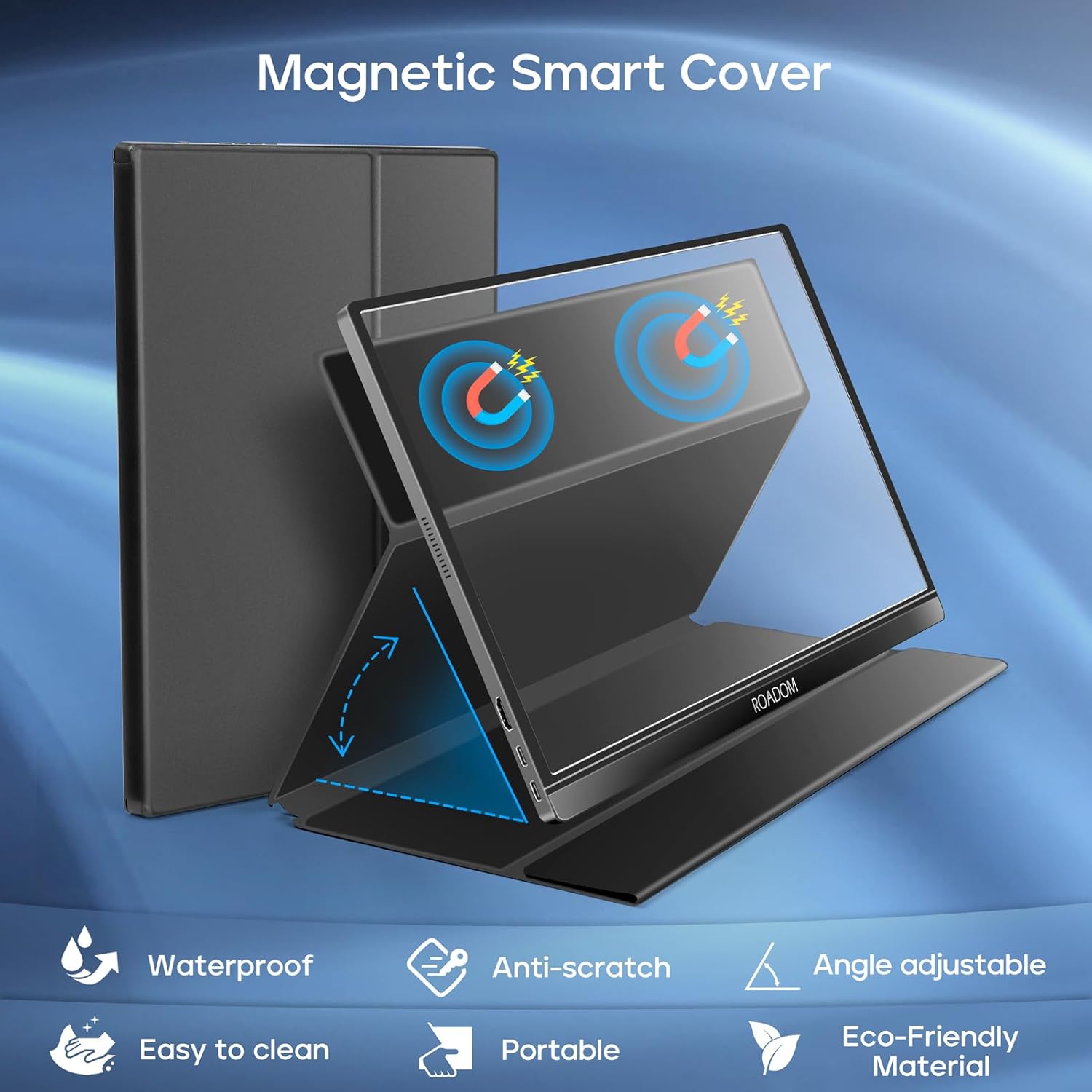
Image 2.2: The magnetic smart cover in use, demonstrating its dual function as a protective case and an adjustable stand, allowing for versatile placement of the monitor.
3. Operating Instructions
3.1 Power On/Off
Press the power button located on the side of the monitor to turn it on or off.
3.2 On-Screen Display (OSD) Menu
The monitor features an OSD menu for adjusting various settings. Use the control buttons on the side of the monitor to navigate and select options.
- Menu Button: Press to open the OSD menu.
- Up/Down Buttons: Navigate through menu options.
- Enter Button: Select an option or confirm a setting.
- Exit Button: Go back or exit the menu.
Quick Tip: Some buttons may have shortcuts. For example, one button might directly adjust brightness, and another might adjust volume.
3.3 Display Modes
The monitor supports multiple display modes to suit your needs:
- Duplicate Mode: Mirrors your primary screen, ideal for presentations or sharing content.
- Extend Mode: Extends your desktop, providing more screen real estate for multitasking.
- Second Screen Mode: Uses only the portable monitor as the display.
- Landscape Mode: Standard horizontal orientation.
- Portrait Mode: Vertical orientation, useful for coding, document viewing, or specific applications.
To switch between landscape and portrait modes, you may need to adjust settings on your connected device's operating system (e.g., Display Settings on Windows, System Preferences on macOS).
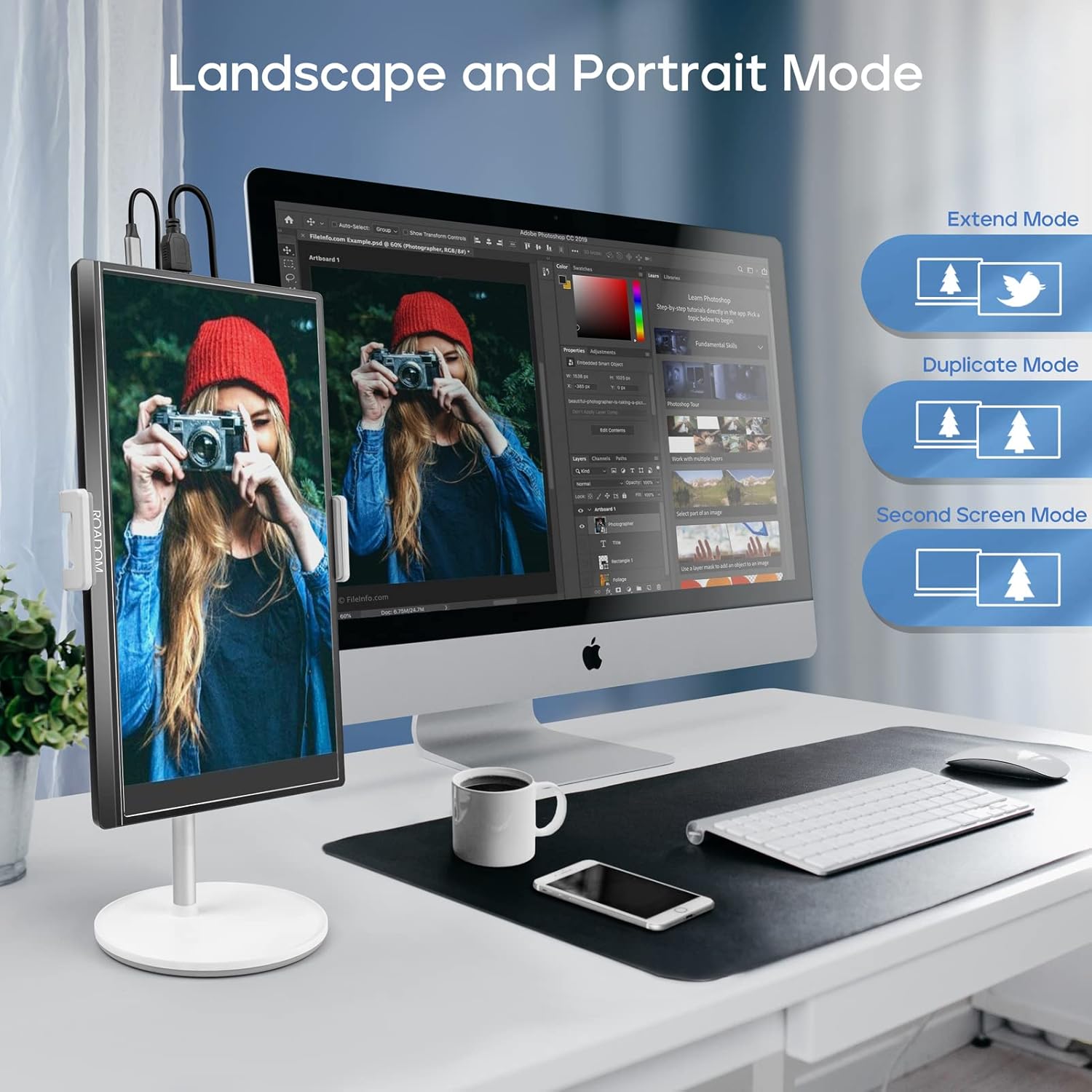
Image 3.1: The monitor configured in both landscape and portrait orientations, demonstrating its flexibility for different work and viewing scenarios, including extend and duplicate display modes.
3.4 Audio Settings
The monitor has built-in dual speakers. You can adjust the volume through the OSD menu or via quick access buttons. For private listening, connect headphones to the 3.5mm audio port.
3.5 Eye Care Features
The monitor incorporates flicker-free technology and a blue light filter to reduce eye strain during prolonged use. These settings can be adjusted in the OSD menu.
4. Maintenance
Proper care and maintenance will ensure the longevity and optimal performance of your ROADOM Portable Monitor.
4.1 Cleaning the Screen
- Always turn off the monitor and disconnect it from power before cleaning.
- Use a soft, lint-free cloth, slightly dampened with water or a non-abrasive screen cleaner.
- Wipe the screen gently. Avoid applying excessive pressure.
- Do not use alcohol, ammonia-based cleaners, or abrasive materials, as these can damage the screen surface.
4.2 General Care
- Avoid exposing the monitor to extreme temperatures, direct sunlight, or high humidity.
- Keep the monitor away from liquids and dust.
- Use the protective smart cover when transporting the monitor to prevent scratches and damage.
- Handle the monitor by its edges; avoid touching the screen directly.
5. Troubleshooting
If you encounter issues with your monitor, refer to the following common problems and solutions.
5.1 No Signal / Black Screen
- Check Cables: Ensure all video (USB-C or HDMI) and power cables are securely connected to both the monitor and the source device.
- Power Source: Verify the monitor is receiving adequate power. If using a single USB-C cable for power and video, ensure your device supports sufficient power output. Try connecting the monitor to its dedicated power adapter.
- Input Source: Use the OSD menu to manually select the correct input source (USB-C or HDMI).
- Device Output: Confirm your source device (laptop, phone, console) is configured to output video to an external display. Try restarting the source device.
5.2 Display Flickering or "Blips"
- Cable Quality: Ensure you are using the provided high-quality cables. Faulty or low-quality cables can cause signal instability.
- Power Stability: Inconsistent power supply can cause flickering. Ensure the monitor is connected to a stable power source.
- Refresh Rate: Check the display settings on your source device to ensure the refresh rate is compatible with the monitor (60Hz).
5.3 Settings Not Saving
- After making changes in the OSD menu, ensure you select "Save" or "Exit" properly if prompted.
- Some settings, particularly brightness, might reset upon power cycle depending on the power source and device connection. This is sometimes expected behavior for portable monitors.
5.4 No Audio from Speakers
- Volume Level: Check the volume setting in the monitor's OSD menu and on your source device.
- Audio Output: Ensure your source device is configured to output audio to the external monitor.
- Headphones: If headphones are plugged into the 3.5mm jack, the built-in speakers will be muted.
6. Specifications
| Brand | ROADOM |
| Model Number | Z1-5S |
| Screen Size | 15.6 Inches |
| Display Resolution | 1920 x 1080 Pixels (FHD 1080p) |
| Panel Type | IPS |
| Aspect Ratio | 16:9 |
| Refresh Rate | 60 Hz |
| Response Time | 1 Millisecond |
| Image Contrast Ratio | 1000:1 |
| Brightness | 300 cd/m² (nits) |
| Connectivity | 2x USB-C (Full-featured), 1x Mini HDMI, 1x 3.5mm Audio Jack |
| Special Features | Blue Light Filter, Built-In Speakers, Flicker-Free, Portable, HDR |
| Product Dimensions | 0.89 x 36.83 x 22.35 cm |
| Item Weight | 771.11 g (approx. 1.7 lbs) |
7. Warranty and Support
For warranty information and technical support, please refer to the warranty card included in your product packaging or visit the official ROADOM website. If you have any questions or require assistance, please contact ROADOM customer service.
