
RXUJYC safe box
Contents
RXUJYC SteelSafe Fireproof and Waterproof Home Security Box User Manual
Model: safe box
Introduction
This manual provides detailed instructions for the proper setup, operation, and maintenance of your RXUJYC SteelSafe Fireproof and Waterproof Home Security Box. Please read this manual thoroughly before using the product to ensure safe and efficient operation.
Safety Information
- Do not store the emergency keys inside the safe. Keep them in a secure, separate location.
- Ensure the safe is securely anchored to a wall or floor to prevent unauthorized removal.
- Avoid spilling liquid on the control panel, as this may cause electric shock or damage to internal electronic components.
- Do not disassemble the product. Unauthorized disassembly may damage the circuit and affect performance.
- Use only specified batteries (4 x AA alkaline batteries) for the electronic keypad.
Package Contents
Verify that all items are included in your package:
- 1 x RXUJYC SteelSafe Home Security Box
- 2 x Emergency Keys
- 1 x External Battery Case
- 4 x Expansion Screws (for anchoring)
- 1 x User Manual
- 1 x Fireproof Document Pouch (if included with your model)
- 1 x Removable Shelf
Product Overview
The RXUJYC SteelSafe is a robust security solution designed to protect your valuables from fire and water damage. It features a solid steel construction, an electronic keypad for secure access, and an alarm system for enhanced security.

Figure 1: RXUJYC SteelSafe Home Security Box with interior view.
Key Features:
- Fireproof and Waterproof: Designed to protect contents from fire and water damage.
- Solid Steel Construction: Features three live steel lock bolts and thick pry-resistant concealed hinges for physical protection.
- Electronic Keypad: Programmable digital code for convenient access.
- Emergency Access: Includes spare keys and an external battery case for manual override.
- Anti-Theft Alarm: Dual alarm system activates after incorrect password attempts or violent vibration.
- Anchoring Design: Pre-drilled holes and expansion screws for securing the safe to a wall or floor.
- Internal Storage: Includes a removable shelf for organized storage and a small internal lockbox for sensitive items.

Figure 2: Fireproof and waterproof capabilities of the safe.
The safe is constructed from alloy steel, providing robust protection. Its dimensions are approximately 12.2"D x 14.57"W x 19.68"H, with a capacity of 2.8 cubic feet.

Figure 3: Detail of the 20mm solid steel bolts and 45mm door for enhanced security.
The interior features a removable shelf, allowing for flexible storage configurations to accommodate various item sizes.
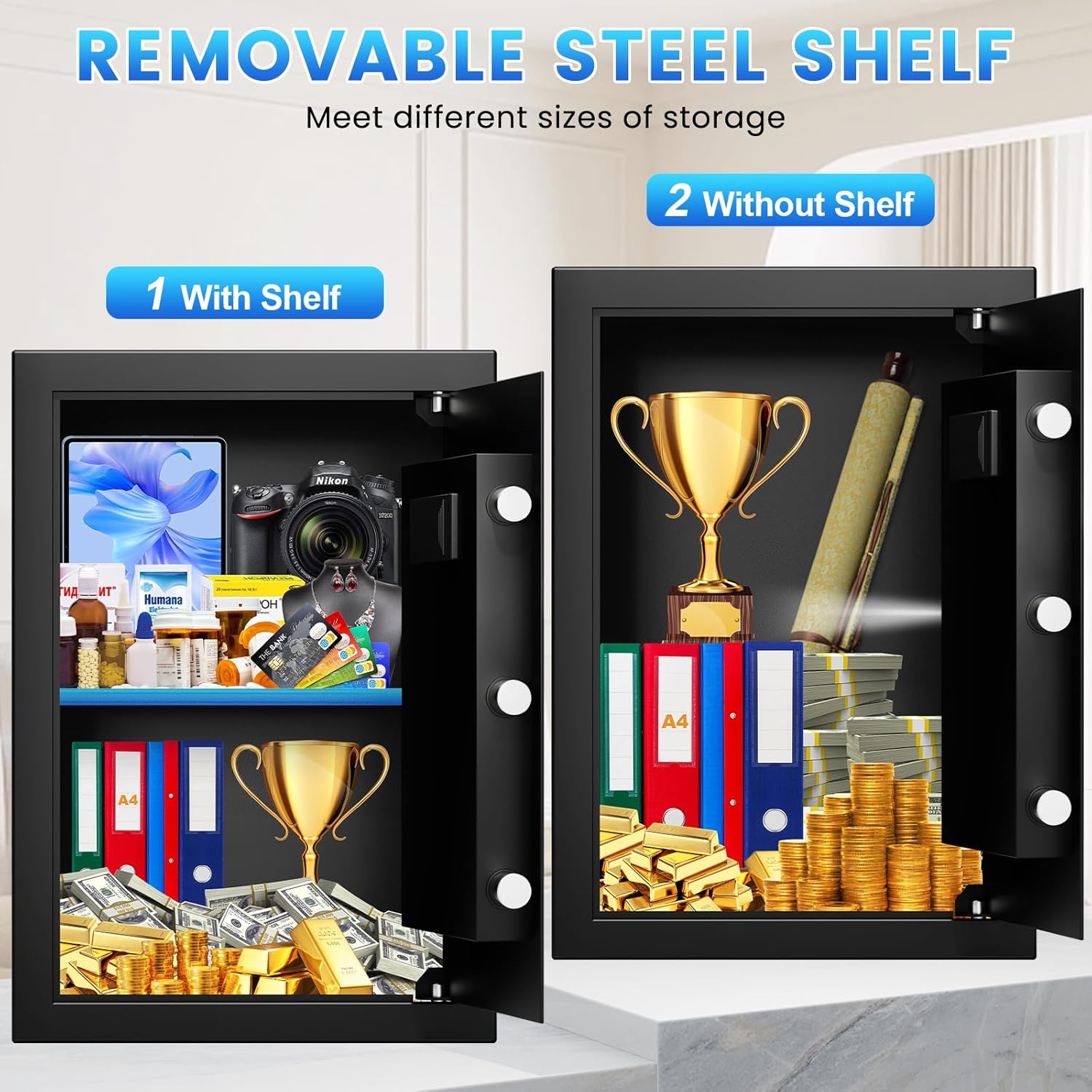
Figure 4: The removable shelf provides versatile storage options.
Setup Instructions
1. Initial Opening (First Use)
- Locate the emergency keys provided.
- Insert one emergency key into the keyhole on the electronic keypad panel.
- Turn the key clockwise to unlock the safe.
- Rotate the handle clockwise to open the safe door.
2. Battery Installation
The electronic keypad requires 4 x AA alkaline batteries (not included).
- Open the safe door.
- Locate the battery compartment on the inside of the door.
- Insert 4 AA batteries, ensuring correct polarity.
- Close the battery compartment cover.
An external battery case is provided for emergency power if internal batteries are depleted. Connect the external battery case to the port on the keypad to temporarily power the system.
3. Setting Your Personal Password
- With the safe door open, press the red "SETTING BUTTON" located on the inside edge of the door. The display will show "-----".
- Enter your desired 3-8 digit password on the keypad.
- Press the "#" button to confirm. The display will show "INTO" indicating successful password setup.
- Test the new password with the door open before closing it.

Figure 5: Electronic keypad and emergency key access points.
4. Anchoring the Safe
For added security, the safe can be anchored to a wall or floor.
- Locate the pre-drilled holes on the back or bottom of the safe.
- Position the safe in your desired location.
- Mark the drilling points on the wall or floor through the holes.
- Drill appropriate holes using a suitable drill bit (not included).
- Insert the expansion screws into the drilled holes and secure the safe.

Figure 6: Anchoring instructions for securing the safe.
Operating Instructions
1. Opening the Safe with Electronic Keypad
- Enter your 3-8 digit personal password.
- Press the "#" button. The display will show "OPEN" and the green light will illuminate.
- Within 5 seconds, rotate the handle clockwise to open the door.
2. Opening the Safe with Emergency Keys
If you forget your password or the batteries are completely dead, use the emergency keys:
- Remove the cover over the emergency keyhole on the keypad panel.
- Insert an emergency key and turn it clockwise.
- Simultaneously rotate the main handle clockwise to open the door.
3. Anti-Theft Alarm System
- Incorrect Password Alarm: If an incorrect password is entered 3 consecutive times, the alarm will activate for 20 seconds, and the keypad will lock.
- Vibration Alarm: If the safe experiences violent vibration or impact, the alarm will activate.
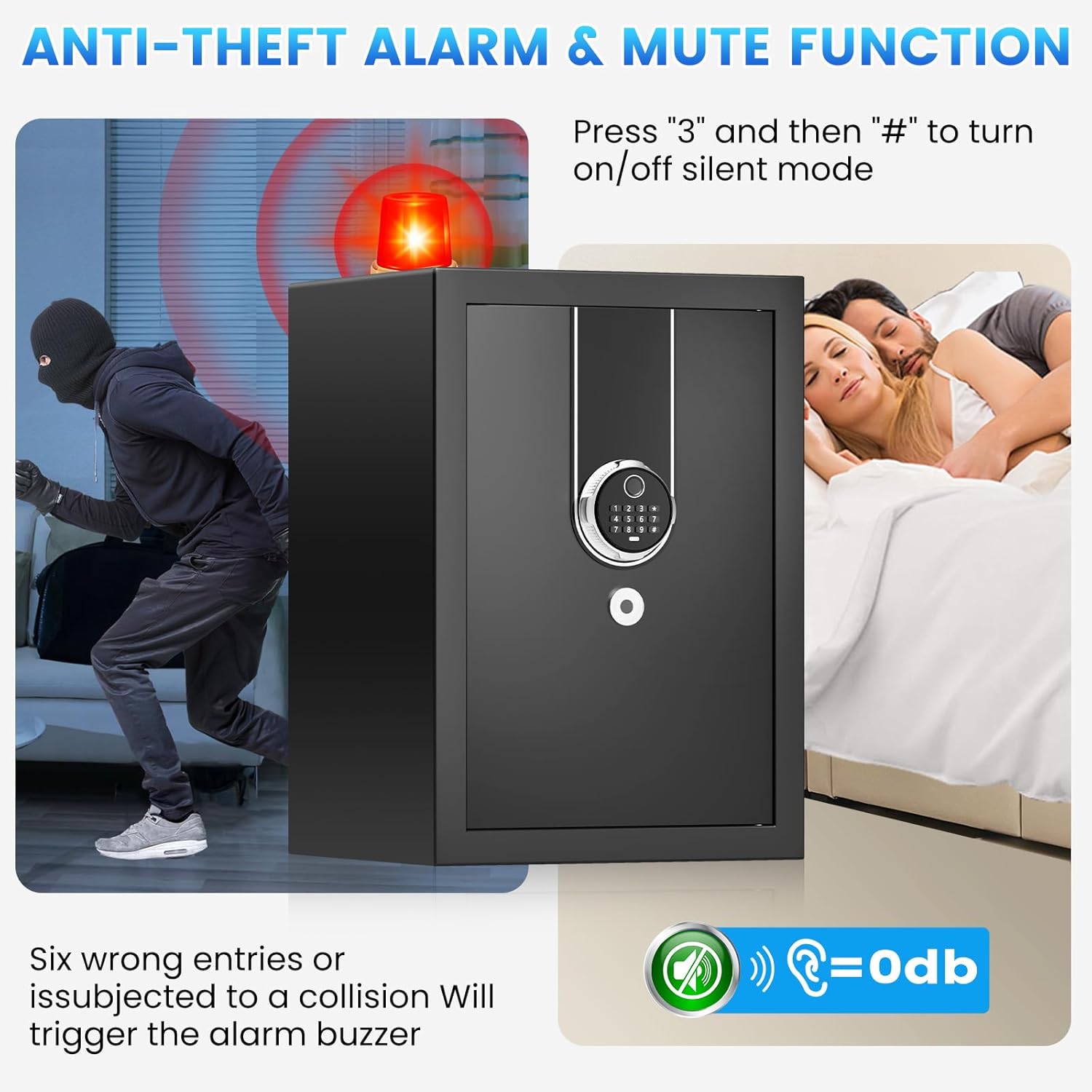
Figure 7: The anti-theft alarm system deters unauthorized access.
4. Mute Function
To enable or disable silent mode for keypad beeps and alarm sounds:
- Press "3" on the keypad.
- Then press "#". The display will indicate "BELL ON" or "BELL OFF".
5. Internal Storage
- The safe includes a removable shelf that can be adjusted or removed to accommodate larger items.
- A small internal lockbox is located inside the safe, providing an additional layer of security for smaller, highly sensitive items. This lockbox is secured with its own key.
Maintenance
- Battery Replacement: When the display shows "LO-BATT", replace the 4 AA batteries promptly.
- Cleaning: Wipe the exterior and interior of the safe with a soft, dry cloth. Avoid using abrasive cleaners or solvents.
- Key Storage: Always keep emergency keys in a safe location outside the safe.
Troubleshooting
| Problem | Solution |
|---|---|
| Safe cannot be opened with password. |
|
| Keypad is unresponsive or display is blank. |
|
| Alarm triggers frequently. |
|
| Door does not close properly. |
|
Specifications
| Feature | Detail |
|---|---|
| Brand | RXUJYC |
| Model Number | safe box |
| Product Dimensions | 12.2"D x 14.57"W x 19.68"H |
| Capacity | 2.8 Cubic Feet |
| Material | Alloy Steel |
| Lock Type | Electronic Combination Lock, Key |
| Special Features | Alarm System, Combination Lock, Fireproof, Removable Shelf, Sensor Light |
| Mounting Type | Floor Mount |
| Water Resistance Level | Waterproof |
| Item Weight | 37.4 pounds (17 Kilograms) |
Official Product Video
Watch this video for a detailed overview and demonstration of the RXUJYC SteelSafe Home Security Box features and operation.
Video: Overview of the RXUJYC SteelSafe, demonstrating its features including the keypad, internal storage, and security aspects. This video is provided by a seller.
Warranty and Support
The RXUJYC SteelSafe comes with a lifetime warranty. We provide 24-hour online service and a 90-day return or exchange service. Your satisfaction is our aim.
For support, please refer to the contact information provided with your purchase or visit the official RXUJYC website.
Ask a question about this manual
Ask about setup, troubleshooting, compatibility, parts, safety, or missing instructions. Manuals+ will review the question and use this page’s manual context to help answer it.