Product Overview
This manual provides essential information for the installation, operation, and maintenance of the Air Compressor Electronic Drain Valve 1613880001. Please read this manual thoroughly before use to ensure proper function and safety.
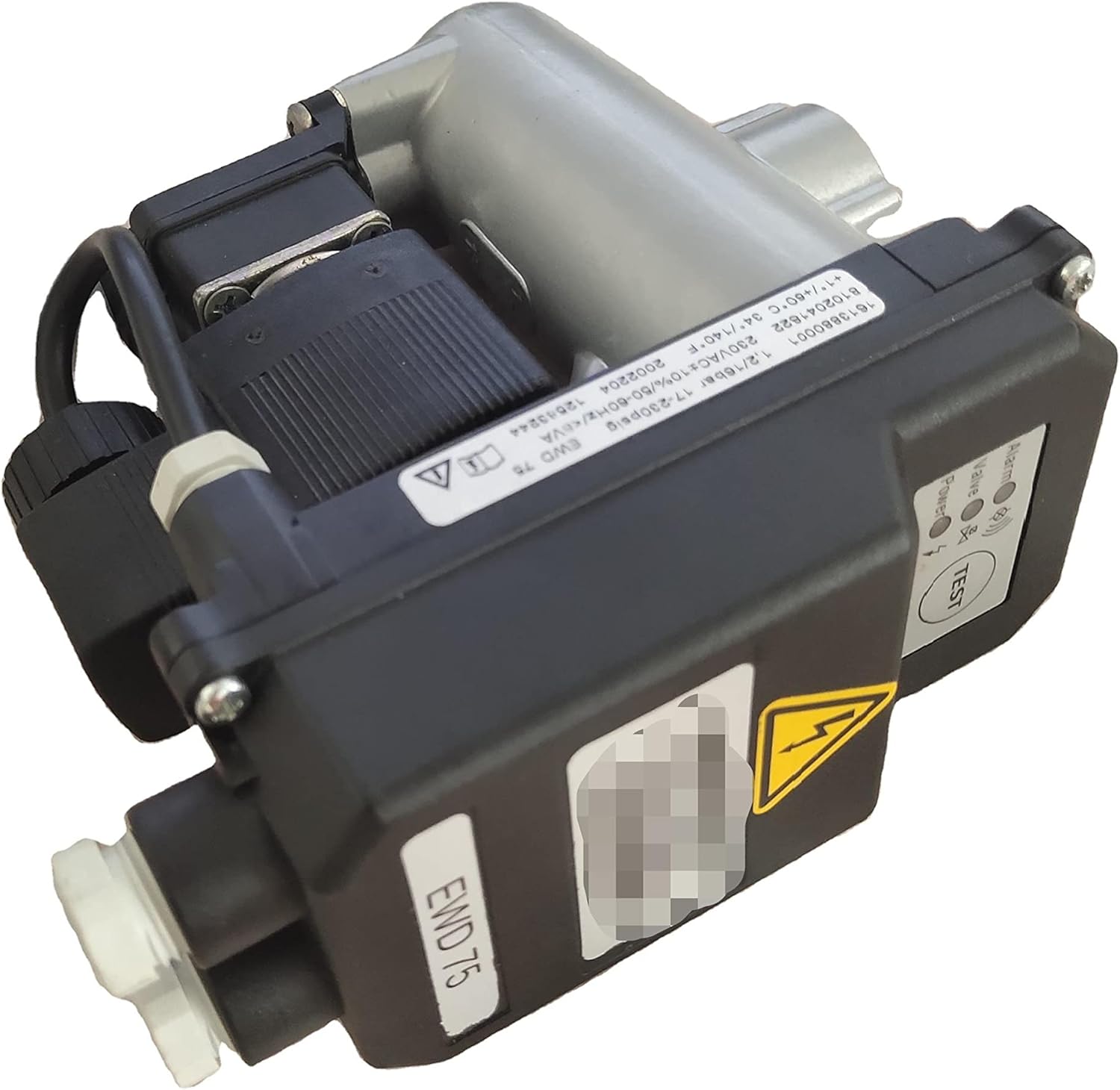
Figure 1: The LUNIUBIQING Air Compressor Electronic Drain Valve, showing its compact design and integrated control panel.
Safety Information
Always observe the following safety precautions:
- Ensure power is disconnected before installation or maintenance.
- Only qualified personnel should perform installation and repairs.
- Do not expose the device to extreme temperatures or moisture.
- Verify correct voltage and frequency as specified in the product specifications.
Figure 2: Close-up of the electrical hazard warning symbol on the device, indicating the need for caution with electrical connections.
Setup and Installation
Follow these steps for proper setup and installation:
- Unpacking: Carefully remove the drain valve from its packaging. Inspect for any visible damage.
- Mounting: Securely mount the drain valve in the designated location on the air compressor system. Ensure it is easily accessible for maintenance.
- Electrical Connection: Connect the power supply according to the wiring diagram. Verify that the voltage matches the product specifications (230VAC±10%/50-60Hz).
- Drainage Connection: Connect the drainage outlet to an appropriate waste collection system. Ensure no kinks or blockages in the drainage line.
- Initial Check: Before applying power, double-check all connections for tightness and correctness.
Figure 3: Detail of the electrical connection port, showing the secure screw-in connector for power input.
Operating Instructions
The electronic drain valve operates automatically. However, there are indicators and a test function:
- Power Indicator: A green LED labeled "Power" illuminates when the device is receiving power.
- Alarm Indicator: A red LED labeled "Alarm" will illuminate if an operational fault is detected. Refer to the Troubleshooting section.
- Test Button: Press the "TEST" button to manually activate a drainage cycle. This can be used to verify proper operation or to manually drain condensate.
Figure 4: The control panel showing the "Power" and "Alarm" indicator LEDs, and the circular "TEST" button for manual operation.
Maintenance
Regular maintenance ensures optimal performance and longevity of the drain valve:
- Daily Check: Visually inspect the drain valve for any leaks or unusual noises.
- Weekly Check: Press the "TEST" button to ensure the valve cycles correctly and condensate is discharged.
- Monthly Cleaning: Disconnect power and clean the filter (if applicable) and drainage port to prevent blockages.
- Annual Inspection: Have a qualified technician inspect the valve for wear and tear, and replace any worn components.
Troubleshooting
Refer to the table below for common issues and their solutions:
| Problem | Possible Cause | Solution |
|---|---|---|
| No Power (Power LED off) | No power supply; loose connection; blown fuse. | Check power source; secure connections; replace fuse. |
| Valve not draining (Alarm LED off) | Drainage line blocked; valve stuck closed. | Clear blockage; press TEST button; if issue persists, consult technician. |
| Alarm LED on | Internal fault; sensor error. | Cycle power; if alarm persists, contact support. |
| Continuous draining | Valve stuck open; internal component failure. | Disconnect power immediately; contact support. |
Specifications
Key technical specifications for the electronic drain valve:
- Part Number: 1613880001
- Application: For Atlas Copco EWD75, EWD50, EWD330, EWD1500
- Operating Pressure: 1.2 - 16 bar (17 - 230 psig)
- Voltage: 230VAC ±10%
- Frequency: 50-60Hz
- Operating Temperature: +1°C to +60°C (34°F to 140°F)
- Device Model Indication: EWD 75
Warranty and Support
For warranty information or technical support, please contact your supplier or the manufacturer directly. Keep your purchase receipt as proof of purchase.
Manufacturer: LUNIUBIQING
Date First Available: March 25, 2022
For further assistance, you may visit the LUNIUBIQING Store on Amazon.