
Audizio Metz
Audizio Metz Stereo Set Instruction Manual
Model: Metz (102.330)
Introduction
The Audizio Metz Stereo Set is a versatile audio system designed for home use, offering multiple playback options. It integrates DAB+ and FM radio tuners, a CD player, Bluetooth wireless connectivity, and a USB port for MP3 playback. Additionally, it features an AUX input for external devices, an alarm clock, and a sleep timer function. This manual provides comprehensive instructions for the safe and efficient setup, operation, and maintenance of your Audizio Metz Stereo Set.
Safety Information
- Read all instructions carefully before operating the device.
- Keep the manual for future reference.
- Do not expose the unit to rain or moisture to prevent fire or electric shock.
- Ensure proper ventilation; do not block any ventilation openings.
- Place the unit on a stable, flat surface.
- Only use attachments/accessories specified by the manufacturer.
- Unplug the unit during lightning storms or when unused for long periods.
- Refer all servicing to qualified service personnel.
Package Contents
Please check that all items listed below are present in the packaging:
- Audizio Metz Stereo Unit
- 2 x Speakers
- Remote Control
- Power Cable
- User Manual

Image: The Audizio Metz Stereo Set, including the main unit, two speakers, and the remote control.
Product Overview: Controls and Connections
Front Panel Controls
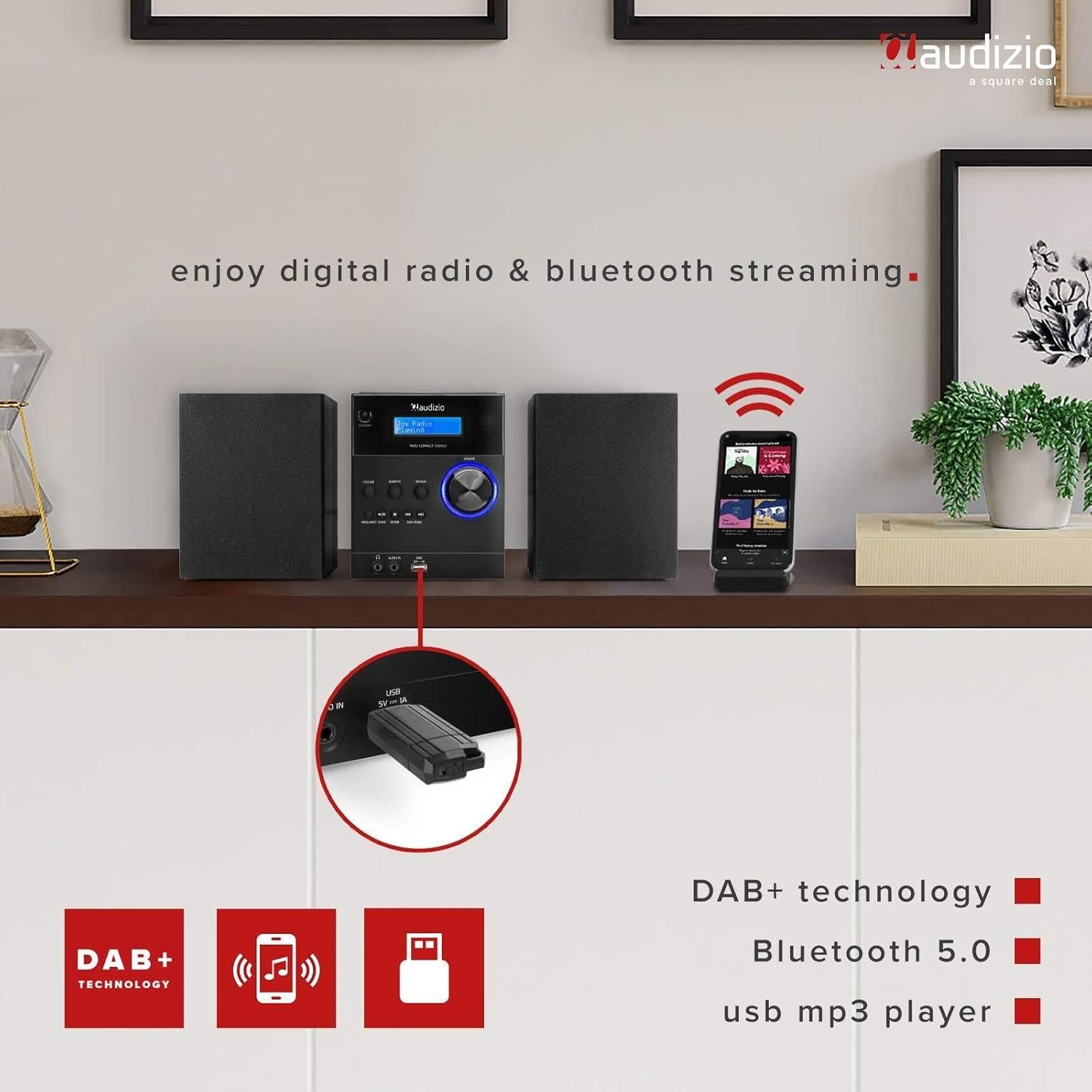
Image: Detailed view of the front panel, showing the LCD display, control buttons, and input ports.
- Standby Button: Powers the unit on or off.
- CD/USB Button: Selects CD or USB playback mode.
- DAB/FM Button: Selects DAB+ or FM radio mode.
- BT/AUX Button: Selects Bluetooth or AUX input mode.
- Play/Pause Button: Controls playback for CD, USB, and Bluetooth.
- Stop Button: Stops playback for CD and USB.
- Menu/Info/Scan Button: Accesses menu options, displays information, or initiates station scan.
- Enter Button: Confirms selections in the menu.
- Skip/Tune Buttons: Navigates tracks, stations, or menu options.
- Volume Knob: Adjusts the audio output level.
- Headphone Jack (3.5mm): For private listening with headphones.
- Audio In (3.5mm): Connects external audio sources.
- USB Port: For connecting USB flash drives for MP3 playback.
- LCD Display: Shows current mode, station information, track details, and menu options.
Rear Panel Connections

Image: The rear panel of the main unit, highlighting the speaker connection terminals and power input.
- Speaker Terminals: Connect the left and right speakers.
- Power Input: Connect the AC power cable.
- FM/DAB Antenna: For radio signal reception.
Setup
1. Connecting Speakers
Connect the included speakers to the corresponding speaker terminals on the rear of the main unit. Ensure that the positive (+) terminal on the unit connects to the positive (+) terminal on the speaker, and the negative (-) terminal on the unit connects to the negative (-) terminal on the speaker. Incorrect polarity can affect sound quality.
2. Power Connection
Plug the power cable into the AC power input on the rear of the main unit, then connect the other end to a standard wall outlet (230V/50Hz). The unit will enter standby mode.
3. Antenna Setup
Extend the telescopic antenna fully for optimal reception of both DAB+ and FM radio signals. Adjust its position if reception is poor.
Operating Instructions
Power On/Off
Press the Standby button on the front panel or remote control to switch the unit on or off. When powered on, the LCD display will illuminate.
DAB+ Radio Operation
- Press the DAB/FM button repeatedly until "DAB Radio" appears on the display.
- The unit will automatically scan for available DAB+ stations upon first use. If needed, press Menu/Info/Scan and select "Full Scan".
- Use the Skip/Tune buttons to browse through the list of available stations.
- To save a station as a preset, press and hold the Memory button on the remote, then use the number buttons to select a preset slot (1-10) and press Enter.
- To recall a preset, press the Memory button briefly, then select the preset number.
FM Radio Operation
- Press the DAB/FM button repeatedly until "FM Radio" appears on the display.
- To automatically scan for the next available station, press and hold the Scan button. To manually tune, use the Skip/Tune buttons.
- To save an FM station as a preset, press and hold the Memory button on the remote, then use the number buttons to select a preset slot (1-10) and press Enter.
- To recall a preset, press the Memory button briefly, then select the preset number.
Bluetooth Pairing and Playback
- Press the BT/AUX button repeatedly until "Bluetooth" appears on the display. The unit will enter pairing mode, indicated by a flashing Bluetooth icon.
- On your smartphone, tablet, or other Bluetooth-enabled device, enable Bluetooth and search for available devices.
- Select "Audizio Metz" from the list of devices to pair. Once connected, the Bluetooth icon will stop flashing.
- You can now stream audio from your device to the stereo set. Use the unit's or your device's controls for playback (Play/Pause, Skip).

Image: The stereo set demonstrating Bluetooth connectivity with a smartphone.
CD Playback
- Gently open the top-loading CD compartment cover.
- Place a CD (CD-R/RW compatible) onto the spindle with the label side facing up. Close the cover securely.
- Press the CD/USB button repeatedly until "CD" mode is selected. The unit will begin reading the CD and playback will start automatically.
- Use the Play/Pause, Stop, and Skip buttons to control playback.

Image: The top-loading CD player with a disc in place, ready for playback.
USB MP3 Playback
- Insert a USB flash drive containing MP3 files into the USB port on the front panel. Ensure the USB drive is formatted to FAT32.
- Press the CD/USB button repeatedly until "USB" mode is selected. The unit will read the files and begin playback.
- Use the Play/Pause, Stop, and Skip buttons to control playback.

Image: A USB flash drive connected to the front USB port for MP3 playback.
AUX Input
- Connect an external audio device (e.g., an MP3 player) to the Audio In 3.5mm jack on the front panel using a 3.5mm audio cable (not included).
- Press the BT/AUX button repeatedly until "AUX" mode is selected.
- Control playback from your external audio device. The volume can be adjusted using the unit's volume knob.
Alarm and Sleep Timer Functions
The Audizio Metz Stereo Set includes an alarm clock and a sleep timer. These functions can be accessed and configured via the Menu button on the unit or the dedicated buttons on the remote control (TIMER, SLEEP, ALARM). Follow the on-screen prompts to set your desired alarm time, source (e.g., radio, buzzer), and sleep timer duration.

Image: Visual representation of the clock, sleep timer, and alarm features.
Headphone Use
To listen privately, plug 3.5mm headphones into the headphone jack on the front panel. The sound output from the speakers will automatically be muted.
Remote Control
The included remote control provides convenient access to all functions of the stereo set. Ensure batteries are correctly inserted. Point the remote control towards the main unit's front panel for optimal response.

Image: The remote control for the Audizio Metz Stereo Set, showing all buttons.
Maintenance
- Cleaning: Use a soft, dry cloth to clean the exterior surfaces of the unit and speakers. Do not use liquid cleaners, aerosols, or abrasive chemicals.
- CD Compartment: Keep the CD compartment free of dust and debris. Avoid touching the CD lens.
- Storage: If storing the unit for an extended period, unplug it from the power outlet and store it in a cool, dry place.
Troubleshooting
| Problem | Possible Cause / Solution |
|---|---|
| No power | Check if the power cable is securely connected to the unit and the wall outlet. Ensure the wall outlet is functional. Press the Standby button. |
| No sound | Verify speaker connections. Adjust the volume level. Ensure headphones are not plugged in if sound is desired from speakers. Confirm the correct audio source is selected. |
| Poor radio reception | Adjust the position and extension of the antenna. Try rescanning for stations in DAB+ or FM mode. |
| CD not playing | Ensure the CD is inserted correctly with the label side up. Clean the CD if it is dirty or scratched. Verify the CD is compatible (CD-R/RW). |
| USB drive not playing | Ensure the USB drive is formatted to FAT32. Check that the files are in MP3 format. Try a different USB drive. |
| Bluetooth pairing issues | Ensure the unit is in Bluetooth mode. Enable Bluetooth on your device and search for "Audizio Metz". Move your device closer to the stereo set. Disconnect from other Bluetooth devices. |
| Remote control not working | Check the battery orientation and replace batteries if necessary. Ensure there is a clear line of sight between the remote and the unit's IR receiver. |
Specifications
| Feature | Detail |
|---|---|
| Brand | Audizio |
| Model | Metz |
| Stereo Unit Dimensions (W x H x D) | 140 x 210 x 175 mm |
| Speaker Dimensions (per speaker, W x H x D) | 130 x 125 x 175 mm |
| Weight (Set) | 2.5 kg |
| Power Output | 30 Watt |
| Voltage | 220 Volt |
| Power Type | Wired Electric |
| Hardware Interface | 3.5mm Audio, USB |
| Compatible Devices | Smartphone, Tablet |
| Audio Output Mode | Stereo |
| Supported Audio Format | MP3 |
| Surround Configuration | 2.0 |
| Connectivity | Bluetooth |
| DAB+ Presets | 10 |
| FM Presets | 10 |
| Headphone Jack | 3.5mm |
| AUX Line Input | 3.5mm |
Warranty and Support
The Audizio Metz Stereo Set comes with a 2-year warranty from the date of purchase. This warranty covers manufacturing defects and ensures the product functions as intended under normal use. For warranty claims, technical support, or any inquiries, please contact your original retailer or the Audizio customer service department. Please retain your proof of purchase for warranty validation.
Related documentsMetz


Ask a question about this manual
Ask about setup, troubleshooting, compatibility, parts, safety, or missing instructions. Manuals+ will review the question and use this page’s manual context to help answer it.