
1. Introduction
Thank you for choosing the Checkme Blood Pressure Monitor. This device is designed for accurate and convenient blood pressure measurement at home. Please read this manual thoroughly before use to ensure proper operation and to obtain the most accurate readings.
Key Features:
- Accurate and reliable blood pressure readings.
- Adjustable arm cuff for various arm sizes (22-42 cm).
- Bluetooth connectivity to iOS and Android applications for data management.
- Quick 30-second measurement time.
- Built-in storage for up to 50 readings.
- Compact, portable, and rechargeable design.
2. Product Components
The Checkme Blood Pressure Monitor package includes the following items:
- 1 x Checkme Blood Pressure Monitor (BP2A Green)
- 1 x Charging Cable
- 1 x User Manual (this document)
- 1 x Quick Guide
- 1 x Warranty Card
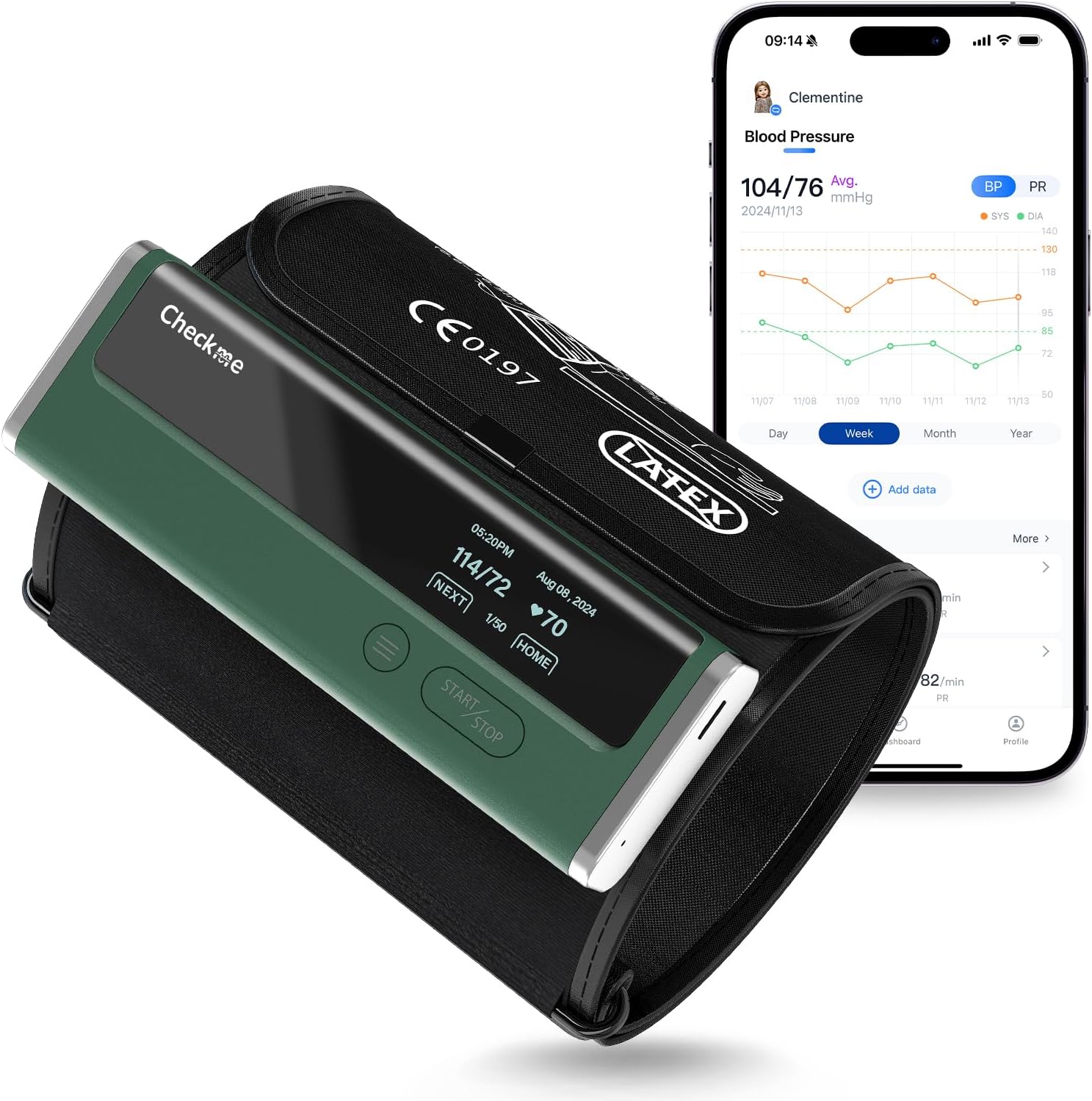
Image: The Checkme Blood Pressure Monitor, showing the main unit attached to the arm cuff, alongside a smartphone displaying the companion application's interface. The device is green and compact.
3. Setup
3.1 Charging the Device
Before first use, ensure the device is fully charged. Connect the provided charging cable to the monitor and a suitable USB power source. A full charge typically provides power for approximately 3 months of typical use.

Image: A hand placing the compact Checkme Blood Pressure Monitor into a bag, illustrating its portability. An inset shows the device connected to a USB charging cable, indicating its rechargeable nature.
3.2 Installing the App (Optional)
For advanced data management and tracking, download the ViHealth application from your device's app store (iOS or Android). The app allows you to view real-time statistics, historical trends, and generate reports.
- Search for "ViHealth" in the App Store (iOS) or Google Play Store (Android).
- Download and install the application.
- Follow the in-app instructions to pair your Checkme monitor via Bluetooth.

Image: Two individuals, a man and a woman, seated on a couch, looking at a smartphone. The phone screen displays the multi-user data management interface of the ViHealth application, showing different user profiles and their health data.
4. Operating the Device
4.1 Applying the Arm Cuff
- Ensure your arm is bare. Remove any clothing that might interfere with the cuff.
- Sit comfortably with your back supported and feet flat on the floor.
- Place the arm cuff on your upper arm, approximately 1-2 cm above your elbow. The air tube should run down the inside of your arm.
- Wrap the cuff snugly around your arm. It should be tight enough that you can barely slide two fingers under the top edge.
- Rest your arm on a table so the cuff is at heart level.

Image: A man is shown applying the Checkme Blood Pressure Monitor arm cuff to his upper arm. The device is positioned correctly on his arm, ready for a measurement.

Image: A close-up view of the adjustable arm cuff, highlighting its high-elastic LYCRA fabric and the intelligent pressurization mechanism. The cuff is designed to fit upper arm sizes ranging from 8.6 to 16.5 inches.
4.2 Taking a Measurement
- Once the cuff is correctly applied, press the Start/Stop button on the device.
- Remain still and silent during the measurement. Avoid talking or moving.
- The device will automatically inflate the cuff and begin the measurement.
- After approximately 30 seconds, your blood pressure and pulse rate will be displayed on the device screen.
- The reading will automatically be stored in the device's memory (up to 50 readings) and, if connected, synchronized with the ViHealth app.

Image: The Checkme Blood Pressure Monitor's display screen showing a blood pressure reading (114/72) and heart rate (70 bpm). The image also highlights the device's ability to store up to 50 sets of measurement data.

Image: A woman is shown sitting in a dimly lit room, looking at the clear display screen of the Checkme Blood Pressure Monitor. The screen shows a blood pressure reading and heart rate, emphasizing its readability in various lighting conditions.
5. Data Management with ViHealth App
The ViHealth app provides comprehensive tools for managing your blood pressure data.
5.1 Viewing Historical Data
Once connected via Bluetooth, the app automatically tracks your measurements. You can view historical trends, daily, weekly, or yearly averages.
5.2 Sharing Reports
The app allows you to generate and share reports in PDF or CSV format, which can be useful for sharing with healthcare professionals.

Image: Three smartphone screens illustrating the ViHealth app's functionalities. The first screen shows a historical trend graph of blood pressure readings. The second screen displays options for selecting and managing readings. The third screen presents options to export blood pressure records in PDF or CSV format for report sharing.
6. Maintenance
- Clean the device and cuff with a soft, dry cloth. Do not use abrasive cleaners or immerse the device in water.
- Store the device in a cool, dry place, away from direct sunlight and extreme temperatures.
- Ensure the cuff is not twisted or kinked during storage.
7. Important Considerations for Accurate Measurement
- Blood pressure varies constantly throughout the day. A single measurement does not provide an accurate indication of your true blood pressure. Users need to take and record multiple results over a period of time.
- Many factors, including stress, time of day, and/or how you apply the arm cuff, can affect your blood pressure.
- Avoid measuring immediately after exercise, bathing, eating, drinking alcohol or caffeine, or smoking.
- Rest for at least 5 minutes before taking a measurement.
8. Troubleshooting
Refer to the table below for common issues and their solutions.

Image: A troubleshooting guide presented as a table. It lists common problems such as "No power," "Blood pressure readings appear too high or too low," "Error 1: Apply the arm cuff tighter," "Error 2: Do not move or talk, remain still," "Error 3: Remove any clothing interfering with the cuff," and "Error x (x>4): Contact customer service." For each problem, a possible cause and a corresponding solution are provided.
| Problem | Possible Cause | Solution |
|---|---|---|
| No power. No display appears on the device. | Battery is depleted. | Recharge the battery. |
| Blood pressure readings appear too high or too low. | Blood pressure varies constantly. Many factors including stress, time of day, and/or how you apply the arm cuff, may affect your blood pressure. | Hold still for a moment and try again. |
| Error 1: Apply the arm cuff tighter. | Arm cuff is applied too loosely. | Tighten the arm cuff and try again. |
| Error 2: Do not move or talk, remain still. | Moving or talking while taking measurements, and the pressure of the cuff is interfered with. | Remain still and do not talk while taking measurements. |
| Error 3: Remove any clothing interfering with the cuff. | The signal is poor while measuring blood pressure. | Take blood pressure on a bare arm. |
| Error x (x>4): Contact customer service. | The device has malfunctioned. | Contact customer service. |
9. Specifications
- Model Name: BP2A Green
- Brand: Checkme
- Power Source: Batteries (Rechargeable)
- Display Type: Digital
- Cuff Size Range: 8.6 - 16.5 inches (22 - 42 cm)
- Age Range (Description): Adult
- Product Weight: Approximately 1 Pound
- Included Components: 1 Blood Pressure Monitor, 1 Charging Cable, 1 User Manual, 1 Quick Guide, 1 Warranty Card
10. Warranty and Support
The Checkme Blood Pressure Monitor comes with a 12-month worry-free warranty and free lifetime technical support.
For technical assistance or warranty claims, please refer to the contact information provided on your warranty card or visit the official Checkme website.


