1. Introduction
This manual provides essential information for the proper setup, operation, and maintenance of your DIYmall ESP32 Programming Module Test Board and XH-S3E N16R8 Wi-Fi BLE Module. Please read these instructions carefully before use to ensure optimal performance and longevity of the product.
2. Product Components
The package includes the following items:
- 1 x ESP32 Programming Module Test Board Burning Fixture
- 1 x XH-S3E N16R8 Wi-Fi BLE Module

3. Setup and Module Installation
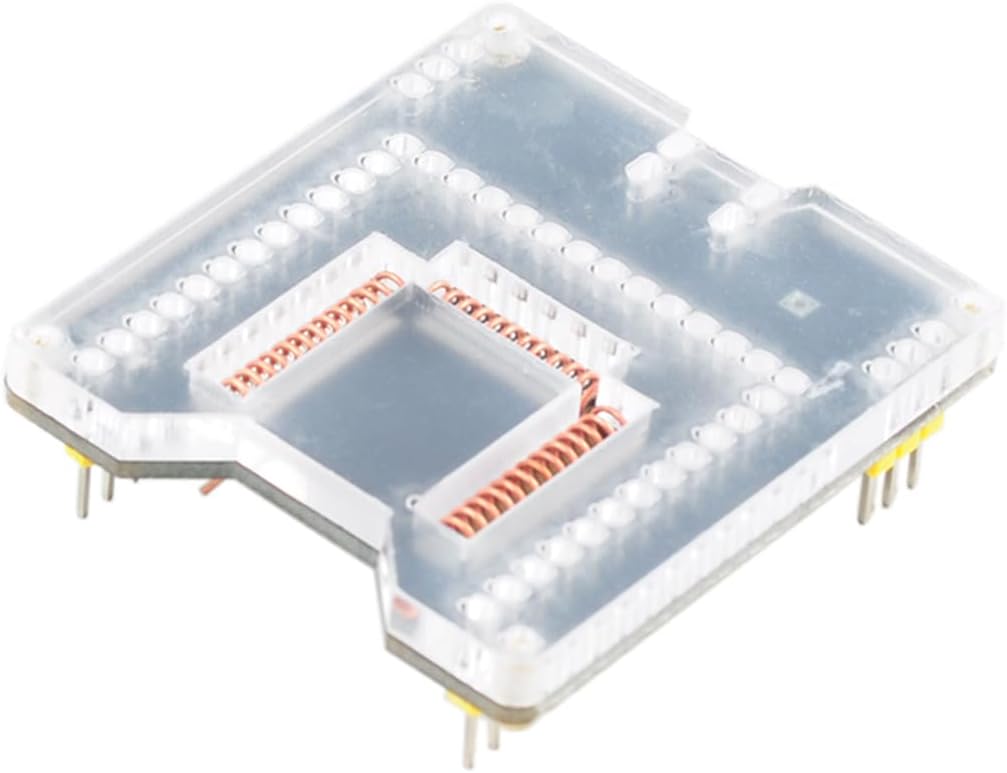
The ESP32 Programming Module Test Board is designed for burning various ESP32 modules. It supports the following module types:
- ESP32-WROOM-32D
- ESP32-WROOM-32E
- ESP-S2-WROOM
- ESP-S3-WROOM
- ESP-32S
- XH-S3E
To install a module onto the test board, carefully align the module's pins with the corresponding sockets on the burning fixture. Ensure a secure connection without applying excessive force.

4. Operating Instructions
4.1. Module Power Supply and Connections
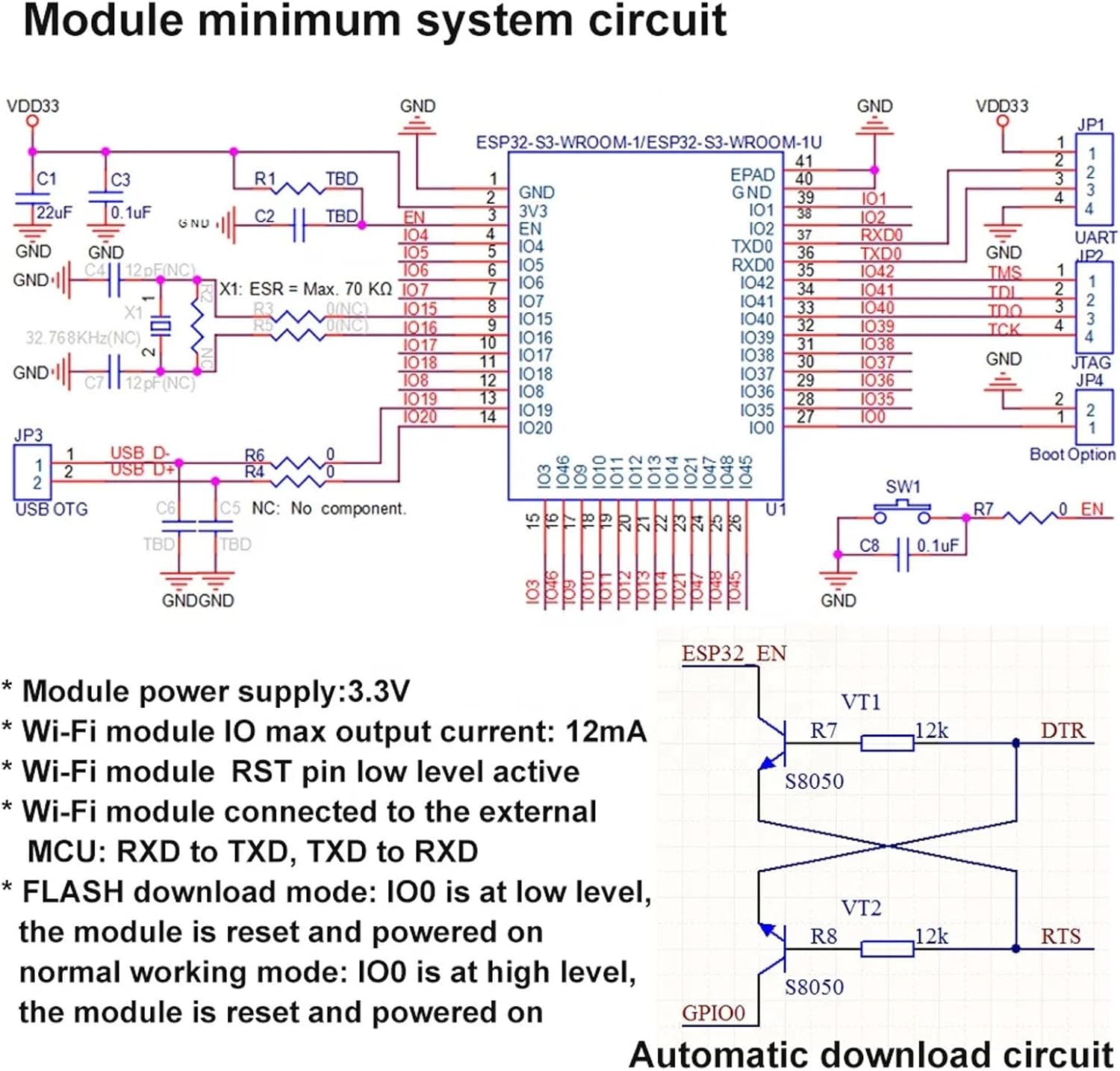
- Module power supply: 3.3V
- Wi-Fi module IO max output current: 12mA
- Wi-Fi module RST pin is low level active.
- When connecting the Wi-Fi module to an external MCU, ensure connections are: RXD to TXD, TXD to RXD.
4.2. FLASH Download Mode
To enter different operating modes, control the state of the IO0 pin during reset and power-on:
- FLASH download mode: IO0 is at a low level when the module is reset and powered on.
- Normal working mode: IO0 is at a high level when the module is reset and powered on.
5. Features and Specifications
5.1. XH-S3E N16R8 Module Overview
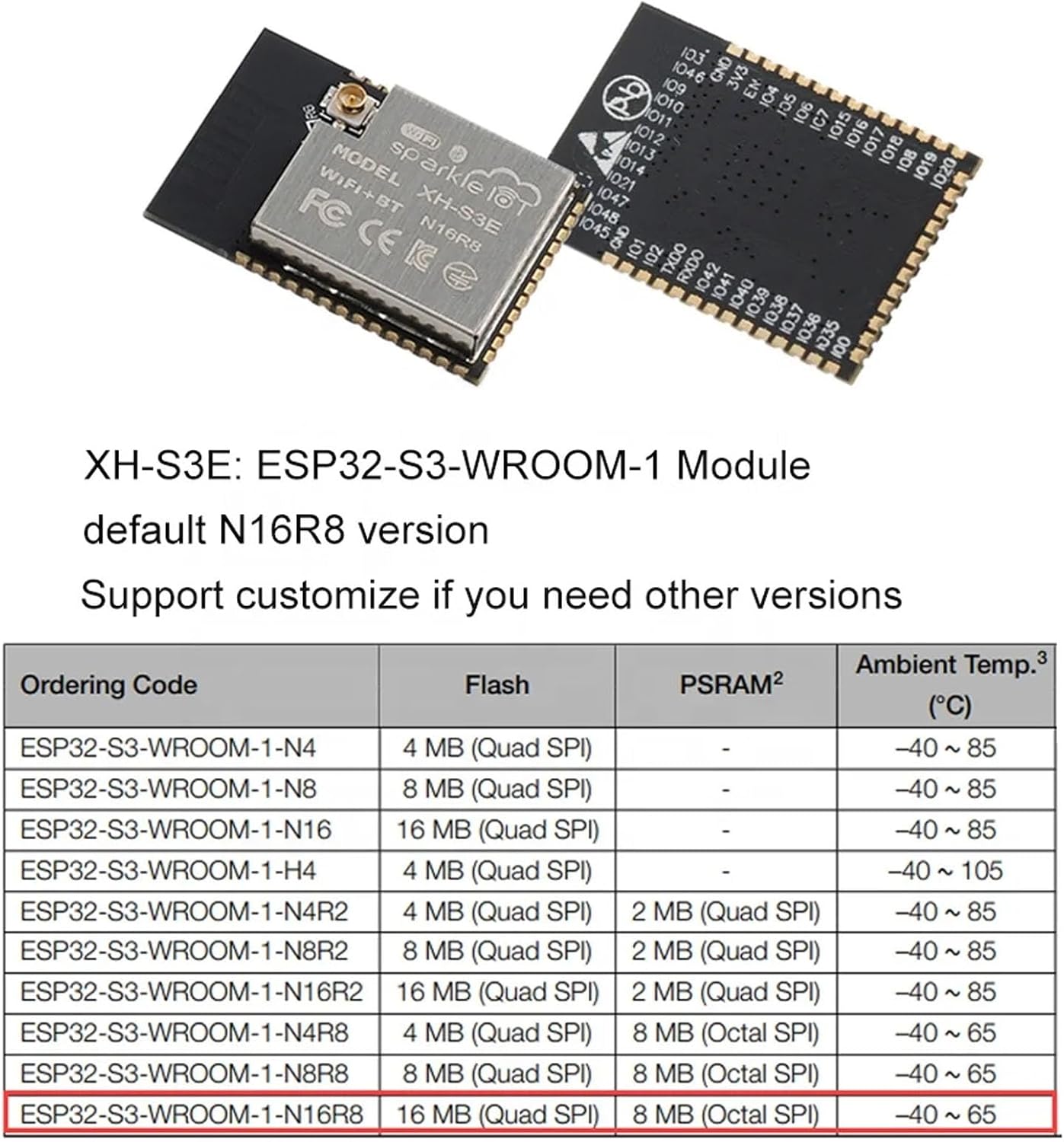
The XH-S3E N16R8 module is based on ESP32-S3R8 SoCs, featuring a dual-core 32-bit LX7 microprocessor. It supports an RTC frequency up to 240MHz.
5.2. Technical Specifications
| Feature | Description |
|---|---|
| CPU | Dual-core 32-bit LX7 microprocessor (ESP32-S3R8 SoCs), up to 240MHz RTC frequency |
| Operating Voltage | 3.0V ~ 3.6V |
| ROM | 384 KB |
| SRAM | 512 KB |
| RTC SRAM | 16 KB |
| SPI Flash | 16 MB |
| PSRAM | 8 MB |
| Wi-Fi | 802.11 b/g/n (up to 150 Mbps), A-MPDU and A-MSDU aggregation, STA/APO/STA+AP modes, 2412 MHz ~ 2484 MHz |
| Bluetooth | Low power BLE 5, BLE mesh (125 Kbps, 500 Kbps, 1 Mbps, 2 Mbps) |
| Peripherals | GPIO, SPI, LCD, Camera, UART, I2C, I2S, remote control, pulse counter, LED PWM, USB 1.1 OTG, USB Serial/JTAG, MCPWM, SDIO host, GDMA, ADC, touch sensor, temperature sensor, timers, watchdogs |
| Operating Temperature | -40°C ~ 105°C |
| Module Size | 18x25.5x3mm |
5.3. General Product Specifications
- Brand: DIYmall
- Series: DIYmall ESP32 Test Board
- RAM: LPDDR4
- Operating System: Linux (compatible)
- Processor Brand: Espressif
- Number of Processors: 1
- Connectivity Technology: USB
- Item Weight: 0.634 ounces
- Package Dimensions: 4.25 x 3.58 x 0.67 inches
6. Applications
The ESP32 Programming Module Test Board and XH-S3E N16R8 Wi-Fi BLE Module are suitable for a wide range of applications, including but not limited to:
- Smart Home devices
- Smart Building systems
- Webcams
- Wearable Electronics
- Wireless Location System Beacons
- Industrial Wireless Control
- Generic Low-power IoT Sensor Hubs
- Smart Agriculture solutions
- Smart Bus systems
- Wi-Fi-enabled Toys
7. Troubleshooting
If you encounter issues with your module or test board, consider the following general troubleshooting steps:
- Power Supply: Ensure the module is receiving a stable 3.3V power supply. Incorrect voltage can lead to malfunction.
- Connections: Verify all connections, especially between the module and the test board, and any external MCU. Ensure RXD and TXD lines are correctly crossed.
- IO0 State: Confirm the IO0 pin is set to the correct level (low for FLASH download, high for normal operation) during reset/power-on for the desired mode.
- Software/Firmware: Check your development environment and firmware for errors. Ensure the correct drivers are installed for USB connectivity.
- Module Seating: Re-seat the ESP32 module on the test board to ensure all pins make proper contact.
8. Maintenance
To ensure the longevity and reliable operation of your DIYmall ESP32 Programming Module Test Board and XH-S3E N16R8 Wi-Fi BLE Module, follow these maintenance guidelines:
- Storage: Store the board and module in a dry, anti-static environment, away from direct sunlight and extreme temperatures.
- Cleaning: If necessary, gently clean the board with a soft, dry brush or compressed air to remove dust. Avoid using liquids or abrasive materials.
- Handling: Handle the components by their edges to avoid touching sensitive electronic parts. Use anti-static precautions when working with the module.
9. Warranty and Support
For warranty information and technical support, please refer to the DIYmall official website or contact your point of purchase. Keep your purchase receipt as proof of purchase.
For further assistance, you may visit the DIYmall Store on Amazon.


