
Introduction
This manual provides detailed instructions for the installation, operation, and maintenance of your ASHATA 25mm 5MP IR CCTV Security Camera Lens. Designed for various IP cameras with an M12x0.5 mount, this lens offers high-resolution imaging and infrared night vision capabilities for enhanced surveillance.
Product Features
- 5 Million Pixels: Provides clear and detailed images, ensuring no critical information is missed.
- IR Night Vision: Equipped with infrared capabilities for 24-hour surveillance and protection in low-light conditions.
- 25mm Focal Length: Allows for magnification to observe specific details effectively.
- Universal Compatibility: Suitable for IP cameras with an M12x0.5 mount, including models from Firefly and others.
- Durable Construction: Made from good quality materials for reliable performance.
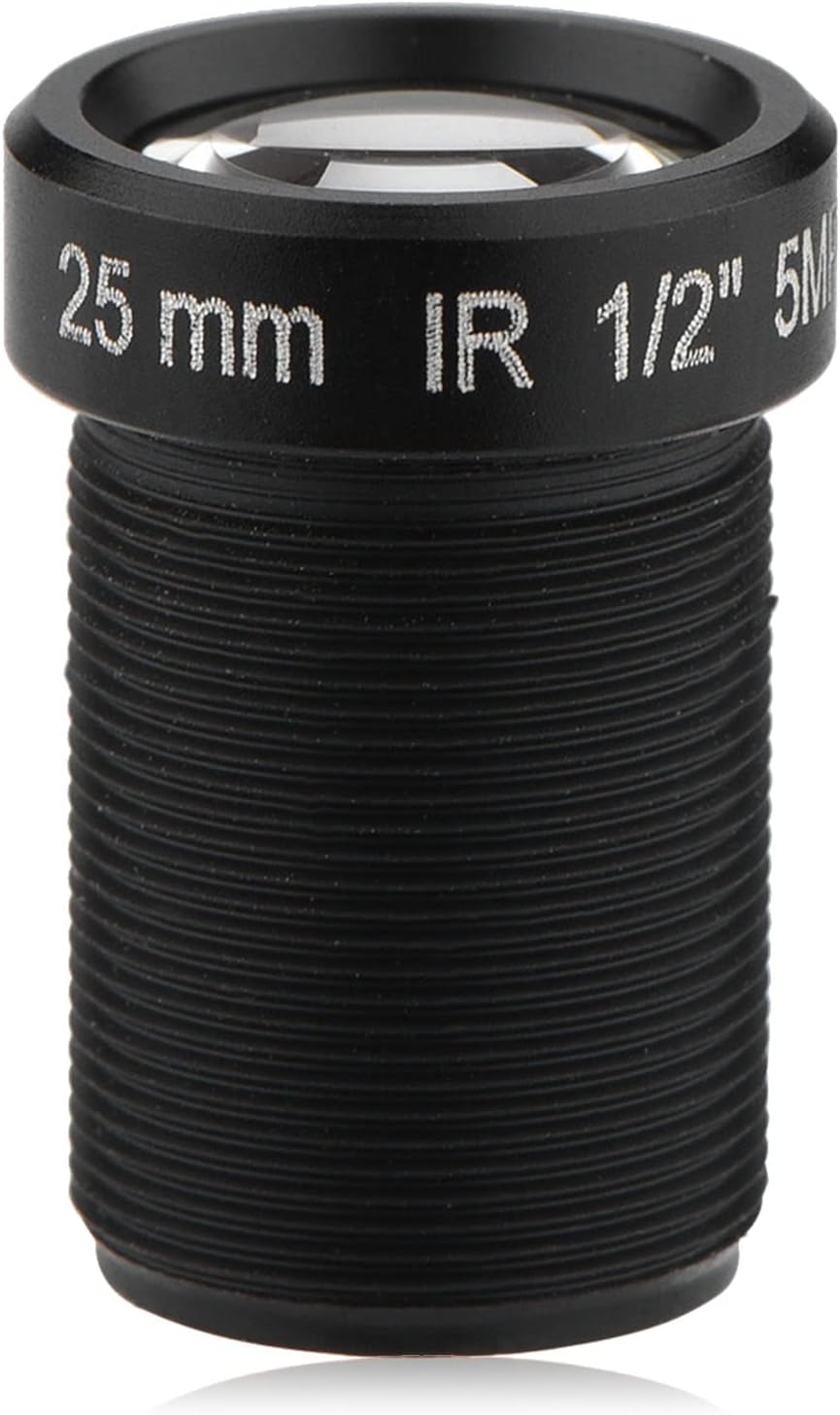
Figure 1: ASHATA 25mm 5MP IR CCTV Security Camera Lens. This image shows the overall design of the lens.
Setup and Installation
Follow these steps to properly install your ASHATA 25mm CCTV Camera Lens onto a compatible IP camera.
- Prepare the Camera: Ensure your IP camera is powered off and disconnected from any power source before beginning installation.
- Remove Existing Lens (if applicable): Carefully unscrew and remove any existing lens from your IP camera. Store it safely if you intend to reuse it.
- Attach the ASHATA Lens: Align the M12x0.5 mount of the ASHATA lens with the camera's lens mount. Gently screw the lens into place clockwise until it is secure. Avoid overtightening.
- Power On and Test: Reconnect power to your IP camera. Access the camera's live view feed.
- Adjust Focus: The lens may require manual focus adjustment. Rotate the outer ring of the lens until the image on your camera's feed is clear and sharp.

Figure 2: The ASHATA lens in a surveillance scenario, highlighting its 5MP resolution for clear vision.

Figure 3: Illustrates the universal compatibility of the ASHATA lens with various IP cameras featuring an M12*0.5 mount.

Figure 4: The ASHATA lens shown with a separate mounting ring, typical for M12 installations.
Operation
Once installed, the ASHATA 25mm lens operates in conjunction with your IP camera's software and hardware. Here are key operational aspects:
- High-Resolution Imaging: The 5-megapixel resolution ensures that the captured video and images are sharp and detailed, allowing for clear identification of subjects and events.
- IR Night Vision: The integrated IR lens automatically activates in low-light conditions, providing clear black-and-white video footage during the night. This feature ensures continuous surveillance without manual intervention.
- 25mm Focal Length: This fixed focal length provides a specific field of view. For detailed observation of distant objects or specific areas, the 25mm focal length offers a magnified perspective.
- Focus Adjustment: If the image appears blurry, gently rotate the lens barrel to achieve optimal focus. This is typically a one-time adjustment during installation unless the camera or lens is moved significantly.

Figure 5: Close-up of the IR lens, emphasizing its capability to provide 24-hour protection.

Figure 6: Detail showing the 25mm focal length marking on the lens, indicating its magnification capability.
Maintenance
Proper maintenance ensures the longevity and optimal performance of your ASHATA camera lens.
- Cleaning the Lens: Use a soft, lint-free microfiber cloth specifically designed for optical lenses. For stubborn smudges, a small amount of lens cleaning solution can be applied to the cloth (never directly to the lens).
- Avoid Abrasives: Do not use abrasive materials, harsh chemicals, or solvents, as these can damage the lens coating.
- Dust Removal: Use a blower brush or compressed air (designed for electronics) to remove dust particles from the lens surface before wiping.
- Storage: When not in use, store the lens in a clean, dry environment, preferably with a lens cap to protect it from dust and scratches.
- Handling: Always handle the lens by its barrel, avoiding direct contact with the optical glass.

Figure 7: Various angles of the ASHATA lens, showcasing its design and build quality.
Troubleshooting
If you encounter issues with your ASHATA 25mm CCTV Camera Lens, refer to the following common problems and solutions:
- Blurry Image:
- Ensure the lens is securely screwed into the camera mount.
- Manually adjust the focus by rotating the lens barrel until the image is sharp.
- Check if the lens surface is clean and free from dust or smudges.
- No Image or Dark Image:
- Verify that the camera itself is powered on and functioning correctly.
- Ensure the lens is fully seated and making proper contact with the camera sensor.
- Check camera settings to ensure the correct lens type or image sensor is selected, if applicable.
- Night Vision Not Activating or Poor Quality:
- Confirm that your IP camera supports IR functionality and that it is enabled in the camera's settings.
- Ensure there are no obstructions blocking the camera's IR illuminators (if external).
- Clean the lens surface, as dirt can interfere with IR performance.
- Compatibility Issues:
- Verify that your IP camera has an M12x0.5 mount. This lens is designed specifically for this mount type.
- Consult your camera's manual for lens compatibility information.
Specifications
| Brand | ASHATA |
| Model Number | EBU9unfgiwecs32m552 |
| Focal Length | 25 mm |
| Resolution | 5 Million Pixels |
| Lens Type | Fixed Focal Length |
| Compatible Mountings | M12x0.5 |
| IR Function | Yes, supports night vision |
| Product Dimensions | 3.94 x 2.76 x 0.79 inches |
| Item Weight | 0.529 ounces |

Figure 8: A detailed view of the lens, showing its construction and markings.
Warranty and Support
For warranty information or technical support regarding your ASHATA 25mm 5MP IR CCTV Security Camera Lens, please refer to the documentation provided with your purchase or contact ASHATA customer service directly. Contact details can typically be found on the manufacturer's official website or through your retailer.