
1. Introduction
The Jadeshay PZEM-025 is a versatile digital multimeter designed for measuring DC voltage, current, power, and energy consumption. This device features a clear LCD display with a green backlight, making it easy to read in various lighting conditions. It is equipped with high-precision electronic components for accurate and reliable measurements. This manual provides detailed instructions for the proper installation, operation, and maintenance of your PZEM-025 meter.
2. Key Features
- 4-in-1 Measurement: Displays voltage, current, power, and energy consumption simultaneously.
- Wide Viewing Angle LCD: Features an HTN wide-view LCD with a green backlight for clear readability.
- Backlight Control: Easily toggle the backlight on or off with a dedicated button.
- High Precision: Integrated electronic components ensure fast response and accurate measurements.
- Direction Indication: Indicates the direction of current and energy flow (forward or reverse).
- Data Preservation: Automatically saves power data and backlight status upon power loss.
- Robust Design: Durable casing protects the device from wear.
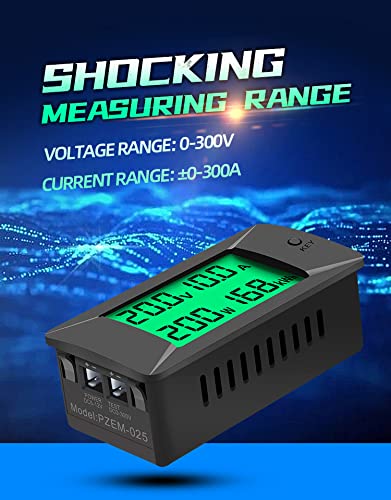
Figure 1: The Jadeshay PZEM-025 Digital Voltmeter Ammeter displaying its measurement range for voltage (0-300V) and current (±0-300A).
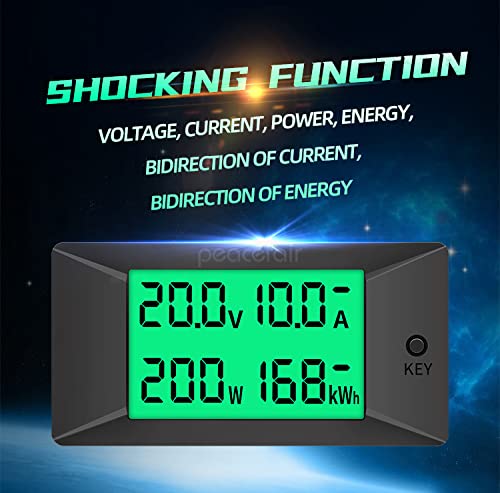
Figure 2: The meter's display showing voltage, current, power, and energy consumption values, highlighting its multi-functionality.
3. Specifications
| Parameter | Value |
|---|---|
| Model Number | PZEM-025 |
| Voltage Measurement Range | 0-300V DC |
| Current Measurement Range | ±0-50A (or 100A, 200A, 300A depending on model) |
| Power Measurement Range | 0-90kW (calculated from V*A) |
| Energy Consumption Range | 0-999kWh |
| Display Type | HTN Wide View LCD with Green Backlight |
| Operating Voltage (Independent Supply) | DC 5-12V |
| Operating Voltage (Direct Supply) | DC 8-300V |
| Measurement Accuracy | ±1% |
| Data Storage | Yes (Power data and backlight status) |
| Compliance | CE |

Figure 3: Detailed specifications for voltage and current measurement, including display format, starting measurement, and accuracy.
4. Setup and Installation
Correct wiring is essential for the safe and accurate operation of the PZEM-025 meter. This device supports two power supply modes: direct supply from the measured circuit or an independent external power supply.
4.1 Wiring Diagram Overview
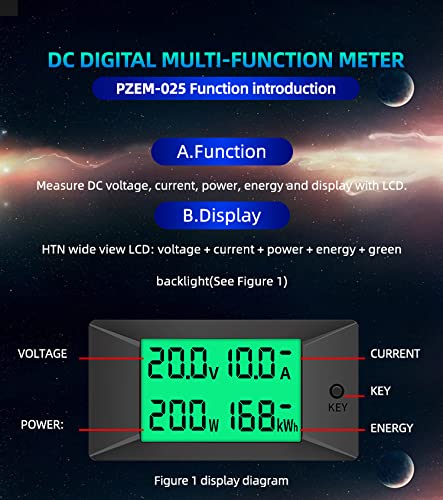
Figure 4: Overview of the power supply connections. The 'POWER' terminals are for the meter's operating power, and 'TEST' terminals are for the voltage measurement.
4.2 Detailed Wiring for Current Measurement
When measuring current, the current sampling circuit must be connected to the negative pole of the load. Ensure all connections are secure and correctly polarized.

Figure 5: Comprehensive wiring diagram for the 50A model, illustrating connections for both independent power supply and the load circuit. Note the current sampling circuit connection to the negative pole.
4.3 Power Supply Options
- Direct Power Supply: The meter can be powered directly by the voltage being measured. In this mode, the test voltage range is 8-300V DC.
- Independent Power Supply: For measuring voltages below 8V, an independent DC 5-12V power supply is required for the meter's operation. The test voltage range remains 0-300V DC.
5. Operating Instructions
The PZEM-025 meter is designed for straightforward operation. The 'KEY' button on the front panel controls various functions.
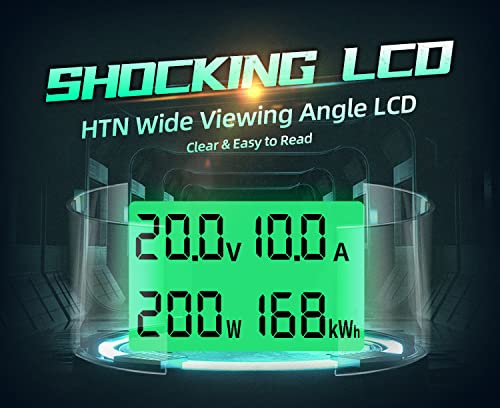
Figure 6: Front panel display layout, indicating the positions of Voltage, Current, Power, Energy readings, and the 'KEY' button.
5.1 Backlight Control
- Short Press: A short press of the 'KEY' button will toggle the green backlight on or off.
5.2 Energy Consumption Reset
- Long Press: Press and hold the 'KEY' button for more than 3 seconds to reset the accumulated energy consumption (kWh) value to zero.
5.3 Current and Energy Direction Indication
The meter can indicate the direction of current and energy flow:
- If a "-" sign appears before the current or energy value, it indicates a reverse direction of flow.
- If no "-" sign is present, it signifies a forward (positive) direction of flow.
- The energy direction is determined by the current direction. If the current is positive, energy increases. If the current is reverse, energy decreases.
- The maximum energy value is 999kWh. An overflow will maintain 999kWh until reset. The minimum energy value is -999kWh. An underflow will maintain -999kWh until reset.

Figure 7: Illustration of various functions including backlight control, energy reset, and how current and energy direction are indicated on the display.
6. Maintenance
The Jadeshay PZEM-025 meter requires minimal maintenance to ensure long-term performance.
- Cleaning: Use a soft, dry cloth to clean the display and casing. Avoid abrasive cleaners or solvents that could damage the plastic.
- Storage: Store the device in a dry environment, away from direct sunlight and extreme temperatures.
- Inspection: Periodically check wiring connections to ensure they remain secure.
7. Troubleshooting
If you encounter issues with your PZEM-025 meter, refer to the following common problems and solutions.
| Problem | Possible Cause | Solution |
|---|---|---|
| Display shows only partial segments or freezes. | Temporary software glitch or unstable power supply, especially when operating without an independent power source at low voltages. | Disconnect the meter from all power sources for several hours, then reconnect. Ensure a stable power supply (DC 5-12V independent supply recommended for critical applications or low voltage measurements). |
| No display or power. | Incorrect wiring, no power supply, or power supply voltage is outside the specified range. | Verify all wiring connections according to the diagram. Check the power supply voltage (DC 5-12V for independent, 8-300V for direct) and ensure it is connected correctly. |
| Inaccurate readings. | Incorrect wiring, especially the current sampling circuit, or exceeding the measurement range. | Double-check the wiring, ensuring the current sampling circuit is connected to the negative pole. Confirm that the measured voltage and current are within the meter's specified ranges. |
8. Safety Precautions
- This product is suitable for indoor use only.
- This product is designed for DC circuits only. Do not connect to AC power.
- Ensure the measurement voltage and current do not exceed the calibrated range of the meter.
- Always ensure wiring is correct before applying power to prevent damage to the meter or connected equipment.
- Installation should be performed by qualified personnel if you are unsure about electrical wiring.
- Avoid exposing the device to moisture, dust, or corrosive environments.
9. Warranty and Support
Jadeshay products are manufactured to high-quality standards. For warranty information or technical support, please refer to the documentation provided with your purchase or contact your retailer. Keep your purchase receipt as proof of purchase for any warranty claims.