
BACKWIN B870
BACKWIN Wired Earbuds User Manual
Model: B870
Introduction
This manual provides detailed instructions for the use, setup, and maintenance of your BACKWIN Wired Earbuds, Model B870. Please read this manual thoroughly before using the product to ensure optimal performance and longevity.
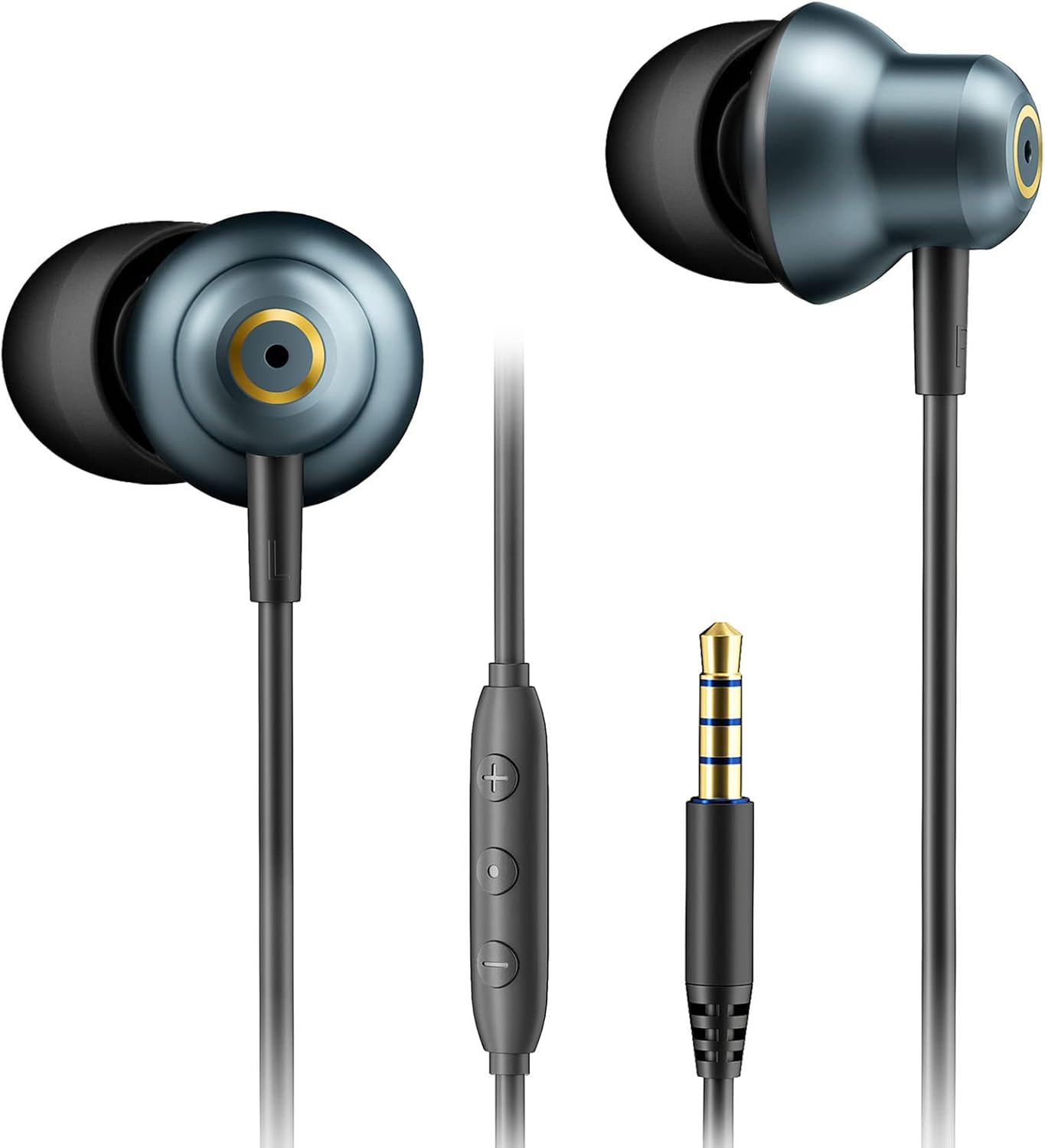
The BACKWIN Wired Earbuds, featuring a 3.5mm jack and in-line controls, are designed for a wide range of audio devices.
Package Contents
Verify that all items are present in the package:
- BACKWIN Wired Earbuds (Model B870)
- Ear Cushions (3 pairs: Small, Medium, Large)
- Protective Case
- Instruction Manual (this document)

Image showing the BACKWIN Wired Earbuds along with the included ear tips in various sizes and a protective pouch.
Setup
1. Selecting the Right Ear Tips
Proper ear tip selection is crucial for comfort, sound quality, and noise isolation. Experiment with the included Small (S), Medium (M), and Large (L) ear tips to find the best fit for your ears.
- Gently pull off the pre-installed ear tips.
- Select a pair of ear tips that feel comfortable and create a good seal in your ear canal.
- Press the new ear tips firmly onto the earbud nozzles until they are securely attached.

Illustration demonstrating the ergonomic design of the earbuds and the three included ear tip sizes (S, M, L) for optimal fit.
2. Connecting to Your Device
The BACKWIN Wired Earbuds feature a standard 3.5mm audio jack for broad compatibility.
- Locate the 3.5mm audio jack on your smartphone, tablet, laptop, desktop PC, MP3 player, or game console.
- Insert the earbud's 3.5mm plug firmly into the device's audio jack until it clicks into place.
- Ensure the connection is secure to prevent audio interruptions.
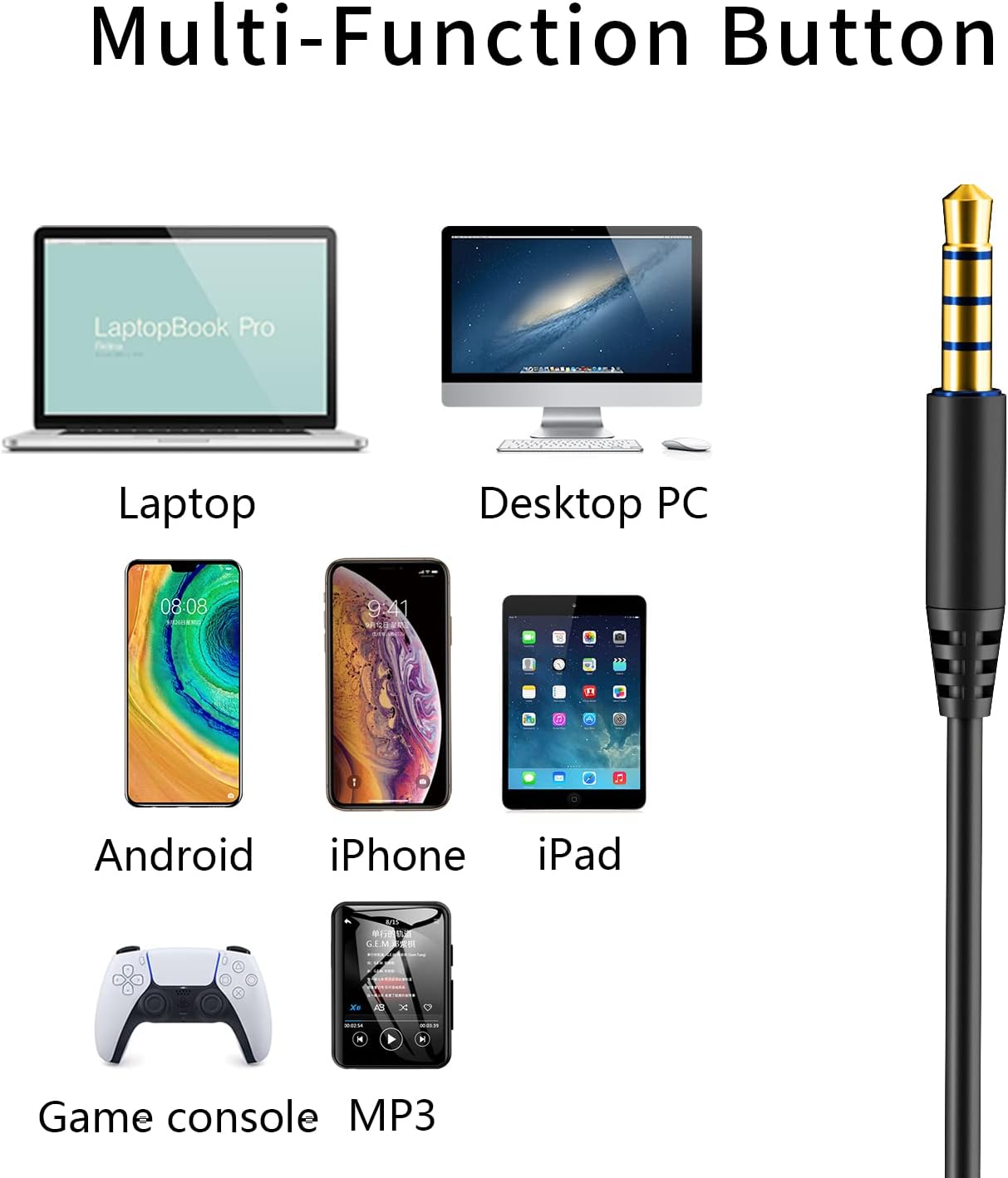
The 3.5mm audio jack ensures wide compatibility with various devices including laptops, desktop PCs, smartphones (Android, iPhone), tablets (iPad), game consoles, and MP3 players.
Operating Instructions
In-line Remote Control Functions
The in-line remote allows for easy control of audio playback and calls without needing to access your device.
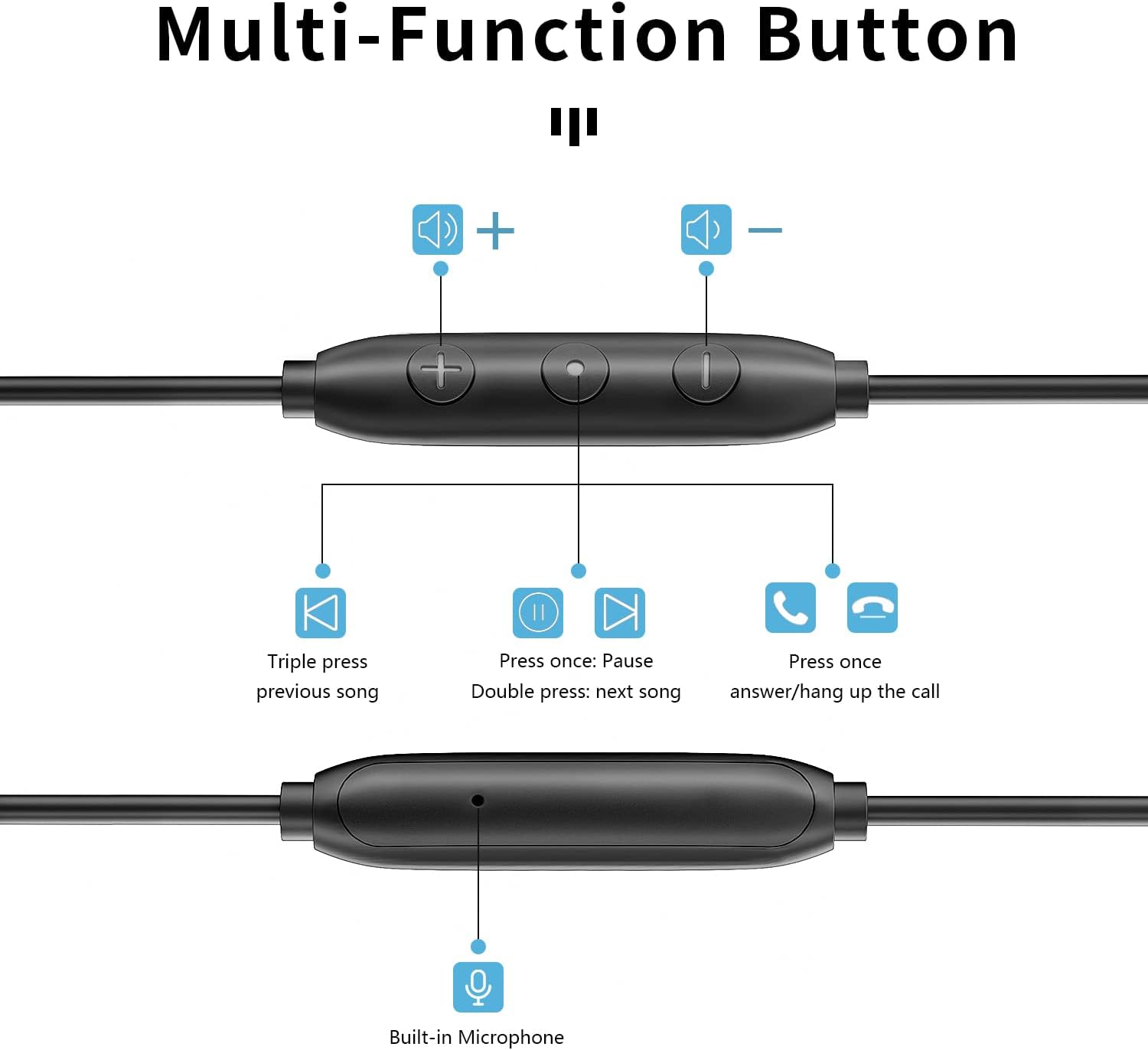
Detailed view of the multi-function in-line remote control, illustrating button functions for volume adjustment, track navigation, and call management.
- Volume Up (+): Press to increase volume.
- Volume Down (-): Press to decrease volume.
- Multi-function Button (Center):
- Press once: Play/Pause audio; Answer/End call.
- Double press: Next track.
- Triple press: Previous track.
- Built-in Microphone: Located on the remote, allows for hands-free calling. Position the microphone near your mouth for clear communication.
Features and Technology
Four-Speaker Sound System
Each earbud is equipped with two speakers: a moving coil speaker for powerful bass and an iron ring speaker for clear highs and noise reduction. This dual-driver design delivers a balanced and immersive audio experience.

Anatomy of the earbud's internal structure, highlighting the dynamic coil for bass and moving iron for treble, contributing to HiFi stereo sound.
Anti-Tangle Cable Design
The earbud cable is constructed from soft and elastic aerospace TPE hollow material, reinforced with copper wire and fiber. This design provides excellent durability, abrasion resistance, and significantly reduces tangling, ensuring a smooth user experience, especially during gaming with 0 latency.
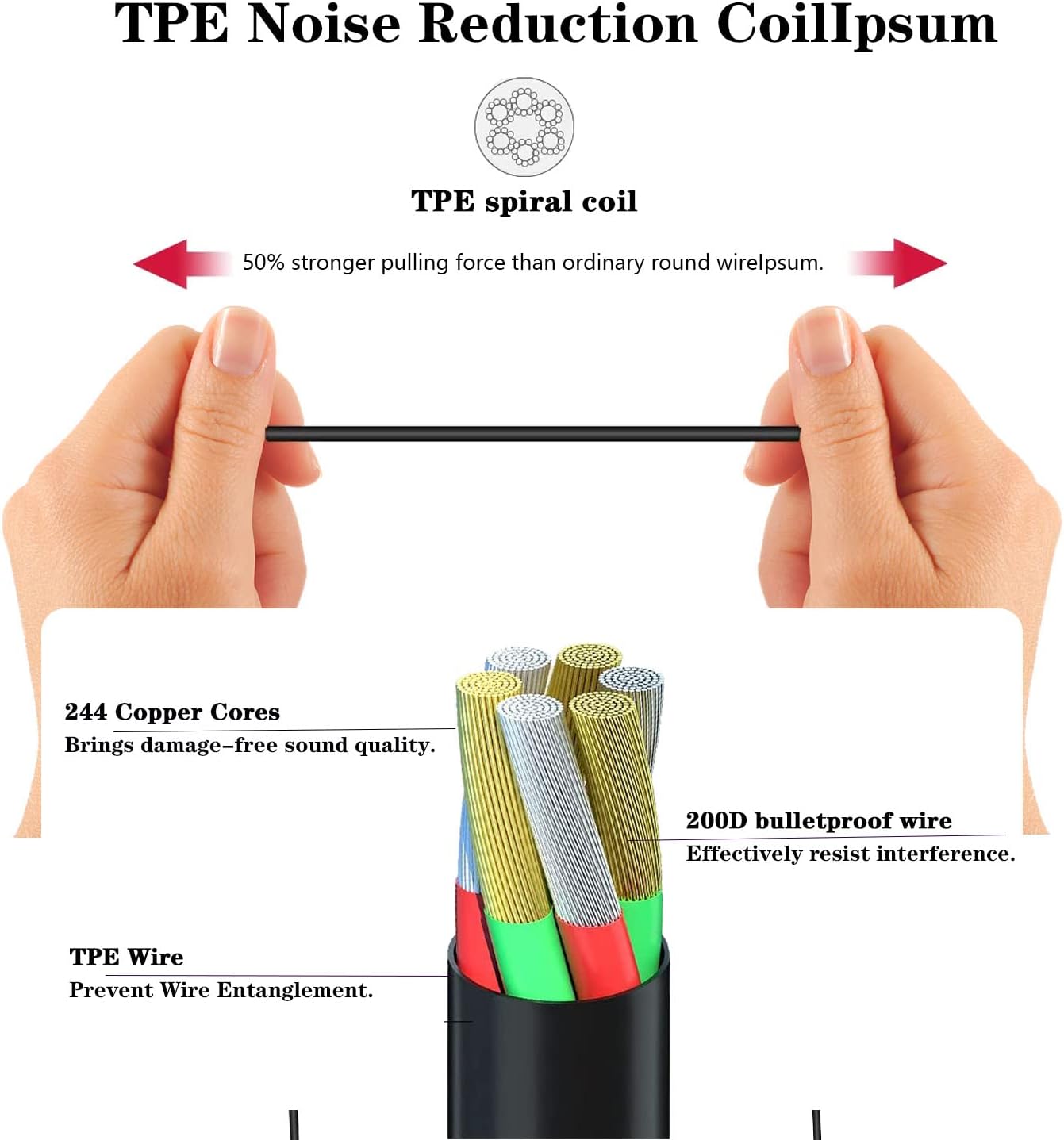
Detailed cross-section of the TPE noise reduction cable, showing its robust construction with 244 copper cores and 200D bulletproof wire for durability and tangle prevention.
IP67 Dustproof and Waterproof Rating
The earbuds are rated IP67, offering protection against dust ingress and immersion in water up to 1 meter for 30 minutes. This makes them suitable for use during workouts or in light rain, but they are not intended for swimming or prolonged submersion.
Maintenance and Care
- Cleaning: Regularly clean the ear tips with a soft, damp cloth. For the earbud nozzles, gently wipe away any earwax or debris using a dry cotton swab. Do not use harsh chemicals or abrasive materials.
- Storage: When not in use, store the earbuds in the provided protective case to prevent tangling and damage.
- Water Exposure: While IP67 rated, avoid unnecessary exposure to water. If they get wet, dry them thoroughly before storing or using again. Do not charge or connect to a device if the jack is wet.
- Cable Care: Avoid sharp bends or excessive pulling on the cable to maintain its integrity.
Troubleshooting
| Problem | Possible Cause | Solution |
|---|---|---|
| No sound or low volume |
|
|
| Sound distortion or crackling |
|
|
| Microphone not working |
|
|
Specifications
| Model Name | B870 |
| Connectivity Technology | Wired (3.5mm Jack) |
| Speaker Configuration | Four-speaker system (Moving Coil + Iron Ring per earbud) |
| Cable Material | Aerospace TPE hollow material with copper wire and fiber |
| Water Resistance Rating | IP67 (Dustproof and Waterproof) |
| Control Type | In-line Volume Control, Multi-function Button |
| Microphone | Built-in |
| Ear Placement | In Ear |
| Noise Control | Sound Isolation |
| Item Weight | 1.13 ounces |
Warranty and Support
The BACKWIN Wired Earbuds (Model B870) come with a 2-year warranty from the date of purchase. This warranty covers manufacturing defects and workmanship under normal use.
The warranty does not cover:
- Damage caused by misuse, abuse, accident, or negligence.
- Normal wear and tear.
- Unauthorized repairs or modifications.
- Damage from improper storage or extreme environmental conditions.
For warranty claims or technical support, please contact BACKWIN customer service through the retailer where the product was purchased or visit the official BACKWIN website for contact information.
Please retain your proof of purchase for warranty validation.
Related documentsB870

Ask a question about this manual
Ask about setup, troubleshooting, compatibility, parts, safety, or missing instructions. Manuals+ will review the question and use this page’s manual context to help answer it.