
1. Introduction
The Hyperice Hypervolt Go 2 is a compact and lightweight handheld percussion massage device designed to help relieve sore muscles and stiffness. Featuring QuietGlide Technology and three speed settings, it provides effective muscle recovery and relaxation. This manual provides essential information for the safe and optimal use of your device.
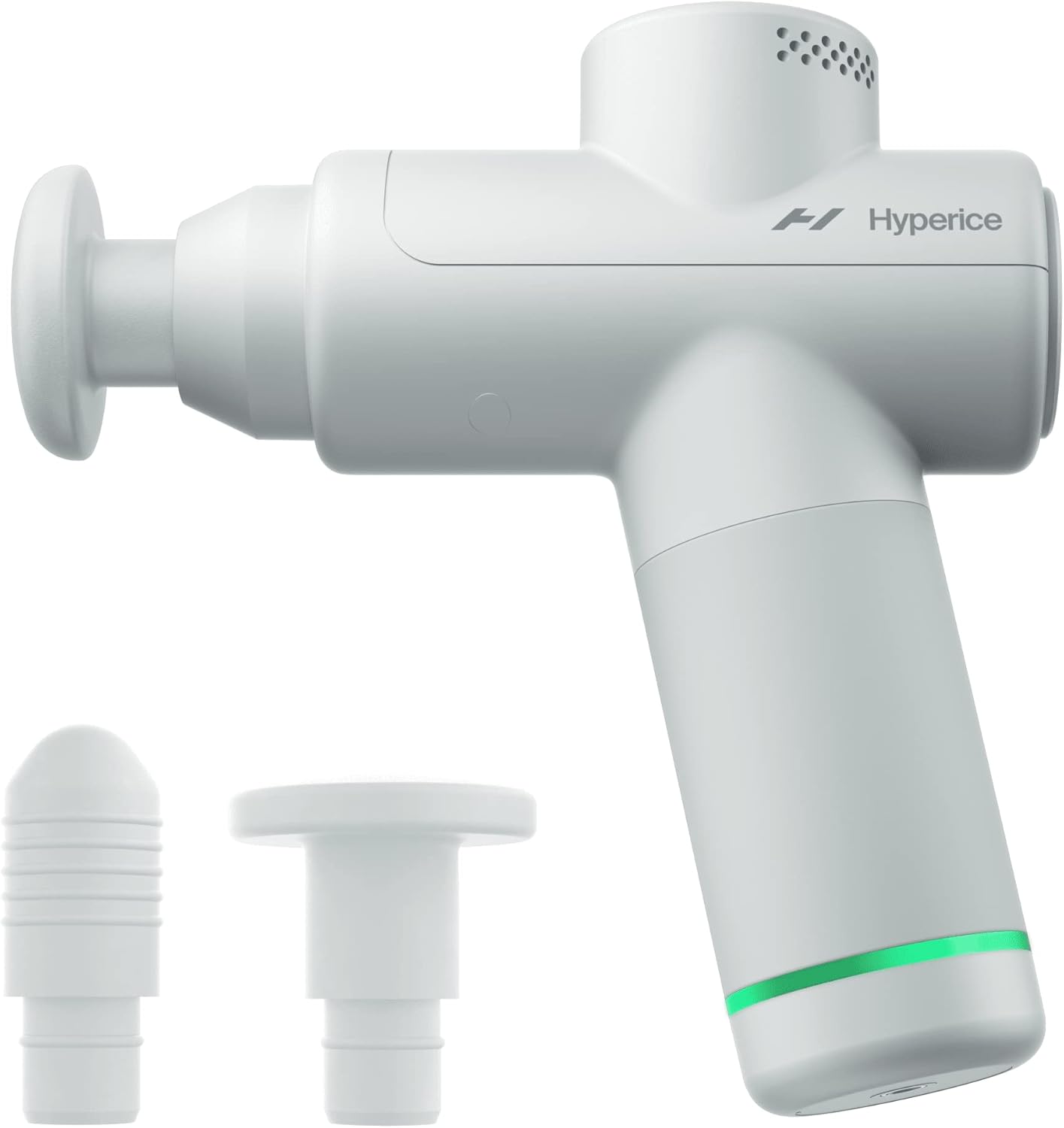
Image: The Hyperice Hypervolt Go 2 in Arctic Grey, shown with its two interchangeable massage heads.
2. Safety Information
Please read all safety warnings and instructions before using this device. Failure to follow the warnings and instructions may result in electric shock, fire, or serious injury.
- Always use the device with the charging cable disconnected.
- Do not use near water or in wet conditions.
- Be cautious when using on or near sensitive areas and follow proper body positioning techniques.
- Statements regarding dietary supplements have not been evaluated by the FDA and are not intended to diagnose, treat, cure, or prevent any disease or health condition.
3. Package Contents
Your Hypervolt Go 2 package includes the following items:
- Hypervolt Go 2 device
- Power supply + adapters (for charging)
- Head attachments (2) - to tailor the device to best suit the area you're focused on.
- 5V USB-A to USB-C charging cable (not compatible with USB-C to USB-C cable)

Image: The Hypervolt Go 2 device, its charging cable, and two interchangeable massage heads.
4. Setup
Before first use, ensure your Hypervolt Go 2 is fully charged.
- Connect the provided 5V USB-A to USB-C charging cable to the charging port at the bottom of the device and to a suitable power adapter.
- The LED light ring at the base of the handle will indicate the charging status. It will turn green when fully charged.
- Once charged, disconnect the charging cable before operation.
5. Operating Instructions
The Hypervolt Go 2 features a simple one-button operation for power and speed control.
- Power On: Press and hold the power button located at the bottom of the handle. Release it once the LED lights illuminate, indicating it's powered on. The device will not operate while connected to the charging cable.
- Select Speed: Press the power button once to cycle through the three available speed settings. Each press will increase the intensity.
- Apply to Muscles: Gently apply the massage head to the desired muscle area. Move the device slowly across the muscle, applying light to moderate pressure.
- Power Off: To turn off the device, cycle through all speeds until the device stops, or press and hold the power button for a few seconds until the lights turn off.
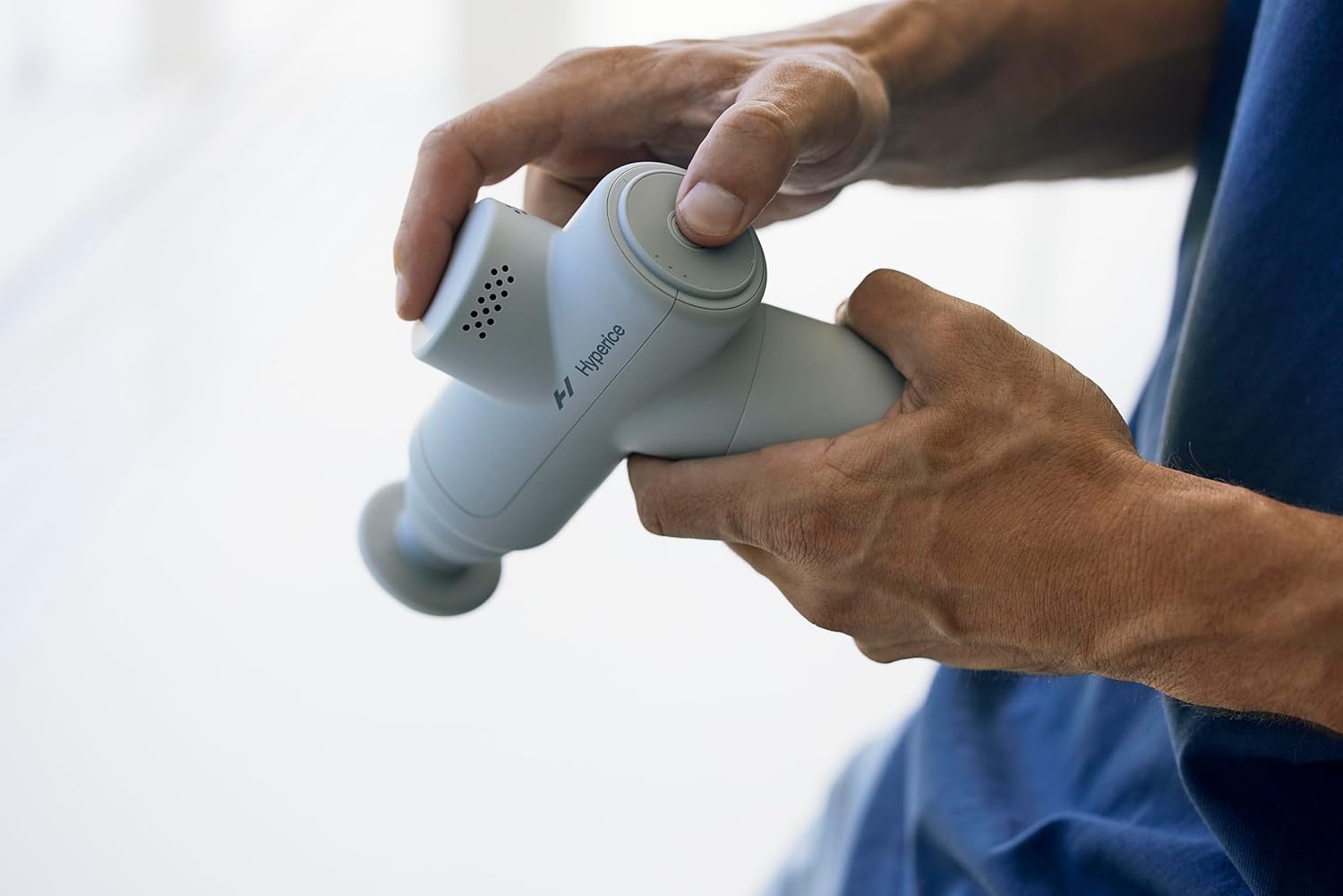
Image: A user's hands demonstrating how to hold and operate the Hypervolt Go 2, highlighting the power button.
6. Interchangeable Heads
The Hypervolt Go 2 comes with two interchangeable head attachments to customize your massage experience:
- Flat Head: Ideal for larger muscle groups and general use.
- Bullet Head: Designed for more precise treatment and targeting specific knots or trigger points.
To change a head, simply pull the current head straight out from the device and push the desired head firmly into the opening.
7. Charging and Battery Life
The Hypervolt Go 2 is equipped with a rechargeable Lithium Metal battery, providing approximately 3 hours of battery life on a full charge. The LED light ring at the base of the handle indicates the battery level:
- Green: Fully charged or high battery level.
- Yellow/Orange: Medium battery level.
- Red: Low battery, requires charging.
Use only the provided 5V USB-A to USB-C charging cable. The device is not compatible with USB-C to USB-C cables.
8. Maintenance
To ensure the longevity and optimal performance of your Hypervolt Go 2, follow these maintenance guidelines:
- Wipe the device with a damp cloth after each use. Do not use harsh chemicals or abrasive cleaners.
- Store the device in a cool, dry place away from direct sunlight and extreme temperatures.
- Keep the massage heads clean. They can be washed with mild soap and water. Ensure they are completely dry before reattaching.
9. Troubleshooting
If you encounter any issues with your Hypervolt Go 2, refer to the following common troubleshooting tips:
- Device not turning on: Ensure the device is fully charged. Press and hold the power button for at least 2 seconds. Confirm the charging cable is disconnected.
- Weak percussion: Check the battery level. If low, charge the device. Ensure the massage head is securely attached.
- Unusual noise: Discontinue use and check for any obstructions around the massage head. If the issue persists, contact customer support.
10. Specifications
| Feature | Specification |
|---|---|
| Brand | Hyperice |
| Model Number | Hypervolt Go 2 |
| Product Dimensions | 1.97 x 6.69 x 7.28 inches |
| Item Weight | 1.5 Pounds (680 Grams) |
| Speeds | 3 speeds |
| Motor | Brushless high-torque 40W motor |
| Technology | Patented QuietGlide® technology |
| Battery Life | 3 hours |
| Charging | 5V USB-A to USB-C (cable included) |
| Travel-Friendly | TSA approved carry-on |
| Material | Polycarbonate |

Image: A visual representation of the Hypervolt Go 2's key specifications and design.
11. Warranty and Support
For warranty information, product registration, or technical support, please visit the official Hyperice website or contact their customer service. Keep your proof of purchase for any warranty claims.
You can visit the official Hyperice store for more information: Hyperice Store


