
1. Product Overview
The Jensen JEP-775 is a versatile AM/FM weather-band dual-alarm clock radio designed for everyday use and emergency preparedness. It features NOAA weather alert capabilities, an integrated emergency light, and a built-in flashlight. This compact device is equipped with a rechargeable battery, allowing continued operation and illumination during power outages. It also includes a USB charging port for external devices.
Product Video Overview
Video: Digital AM/FM Weather Band Alarm Clock Radio with NOAA Alert. This video provides a visual overview of the Jensen JEP-775, demonstrating its key features, including the weather band alert, emergency light, flashlight, and USB charging capabilities. It highlights the product's design and functionality for both daily use and emergency situations.
2. Package Contents
Verify that all items are present in the package:
- Jensen JEP-775 Digital AM/FM Weather Band Alarm Clock Radio
- AC Adapter
- User Manual
3. Controls and Features

Figure 3.1: Front View of the JEP-775. This image displays the front of the Jensen JEP-775, highlighting the digital LCD display and the array of control buttons on the top panel, including SNOOZE, ALARM, VOLUME, TUNE, MODE, MEMORY/PRESET, TIME SET, and WB ALERT.

Figure 3.2: Rear View of the JEP-775. The rear panel of the JEP-775 is shown, featuring the battery compartment with a battery selector switch (Li-ION/AA), a USB charging output port (5V DC Out), a DC input port (5V/3A), and an antenna connection.

Figure 3.3: Key Features Diagram. This diagram illustrates the main features of the JEP-775, pointing out the adjustable ultra-bright LED flashlight on the side, the front-mounted emergency light, and the 2.1 AMP USB charging port located on the back.
Control Buttons:
- ON/OFF Switch: Powers the unit on or off.
- Light ON/OFF Switch: Activates or deactivates the flashlight.
- ALARM 1 / ALARM 2: Sets and activates Alarm 1 or Alarm 2.
- VOLUME +/-: Adjusts the audio volume.
- TUNE +/-: Adjusts radio frequency.
- MODE: Switches between AM, FM, and Weather Band modes.
- MEMORY/PRESET: Saves and recalls radio station presets.
- TIME SET: Enters time setting mode.
- WB ALERT: Activates or deactivates the NOAA Weather Alert function.
- EMERGENCY LIGHT: Activates or deactivates the front emergency light.
- SNOOZE / DIMMER/SLEEP: Snoozes the alarm, adjusts display dimmer, or sets sleep timer.
4. Setup
4.1 Powering the Unit
The JEP-775 can be powered by the included AC adapter or its internal rechargeable battery. It also supports AA batteries as a backup.
- AC Power: Connect the AC adapter to the DC IN 5V/3A port on the back of the unit and plug it into a standard wall outlet.
- Rechargeable Battery: The unit has a built-in rechargeable battery. Ensure the "BATTERY SELECTOR" switch on the back is set to "LI-ION" for the internal battery. Charge the unit fully before first use.
- AA Batteries (Backup): For extended backup power, open the battery compartment on the back and insert 3 x AA batteries (not included). Set the "BATTERY SELECTOR" switch to "AA" if using only AA batteries, or "LI-ION" if using the internal rechargeable battery with AA batteries as backup.
4.2 Setting the Time
- Press and hold the TIME SET button. The hour digits will flash.
- Use the TUNE +/- buttons to adjust the hour. Pay attention to the AM/PM indicator.
- Press TIME SET again. The minute digits will flash.
- Use the TUNE +/- buttons to adjust the minutes.
- Press TIME SET once more to confirm and exit time setting mode.
5. Operating Instructions
5.1 Radio Operation (AM/FM)
- Slide the ON/OFF switch to ON.
- Press the MODE button to select FM or AM band.
- Use the TUNE +/- buttons to manually tune to your desired station. Press and hold TUNE +/- for automatic scanning to the next available station.
- Adjust the volume using the VOLUME +/- buttons.
Setting Radio Presets:
- Tune to the desired station.
- Press the MEMORY/PRESET button once. The preset number will flash.
- Use the TUNE +/- buttons to select the desired preset number (1-20 for AM, 1-20 for FM).
- Press MEMORY/PRESET again to save the station.
- To recall a preset, press MEMORY/PRESET repeatedly to cycle through saved stations.
5.2 Weather Band (WB) Operation and Alert
The JEP-775 receives NOAA weather broadcasts on all 7 weather band frequencies.
- Press the MODE button to select the WB band.
- Use the TUNE +/- buttons to select the appropriate weather band frequency for your area.
- To activate the Weather Alert function, press the WB ALERT button. The "ALERT" indicator on the display will illuminate. When an emergency broadcast is received, the alarm will sound, and the alert indicator will flash.

Figure 5.1: Weather Alert Display. This image shows the JEP-775 display indicating an active weather alert on frequency 162.550 MHz, with the 'ALERT' icon illuminated.
5.3 Alarm Clock Functions
Setting Alarms:
- Press and hold ALARM 1 or ALARM 2. The hour digits will flash.
- Use TUNE +/- to set the desired alarm hour (observe AM/PM).
- Press ALARM 1 or ALARM 2 again. The minute digits will flash.
- Use TUNE +/- to set the desired alarm minutes.
- Press ALARM 1 or ALARM 2 again to select wake source (Radio or Alarm tone). The corresponding icon will illuminate.
- Press ALARM 1 or ALARM 2 once more to confirm and exit.
Snooze Function:
When an alarm sounds, press the large SNOOZE button to temporarily silence the alarm for approximately 9 minutes. The alarm will sound again after the snooze period.
Sleep Function:
While the radio is playing, press the SNOOZE / DIMMER/SLEEP button repeatedly to set a sleep timer (e.g., 90, 60, 30, 15 minutes, or OFF). The radio will automatically turn off after the selected time.
5.4 Emergency Light and Flashlight
Emergency Light:
The JEP-775 features a front-mounted emergency light. This light will automatically activate during a power failure when the unit is connected to AC power. It can also be manually turned on/off by pressing the EMERGENCY LIGHT button.

Figure 5.2: Emergency Light in Use. The JEP-775 is shown on a bedside table with its front emergency light activated, providing illumination during a simulated power outage while a person sleeps.
Flashlight:
An adjustable ultra-bright LED flashlight is integrated into the side of the unit. Slide the Light ON/OFF switch to activate or deactivate the flashlight. This is useful for portable illumination.
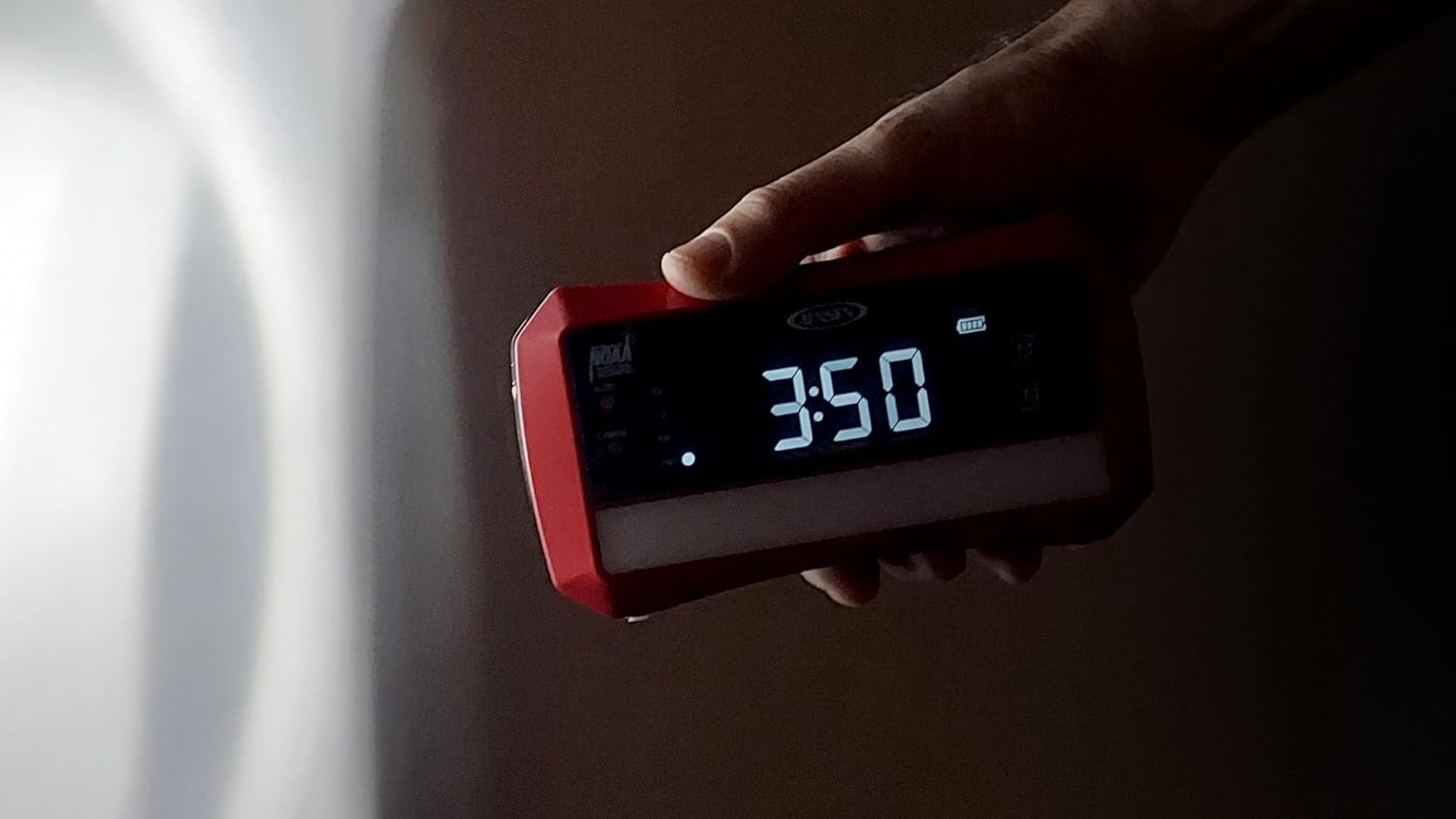
Figure 5.3: Flashlight Operation. This image demonstrates the JEP-775 being held, with its side-mounted flashlight actively providing a beam of light in a dark environment.
5.5 USB Charging Port
The unit includes a USB charging port (5V DC Out) on the back, allowing you to charge compatible smartphones or other USB-powered devices. Connect your device's USB charging cable to this port.

Figure 5.4: USB Device Charging. The JEP-775 is shown actively charging a smartphone via its USB output port, with the phone's screen displaying a charging indicator.
6. Maintenance
- Cleaning: Wipe the unit with a soft, dry cloth. Do not use abrasive cleaners or solvents.
- Battery Care: If the unit will not be used for an extended period, remove any AA batteries to prevent leakage. Ensure the internal rechargeable battery is periodically charged to maintain its lifespan.
- Water Exposure: This unit is not waterproof. Avoid exposure to moisture or liquids.
7. Troubleshooting
| Problem | Possible Cause | Solution |
|---|---|---|
| Unit does not power on. | No AC power; rechargeable battery depleted; AA batteries inserted incorrectly or depleted. | Check AC adapter connection. Charge the unit. Replace AA batteries and ensure correct polarity. Verify battery selector switch position. |
| Poor radio reception. | Weak signal; antenna not extended; interference. | Extend the telescopic antenna fully. Reposition the unit for better reception. Avoid placing near other electronic devices. |
| Alarm does not sound. | Alarm not set correctly; volume too low; alarm turned off. | Verify alarm time and wake source. Increase volume. Ensure alarm is activated. |
| Emergency light does not turn on during power outage. | Unit not connected to AC power; rechargeable battery depleted. | Ensure AC adapter is plugged in. Charge the internal rechargeable battery. |
8. Specifications
- Brand: Jensen
- Model Number: JEP-775
- Color: Black
- Connectivity Technology: USB
- Product Dimensions (L x W x H): 6.5" x 3.54" x 2.36"
- Tuner Technology: AM, FM, Weather Band (NOAA)
- Power Source: Battery Powered (Rechargeable Lithium Ion, AA), Corded Electric
- Display Type: LCD, LED
- Material: Plastic
- USB Charging Output: 5V DC Out

Figure 8.1: Product Dimensions. This image provides a visual representation of the JEP-775's physical dimensions, indicating its length, width, and height.
9. Warranty and Support
For warranty information or technical support, please refer to the contact details provided with your purchase documentation or visit the official Jensen website. Keep your proof of purchase for warranty claims.


