
Powrun P-ONE
Powrun P-ONE Jump Starter User Manual
Model: P-ONE
Brand: Powrun
1. Introduction
The Powrun P-ONE Jump Starter is a versatile and powerful portable device designed to jump-start vehicles with dead batteries. It also functions as a portable power bank and an emergency LED light, making it an essential tool for road trips, outdoor activities, and unexpected emergencies.
With a peak current of 2000 Amps, it can start up to 8.0L gasoline and 6.5L diesel engines. Its intelligent safety system provides multiple protections, ensuring safe and reliable operation.
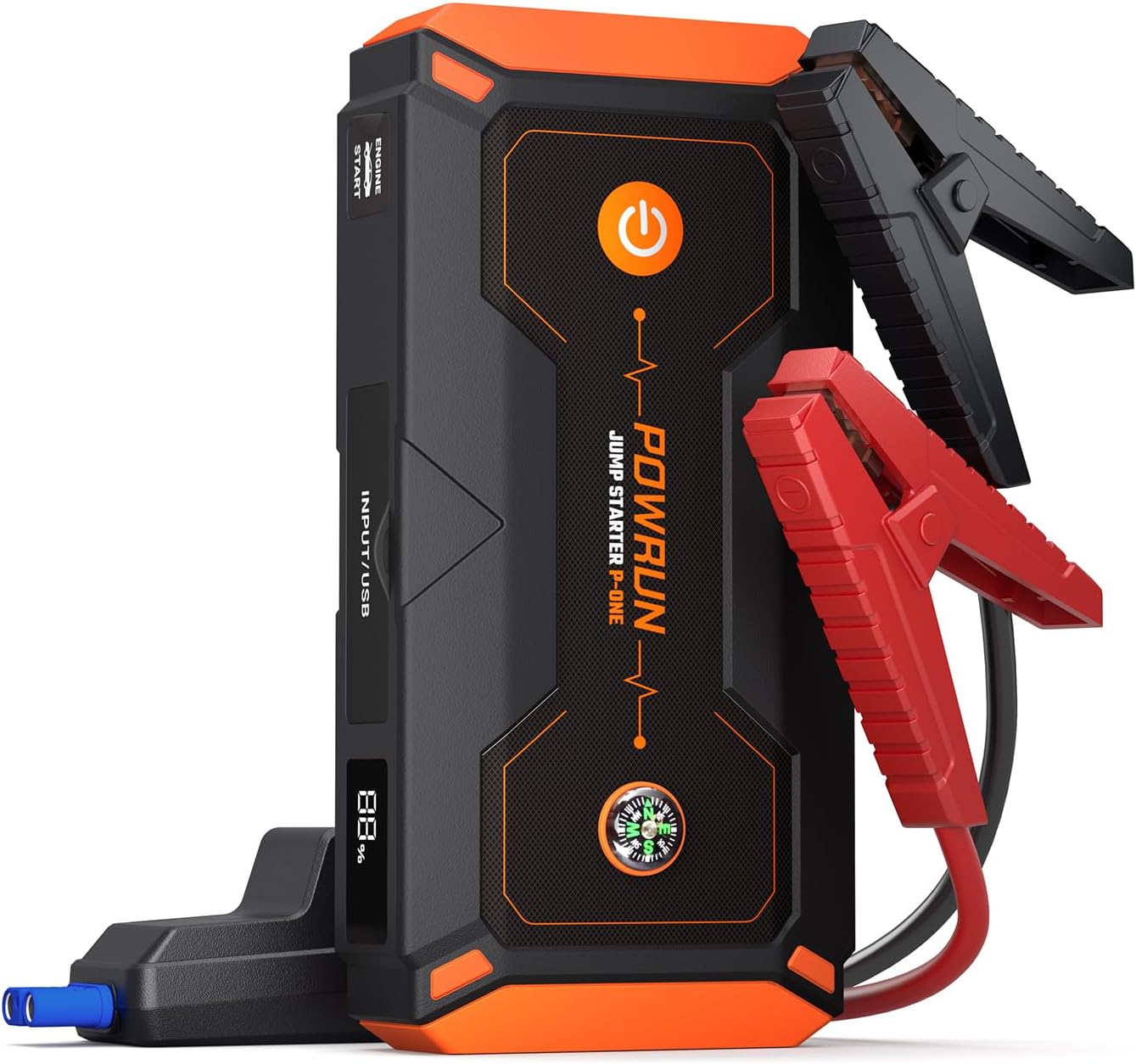
Image: The Powrun P-ONE Jump Starter, a compact and powerful device with attached jumper cables.
2. What's in the Box
Upon opening your Powrun P-ONE Jump Starter package, you should find the following items:
- Powrun P-ONE Portable Battery Jump Starter Pack
- Heavy-Duty Jumper Cables with Smart Protection System
- USB-A to USB-C Charging Cable
- EVA Storage Case
- User Manual

Image: All components included in the Powrun P-ONE Jump Starter package, neatly laid out.
3. Product Features and Components
Familiarize yourself with the key features and components of your Powrun P-ONE Jump Starter:
- 2000A Peak Current: Capable of starting large gasoline and diesel engines.
- Intelligent Safety System: Built-in protections against overcharge, over-discharge, over-current, short circuit, over-heat, reverse polarity, reverse connection, and reverse charge.
- 44.4Wh Power Bank: Two USB outputs (5V/3A and 5V/2.1A) for charging mobile devices.
- LED Emergency Lamp: Features Flash Light, Strobe Light, SOS Light, and Red Light modes.
- Digital LCD Screen: Displays battery status and remaining power.
- Durable Design: IP65 waterproof, dust-proof, and shatter-proof rubber-covered molded case.
- Integrated Compass: For navigation during outdoor use.

Image: A detailed diagram highlighting the various components and features of the Powrun P-ONE Jump Starter, including the power button, LED light, car jump start output, USB outputs, LCD screen, and compass.
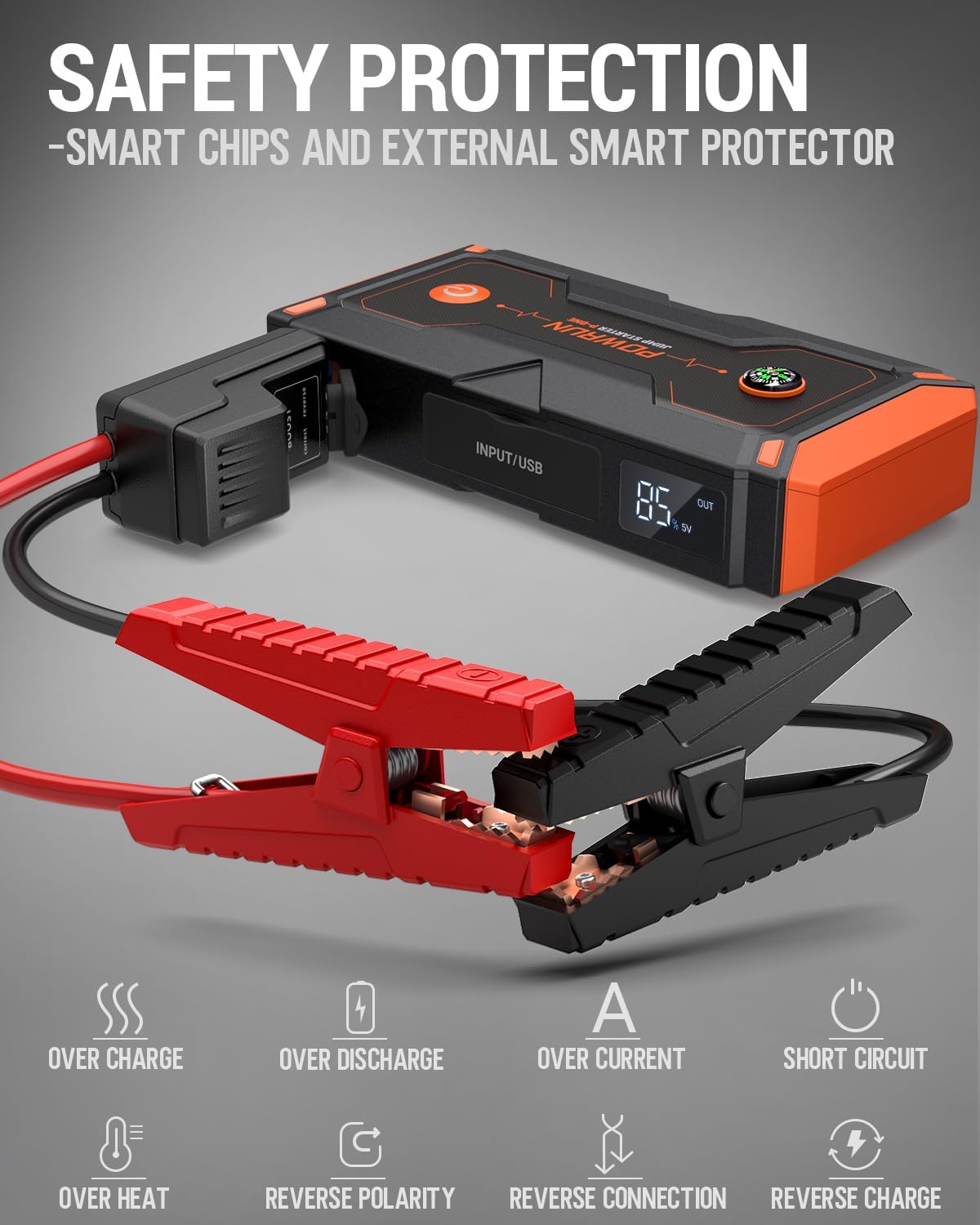
Image: Visual representation of the intelligent safety protection systems integrated into the Powrun P-ONE Jump Starter, such as over charge, over discharge, over current, and short circuit protection.

Image: The Powrun P-ONE Jump Starter functioning as a portable power bank, charging a smartphone and a tablet simultaneously.
4. Setup and Charging
Before first use, ensure your Powrun P-ONE Jump Starter is fully charged.
4.1 Initial Charging
- Connect the provided USB-C charging cable to the Type-C input port on the jump starter.
- Connect the other end of the USB-C cable to a compatible USB wall charger (not included).
- The digital LCD screen will display the charging progress. Charge until the screen indicates 100%.
It is recommended to fully charge the device every 3-6 months to maintain battery health, even when not in use.

Image: The Powrun P-ONE Jump Starter connected to a wall charger via its USB-C input port for charging.
5. Operating Instructions
5.1 Jump Starting a Vehicle
Follow these steps carefully to jump-start your vehicle:
- Ensure the jump starter has sufficient charge (at least 50% recommended).
- Connect the smart jumper cable plug into the 12V smart jumper socket on the Powrun P-ONE.
- Attach the red (+) clamp to the positive (+) terminal of the vehicle's battery.
- Attach the black (-) clamp to the negative (-) terminal of the vehicle's battery.
- Observe the indicator on the smart jumper cable:
- If the green light stays on, proceed to start the engine.
- If the green light flashes, and the battery voltage is below 9V, press and hold the "BOOST" button on the smart cable until the green light stays on. This forces a start for severely discharged batteries.
- If a red light appears with a buzzing sound, it indicates incorrect connection (e.g., reverse polarity). Disconnect and re-connect correctly.
- Once the green light is solid, start the vehicle's engine.
- After the engine starts, immediately remove the jumper clamps from the vehicle battery, then disconnect the smart cable from the jump starter.

Image: A visual guide illustrating the four steps to jump-start a car using the Powrun P-ONE Jump Starter, from connecting the cables to starting the engine.
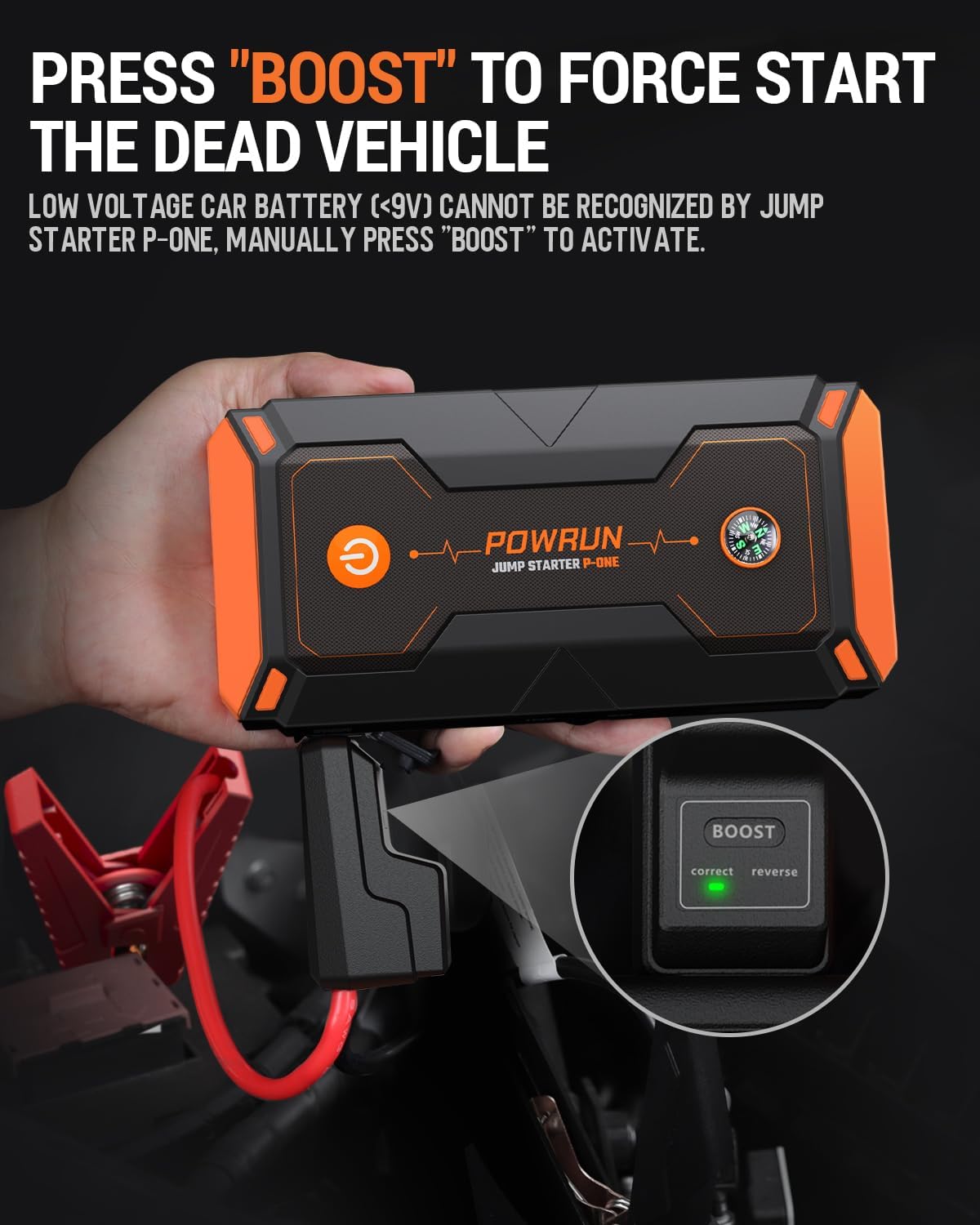
Image: Close-up view demonstrating how to press the "BOOST" button on the smart cable for force starting a dead vehicle when the battery voltage is too low.
Video: An official product video from Powrun demonstrating the features and usage of the P-One 2000A Jump Starter, including its jump-starting capabilities and power bank function.
5.2 Using as a Power Bank
To charge your mobile devices:
- Connect your device's USB charging cable to one of the USB output ports on the Powrun P-ONE.
- The jump starter will automatically begin charging your device.
5.3 Using the LED Light
The built-in LED light has multiple modes:
- Flash Light: Press and hold the power button for 3 seconds to turn on the LED light.
- Strobe Light: Press the power button again to cycle to Strobe mode.
- SOS Light: Press the power button a third time for SOS mode.
- Red Emergency Light: Double-press the power button quickly to activate the red emergency light.

Image: Illustration of the four LED light modes available on the Powrun P-ONE: Stable Light, Strobe Light, SOS Rescue Light, and Red Emergency Light.
6. Safety Information
Always adhere to the following safety guidelines when using the Powrun P-ONE Jump Starter:
- Do not attempt to jump-start a frozen battery.
- Ensure proper polarity connection (red to positive, black to negative) to avoid damage to the device or vehicle.
- Do not connect the positive and negative clamps together.
- Keep the device away from children.
- Do not expose the device to extreme temperatures or direct sunlight for prolonged periods.
- Store in a cool, dry place.
- If the device becomes excessively hot during use, disconnect it immediately and allow it to cool down.
- Do not disassemble the unit. Refer all servicing to qualified personnel.
7. Maintenance and Storage
Proper maintenance ensures the longevity and optimal performance of your jump starter:
- Clean the device with a dry, soft cloth. Do not use abrasive cleaners or solvents.
- Store the jump starter in its EVA storage case when not in use to protect it from dust and impact.
- Recharge the unit every 3-6 months to prevent deep discharge and extend battery life.
- Store in a temperature-controlled environment, ideally between 32°F (0°C) and 113°F (45°C).

Image: The Powrun P-ONE Jump Starter being splashed with water, illustrating its IP65 waterproof and dust-proof capabilities for use in challenging weather conditions.
8. Troubleshooting
| Problem | Possible Cause | Solution |
|---|---|---|
| Device does not turn on. | Battery is completely discharged. | Charge the device fully using the provided USB-C cable and a wall charger. |
| Vehicle does not start after connecting. | Incorrect clamp connection; Battery too low (below 9V); Vehicle battery is severely damaged. | Check clamp polarity (red to +, black to -). If green light flashes, use the "BOOST" function. If still no start, the vehicle battery may need replacement or professional service. |
| Red light and buzzing sound from smart cable. | Reverse polarity connection. | Disconnect clamps immediately and re-connect them to the correct battery terminals. |
| Device not charging mobile devices. | Device battery low; Incorrect cable/port. | Ensure the jump starter is charged. Use the correct USB output port and a functional charging cable for your mobile device. |
9. Specifications
| Specification | Detail |
|---|---|
| Model | P-ONE |
| Peak Output Current | 2000 Amps |
| Engine Compatibility | Up to 8.0L Gas, 6.5L Diesel |
| Battery Capacity | 44.4Wh (Lithium Polymer) |
| USB Output 1 | 5V/3A |
| USB Output 2 | 5V/2.1A |
| Type-C Input/Output | 15V/1A |
| Product Dimensions | 7.28"D x 3.43"W x 1.57"H |
| Item Weight | 2.68 Pounds |
| Waterproof Rating | IP65 |
| Safety Certifications | UL 2743 / CE / FCC / RoHs Certified |
10. Warranty and Support
The Powrun P-ONE Jump Starter comes with a two-year after-sales service. For any questions, concerns, or support needs, please contact Powrun customer service via email. They aim to respond within 12 hours.
For further assistance, you may refer to the official Powrun store or the user manual PDF provided with your product.
- Official User Manual (PDF): Download PDF
- Powrun Store: Visit Store
Related documentsP-ONE


Ask a question about this manual
Ask about setup, troubleshooting, compatibility, parts, safety, or missing instructions. Manuals+ will review the question and use this page’s manual context to help answer it.