
ROMOSS PPH80-611
ROMOSS Fast Charge Type C Power Bank 20000mAh PD (Sense6F) User Manual
Model: PPH80-611
1. Introduction
Thank you for choosing the ROMOSS Fast Charge Type C Power Bank 20000mAh PD (Sense6F). This power bank is designed to provide reliable and efficient portable charging for your electronic devices. With its high capacity and fast charging capabilities, it ensures your devices stay powered on the go.
Please read this manual carefully before using the product to ensure safe and optimal performance. Keep this manual for future reference.
2. Safety Information
To prevent injury or damage to your device, please observe the following safety precautions:
- Do not expose the power bank to extreme temperatures (hot or cold), direct sunlight, or fire.
- Do not disassemble, modify, or repair the device yourself.
- Keep the power bank away from water, moisture, and corrosive materials.
- Avoid dropping or subjecting the power bank to strong impacts.
- Use only certified charging cables and adapters.
- Keep out of reach of children.
- If the power bank swells, leaks, or emits an unusual odor, discontinue use immediately and contact customer support.
- Ensure proper ventilation when charging.
The power bank features multiple safety protections including overcharging, overheating, and short-circuiting protection to ensure safe use.

This image illustrates the various built-in safety mechanisms of the power bank, such as protection against over voltage, over current, overcharge, short circuit, and over power, along with a reset function.
3. Product Overview
The ROMOSS Sense6F power bank is a high-capacity portable charger designed for efficiency and versatility.
3.1 Package Contents
- ROMOSS Fast Charge Type C Power Bank 20000mAh PD (Sense6F)
- User Manual (this document)
- Note: Charging cables are not included.
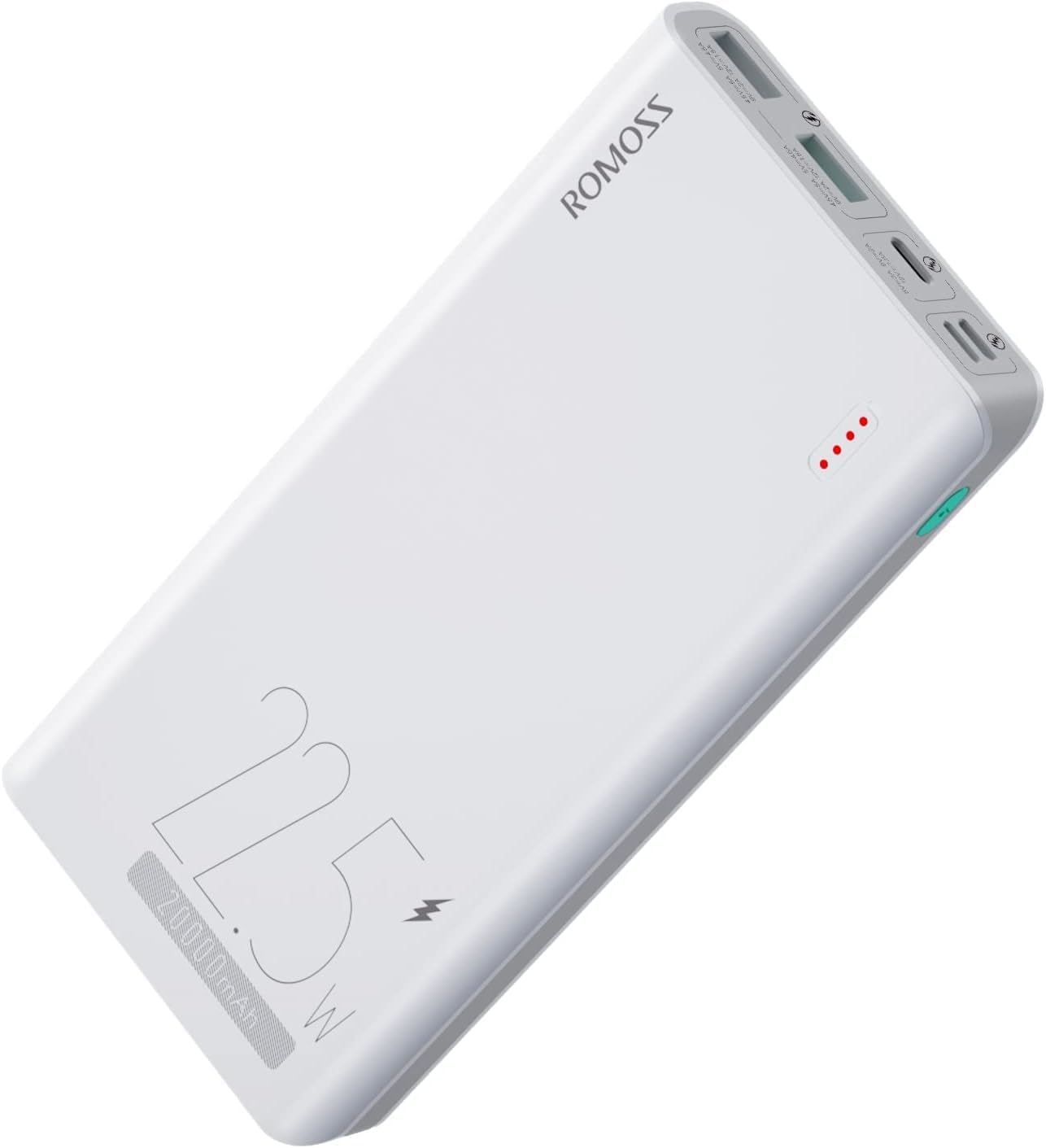
This image displays the main unit of the ROMOSS Sense6F power bank, highlighting its compact form factor and the branding details.
3.2 Key Features
- 20,000mAh High Capacity: Provides multiple charges for smartphones, tablets, and other USB-powered devices.
- 22.5W Fast Charging: Supports rapid charging for compatible devices, significantly reducing charging time.
- 3 Input Ports: Includes Lightning, Micro USB, and Type-C inputs for flexible recharging options.
- 3 Output Ports: Features Type-C and two USB-A outputs, allowing simultaneous charging of up to three devices.
- Multiple Safety Protections: Built-in safeguards against overcharging, overheating, and short-circuiting.
- Travel-Friendly Design: Compact and suitable for extended journeys.

This image highlights the substantial 20,000mAh capacity of the power bank, demonstrating its ability to provide multiple charges for various popular devices like iPhones, Samsung Galaxy phones, Huawei phones, and iPads.

This image visually compares the charging efficiency of the ROMOSS 22.5W fast charging against a standard 5V/2A charger, illustrating how much faster devices can be charged with the ROMOSS power bank.

This image demonstrates the fast charging capability of the power bank, specifically showing an iPhone 13 reaching 50% charge in 30 minutes, and indicating compatibility with various iPhone models for PD 20W and 18W charging.

This image provides a detailed view of the power bank's multiple input and output ports, specifying their types (Lightning, Micro USB, Type-C, USB-A) and their respective power ratings for both charging the power bank and charging external devices.
4. Setup and Initial Use
4.1 Charging the Power Bank
Before first use, it is recommended to fully charge the power bank. You can charge the power bank using any of its three input ports:
- Connect a Lightning cable to the Lightning input port.
- Connect a Micro USB cable to the Micro USB input port.
- Connect a USB-C cable to the Type-C input/output port.
Connect the other end of the cable to a USB wall charger (not included). The LED indicators on the power bank will illuminate to show the charging status. A full charge typically takes 6-10 hours depending on the charger's wattage.

This image shows the power bank connected to a wall charger for recharging, emphasizing its rapid recharge feature.
4.2 Checking Battery Level
Press the power button once to check the remaining battery level. The LED indicators will light up, with each light representing approximately 25% of the battery capacity.
- • 1 LED: 0-25%
- • 2 LEDs: 25-50%
- • 3 LEDs: 50-75%
- • 4 LEDs: 75-100%
5. Operating Instructions
5.1 Charging Your Devices
To charge your electronic devices:
- Connect your device's charging cable to one of the power bank's output ports (USB-A or Type-C).
- Connect the other end of the cable to your device.
- The power bank will automatically begin charging your device. The LED indicators will show the power bank's remaining charge.
- You can charge up to three devices simultaneously.

This image illustrates the power bank's ability to charge three devices concurrently, showcasing its versatility for users with multiple gadgets.
5.2 Trickle Charge Mode (Low Current Devices)
For low-current devices such as Bluetooth headphones, smartwatches, or fitness trackers, activate the trickle charge mode to ensure safe and efficient charging:
- Double-press the power button to enter trickle charge mode. The first LED indicator will blink slowly.
- Connect your low-current device.
- To exit trickle charge mode, double-press the power button again, or it will automatically exit after 2 hours.

This image shows the power bank alongside small electronic devices like AirPods and a smartwatch, highlighting its specialized trickle charge mode for safely charging low-current gadgets.
6. Maintenance
- Clean the power bank with a soft, dry cloth. Do not use harsh chemicals or abrasive materials.
- Store the power bank in a cool, dry place away from direct sunlight and extreme temperatures.
- If not used for extended periods, charge the power bank at least once every three months to maintain battery health.
- Avoid exposing the ports to dust or debris.
7. Troubleshooting
| Problem | Possible Cause | Solution |
|---|---|---|
| Power bank not charging | Low battery; Faulty cable/adapter; Loose connection | Ensure power bank has charge; Try a different cable/adapter; Check connections. |
| Device not charging from power bank | Power bank low/empty; Faulty cable; Device not compatible; Trickle charge mode needed | Recharge power bank; Try a different cable; Ensure device is compatible; Activate trickle charge mode for low-current devices. |
| Slow charging | Using a standard charger/cable; Device not supporting fast charge | Use a fast charging adapter and cable; Ensure your device supports fast charging. |
| LED indicators not working | Power bank is off; Malfunction | Press the power button to activate; If problem persists, contact customer support. |
8. Specifications
| Feature | Detail |
|---|---|
| Model Number | PPH80-611 |
| Battery Capacity | 20000mAh (74Wh) |
| Input (Lightning) | 5V/2A, 9V/2A (18W Max) |
| Input (Micro USB) | 5V/2A, 9V/2A (18W Max) |
| Input (Type-C) | 5V/3A, 9V/2A (18W Max) |
| Output (Type-C) | 5V/3A, 9V/2.22A, 12V/1.67A (20W Max) |
| Output (USB-A 1/2) | 4.5V/5A, 5V/4.5A, 9V/2A, 12V/1.5A (22.5W Max) |
| Dimensions | 6.57 x 3.15 x 0.91 inches |
| Weight | 1.05 pounds |
| Color | Sense6F (White) |
9. Warranty and Support
ROMOSS products typically come with a limited warranty. Please refer to the warranty card included with your purchase or visit the official ROMOSS website for detailed warranty terms and conditions.
For technical support, troubleshooting assistance, or warranty claims, please contact ROMOSS customer service through their official channels. You can often find contact information on the product packaging or the ROMOSS official website.
Note: The warranty period for this product may be 90 days as per some customer reviews. Please verify the exact warranty terms upon purchase.
10. Environmentally Friendly Disposal
This product contains a built-in lithium-polymer battery. Do not dispose of the product with general household waste. Please follow local regulations for the proper disposal of electronic devices and batteries. Recycling helps conserve natural resources and prevents potential negative consequences for the environment and human health.
Ask a question about this manual
Ask about setup, troubleshooting, compatibility, parts, safety, or missing instructions. Manuals+ will review the question and use this page’s manual context to help answer it.