Introduction
The Digiquest DGQ990 HD Plus is a DVB-T2 terrestrial digital receiver designed to provide high-definition television reception. This device supports Full HD resolution and includes a recording function (REC) to capture your favorite programs. It features an alphanumeric display, a 12V power input for versatile use (e.g., in campers or boats), and comes with two remote controls, one of which offers a convenient 2-in-1 function for controlling both the receiver and your television.
1. Setup
1.1 Package Contents
Before beginning, ensure all items are present in the package:
- Digiquest DGQ990 HD Plus DVB-T2 Receiver
- Standard Remote Control
- Simplified 2-in-1 Remote Control
- Power Adapter
- User Manual / Quick Installation Guide

Figure 1: Contents of the Digiquest DGQ990 package including receiver, power adapter, two remotes, and documentation.
1.2 Connecting the Receiver
Follow these steps to connect your Digiquest DGQ990 receiver to your television and antenna:
- Antenna Connection: Connect your terrestrial antenna cable to the RF IN port on the back of the receiver.
- Television Connection:
- For modern TVs, connect an HDMI cable from the receiver's HDMI port to an available HDMI input on your TV.
- For older TVs, connect a SCART cable from the receiver's SCART TV port to the SCART input on your TV.
- Power Connection: Connect the provided power adapter to the DC 12V input on the receiver, then plug the adapter into a power outlet.
- Optional Connections:
- USB: Connect a USB storage device to the USB port for recording or media playback.
- LAN: Connect an Ethernet cable to the LAN port for network connectivity, primarily for FTP software updates.
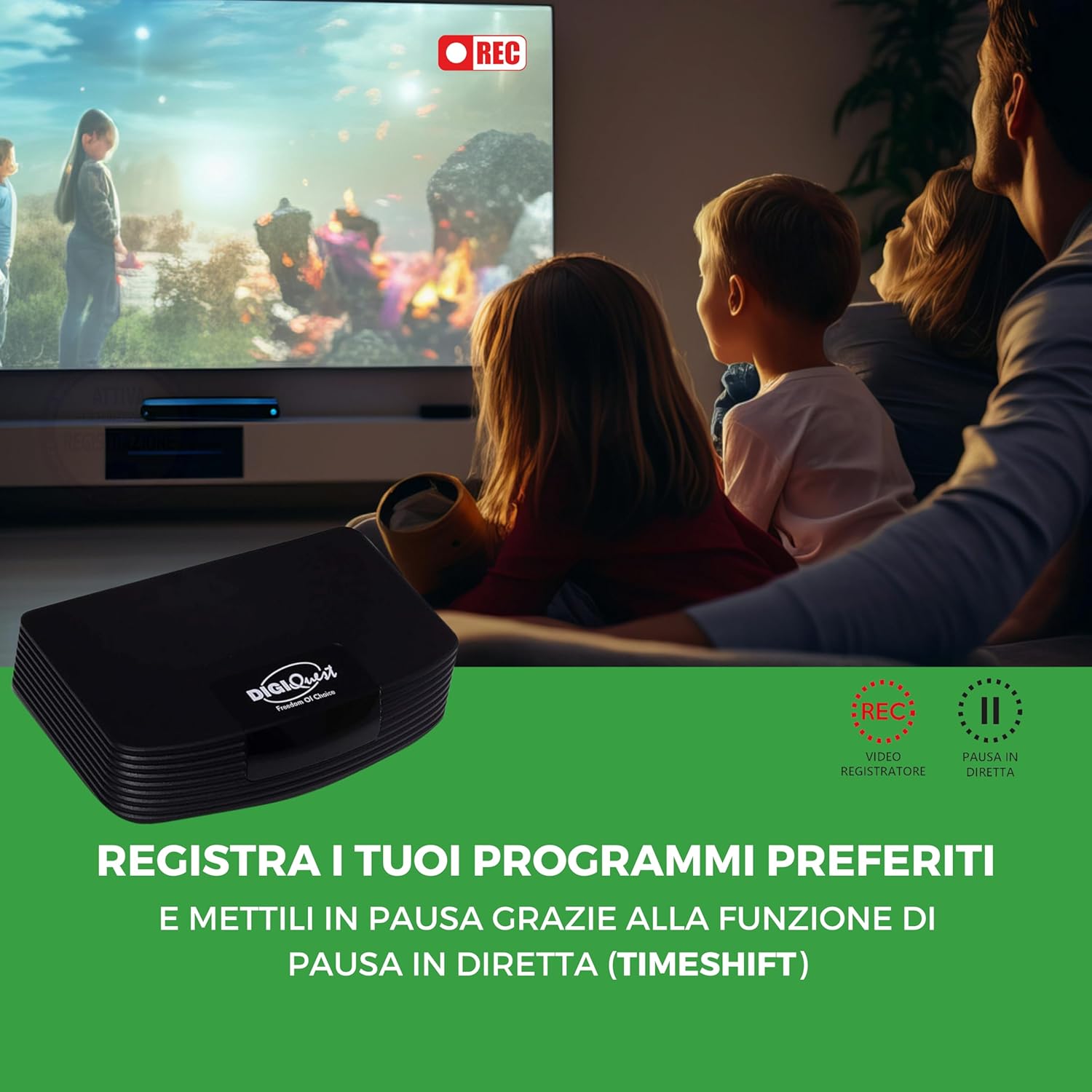
Figure 2: This image displays the rear panel of the Digiquest DGQ990, detailing the RF IN, LAN, HDMI, SCART TV, DC 12V, and USB ports for various connections.
1.3 First-Time Installation and Channel Scan
After connecting the receiver and turning on your TV, switch your TV's input source to the corresponding HDMI or SCART input. The receiver should power on and display an initial setup wizard. Follow the on-screen prompts to:
- Select your preferred language.
- Set your country/region.
- Initiate an automatic channel scan to find available terrestrial digital channels.
Once the scan is complete, your receiver is ready for use.
2. Operating Instructions
2.1 Basic Operation
- Power On/Off: Press the POWER button on the remote control to turn the receiver on or off.
- Channel Selection: Use the P+ / P- buttons to change channels sequentially, or enter the channel number directly using the numeric keypad.
- Volume Control: Use the VOL+ / VOL- buttons to adjust the volume.
- Menu Access: Press the MENU button to access the main menu for settings and features.
2.2 Using the Remote Controls
The Digiquest DGQ990 comes with two remote controls:
- Standard Remote: Offers full functionality for the receiver.
- Simplified 2-in-1 Remote: Features larger buttons for ease of use and can be programmed to control basic functions of your television (e.g., power, volume, input source) in addition to the receiver. Refer to the included quick guide for programming instructions for the 2-in-1 remote.

Figure 3: The Digiquest DGQ990 comes with two remote controls: a standard full-featured remote and a simplified remote with larger buttons, also featuring a 2-in-1 TV control function.
2.3 Recording (REC) Function
To record programs, connect a USB storage device (e.g., USB flash drive or external hard drive) to the receiver's USB port. Ensure the device has sufficient free space and is formatted correctly (FAT32 or NTFS).
- Instant Recording: While watching a program, press the REC button on the remote control to start recording immediately. Press STOP to end the recording.
- Scheduled Recording: Access the Electronic Program Guide (EPG) by pressing the EPG button. Navigate to the desired program and select the option to schedule a recording.
- Accessing Recordings: Recordings can be accessed via the Media Player menu.

Figure 4: The Digiquest DGQ990 digital receiver allows recording of your favorite programs, as shown with the 'REC' indicator on the screen.
2.4 Timeshift (Pause Live TV)
The Timeshift function allows you to pause live television and resume watching later. This also requires a connected USB storage device.
- While watching live TV, press the PAUSE button. The program will pause and begin recording to the USB device.
- Press PLAY to resume watching from where you left off.
- You can fast-forward or rewind within the buffered content using the respective remote buttons.
2.5 Media Player Function
The built-in media player allows you to play various multimedia files (video, audio, images) from a connected USB storage device. Access the Media Player through the main menu and navigate to your desired files.
2.6 12V Power Input
The 12V power input allows the receiver to be powered by a 12V DC source, making it suitable for use in vehicles like campers or boats. Ensure the power source provides stable 12V DC and has sufficient current capacity.
2.7 Alphanumeric Display
The front panel features an alphanumeric display that shows the current channel number during operation and the time when the receiver is in standby mode.
3. Maintenance
3.1 Cleaning
To clean the receiver, disconnect it from the power supply. Use a soft, dry cloth to wipe the exterior surfaces. Do not use liquid cleaners, aerosols, or abrasive materials, as these can damage the device.
3.2 Software Updates
The receiver's software can be updated via the LAN port using FTP. Periodically check the manufacturer's website for available firmware updates. Follow the specific instructions provided with the update file to ensure proper installation and avoid damaging the device.
4. Troubleshooting
If you encounter issues with your Digiquest DGQ990, refer to the following common problems and solutions:
- No Picture/Sound:
- Ensure all cables (power, antenna, HDMI/SCART) are securely connected.
- Verify your TV is set to the correct input source (HDMI 1, AV, etc.).
- Check if the receiver is powered on (front display should be active).
- Poor Signal/Pixelation:
- Check your antenna connection and ensure the antenna is properly aligned.
- Perform a new channel scan from the receiver's menu.
- Consider using an amplified antenna if signal strength is consistently low.
- Remote Control Not Responding:
- Replace the batteries in the remote control.
- Ensure there are no obstructions between the remote and the receiver's IR sensor.
- Recording Issues:
- Ensure a compatible USB storage device is connected and has sufficient free space.
- Check the USB device's formatting (FAT32 or NTFS are generally supported).
- Verify that the recording schedule is correctly set in the EPG.
- Receiver Freezes/Crashes:
- Disconnect the power adapter, wait 10 seconds, and reconnect it to restart the receiver.
- If the issue persists, consider performing a factory reset (refer to the menu options, note this will erase all settings and channels).
If these steps do not resolve your issue, please contact customer support.
5. Specifications
| Feature | Description |
|---|---|
| Brand | DIGIQUEST |
| Model Number | DGQ990 |
| Color | Black |
| Tuner Type | DVB-T2 Terrestrial Digital Receiver |
| Video Resolution | Full HD (1080p) |
| Recording Function | Yes (REC, PVR Ready) |
| Timeshift Function | Yes |
| Remote Controls | Two (Standard, Simplified 2-in-1) |
| Connectivity Technology | HDMI, USB |
| Ports | 1x HDMI, 1x USB 2.0, RF IN, LAN, SCART TV, DC 12V |
| Special Features | Alphanumeric Display, 12V Power Input, Media Player, Motion Detector (as per source) |
| Compatible Devices | Set-top box, Television |
| Audio Encoding | DD |
| Audio Output Mode | Stereo, Surround Sound |
| Surround Sound Configuration | 5.1 or 7.1 |
| Manufacturer | DIGIQUEST |
| Country of Origin | China |
6. Warranty Information
Specific warranty details for the Digiquest DGQ990 HD Plus DVB-T2 Terrestrial Digital Receiver are not provided in the product specifications. Please refer to the warranty card included in your product packaging or contact the retailer/manufacturer directly for comprehensive warranty terms and conditions. Information regarding spare parts availability and guaranteed software updates is also not available in the provided product details.
7. Customer Support
For further assistance, technical support, or inquiries not covered in this manual, please contact Digiquest customer service or your product retailer. Keep your purchase receipt and product model number (DGQ990) ready when contacting support.


