
1. Introduction
Thank you for choosing the CLP Dayton Office Chair. This manual provides essential information for the safe assembly, operation, and maintenance of your new office chair. Please read these instructions carefully before use and retain them for future reference.
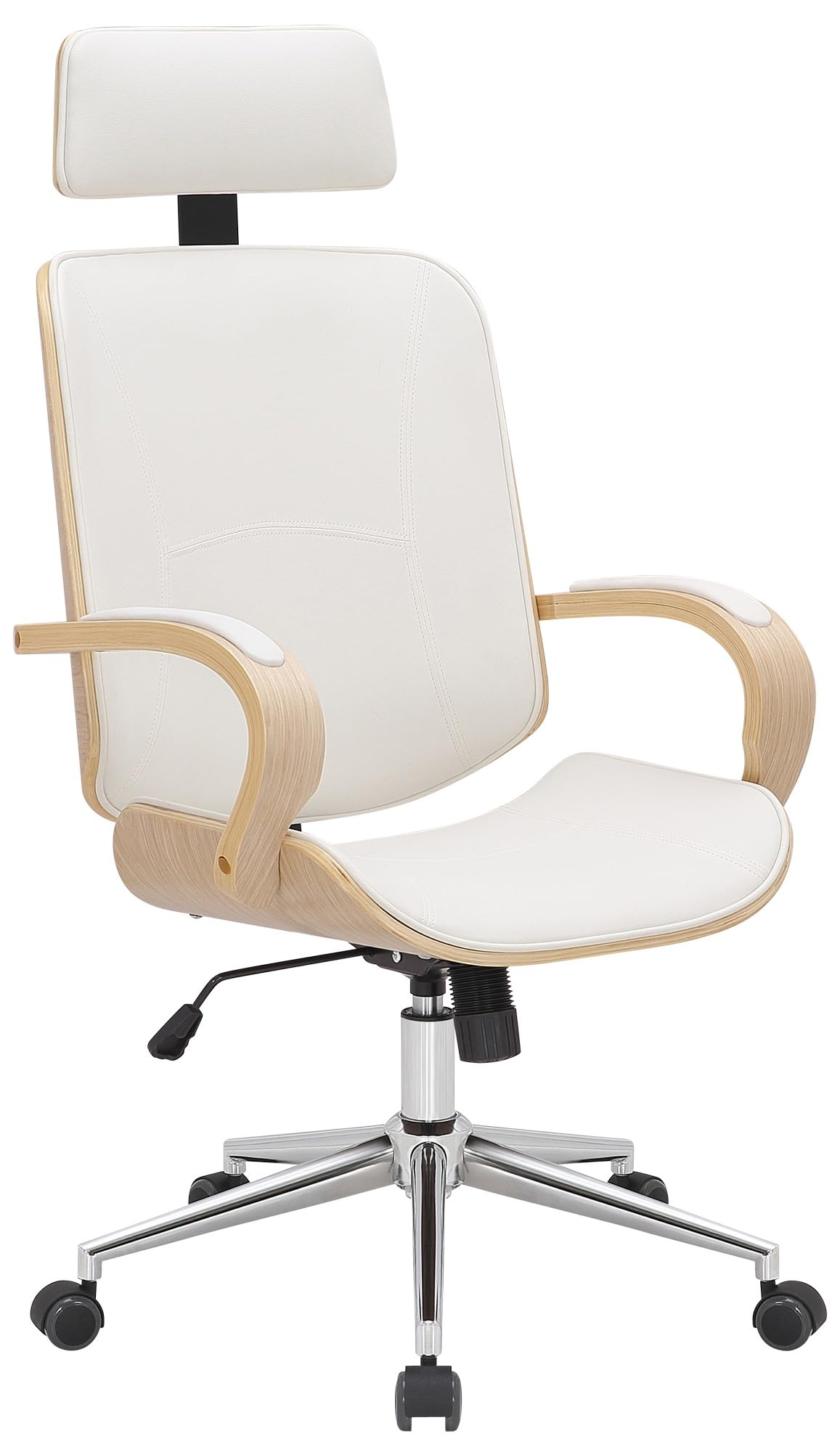
Image 1: CLP Dayton Office Chair (nature/white)
The CLP Dayton office chair is designed for ergonomic comfort and durability. It features a faux leather upholstery, a stable metal base, continuous height adjustment, 360-degree swivel, and a tilt function. Five smooth-rolling casters ensure easy mobility.
2. Safety Warnings
- Maximum Load Capacity: Do not use the chair with a weight exceeding 130 kg (286 lbs). Exceeding this limit may cause damage to the chair or lead to injury.
- Tilt Function: Use the tilt function with caution to prevent injury. Ensure the chair is stable before leaning back.
- Assembly: Ensure all components are securely fastened before using the chair. Periodically check all screws and bolts for tightness.
- Children: Keep children away from the chair during assembly. Do not allow children to play on or with the chair unsupervised.
3. Product Overview
The CLP Dayton office chair combines functionality with a modern design, offering a comfortable seating experience for various work environments.
Key Features:
- Ergonomic design with comfortable faux leather upholstery.
- Integrated headrest for optimal neck support.
- 360-degree swivel capability for flexible movement.
- Continuous height adjustment to suit individual preferences.
- Adjustable tilt function for enhanced freedom of movement.
- Stable metal base with five smooth-rolling casters for easy mobility.
- Durable construction with a robust bentwood frame and chrome-finished metal base.
4. Setup (Assembly)
Assembly of the CLP Dayton office chair is straightforward. While specific tools are typically included, a Phillips head screwdriver may be useful for some steps. It is recommended to assemble the chair on a soft, clean surface to prevent scratches.
Assembly Steps:
- Unpack Components: Carefully remove all parts from the packaging and verify against the parts list (if provided).
- Attach Casters to Base: Insert the five casters into the holes at the end of each leg of the star-shaped metal base. Push firmly until they click into place.
- Insert Gas Lift: Place the gas lift cylinder into the central hole of the assembled base.
- Assemble Seat and Backrest: Attach the backrest to the seat mechanism using the provided screws. Ensure the orientation is correct.
- Attach Armrests: Secure the armrests to the seat and backrest assembly using the designated screws. Ensure they are firmly attached.
- Connect Seat to Gas Lift: Carefully place the assembled seat and backrest onto the gas lift cylinder, ensuring it is centered and stable.
- Final Check: Once assembled, sit on the chair to engage the gas lift and ensure all connections are secure.
5. Operating Instructions
The CLP Dayton office chair offers several adjustable features to customize your seating experience.
Height Adjustment:
To adjust the seat height, locate the lever on the right side, underneath the seat. While seated, pull the lever upwards to lower the seat. To raise the seat, stand up slightly and pull the lever upwards. Release the lever at the desired height to lock it in place.
Swivel Function:
The chair is designed to swivel 360 degrees, allowing for easy rotation and access to different areas of your workspace without needing to move the entire chair.
Tilt/Rocking Function:
The chair features a tilt mechanism for reclining. Locate the second lever or knob, typically on the left side or front, underneath the seat. Pulling the lever outwards or turning the knob may activate or adjust the tension of the tilt function. Push the lever inwards to lock the chair in an upright position. Adjust the tension knob (if present) to control the resistance of the tilt.

Image 2: Illustration of the chair's tilt function and maximum weight capacity.
6. Maintenance
Proper care and maintenance will extend the life and appearance of your CLP Dayton office chair.
Cleaning Instructions:
- Faux Leather Upholstery: Wipe light dirt with a damp cotton cloth. For cleaning, we recommend a cotton cloth moistened with lukewarm water. Avoid harsh chemical cleaners, abrasive materials, or solvents, as these can damage the faux leather.
- Metal Parts: Clean metal components with a soft, damp cloth. Dry immediately to prevent water spots.
- Vacuuming: Only vacuum surfaces with an appropriate attachment to avoid scratching or damaging the material.
General Care:
- Periodically check all screws and bolts to ensure they are tight. Retighten if necessary.
- Avoid exposing the chair to direct sunlight or extreme temperatures for prolonged periods, as this can cause the material to fade or crack.
- Ensure casters are clean and free of debris to maintain smooth rolling.
7. Troubleshooting
If you encounter any issues with your CLP Dayton office chair, refer to the following common problems and solutions:
- Chair Squeaks:
Solution: Check all screws and bolts for tightness and retighten if loose. A small amount of silicone spray on moving metal parts (e.g., tilt mechanism, gas lift connections) may help. - Difficulty Adjusting Height:
Solution: Ensure the height adjustment lever is fully engaged. If the gas lift is unresponsive, it may need replacement. Contact customer support if the issue persists. - Chair Feels Unstable/Wobbly:
Solution: Verify that all components, especially the base and seat connections, are securely fastened. Ensure the casters are properly inserted into the base. - Casters Not Rolling Smoothly:
Solution: Check casters for trapped hair, dust, or debris and clean them thoroughly. Ensure they are correctly inserted into the base.
8. Specifications
Detailed specifications for the CLP Dayton Office Chair:
| Feature | Detail |
|---|---|
| Model Number | 318601 |
| Overall Height | 118 - 125 cm (46.5 - 49.2 inches) |
| Overall Width | 70 cm (27.6 inches) |
| Overall Depth | 70 cm (27.6 inches) |
| Seat Height | 45 - 52 cm (17.7 - 20.5 inches) |
| Seat Surface (W x D) | 49 x 45 cm (19.3 x 17.7 inches) |
| Backrest Height | 56 cm (22 inches) |
| Backrest Width | 49 cm (19.3 inches) |
| Headrest Height (from backrest) | 21 cm (8.3 inches) |
| Armrest Height | 67 - 74 cm (26.4 - 29.1 inches) |
| Maximum Load Capacity | 130 kg (286 lbs) |
| Material (Upholstery) | Faux Leather (100% Polyurethane) |
| Material (Frame/Base) | Metal, Bentwood |
| Item Weight | 18 kg (39.7 lbs) |
| Color | Nature/White |

Image 3: Detailed dimensions of the CLP Dayton Office Chair.
9. Warranty Information
Specific warranty details for the CLP Dayton Office Chair are not provided in the product information. Please refer to your purchase documentation or contact the retailer directly for information regarding warranty coverage and terms.
10. Customer Support
For further assistance, technical support, or inquiries regarding your CLP Dayton Office Chair, please contact the seller or retailer from whom you purchased the product. Specific customer support contact information is not provided in this manual.